

Version5.0.0
Modules
Open the Lua reference and you will find hundreds of functions. Nobody remembers hundreds of names, and nobody has to, because they are sorted into groups: everything that sends MIDI starts with midi., everything about controls starts with controls., everything that draws starts with graphics.. Each group is a module, and once you know the handful of module names you can find any function by guessing where it would live.
What the dot means
A module in Lua is nothing more than a table that holds functions. When you write midi.sendNoteOn, you are reading the entry called sendNoteOn out of a table called midi, exactly as you read synth.name out of a record in the chapter on tables. There is no special syntax; the dot is the same dot.
lua
print(type(midi))
print(type(midi.sendNoteOn))
print(type(string.format))
The log says table, function, function. The Electra One API and Lua's own standard library are built the same way, and the chapter on functions already used string, math, table and schedule without pointing it out.
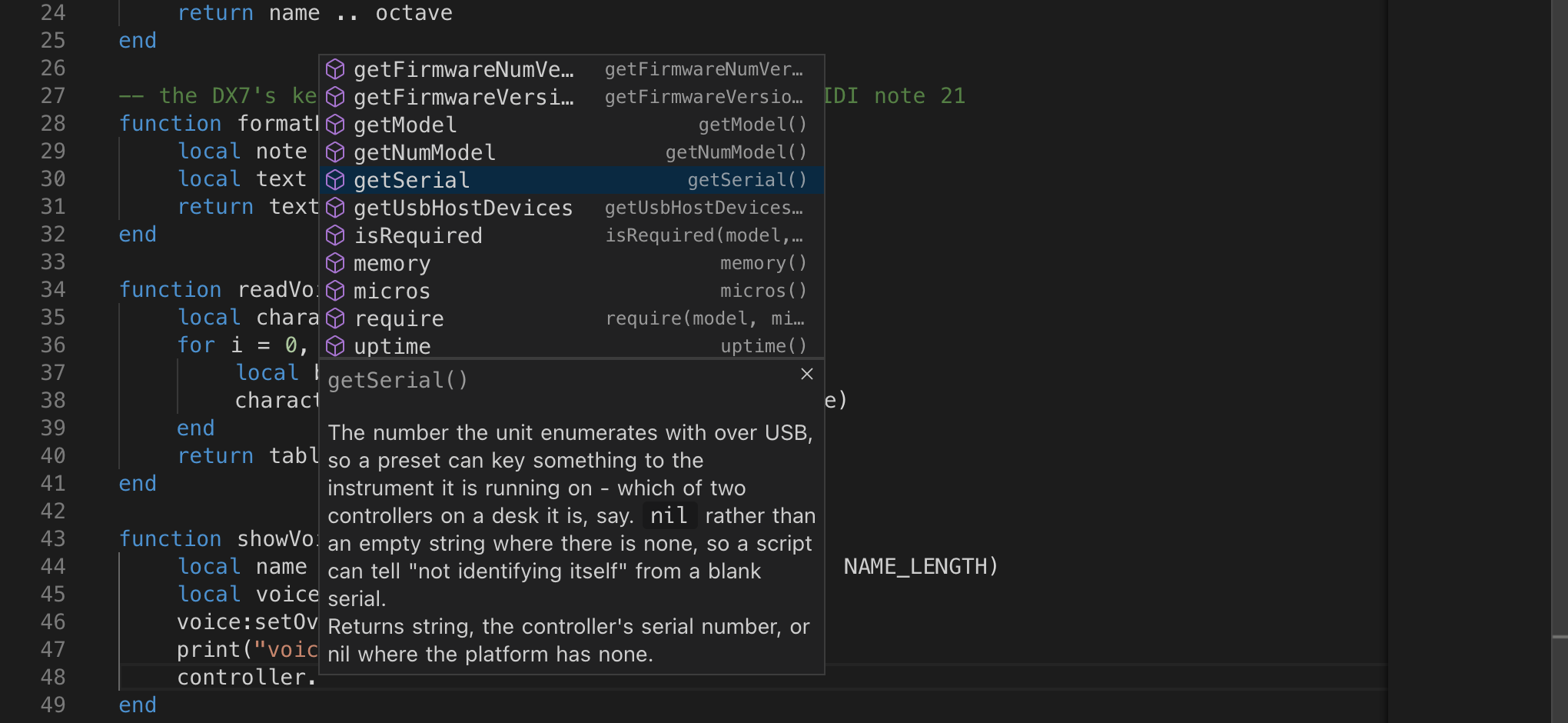
The reward for this arrangement comes while you type. After midi. the editor offers every function in the module, with its parameters and a line of description. Finding a function becomes a matter of remembering which module it belongs to and reading the list.
A module of your own
Because a module is just a table, you can make one. The reason to do so is the same reason the firmware does: related functions belong together, and their names should say where they come from.
Suppose your preset talks to a DX7. Every parameter change has the same shape, a manufacturer byte, a channel byte, a group and a parameter number, and the value. Instead of spelling that out wherever it is needed, collect it:
lua
dx7 = {}

function dx7.channelByte(channel)
    return 0x10 + (channel - 1)
end

function dx7.parameterChange(channel, parameter, value)
    return { 0x43, dx7.channelByte(channel),
             parameter // 128, parameter % 128, value }
end

local message = dx7.parameterChange(1, 134, 17)

for _, byte in ipairs(message) do
    print(string.format("%02X", byte))
end
The log shows the bytes of the Algorithm parameter change from the Device SysEx Messages tutorial, one per line: 43 10 01 06 11. The // 128 and % 128 are the same split of a parameter number above 127 that the tutorial does with a rule, now in Lua.
Sending it is one more line, because midi.sendSysex takes exactly such a table of bytes and adds the F0 and F7 itself:
lua
midi.sendSysex(PORT_1, dx7.parameterChange(1, 134, 17))Everything about the DX7's message format now lives in one place. When you discover that a detail was wrong, you fix one function and every message in the preset is fixed with it.
Why the dot is worth it
Compare two scripts. One has sendParameter, channelByte, readName and drawAlgorithm as four global functions. The other has dx7.sendParameter, dx7.channelByte, dx7.readName and dx7.drawAlgorithm. The second script tells its reader, in every line, which instrument the function is about, and it leaves readName free for the day you add a second synthesizer with names of its own.
A module also keeps the global space tidy. A function that lives inside a table is not a global variable; only the table is. Ten modules are ten names in the global space, however many functions they carry.
Modules and objects
There is a dot in midi.sendNoteOn and a colon in control:setName, and the difference is the subject of the next chapter. For now, a rule of thumb: a module groups functions that belong to a topic, and you call them with a dot. An object is one particular thing, this control, that device, and you call its functions with a colon.