

Version5.0.0 beta
Preset Lua extension
This document describes the Preset Lua Extension for the Electra One MIDI Controller firmware. The extension introduces procedural programming capabilities to Electra One presets.
Lua is a lightweight scripting language. You can find detailed information on the Official Lua site. Alternatively, you can follow our Lua Crash Course — a short tutorial designed specifically for musicians and non-programmers.
With the Electra Preset Lua extension, you can use the Lua programming language inside Electra One MIDI controllers to easily create, manage, and customize MIDI and music-related actions.
Note
This reference describes firmware 5.0 and later. Almost everything in it is available on every model the firmware runs on — the Electra One mk2, the Mini and the mk3. Where a model differs, the difference is usually in a number the firmware reports, not in which functions exist, and it is said where it matters.
OSC is the one place where a model differs in what it can do rather than in a number: the library is there on every model, so a preset using it loads and runs anywhere, but only the mk3 has a network behind it.
A brief overview
With the Electra One Preset Lua extension, you can extend and customize your presets by adding Lua functions. It allows you to create features and behaviors that simply wouldn't be possible without it. Here are just a few examples of what you can do:
- Send and receive MIDI messages.
- Trigger Lua functions when control values change.
- Format display values.
- Modify the visibility, location, name, and color of controls.
- Create and remove controls, groups, devices, overlays and whole presets.
- Execute custom patch dump request calls.
- Craft your own SysEx parsers.
- Calculate checksums and generating custom SysEx template bytes.
- Run Lua functions based on MIDI clock and transport control.
- Create sequences of MIDI data, clock messages, and MIDI LFOs.
- Visualize MIDI data on the controller's screen, and draw controls of your own.
- Record, edit and play back captures and snapshots.
- Drive a second screen over the Electra Satellite Link.
- Send and receive Open Sound Control over the network, on the mk3.
The core idea behind this extension is to clearly separate the static data defined in the declarative JSON preset from the dynamic processing handled at runtime through Lua scripting. The JSON preset acts as the foundation, pre-loading all pages, lists, devices, groups, and controls. Once the preset is loaded, the Preset Lua extension takes over, allowing you to manipulate these objects for specific purposes.
A script is not limited to what the preset file already holds: controls.create(), groups.create(), devices.create(), overlays.create() and presets.create() build new objects, and there are remove counterparts for them. A preset can even edit and save itself. Starting from a declarative preset is still the easier way to work — a control described in the file needs no code at all — but it is a starting point rather than a boundary.
The Lua environment
Each preset slot gets a Lua state of its own. The scripts of two presets never see each other's variables, and a preset running pinned in the background keeps its own state and its own memory.
Lua 5.4, built with 32-bit numbers (LUA_32BITS). An integer holds -2,147,483,648 to 2,147,483,647 exactly. A number with a fraction is a single-precision float, which carries about seven significant digits — so arithmetic that goes through a float stops being exact above 16,777,216, and a count of milliseconds kept as one loses whole milliseconds after about five hours.
Everything the firmware hands a script that is conceptually whole — a MIDI value, a control id, a page number, a constant, a millisecond count — arrives as an integer, so it prints without a trailing .0, can be used as a table key, and can be passed straight back to a function that insists on a whole number.
The standard libraries that are open:
| Library | |
|---|---|
| base | print, type, pairs, ipairs, tonumber, tostring, pcall, error, assert, select, setmetatable, dofile, loadfile, load |
package | require, and package.path - the search path it uses |
coroutine | |
table | |
string | including string.format, string.pack and patterns |
math | |
debug |
io, os and utf8 are not open. There is no io.write, no os.time and no os.clock; use print() or logger.write() for output, and controller.uptime() or controller.micros() for time.
print() does not write to a console — it sends the text to the Electra One log, prefixed with lua:. See Logger.
A script can be split over several files. require "name" looks in the preset's own slot directory first and then in the shared Lua directory on the card:
package.path = "/ctrlv2/slots/bNN/pNN/?.lua;/ctrlv2/lua/?.lua"so require "helpers" finds /ctrlv2/slots/b00/p03/helpers.lua for the preset in bank 0 slot 3, or /ctrlv2/lua/helpers.lua for a module shared by every preset. Compiled C modules cannot be loaded. Uploading several files to one preset is covered by the file transfer and management protocol.
Uploading the scripts
To enable Preset Lua extension functions within a preset, you must first upload a Lua script file(s). The uploaded script is then associated with the currently active preset. If a Lua script already exists for that preset, uploading a new one will overwrite it.
Uploading a script ends the state that was running — preset.onExit() is called — and starts the preset again with the new script.
Normally, each preset uses a single Lua script. If needed, you can upload multiple Lua script files that work together as one larger Lua project.
This document covers the single-file setup. Multi-file configurations are explained in a separate guide about Electra One’s file transfer and management protocol.
Uploading the scripts with the Preset Editor
You can create, edit, and upload Lua scripts directly from the Preset editor — the easiest and recommended way to work with Lua. If needed, you can also upload scripts to the Electra One MIDI Controller using a SysEx call.
Uploading the scripts with a SysEx call
0xF0 0x00 0x21 0x45 0x01 0x0C script-source-code 0xF7Executing a Lua command with a SysEx call
This is a call that executes arbitrary Lua commands, effectively serving as an API endpoint for controlling Electra One presets from external devices and applications.
It allows you to remotely manage Electra One presets using Lua commands, offering a powerful way to interact with the controller from external sources.
The command runs in the Lua state of the preset on the screen, on the application thread, a moment after it arrives — it is queued like every other instruction from a host, not run inside the MIDI handler. A controller with no script on the screen writes a line to the log and does nothing.
Commands of 64 bytes or fewer are executed significantly faster than longer ones: a short command is carried inside the queued instruction, and a longer one has to be copied to memory of its own first.
To optimize performance, it is better to use this SysEx call to trigger Lua functions defined in a previously uploaded Lua script, rather than sending large blocks of arbitrary Lua code.
0xF0 0x00 0x21 0x45 0x08 0x0D lua-command-text 0xF7lua-command-text is a free-form string that holds the Lua command to be executed.
An example of the lua-command-text
lua
print ("Hello MIDI world!")The structure of the script
The Electra One Preset Lua Extension script is organized into four distinct building blocks:
- The Setup Section: This section is where you initialize and configure the settings and parameters needed for your script. It acts as the starting point for your script’s execution and often includes setup tasks like defining global variables, establishing MIDI connections, or configuring other necessary resources.
- The Standard Functions: These are predefined functions included in the Electra One Preset Lua Extension scripting environment. They provide the core functionality for interacting with the MIDI controller and its features. Standard functions can be used to send and receive MIDI messages, manipulate controls, and manage various aspects of the controller's behavior.
- The Standard Callbacks: Electra One provides a set of standard callback functions that allow your Lua script to respond to various events. These callbacks are invoked automatically by the system when specific events occur. For example, you can use callbacks to react to control value changes or button presses, adding dynamic and interactive behavior to your script.
- The User Functions: These are custom functions that you define to extend the functionality of your Lua script. User functions allow you to implement unique behaviors, process data, and create specific responses to tailor the script to your needs. They give you the flexibility to customize the Electra One experience according to your requirements.
Once you understand and use these four building blocks, you’ll be able to create powerful Lua scripts that make your Electra One MIDI controller even more capable and flexible.
Let's use the following example to demonstrate it. It shows one group of controls at a time, chosen by the value of another control. The preset it belongs to has controls 20, 21, 22, 26, 27, 28, 32 and 33, and a control whose value names displayGroup as its Lua function.
lua
-- Display controls related to specific value of another control

-- define assignment of controls to groups
controlGroups = {
    [0] = { 20, 21, 22 },
    [1] = { 26, 27, 28 },
    [2] = { 32, 33 }
}

-- a function to hide all controls within the groups
function hideAllGroups(groups)
    for groupId = 0, #groups do
        for _, controlId in ipairs(groups[groupId]) do
            local control = controls.get(controlId)
            control:setVisible(false)
        end
    end
end

-- show given control group, laid out from the second slot of the page
function showGroup(groups, groupId)
    for i, controlId in ipairs(groups[groupId]) do
        local control = controls.get(controlId)
        control:setSlot(i + 1)
    end
end

-- the callback function called from the preset
function displayGroup(valueObject, value)
    hideAllGroups(controlGroups)
    showGroup(controlGroups, value)
end

-- a standard callback function to handle PATCH REQUEST event
function patch.onRequest(device)
    print("Requesting patches from device " .. device.id)
    midi.sendProgramChange(PORT_1, device.channel, 10)
end

-- set the initial state. group 0 is displayed
function preset.onReady()
    hideAllGroups(controlGroups)
    showGroup(controlGroups, 0)
end

print("Lua ext initialized")
Two things in it are worth pointing out, because they are the two mistakes that are easiest to make:
controls.get()raises an error when the preset has no control with that id. The ids above have to exist in the preset file.<control>:setSlot()moves a control and makes it visible, which is what makeshideAllGroups()followed byshowGroup()work.
The setup
The setup section includes all source code that exists outside of any specific function and runs in the global context of the script. In this section, you can perform various tasks such as calling standard functions, executing user-defined functions, initializing global variables, and setting up resources.
Below is an example of a typical setup section from a script:
lua
-- define assignment of controls to groups
controlGroups = {
    [0] = { 20, 21, 22 },
    [1] = { 26, 27, 28 },
    [2] = { 32, 33 }
}

print("Lua ext initialized")
The primary purpose of the setup section is to prepare your extension to handle application events later on. It is executed immediately after the preset is loaded.
The location of the setup code within the script does not affect its functionality — it does not have to be placed at the top. However, if you plan to call your own user-defined functions in the setup section, it’s recommended to either place the setup code after the function definitions or move it into the preset.onLoad() or preset.onReady() functions for better script organization. For more details, see the Preset Initialization section below.
There is one thing the setup section must do rather than may: any midi.onX callback has to be defined by the time the main chunk ends. Those callbacks are registered the moment the chunk returns, and one defined later — in onLoad(), in a timer, in another callback — is never registered and never runs.
The standard functions
Standard functions include functions from both the Lua standard libraries and the Electra One Extension libraries. They cover a wide range of tasks, such as printing messages, performing mathematical operations, sending and receiving MIDI messages, and interacting with user interface (UI) components.
You can find detailed descriptions of the Lua standard functions in the official Lua documentation, and descriptions of Electra-specific functions in the API reference at the end of this page.
As an example, the print function is a typical standard function you will use in your scripts:
lua
print("Lua ext initialized")The standard callbacks
The Electra One Preset Lua Extension provides a set of predefined event handlers, often called callbacks. These callbacks are automatically triggered when specific events happen.
For example:
lua
-- a standard callback function to handle PATCH REQUEST event
function patch.onRequest(device)
    print("Requesting patches from device " .. device.id)
    midi.sendProgramChange(PORT_1, device.channel, 10)
end
In this code snippet, the patch.onRequest function is a standard callback that responds to the 'PATCH REQUEST' event. When the event occurs, this callback runs the actions you have defined: printing a text message and sending out a Program Change MIDI message.
Standard callbacks like this allow you to customize how your Lua script reacts to different events, making your Electra One MIDI controller more interactive and adaptable.
Most of them are named on a library — preset.onLoad, midi.onControlChange, patch.onRequest, timer.onTick, pages.onChange, parameterMap.onChange. Each is described with the library it belongs to, in the topic pages listed at the end.
The user functions
As a user, you have the creative freedom to define your own functions. In fact, you are encouraged to do so — user functions are the building blocks for creating more advanced and structured elements in your Lua script.
User functions help you organize your code and extend your script’s capabilities. They let you group specific tasks or behaviors together, making your scripts more modular, easier to manage, and easier to reuse.
For example, the displayGroup function from the earlier source code example is a user-defined function that is linked to a callback hook inside the preset JSON.
lua
-- the callback function called from the preset
function displayGroup(valueObject, value)
    hideAllGroups(controlGroups)
    showGroup(controlGroups, value)
end
A function named by the preset JSON has to be a global function, because the firmware looks it up by name. The local function form is for helpers the script calls itself.
Preset initialization
Some presets may require a carefully controlled sequence of actions during startup. The Electra One Preset Lua Extension gives you ways to run your own functions at different stages of the preset loading process. It’s important to understand the order in which these stages happen.
When a preset is read into a slot — at power on, or when you switch to a preset that is not already in memory — the following steps take place:
- The preset file is read. Pages, devices, overlays, groups and controls are built, and every control value registers its parameter map entry, so the values are in place before any script runs.
- Everything in the global context of your Lua script (outside of any function) is executed.
- The
midi.*callbacks the script defined are registered. preset.onLoad()is called, if defined.- The parameter map makes its first pass: every Lua function linked to a control value is called with the value the map holds for it.
preset.onReady()is called, if defined.preset.onEnter()is called, if defined.
Switching back to a preset that is already in memory does not repeat any of that: only preset.onEnter() runs again. preset.onLeave() runs on the preset being left, and preset.onExit() when its Lua state is closed.
Which one to use
preset.onLoad() runs before any value has been dispatched, so it can neither read a value usefully nor set one: the pass that follows calls every value's function with the value the parameter map holds, so whatever onLoad set is overwritten before it can be seen. preset.onReady() runs after that pass, when every value function and formatter has run and the preset is in a known state — it is the right place for almost all start-up work.
The Presets and Events page describes the five lifecycle callbacks in full, including what happens to timers, MIDI callbacks and pinned presets at each step.
Threads and timing
Almost all of a preset's Lua runs on one thread — the application thread — and only one piece of a preset's script runs at a time. A preset's Lua state is held by a lock, so a timer tick cannot interrupt a MIDI callback half way through, and a script never has to guard its own variables.
| Runs on | |
|---|---|
| Application thread | the main chunk and the lifecycle callbacks; every midi.* callback; timer.onTick; scheduled functions; transport callbacks; value functions and formatters; control event callbacks; touch, knob and switch callbacks of a custom control; data pipe subscriptions; router events; the execute-command SysEx |
| Display thread | a custom control's paint callback, and nothing else |
The one consequence to keep in mind: long work blocks the screen and the preset. While a timer tick or a MIDI callback is running, the preset's paint callbacks cannot take the lock. A paint that cannot take it within 20 ms gives up the frame and the control keeps the picture it had, so a script that computes for tens of milliseconds at a time shows as a screen that will not follow the knobs.
The rules that follow from it:
- Do a little work often rather than a lot of work at once. A
timerat 50 Hz that does a millisecond of work each tick costs nothing visible; one that does 50 ms every second is seen. - Do not use
helpers.delay()to wait. It holds the lock for its whole length. Useschedule.after()ormidi.at()instead — both let the script return. - Keep paint callbacks to drawing. Compute what to draw elsewhere, store it, and let the paint function put it on the screen.
- Anything a script does while the display thread is waiting is delaying the display thread, and the display thread is what makes the instrument feel responsive.
Errors and limits
An error in a Lua script never takes the controller down. Every entry point is protected: the error is written to the log and the callback is abandoned. The rest of the preset keeps running.
The script did not load. A syntax error, or an error raised by the main chunk, leaves the preset with no script at all — a preset that looks like it works and does nothing. The controller says so in the bar at the bottom of the screen, as Lua: <the message>, and writes the whole message to the log.
A callback raised an error. The line goes to the log with the name of the function that failed. The logger is off by default for the controller's own messages, but never for a script's, so print() and logger.write() always come out; for everything else, turn the log on in the Electra One web application while writing a preset.
A callback that will not end. timer.onTick and a scheduled function are watched: one that runs for more than ten seconds is stopped where it is. The timer is disabled, or the whole schedule is cleared, the bar says Preset N timer stopped: it ran past the ten second limit, and the log says what to do — fix the function and call timer.enable() or schedule it again.
A script the controller cannot get out of. Holding all six main buttons together for two seconds stops every preset timer and clears every schedule. It is the way out of a while true do end when the host is not answering: the grip is read by a thread that keeps running even when the application thread does not.
Memory. Each preset's Lua state has its own heap, and controller.memory() reports how much of it the script is using. A preset that stops working as it grows has usually run out; the usual causes are a table that is appended to and never trimmed, and a callback that builds a new table every time it runs.
Ranges. Arguments are checked. A MIDI value outside 0 to 16383, a control id that does not exist, a port that is not 0 to 2, a face or size a font does not have: all of them raise an error naming the argument, rather than sending or drawing something arbitrary. Where a value is silently clamped instead, the function's own description says so.
Keeping data between sessions
A preset can write a Lua table to its own file on the card and read it back the next time it is loaded — persist(table) and recall(table), or persistJson() and recallJson() for the same file as text. One file per preset slot, written when the script asks and not otherwise. See System.
Preset Lua Extension API Reference
Interfaces and ports
Every MIDI message the controller sends goes to an interface and a port.
An interface is a socket, or the set of all of them:
| Constant | Value | What it is |
|---|---|---|
MIDI_IO | 0 | the DIN sockets |
USB_DEV | 1 | the USB device socket, the one a computer is plugged into |
USB_HOST | 2 | the USB host socket, the one instruments are plugged into |
ALL_INTERFACES | 3 | all three of the above |
CAPTURE | 5 | not a socket - see below |
A port is a cable within an interface:
| Constant | Value |
|---|---|
PORT_1 | 0 |
PORT_2 | 1 |
PORT_CTRL | 2 |
PORT_CTRL is the cable the Electra One uses for its own control traffic. It is accepted by every send function, but a preset that sends musical data there is talking over the editor.
CAPTURE is not a socket. It is the capture the script has open for writing: a send addressed to it is written into that capture's track at the write position instead of going out. It is deliberately not part of ALL_INTERFACES, so sending to every interface never writes to a file.
The interface argument is optional
Every send function takes the interface as an optional first argument. Left out, the message goes to ALL_INTERFACES:
lua
midi.sendNoteOff(PORT_1, channel, noteNumber, velocity)             -- everywhere
midi.sendNoteOff(MIDI_IO, PORT_1, channel, noteNumber, velocity)    -- DIN only
The firmware tells the two forms apart by counting the arguments, so all the other arguments have to be there. midi.sendNoteOn(PORT_1, 1, 60) is not a note on with a default velocity; it is four arguments where five are needed and the missing one is read off the stack, which produces nonsense rather than a clean error.
The functions with optional switches at the end - midi.sendNrpn() and midi.sendControlChange14Bit() - set trailing booleans and nils aside before counting, so midi.sendNrpn(PORT_1, 1, 512, 8192, true) is understood as a port and a switch. A switch written as 0 or 1 is understood too, but only when the interface is given as well; with no interface, midi.sendNrpn(PORT_1, 1, 512, 8192, 1) reads the trailing 1 as an interface and sends nothing useful. Use true and false.
Running status
A DIN output may leave out the status byte of a message when the wire already carries it. The midi.send* functions never do this - every message goes out whole. Running status is a property of a preset device, so only what a device sends, and what the router forwards, can use it.
TIP
An interface value of 4 is accepted and sends nothing at all. There is no constant for it, and nothing in a preset should use it.
Example
lua
-- Forwards every control change that arrives on the USB host socket out of
-- the DIN sockets, and says where it came from.

local interfaceNames = {
    [MIDI_IO] = "MIDI IO",
    [USB_DEV] = "USB device",
    [USB_HOST] = "USB host",
    [CAPTURE] = "capture"
}

function midi.onControlChange(midiInput, channel, controllerNumber, value)
    if midiInput.playback then
        return                       -- already went out, do not send it twice
    end

    print(string.format("%s port %d: cc %d = %d",
                        interfaceNames[midiInput.interface] or "?",
                        midiInput.port + 1,
                        controllerNumber,
                        value))

    if midiInput.interface == USB_HOST then
        midi.sendControlChange(MIDI_IO, PORT_1, channel, controllerNumber, value)
    end
end
MIDI callbacks
MIDI callbacks handle incoming MIDI messages. The general midi.onMessage() callback is called for any incoming MIDI message; the specific callbacks are called only for their own message type.
The first parameter of every callback is midiInput, a table that says where the message came from:
lua
midiInput = {
  interface = USB_DEV,  -- an integer, one of the interface constants
  port = 0,             -- an integer, 0 for PORT_1
  playback = true       -- present only for a message a capture played
}
interface and port are numbers, not names.
A capture that plays hands what it sends back to the presets, as if the socket it went to had answered with it - see What a playing capture tells the presets. Those messages reach the same callbacks as received MIDI, and their midiInput carries playback = true, with interface and port naming where the capture sent them. For received MIDI the field is absent, so the table is exactly what it always was. A script that passes on what it hears should leave playback out, because it has already gone out:
lua
function midi.onControlChange(midiInput, channel, controllerNumber, value)
    if midiInput.playback then
        return
    end

    midi.sendControlChange(PORT_2, channel, controllerNumber, value)
end
The transport callbacks - transport.onClock(), onStart(), onStop() and onContinue() - are not called for playback: the transport follows the clock that arrives, not a capture playing one back. They are also the only callbacks the controller's own internal clock reaches; midi.onClock() is about what comes in on a wire. A transport callback that is told about the internal clock gets { internal = true } in place of the usual midiInput table, with no interface and no port.
The second key structure is midiMessage, which midi.onMessage() is given. It carries one MIDI message broken down into its parts, and is described under MIDI data structures.
When callbacks run
A message arrives on the MIDI thread, and its Lua callbacks are queued and run later on the application thread - the same thread that builds pages, paints the display and runs every other preset's script. This matters:
- A callback runs within a millisecond or two of the message arriving, but tens of milliseconds later while a page is being built. Nothing a callback sends is precisely timed.
midi.at()is the way to send on time; see Sending at a precise time. - A callback that takes a long time delays the display and every other callback. Never call anything blocking from one.
- Errors raised in a callback are written to the log and the message is dropped. They do not stop the preset.
Callbacks are registered when the preset is loaded: immediately after the script's main chunk has run and before preset.onLoad(). The firmware looks for them by name at that moment and never again, so a midi.onNoteOn assigned later - in onLoad(), in a timer, from lua exec - is never called. Define every callback at the top level of the script.
Every loaded preset gets its callbacks, not only the one on screen: a pinned preset in the background keeps receiving MIDI.
Registering a callback costs work on every matching message, so do not define empty callback functions.
The callback queue
Messages waiting for their callbacks sit in a queue 128 deep. Each pass of the application thread runs at least 16 of them, and goes on draining up to 64 for as long as a 500 microsecond budget lasts. SysEx is carried separately, in a ring of 16 messages; a block is copied before the script sees it, so a script may take as long as it likes over it.
When the queue is full the message is dropped and counted. A preset that sheds callbacks is doing too much work in them.
midi.getDroppedCallbacks()
The count of MIDI callbacks that were never run: a message that found the queue full, or a SysEx block that was overwritten before its turn came. It is a controller-wide count since boot, not a per-preset one, and it never resets.
A script that wants to know whether it is keeping up reads it twice and compares.
Returns
number, how many MIDI callbacks have been dropped since the controller booted.
Firing order
One incoming control change can run several callbacks, always in this order:
midi.onControlChange()midi.onNrpn()ormidi.onRpn(), if the run is completemidi.onControlChange14Bit(), if the pair is completemidi.onMessage()
For a SysEx message it is midi.onSysex() and then midi.onMessage(). For everything else the specific callback runs first and midi.onMessage() last.
Functions
midi.onMessage(midiInput, midiMessage)
A user-defined callback function to handle all types of MIDI messages.
It is not called for the controller's own internal clock. For a SysEx message the table holds only type and sysexBlock.
Parameters
midiInput
data table, where the message came from (see above).
midiMessage
data table, a structured representation of the incoming MIDI message.
midi.onNoteOn(midiInput, channel, noteNumber, velocity)
A user-defined callback function to handle Note On MIDI messages.
A Note On with velocity 0 is reported here, not as a Note Off. Instruments that use it as a note off are common, so a script that tracks held notes must test for it.
Parameters
midiInput
data table, where the message came from (see above).
channel
number, the MIDI channel (1 .. 16).
noteNumber
number, the MIDI note (0 .. 127).
velocity
number, the note velocity (0 .. 127).
midi.onNoteOff(midiInput, channel, noteNumber, velocity)
A user-defined callback function to handle Note Off MIDI messages.
Parameters
midiInput
data table, where the message came from (see above).
channel
number, the MIDI channel (1 .. 16).
noteNumber
number, the MIDI note (0 .. 127).
velocity
number, the release velocity (0 .. 127).
midi.onControlChange(midiInput, channel, controllerNumber, value)
A user-defined callback function to handle Control Change MIDI messages.
Every control change is reported here, including the ones that make up an NRPN, an RPN or a 14-bit control change.
Parameters
midiInput
data table, where the message came from (see above).
channel
number, the MIDI channel (1 .. 16).
controllerNumber
number, the Control Change parameter (0 .. 127).
value
number, the Control Change value (0 .. 127).
midi.onNrpn(midiInput, channel, parameterNumber, value, is14Bit)
A user-defined callback function to handle NRPN messages.
An NRPN is not a message on the wire - it is a run of ordinary control changes (CC 99, CC 98, CC 6 and optionally CC 38), and the controller assembles it. midi.onControlChange() still reports each of those individually; this reports what they add up to.
Many instruments send only the coarse form and never a data entry LSB, so the callback runs as soon as CC 6 arrives, with is14Bit false. Where the LSB does follow, the callback runs again with the full fourteen bits and is14Bit true.
The run is assembled per source - interface, port and channel - so two instruments sending NRPNs at the same time do not confuse each other.
A repeated CC 6 reuses the last LSB
Once a data entry LSB has been seen for a parameter, a further CC 6 on its own is reported with is14Bit true and that old LSB. An instrument that sends coarse-only changes after a fine one therefore reports values that are fourteen bits wide but whose bottom seven bits are stale.
Parameters
midiInput
data table, where the message came from (see above).
channel
number, the MIDI channel (1 .. 16).
parameterNumber
number, the NRPN parameter (0 .. 16383).
value
number, the value (0 .. 127 coarse, 0 .. 16383 with its LSB).
is14Bit
boolean, true when the value carries all fourteen bits.
midi.onRpn(midiInput, channel, parameterNumber, value, is14Bit)
A user-defined callback function to handle RPN messages - the same run of control changes as an NRPN, on CC 101 and CC 100 rather than CC 99 and CC 98. Pitch bend range, fine tuning and coarse tuning are RPN 0, 1 and 2.
The is14Bit note on midi.onNrpn() applies here too.
Parameters
midiInput
data table, where the message came from (see above).
channel
number, the MIDI channel (1 .. 16).
parameterNumber
number, the RPN parameter (0 .. 16383).
value
number, the value (0 .. 127 coarse, 0 .. 16383 with its LSB).
is14Bit
boolean, true when the value carries all fourteen bits.
midi.onControlChange14Bit(midiInput, channel, controllerNumber, value, is14Bit)
A user-defined callback function to handle 14-bit Control Change messages - a controller in the range 0 to 31 carrying the MSB, and the controller 32 higher carrying the LSB.
The two halves do not have to arrive back to back: each of controllers 0 to 31 remembers the MSB it last had, so interleaved pairs are assembled correctly. An LSB on its own is a fine adjustment and is reported with the MSB its controller already has - so a controller can report a value before its MSB has ever changed again.
midi.onControlChange() still reports both halves individually.
Parameters
midiInput
data table, where the message came from (see above).
channel
number, the MIDI channel (1 .. 16).
controllerNumber
number, the MSB controller (0 .. 31).
value
number, the assembled value (0 .. 16383).
is14Bit
boolean, always true here; the argument is there so the three composite callbacks have one shape.
One control change can be two composite messages
CC 6 and CC 38 are the RPN/NRPN data entry pair, and they are also a 14-bit CC pair. A preset with both midi.onNrpn and midi.onControlChange14Bit is told about both rather than one of them silently winning.
midi.onAfterTouchPoly(midiInput, channel, noteNumber, pressure)
A user-defined callback function to handle Polyphonic Aftertouch MIDI messages.
Parameters
midiInput
data table, where the message came from (see above).
channel
number, the MIDI channel (1 .. 16).
noteNumber
number, the MIDI note (0 .. 127).
pressure
number, the pressure (0 .. 127).
midi.onAfterTouchChannel(midiInput, channel, pressure)
A user-defined callback function to handle Channel Aftertouch MIDI messages.
Parameters
midiInput
data table, where the message came from (see above).
channel
number, the MIDI channel (1 .. 16).
pressure
number, the pressure (0 .. 127).
midi.onProgramChange(midiInput, channel, programNumber)
A user-defined callback function to handle Program Change MIDI messages.
Parameters
midiInput
data table, where the message came from (see above).
channel
number, the MIDI channel (1 .. 16).
programNumber
number, the MIDI program number (0 .. 127).
midi.onPitchBend(midiInput, channel, value)
A user-defined callback function to handle Pitch Bend MIDI messages.
The value is signed and centred on 0, which is the same number midi.sendPitchBend() takes. midi.onMessage() reports the same message unsigned, as the raw 0 to 16383.
Parameters
midiInput
data table, where the message came from (see above).
channel
number, the MIDI channel (1 .. 16).
value
number, the amount of Pitch Bend applied (-8192 .. 8191), centred on 0.
midi.onSongSelect(midiInput, songNumber)
A user-defined callback function to handle Song Select MIDI messages.
Parameters
midiInput
data table, where the message came from (see above).
songNumber
number, a numeric identifier of the song (0 .. 127).
midi.onSongPosition(midiInput, position)
A user-defined callback function to handle Song Position Pointer MIDI messages.
Parameters
midiInput
data table, where the message came from (see above).
position
number, MIDI beats from the start of the song (0 .. 16383). One MIDI beat is a sixteenth note.
midi.onClock(midiInput)
A user-defined callback function to handle Clock MIDI messages. There are 24 Clock messages per quarter note.
Only clocks that arrive on a socket reach this callback. The controller's own internal clock reaches transport.onClock() instead.
At 120 BPM this runs 48 times a second, on the application thread, for every preset that defines it. Keep it very short, or follow the clock with transport instead.
Parameters
midiInput
data table, where the message came from (see above).
midi.onStart(midiInput)
A user-defined callback function to handle Start MIDI messages.
Parameters
midiInput
data table, where the message came from (see above).
midi.onStop(midiInput)
A user-defined callback function to handle Stop MIDI messages.
Parameters
midiInput
data table, where the message came from (see above).
midi.onContinue(midiInput)
A user-defined callback function to handle Continue MIDI messages.
Parameters
midiInput
data table, where the message came from (see above).
midi.onActiveSensing(midiInput)
A user-defined callback function to handle Active Sensing MIDI messages.
An instrument that sends Active Sensing sends it about three times a second while it is idle, and it is not filtered out on the way here.
Parameters
midiInput
data table, where the message came from (see above).
midi.onSystemReset(midiInput)
A user-defined callback function to handle System Reset MIDI messages.
Parameters
midiInput
data table, where the message came from (see above).
midi.onTuneRequest(midiInput)
A user-defined callback function to handle Tune Request MIDI messages.
Parameters
midiInput
data table, where the message came from (see above).
midi.onSysex(midiInput, sysexBlock)
A user-defined callback function to handle SysEx MIDI messages. It is given every SysEx the controller receives, unless the preset names the headers it wants with `midi.setSysexHeaders()`.
The block is valid only while the callback runs. Keeping a reference to it and reading it later gives whatever has since been written over it - read what is needed, or copy it out with sysexBlock:getBytes(), before returning.
SysEx addressed to the Electra One itself - the messages whose manufacturer id is 00 21 45 - is handled by the controller and never reaches this callback or midi.onMessage().
There is no length limit a preset needs to worry about: a message of up to 128 kB reaches the script whole.
Parameters
midiInput
data table, where the message came from (see above).
sysexBlock
userdata, a SysexBlock object holding the message, framing included.
Time Code Quarter Frame
TIME_CODE_QUARTER_FRAME (0xF1) has no callback of its own. It reaches midi.onMessage() like any other message, but midi.sendMessage() cannot send it back out.
Receiving only the SysEx you want
A script that handles one device's SysEx usually starts midi.onSysex() by checking the first few bytes and returning when they do not match. Name those bytes with midi.setSysexHeaders() instead, and the controller does the check itself. A SysEx that matches none of the headers never reaches the script, and is not even copied for it, so a busy MIDI bus costs the preset nothing.
midi.setSysexHeaders(headers)
Sets the headers a SysEx must start with to reach `midi.onSysex()`. A SysEx matches when it starts with any one of them.
A header is written like the bytes of a SysEx template:
- the bytes that follow the
F0, as numbers or hex strings (0x43or'43') - a leading
'F0'is allowed and ignored, so a header can be copied off a template midi.ANYmatches any byte in its position, such as a device ID or a channel nibble
A preset can set up to 8 headers of up to 16 bytes each. A byte over 127, an empty header or too many headers raises an error, and the headers set before the call stay in place.
Until a preset calls midi.setSysexHeaders(), midi.onSysex() is given every SysEx, as it always was. The headers apply to midi.onSysex() only: midi.onMessage() is still given every SysEx. They stay with the preset while it is pinned or left and returned to, and a new script starts without them.
Parameters
headers
array, a list of headers, or a single header. nil or an empty list goes back to every SysEx.
midi.getSysexHeaders()
Retrieves the headers set with `midi.setSysexHeaders()`. A leading `F0`, and hex strings, come back as plain numbers.
Returns
array, the headers as lists of bytes, with midi.ANY where any byte matches; nil when the preset has not set any.
midi.ANY is the template element { type = "any" }. It means the same thing in a header and in a device message template, so device:setMessage(id, { 'F0', 0x43, midi.ANY, 0x00 }, 'in') works as well.
Example
lua
-- Yamaha parameter changes on any device channel (0x10 to 0x1F), and Roland
-- DT1 data sets from any device ID. Nothing else reaches the callback.

midi.setSysexHeaders({
    { 0x43, midi.ANY },
    { 0x41, midi.ANY, 0x00, 0x00, 0x6A, 0x12 },
})

function midi.onSysex(midiInput, sysexBlock)
    if sysexBlock:peek(2) == 0x43 then
        -- a Yamaha message
    else
        -- a Roland DT1
    end
end
Example 1
lua
-- Receiving MIDI messages with the generic midi.onMessage() callback

function midi.onMessage(midiInput, midiMessage)
    if midiMessage.type == SYSEX then
        print("sysex message received: interface=" .. midiInput.interface)

        local sysexBlock = midiMessage.sysexBlock

        print(sysexBlock:toHex())
    else
        -- the generic approach, using data1 and data2
        print("midi message received: interface=" .. midiInput.interface ..
              " channel=" .. midiMessage.channel ..
              " type=" .. midiMessage.type ..
              " data1=" .. midiMessage.data1 ..
              " data2=" .. midiMessage.data2)

        -- message type specific attributes
        if midiMessage.type == NOTE_ON then
            print("noteOn received: channel=" .. midiMessage.channel ..
                  " noteNumber=" .. midiMessage.noteNumber ..
                  " velocity=" .. midiMessage.velocity)
        end
    end
end
Example 2
lua
-- A complete monitor preset: every callback the firmware calls, and the
-- dropped-callback count once a second.

function midi.onControlChange(midiInput, channel, controllerNumber, value)
    print("controlChange: channel=" .. channel ..
          " controllerNumber=" .. controllerNumber .. " value=" .. value)
end

function midi.onNoteOn(midiInput, channel, noteNumber, velocity)
    print("noteOn: channel=" .. channel ..
          " noteNumber=" .. noteNumber .. " velocity=" .. velocity)
end

function midi.onNoteOff(midiInput, channel, noteNumber, velocity)
    print("noteOff: channel=" .. channel ..
          " noteNumber=" .. noteNumber .. " velocity=" .. velocity)
end

function midi.onAfterTouchPoly(midiInput, channel, noteNumber, pressure)
    print("afterTouchPoly: channel=" .. channel ..
          " noteNumber=" .. noteNumber .. " pressure=" .. pressure)
end

function midi.onAfterTouchChannel(midiInput, channel, pressure)
    print("afterTouchChannel: channel=" .. channel .. " pressure=" .. pressure)
end

function midi.onProgramChange(midiInput, channel, programNumber)
    print("programChange: channel=" .. channel ..
          " programNumber=" .. programNumber)
end

function midi.onPitchBend(midiInput, channel, value)
    print("pitchBend: channel=" .. channel .. " value=" .. value)
end

function midi.onNrpn(midiInput, channel, parameterNumber, value, is14Bit)
    print("nrpn: channel=" .. channel ..
          " parameterNumber=" .. parameterNumber ..
          " value=" .. value .. " is14Bit=" .. tostring(is14Bit))
end

function midi.onRpn(midiInput, channel, parameterNumber, value, is14Bit)
    print("rpn: channel=" .. channel ..
          " parameterNumber=" .. parameterNumber ..
          " value=" .. value .. " is14Bit=" .. tostring(is14Bit))
end

function midi.onControlChange14Bit(midiInput, channel, controllerNumber, value)
    print("cc14: channel=" .. channel ..
          " controllerNumber=" .. controllerNumber .. " value=" .. value)
end

function midi.onSongSelect(midiInput, songNumber)
    print("songSelect: songNumber=" .. songNumber)
end

function midi.onSongPosition(midiInput, position)
    print("songPosition: position=" .. position)
end

function midi.onStart(midiInput)
    print("start")
end

function midi.onStop(midiInput)
    print("stop")
end

function midi.onContinue(midiInput)
    print("continue")
end

function midi.onSystemReset(midiInput)
    print("system reset")
end

function midi.onTuneRequest(midiInput)
    print("tune request")
end

function midi.onSysex(midiInput, sysexBlock)
    print("sysex, " .. sysexBlock:getLength() .. " bytes: " ..
          sysexBlock:toHex(1, 8) .. " ...")
end

-- midi.onClock and midi.onActiveSensing are left undefined on purpose: they
-- arrive dozens of times a second and registering them costs work on each.

local lastDropped = midi.getDroppedCallbacks()

function timer.onTick()
    local dropped = midi.getDroppedCallbacks()

    if dropped ~= lastDropped then
        print("dropped " .. (dropped - lastDropped) .. " callbacks")
        lastDropped = dropped
    end
end

timer.setPeriod(1000)
timer.enable()
MIDI functions
The MIDI library sends raw MIDI messages. There are two ways to send: compose a midiMessage table and pass it to midi.sendMessage(), or call the function for the message type, such as midi.sendNoteOn().
Every one of them takes an optional leading interface argument, described under Interfaces and ports. None of them returns anything.
An argument outside its range raises an error. The ranges are: channel 1 to 16, seven-bit values 0 to 127, fourteen-bit values 0 to 16383, pitch bend -8192 to 8191, port 0 to 2, interface 0 to 5.
The messages leave through the output queues as soon as the script sends them, unless midi.at() is holding them back.
Functions
Note
The prototypes below write the optional leading interface as [interface, ]. Left out, the message goes to every interface.
midi.sendMessage([interface, ] port, midiMessage)
A function to send a MIDI message defined in a `midiMessage` data table.
It takes what midi.onMessage() gives, including SysEx, which arrives as a sysexBlock field. So forwarding everything that reaches one interface out of another is one line:
lua
function midi.onMessage(midiInput, midiMessage)
    midi.sendMessage(USB_HOST, PORT_1, midiMessage)
end
A hand written pitch bend carries value as the signed amount the wheel is bent by, -8192 to 8191. A received one carries the raw data1 and data2 bytes as well, and those win where they are present - which is what makes the round trip exact rather than an octave out.
Two things do not round trip. TIME_CODE_QUARTER_FRAME raises type is not supported, so a forwarder that may see one has to skip it. And NRPN, RPN and 14-bit control changes have no message type of their own; they are already reported as the plain control changes they are made of.
This function does not range-check its arguments. A value outside 0 to 127 is truncated into the MIDI packet rather than raising, so an arithmetic mistake here goes out on the wire. The dedicated functions below check everything.
Parameters
interface
enum, optional, the MIDI interface. Defaults to ALL_INTERFACES.
port
enum, the MIDI port [PORT_1, PORT_2, PORT_CTRL].
midiMessage
data table, a structured representation of the MIDI message.
midi.sendNoteOn([interface, ] port, channel, noteNumber, velocity)
A function to send a Note On MIDI message.
Parameters
interface
enum, optional, the MIDI interface. Defaults to ALL_INTERFACES.
port
enum, the MIDI port [PORT_1, PORT_2, PORT_CTRL].
channel
number, the MIDI channel (1 .. 16).
noteNumber
number, the MIDI note (0 .. 127).
velocity
number, the note velocity (0 .. 127).
midi.sendNoteOff([interface, ] port, channel, noteNumber, velocity)
A function to send a Note Off MIDI message.
Parameters
interface
enum, optional, the MIDI interface. Defaults to ALL_INTERFACES.
port
enum, the MIDI port [PORT_1, PORT_2, PORT_CTRL].
channel
number, the MIDI channel (1 .. 16).
noteNumber
number, the MIDI note (0 .. 127).
velocity
number, the release velocity (0 .. 127).
midi.sendControlChange([interface, ] port, channel, controllerNumber, value)
A function to send a Control Change MIDI message.
Parameters
interface
enum, optional, the MIDI interface. Defaults to ALL_INTERFACES.
port
enum, the MIDI port [PORT_1, PORT_2, PORT_CTRL].
channel
number, the MIDI channel (1 .. 16).
controllerNumber
number, the Control Change parameter (0 .. 127).
value
number, the Control Change value (0 .. 127).
midi.sendAfterTouchPoly([interface, ] port, channel, noteNumber, pressure)
A function to send a Polyphonic Aftertouch MIDI message.
Parameters
interface
enum, optional, the MIDI interface. Defaults to ALL_INTERFACES.
port
enum, the MIDI port [PORT_1, PORT_2, PORT_CTRL].
channel
number, the MIDI channel (1 .. 16).
noteNumber
number, the MIDI note (0 .. 127).
pressure
number, the pressure (0 .. 127).
midi.sendAfterTouchChannel([interface, ] port, channel, pressure)
A function to send a Channel Aftertouch MIDI message.
Parameters
interface
enum, optional, the MIDI interface. Defaults to ALL_INTERFACES.
port
enum, the MIDI port [PORT_1, PORT_2, PORT_CTRL].
channel
number, the MIDI channel (1 .. 16).
pressure
number, the pressure (0 .. 127).
midi.sendProgramChange([interface, ] port, channel, programNumber)
A function to send a Program Change MIDI message.
Parameters
interface
enum, optional, the MIDI interface. Defaults to ALL_INTERFACES.
port
enum, the MIDI port [PORT_1, PORT_2, PORT_CTRL].
channel
number, the MIDI channel (1 .. 16).
programNumber
number, the MIDI program number (0 .. 127).
midi.sendPitchBend([interface, ] port, channel, value)
A function to send a Pitch Bend MIDI message.
The channel argument is required. The value is signed and centred on 0, the same number midi.onPitchBend() reports.
Parameters
interface
enum, optional, the MIDI interface. Defaults to ALL_INTERFACES.
port
enum, the MIDI port [PORT_1, PORT_2, PORT_CTRL].
channel
number, the MIDI channel (1 .. 16).
value
number, the amount of Pitch Bend to apply (-8192 .. 8191). 0 is the centre.
midi.sendSongSelect([interface, ] port, songNumber)
A function to send a Song Select MIDI message.
Parameters
interface
enum, optional, the MIDI interface. Defaults to ALL_INTERFACES.
port
enum, the MIDI port [PORT_1, PORT_2, PORT_CTRL].
songNumber
number, a numeric identifier of the song (0 .. 127).
midi.sendSongPosition([interface, ] port, position)
A function to send a Song Position Pointer MIDI message.
Parameters
interface
enum, optional, the MIDI interface. Defaults to ALL_INTERFACES.
port
enum, the MIDI port [PORT_1, PORT_2, PORT_CTRL].
position
number, MIDI beats from the start of the song (0 .. 16383).
midi.sendClock([interface, ] port)
A function to send a single Clock MIDI message.
A clock built out of these is only as steady as the application thread, which also paints the display. To send a clock, use the controller's own clock generator - see transport - or schedule each byte with midi.at().
Parameters
interface
enum, optional, the MIDI interface. Defaults to ALL_INTERFACES.
port
enum, the MIDI port [PORT_1, PORT_2, PORT_CTRL].
midi.sendStart([interface, ] port)
A function to send a Start MIDI message.
Parameters
interface
enum, optional, the MIDI interface. Defaults to ALL_INTERFACES.
port
enum, the MIDI port [PORT_1, PORT_2, PORT_CTRL].
midi.sendStop([interface, ] port)
A function to send a Stop MIDI message.
Parameters
interface
enum, optional, the MIDI interface. Defaults to ALL_INTERFACES.
port
enum, the MIDI port [PORT_1, PORT_2, PORT_CTRL].
midi.sendContinue([interface, ] port)
A function to send a Continue MIDI message.
Parameters
interface
enum, optional, the MIDI interface. Defaults to ALL_INTERFACES.
port
enum, the MIDI port [PORT_1, PORT_2, PORT_CTRL].
midi.sendActiveSensing([interface, ] port)
A function to send an Active Sensing MIDI message.
Parameters
interface
enum, optional, the MIDI interface. Defaults to ALL_INTERFACES.
port
enum, the MIDI port [PORT_1, PORT_2, PORT_CTRL].
midi.sendSystemReset([interface, ] port)
A function to send a System Reset MIDI message.
Parameters
interface
enum, optional, the MIDI interface. Defaults to ALL_INTERFACES.
port
enum, the MIDI port [PORT_1, PORT_2, PORT_CTRL].
midi.sendTuneRequest([interface, ] port)
A function to send a Tune Request MIDI message.
Parameters
interface
enum, optional, the MIDI interface. Defaults to ALL_INTERFACES.
port
enum, the MIDI port [PORT_1, PORT_2, PORT_CTRL].
midi.sendSysex([interface, ] port, data)
A function to send a SysEx MIDI message.
data may be any of three things:
| a SysexBlock | sent exactly as it stands, framing included - so what midi.onSysex() or patch.onResponse() handed over can be echoed or forwarded without unpacking it |
| an array of numbers | the body; the leading 0xF0 and trailing 0xF7 are added |
| a string | the same, and what the SysexBlock run readers answer - so block:getBytes(2, 6) can go straight back out |
For the array and the string, a byte over 0x7F cannot travel inside a SysEx message and is skipped, with a line in the log. A SysexBlock is not checked; it is sent byte for byte as it was built.
Array items are read with an integer conversion, so 0x41 and 65.0 are both accepted and 65.5 raises. A value above 255 is truncated into a byte rather than raising.
A long array and a capture do not mix
An array body longer than 59 bytes is sent in chunks. The chunks go out correctly on every real interface, but only the last one is written into a CAPTURE. Build the message in a SysexBlock - or hand over a string - when it is going into a capture.
Parameters
interface
enum, optional, the MIDI interface. Defaults to ALL_INTERFACES.
port
enum, the MIDI port [PORT_1, PORT_2, PORT_CTRL].
data
a SysexBlock, an array of numbers, or a string of bytes.
midi.sendNrpn([interface, ] port, channel, parameterNumber, value [, lsbFirst] [, resetRpn])
A function to send an NRPN MIDI message: CC 99 and CC 98 select the parameter, then CC 6 and CC 38 carry the value.
Pass true and false for the switches, not 0 and 1 - see The interface argument is optional.
Parameters
interface
enum, optional, the MIDI interface. Defaults to ALL_INTERFACES.
port
enum, the MIDI port [PORT_1, PORT_2, PORT_CTRL].
channel
number, the MIDI channel (1 .. 16).
parameterNumber
number, the NRPN parameter (0 .. 16383).
value
number, the value (0 .. 16383).
lsbFirst
boolean, optional, when true the LSB is sent before the MSB. Defaults to false.
resetRpn
boolean, optional, when true CC 101 and CC 100 are sent as 127 afterwards, deselecting the parameter. Defaults to true.
midi.sendRpn([interface, ] port, channel, parameterNumber, value)
A function to send an RPN MIDI message: CC 101 and CC 100 select the parameter, then CC 6 and CC 38 carry the value.
The reset - CC 101 and CC 100 as 127 - is always sent afterwards. There is no switch for it here, and no lsbFirst.
Parameters
interface
enum, optional, the MIDI interface. Defaults to ALL_INTERFACES.
port
enum, the MIDI port [PORT_1, PORT_2, PORT_CTRL].
channel
number, the MIDI channel (1 .. 16).
parameterNumber
number, the RPN parameter (0 .. 16383).
value
number, the value (0 .. 16383).
midi.sendControlChange14Bit([interface, ] port, channel, controllerNumber, value [, lsbFirst])
A function to send a 14-bit Control Change MIDI message: the value's MSB on `controllerNumber` and its LSB on `controllerNumber + 32`.
The name is sendControlChange14Bit, with the Bit.
controllerNumber is checked as a fourteen-bit number rather than against the 0 to 31 that a 14-bit pair needs, so a larger number is accepted and produces controller numbers that are not what was meant. Keep it within 0 to 31.
Parameters
interface
enum, optional, the MIDI interface. Defaults to ALL_INTERFACES.
port
enum, the MIDI port [PORT_1, PORT_2, PORT_CTRL].
channel
number, the MIDI channel (1 .. 16).
controllerNumber
number, the MSB controller. Use 0 .. 31; the LSB goes out on controllerNumber + 32.
value
number, the value (0 .. 16383).
lsbFirst
boolean, optional, when true the LSB is sent before the MSB. Defaults to false.
midi.flush()
Does nothing. It is kept so that older scripts still run.
Outbound MIDI is handed to the output queues as each message is sent, and the output threads drain them; there is nothing for a script to flush.
Example
lua
-- Sending MIDI messages with midi.sendMessage()

-- Control Change
midi.sendMessage(PORT_1, {
    channel = 1,
    type = CONTROL_CHANGE,
    controllerNumber = 1,
    value = 127
})

-- Note On
midi.sendMessage(PORT_1, {
    channel = 1,
    type = NOTE_ON,
    noteNumber = 60,
    velocity = 100
})

-- Note Off
midi.sendMessage(PORT_1, {
    channel = 1,
    type = NOTE_OFF,
    noteNumber = 60,
    velocity = 0
})

-- Program Change
midi.sendMessage(PORT_1, {
    channel = 1,
    type = PROGRAM_CHANGE,
    programNumber = 10
})

-- Pitch Bend, signed and centred on 0
midi.sendMessage(PORT_1, {
    channel = 1,
    type = PITCH_BEND,
    value = 513
})

-- Poly Pressure
midi.sendMessage(PORT_1, {
    channel = 1,
    type = POLY_PRESSURE,
    noteNumber = 60,
    pressure = 100
})

-- Channel Pressure
midi.sendMessage(PORT_1, {
    channel = 1,
    type = CHANNEL_PRESSURE,
    pressure = 64
})

-- Song Select
midi.sendMessage(PORT_1, { type = SONG_SELECT, songNumber = 20 })

-- Song Position, in MIDI beats
midi.sendMessage(PORT_1, { type = SONG_POSITION, position = 10 })

-- Messages that are only a status byte
midi.sendMessage(PORT_1, { type = CLOCK })
midi.sendMessage(PORT_1, { type = START })
midi.sendMessage(PORT_1, { type = STOP })
midi.sendMessage(PORT_1, { type = CONTINUE })
midi.sendMessage(PORT_1, { type = ACTIVE_SENSING })
midi.sendMessage(PORT_1, { type = RESET })
midi.sendMessage(PORT_1, { type = TUNE_REQUEST })
Example
lua
-- Sending MIDI messages out with the dedicated functions

print("Sending MIDI out demo loaded")

-- Control change, to every interface
midi.sendControlChange(PORT_1, 1, 10, 64)

-- Control change, to the DIN sockets only
midi.sendControlChange(MIDI_IO, PORT_1, 1, 10, 64)

-- Notes
midi.sendNoteOn(PORT_1, 1, 60, 100)
midi.sendNoteOff(PORT_1, 1, 60, 0)

-- Program change
midi.sendProgramChange(PORT_1, 1, 10)

-- Pitch bend: port, channel, value
midi.sendPitchBend(PORT_1, 1, 513)

-- Polyphonic aftertouch
midi.sendAfterTouchPoly(PORT_1, 1, 60, 100)

-- Channel aftertouch
midi.sendAfterTouchChannel(PORT_1, 1, 100)

-- NRPN, with the parameter deselected afterwards
midi.sendNrpn(PORT_1, 1, 512, 8192)

-- NRPN, LSB first and the parameter left selected
midi.sendNrpn(PORT_1, 1, 512, 8192, true, false)

-- RPN 0, pitch bend range
midi.sendRpn(PORT_1, 1, 0, 4096)

-- 14-bit control change: MSB on CC 1, LSB on CC 33
midi.sendControlChange14Bit(PORT_1, 1, 1, 2048)

-- Transport
midi.sendStart(PORT_1)
midi.sendStop(PORT_1)
midi.sendContinue(PORT_1)
midi.sendSongSelect(PORT_1, 1)
midi.sendSongPosition(PORT_1, 200)
midi.sendClock(PORT_1)

-- System
midi.sendActiveSensing(PORT_1)
midi.sendSystemReset(PORT_1)
midi.sendTuneRequest(PORT_1)

-- SysEx, from an array of body bytes: F0 43 20 00 F7 goes out
midi.sendSysex(PORT_1, { 0x43, 0x20, 0x00 })

-- SysEx, from a string
midi.sendSysex(PORT_1, string.char(0x43, 0x20, 0x00))
Sending at a precise time
A script runs on the controller's application thread, which also builds pages, paints and runs every other preset's script. A note sent from a timer or a callback therefore leaves when the script gets to it - usually within a millisecond or two, but tens of milliseconds late while a page is being built. For anything that has to land on a beat, work out when it is due and hand it to midi.at(): the message is then sent by the controller's MIDI schedule thread, the highest priority thread there is, on the millisecond it names - whatever the application thread is busy with.
midi.at([time])
Holds back every MIDI message the script sends after this call, until `time`.
It applies to everything the script sends from here on - the midi.send*() functions, a device's device:send*() functions and the messages parameterMap.set() sends - until the script calls midi.at() again with a different time, or midi.at() with no time to send at once, or the callback it was called from returns. A timer tick, a MIDI callback, a control's function and a lua exec each start sending at once.
- A time already past, or the current one, sends at once.
- A time more than 10 seconds ahead raises an error.
- SysEx is never held; it is sent at once, as always.
- The schedule holds 256 messages. A message that finds it full is sent at once rather than lost - late is better than never.
- Messages due at the same millisecond go out in the order they were sent.
- The hold belongs to the calling thread, so it never affects the router or what a capture is playing.
time is on the same clock as schedule.now(). Working ahead is what makes the timing exact: a script that waits until a note is due before sending it is already late by however long its own callback took to run.
Long uptimes
Times are Lua numbers, which on the controller are 32-bit floats. Past about 4.6 hours of uptime they can no longer hold every millisecond, and scheduled times start to be quantised.
Parameters
time
number, optional, when to send, in milliseconds on the schedule.now() clock. Fractions are rounded to the millisecond. Left out, or nil, sends at once again.
midi.getPending()
How many messages are waiting to be sent - held by `midi.at()` in this or any other preset. The schedule holds 256; a script that sees this number near the limit is working too far ahead.
Returns
number, how many messages midi.at() is holding.
Example
lua
-- A note that lasts exactly one beat, and a chord arpeggiated ahead of time.

function playBeatLong(noteNumber)
    local beatMs = 60000 / transport.getTempo()

    midi.sendNoteOn(PORT_1, 1, noteNumber, 100)       -- now

    midi.at(schedule.now() + beatMs)
    midi.sendNoteOff(PORT_1, 1, noteNumber, 0)        -- one beat later

    midi.at()                                         -- back to now
end

function arpeggiate(notes, stepMs)
    local start = schedule.now() + 50                 -- a little ahead

    for i, noteNumber in ipairs(notes) do
        local on = start + (i - 1) * stepMs

        midi.at(on)
        midi.sendNoteOn(PORT_1, 1, noteNumber, 90)

        midi.at(on + stepMs * 0.9)
        midi.sendNoteOff(PORT_1, 1, noteNumber, 0)
    end

    midi.at()
end

arpeggiate({ 60, 64, 67, 72 }, 125)
Bytes
The byte handling every preset that talks to a synthesizer used to write for itself: seven-bit packing, nibbles, checksums and hex. Every function takes its data as a Lua string or an array of numbers - the same rule SysexBlock follows - so a script that built a message with string.char and one that assembled it from parameters call the same thing. Every function returns an array of numbers, except toHex, which returns a string, toString, which is the other way round, and checksum, which returns one number.
Array items must be integers in the range 0 to 255. A number with a fractional part, and a float such as the result of a division, raises item N is not a byte; use math.floor() on anything that came out of arithmetic.
None of it touches the display, a preset or MIDI, so it can be called from anywhere, including while the preset loads.
Functions
bytes.toHex(data [, separator])
Formats bytes as hex. With a separator it is readable in the log; without one it is a value `bytes.fromHex()` reads straight back.
Parameters
data
string or array, the bytes.
separator
string, optional, put between each pair of digits. Defaults to nothing. Passing nil explicitly raises.
Returns
string, the bytes as upper-case hexadecimal.
bytes.fromHex(text)
Parses hex. Anything that is not a hex digit separates - spaces, commas, colons, newlines - because a synthesizer's manual prints its messages every which way and an author pastes what the manual says. Text that ends on half a byte raises an error.
A 0x prefix is not a prefix here
0 is a hex digit, so "0x41 0x42" parses as 04 14 2 and raises on the odd digit. Strip the prefixes, or write the bytes as plain pairs: "41 42".
Parameters
text
string, hexadecimal digits in pairs.
Returns
array, the bytes.
bytes.pack7(data)
The MIDI convention: every seven data bytes are sent as eight, the first carrying the top bit of each of the seven that follow, low bit first. A SysEx message may not contain a byte with bit 7 set, which is why every instrument that sends more than seven bits of anything does this.
Parameters
data
string or array, eight-bit bytes.
Returns
array, the same data as seven-bit bytes, ready to go inside a SysEx message.
bytes.unpack7(data)
The inverse of
bytes.pack7(). Parameters
data
string or array, seven-bit bytes as bytes.pack7() lays them out.
Returns
array, the eight-bit bytes.
bytes.toNibbles(data [, highFirst])
Splits each byte into its two four-bit halves.
Parameters
data
string or array, the bytes.
highFirst
boolean, optional, whether the high nibble of each byte comes first. Defaults to true, which is what most instruments send. Passing nil explicitly means false.
Returns
array, two nibbles per byte.
bytes.fromNibbles(data [, highFirst])
Joins nibbles back into bytes. An odd number of nibbles raises an error.
Parameters
data
string or array, nibbles, two per byte.
highFirst
boolean, optional, whether the high nibble comes first. Defaults to true. Passing nil explicitly means false.
Returns
array, the bytes.
bytes.checksum(data [, kind])
`roland` is the one most instruments use, Roland's among them: the value that makes the running total of the data plus the checksum come out a multiple of 128. `sum` is the total itself, masked to seven bits; `xor` is every byte exclusive-or'd together, masked to seven bits. An unknown kind raises an error rather than guessing.
Parameters
data
string or array, the bytes the checksum covers.
kind
string, optional, one of roland, sum or xor. Defaults to roland. Passing nil explicitly raises.
Returns
number, the seven-bit checksum.
bytes.toString(data)
The other direction from an array, for the calls that want a string.
Parameters
data
string or array, the bytes.
Returns
string, the same bytes as a Lua string.
Example
lua
-- A Roland-style parameter write, assembled from the manual's hex.
-- Address 19 00 00 06, one data byte, then the checksum over both.

function sendRolandParameter(value)
    local body = bytes.fromHex("19 00 00 06")

    body[#body + 1] = math.floor(value)
    body[#body + 1] = bytes.checksum(body)

    local message = SysexBlock()

    message:writeHex("F0 41 10 00 00 3B 12")
    message:writeBytes(body)
    message:writeHex("F7")
    message:close()

    midi.sendSysex(PORT_1, message)

    print("sent: " .. message:toHex())
end

sendRolandParameter(64)

-- A sample name that arrived seven bits at a time, read out of a dump
function midi.onSysex(midiInput, sysexBlock)
    if sysexBlock:getLength() < 26 then
        return
    end

    local name = bytes.toString(bytes.unpack7(sysexBlock:getTable(10, 16)))

    print("name: " .. name)
end
SysexBlock
An object designed to handle SysEx messages.
In contrast to simple byte arrays, SysexBlock provides efficient tools for working with large SysEx messages, offering stream-like operations such as read, write and peek.
A block arrives in three ways: from midi.onSysex(), from patch.onResponse(), or from the global SysexBlock() constructor, which opens an empty one for writing.
Blocks a callback gave you
A block a callback handed over is valid only while that callback runs. It points into the buffer the message was assembled in, and the next SysEx message reuses it. Read what is needed, or copy it out with getBytes() or getTable(), before returning.
Blocks you build
SysexBlock()
Opens an empty SysEx block for writing. It is a global function, not part of the `midi` library, and it takes no arguments.
Write the message into it - framing included, so start with F0 and end with F7 - then close() it, then send it.
Returns
userdata, a reference to a new, empty SysexBlock object.
SysexBlock() takes no arguments and answers an empty block. It draws its bytes from one 128 kB pool that every preset's blocks share, laid down one after another; when the pool runs past its end it starts over, so the bytes of an old block are eventually written over.
Two rules follow:
- Build one block at a time, and
close()it before starting the next. Two blocks being written at once interleave in the pool. - Do not keep a block around. Build it, send it, let it go. A block held in a global and read minutes later is reading whatever is there now.
Blocks are append-only: write(), writeBytes() and writeHex() always add to the end, whatever seek() was last told. seek() and read() move the read pointer only.
Functions
<sysexBlock>:getLength()
Retrieves the total length of the SysEx message. The length includes the leading and trailing `0xF0` and `0xF7` bytes.
Returns
number, size of the SysEx message in bytes.
<sysexBlock>:getManufacturerSysexId()
Reads the manufacturer id out of the block.
It is taken from positions 2, 3 and 4 - the bytes just after the 0xF0. When position 2 is not zero the id is one byte wide and that byte is the answer: Roland is 0x41. When position 2 is zero the id is three bytes wide and the answer is all three as one number, so Novation's 00 20 29 answers 0x2029 and the Electra One's 00 21 45 answers 0x2145.
Returns
number, the manufacturer's SysEx id, or 0 for a block shorter than three bytes.
<sysexBlock>:seek(position)
Sets the block's read position. The leading `0xF0` byte is at position 1.
A position of 0 or less, or past the last byte, raises an error. Writing is not affected: writes always append.
Parameters
position
number, the one based position to move the read pointer to.
<sysexBlock>:read()
Reads one byte from the current position. The read pointer moves on by one.
Returns
number, the byte at the read pointer, or -1 at the end of the block.
<sysexBlock>:peek(position)
Reads one byte from the given position. The read pointer is not moved.
A position of 0 or less, or past the last byte, raises an error - it does not answer -1.
Parameters
position
number, the one based position of the byte to read.
Returns
number, the byte at that position.
<sysexBlock>:write(byte)
Appends one byte to the end of the block. `seek()` has no effect on where it goes.
Parameters
byte
number, the byte to append.
<sysexBlock>:close()
Closes the block, which stops any further writing and releases the pool for the next block. Always close a block before using or sending it.
Working a run of bytes at a time
read() and write() move one byte per Lua call. That is the whole cost of walking a patch dump: a few thousand crossings of the C boundary to look at a few thousand bytes. The functions below carry a run in one call.
A run is either a Lua string or an array of numbers, and every function that takes one accepts both. Lua strings are binary safe, so string.byte, string.sub, string.find and # all work on the bytes of a SysEx message directly. Array items must be integers, as they must for bytes.*.
Positions are one based throughout, exactly as seek() and peek() already are, and a range that runs past the end of the block is clamped rather than raising - so a loop reading in chunks simply stops.
<sysexBlock>:readBytes([count])
Reads a run of bytes from the current position. The read pointer moves past what was read, exactly as `read()` moves it by one.
Parameters
count
number, how many bytes to read. Omitted, reads to the end of the block.
Returns
string, the bytes read; an empty string at the end of the block.
<sysexBlock>:getBytes([from] [, count])
Reads a range without moving the read pointer - the block form of `peek()`.
Parameters
from
number, the one based position to start at. Default 1.
count
number, how many bytes. Omitted, to the end of the block.
Returns
string, the bytes in that range.
<sysexBlock>:getTable([from] [, count])
The same range as `getBytes()`, as an array of numbers - for a script that would rather index numbers than call `string.byte()`. Does not move the read pointer. The numbers are integers, so the array can go straight to `bytes.*`.
Parameters
from
number, the one based position to start at. Default 1.
count
number, how many bytes. Omitted, to the end of the block.
Returns
array, the bytes in that range as numbers.
<sysexBlock>:toHex([from] [, count])
The range as text, for the log. `writeHex()` reads the same spelling back.
Parameters
from
number, the one based position to start at. Default 1.
count
number, how many bytes. Omitted, to the end of the block.
Returns
string, uppercase hex separated by spaces, e.g. "F0 00 20 29 F7".
<sysexBlock>:find(pattern [, from])
Finds a run of bytes in the block. The answer is a position `seek()` and `peek()` take as they stand, so locating a header and reading from just after it is two calls.
Parameters
pattern
string or array, the bytes to look for.
from
number, the one based position to start at. Default 1.
Returns
number, the one based position of the first match, or nil.
<sysexBlock>:writeBytes(data)
Appends a run of bytes to the end of the block - the block form of `write()`.
Parameters
data
string or array, the bytes to write.
Returns
number, how many bytes were written.
<sysexBlock>:writeHex(text)
Appends bytes spelled as hex text - the form a manufacturer's documentation prints them in, and the form `toHex()` answers. A separator ends the byte being read, so `"F0 0 7F"` is three bytes rather than a run of nibbles.
Only space, comma, tab, carriage return and newline separate. Any other character raises, so a 0x prefix is an error here - unlike bytes.fromHex(), which quietly misreads it.
Parameters
text
string, hex digits with spaces, commas, tabs or newlines between the bytes.
Returns
number, how many bytes were written.
<sysexBlock>:tell()
Where the next `read()` will happen.
At the end of the block it answers getLength() + 1, which is one past the last byte and which seek() rejects. Anywhere else it is a position seek() takes as it stands.
Returns
number, the one based position of the read pointer.
<sysexBlock>:reset()
Puts the read pointer back to the first byte. The same as `seek(1)`.
<sysexBlock>:isEmpty()
::: warning This is not "holds no bytes" `isEmpty()` answers true for anything under three bytes - the shortest thing that could be a SysEx message. A block of one byte is empty by this test while `getLength()` answers 1. :::
Returns
boolean, true when the block is shorter than a SysEx message can be.
<sysexBlock>:isSysex()
Says whether the block holds a SysEx message.
Returns
boolean, true when the block starts with 0xF0.
<sysexBlock>:isElectraSysex()
Says whether the block carries the Electra One manufacturer id, `00 21 45`.
A block that arrived through midi.onSysex() never does: those messages are handled by the controller and are not passed to presets. It is worth testing on a block built by the script itself.
Returns
boolean, true when the block carries the Electra One manufacturer id.
Examples
Reading a patch dump without a byte at a time:
lua
function midi.onSysex(midiInput, sysexBlock)
    print(sysexBlock:toHex(1, 8) .. " ...")

    -- The header, checked in one comparison.
    if sysexBlock:getBytes(1, 4) ~= string.char(0xF0, 0x00, 0x20, 0x29) then
        return
    end

    -- The payload, as numbers, from just after the header.
    local data = sysexBlock:getTable(8, sysexBlock:getLength() - 8)

    parameterMap.set(1, PT_CC7, 74, data[1])
end
Finding a marker rather than counting to it:
lua
function midi.onSysex(midiInput, sysexBlock)
    local at = sysexBlock:find({ 0x00, 0x20, 0x29 })

    if at then
        sysexBlock:seek(at + 3)

        local model = sysexBlock:readBytes(2)

        print("model: " .. bytes.toHex(model, " "))
    end
end
Building a message from a manufacturer's documentation and sending it:
lua
function requestPatch(patchNumber)
    local request = SysexBlock()

    request:writeHex("F0 00 20 29 02 0E")
    request:writeBytes({ patchNumber })
    request:writeHex("F7")
    request:close()

    midi.sendSysex(USB_HOST, PORT_1, request)
end

requestPatch(3)
DMX
The dmx library drives a uDMX dongle plugged into the USB host socket. The dongle is claimed by its USB vendor and product id, so it takes one of the two USB host device slots that MIDI devices also use; usb-devices list reports it with "driver":"DMX".
Channels are given as 1 to 512, the way a lighting desk numbers them, and values as 0 to 255. Up to two dongles can be attached, and every function takes an optional leading device number counting the attached dongles from one - it is the dongles that are counted, not the slots, so a single dongle is always device 1 whichever slot it landed in. Left out, the device number is 1. Passing nil explicitly raises.
Nothing blocks. A write updates the universe the firmware holds for the dongle, and a sender thread hands the changed channels over on the USB control pipe. Only channels whose value actually moved are sent, and consecutive ones are coalesced into a single transfer. The dongle keeps clocking DMX512 out by itself, so a level that is not changing needs no repeating.
Every function except getDeviceCount() and isConnected() raises DMX device N is not connected when there is no such dongle. A preset that has to cope with an unplugged dongle asks dmx.isConnected() first.
A dongle being plugged in or out reaches events.onUsbHostChange(), like any other USB host device. The event does not say what kind of device it was, so a preset that reacts to one calls dmx.isConnected() to find out.
On the host build of the firmware the library is present but does nothing: getDeviceCount() answers 0 and isConnected() answers false.
Functions
dmx.getDeviceCount()
How many uDMX dongles the controller has enumerated.
Returns
number, how many DMX dongles are attached (0, 1 or 2).
dmx.isConnected([device])
Whether the dongle is there. This is the one call that does not raise when it is not.
Parameters
device
number, optional, which dongle, counting from 1. Defaults to 1.
Returns
boolean, true when that dongle is attached.
dmx.setChannel([device, ] channel, value)
Sets one DMX channel. A channel or value out of range raises. Setting a channel to the value it already has sends nothing.
Parameters
device
number, optional, which dongle, counting from 1. Defaults to 1.
channel
number, the DMX channel (1 .. 512).
value
number, the level (0 .. 255).
dmx.setChannels([device, ] startChannel, values)
Sets a run of DMX channels at once - the whole footprint of a fixture in one call.
An empty array does nothing. A run that would pass channel 512, a value out of range, or an item that is not a number, each raise.
Parameters
device
number, optional, which dongle, counting from 1. Defaults to 1.
startChannel
number, the DMX channel the first value goes to (1 .. 512).
values
array of numbers, the levels (0 .. 255 each).
dmx.getChannel([device, ] channel)
Reads back what the controller last wrote. DMX is one way, so this is the firmware's own copy of the universe, not anything the fixture reported. A channel never written answers 0.
Parameters
device
number, optional, which dongle, counting from 1. Defaults to 1.
channel
number, the DMX channel (1 .. 512).
Returns
number, the level last written to that channel (0 .. 255).
dmx.blackout([device])
Sets every one of the 512 channels to zero.
Parameters
device
number, optional, which dongle, counting from 1. Defaults to 1.
Example
lua
-- A seven channel RGB fixture patched at DMX channel 1, driven from four
-- controls on the first control set. The fixture's channels are:
--   1 dimmer, 2 red, 3 green, 4 blue, 5 strobe, 6 mode, 7 speed

local base = 1
local level = { dimmer = 0, red = 0, green = 0, blue = 0 }

local function push()
    if not dmx.isConnected() then
        return
    end

    dmx.setChannels(base, {
        level.dimmer, level.red, level.green, level.blue, 0, 0, 0
    })
end

-- Value functions named in the preset JSON, one per control.
function setDimmer(valueObject, value)
    level.dimmer = math.floor(value)
    push()
end

function setRed(valueObject, value)
    level.red = math.floor(value)
    push()
end

function setGreen(valueObject, value)
    level.green = math.floor(value)
    push()
end

function setBlue(valueObject, value)
    level.blue = math.floor(value)
    push()
end

function preset.onReady()
    print("DMX dongles attached: " .. dmx.getDeviceCount())
    push()
end

-- Leave the rig dark when the preset is switched away from.
function preset.onLeave()
    if dmx.isConnected() then
        dmx.blackout()
    end
end
OSC
The osc library sends and receives Open Sound Control over the network. It is how a preset talks to a DAW, a light desk, a media server or another controller in that receiver's own terms rather than in MIDI.
Electra One mk3 only
OSC needs a network, and the mk3 is the model that has one. The library itself is there on every model, so a preset that uses it still loads and runs on an mk2 or a Mini - it simply has nothing to send on. osc.isAvailable() answers false, osc.listen() answers false, and a send answers false and goes nowhere. Nothing raises, and the rest of the preset carries on.
OSC is deliberately not wired to the parameter map or to controls. A control sends one value to one place; OSC carries whatever a script wants to say, to whoever it wants to say it to, and tying the two together would limit it to the things a control can express. So this is an API beside midi.*, and what a preset does with it is the preset's business.
lua
local desk = osc.connect("192.168.1.20", 8000)

desk:send("/mixer/volume", 0.75)

osc.listen(9000)

function osc.onMessage(message)
    print(message.address, message.types, message.args[1])
end
Destinations
osc.connect() names where messages go. It is not a connection in the TCP sense - OSC runs over UDP here, so nothing is opened, nothing can fail to connect, and a destination is cheap enough to build in preset.onReady() and keep in a variable for the life of the preset.
The host is a dotted quad and nothing else. There is no resolver on the controller, so a script that wants a machine by name carries its number instead of waiting on DNS in the middle of a preset.
Listening is separate from sending, and there is one listening port for the whole controller. osc.listen() binds it, a second call moves it, and osc.stop() gives it up.
What a Lua value is sent as
A plain Lua value picks its own OSC type, following Lua's own distinction between an integer and a float:
| Lua value | sent as |
|---|---|
1, -7 - an integer | i, int32 |
1.0, 0.5 - a float | f, float32 |
"text" | s, a string |
true, false | T, F |
nil | N |
So desk:send("/a", 1) sends an int and desk:send("/a", 1.0) sends a float. It is the same distinction Lua itself makes, and worth watching where the value has been through arithmetic that turned it into one or the other. Anything else - a table, a function - raises.
Where that is not what is meant, a wrapper says so outright. Each answers a value to be passed straight to send(); it is not a message on its own.
| Wrapper | tag | |
|---|---|---|
osc.int(number) | i | a 32-bit integer |
osc.float(number) | f | a 32-bit float |
osc.int64(number) | h | a 64-bit integer |
osc.double(number) | d | a 64-bit float |
osc.string(text) | s | a string |
osc.symbol(text) | S | a symbol - a string the receiver reads as a name |
osc.blob(bytes) | b | raw bytes, given as a Lua string, zero bytes and all |
osc.timetag(number) | t | an OSC time tag |
osc.char(character) | c | one character, as a one-character string or as its code |
osc.rgba(number) | r | a colour packed as 0xRRGGBBAA |
osc.midi(port, status, data1, data2) | m | a MIDI message; one packed integer is accepted too |
osc.infinitum() | I | the impulse, which carries no value |
osc.rgba() and the packed form of osc.midi() want all 32 bits. Written as a hex literal, 0xFF0000FF wraps to a negative Lua integer - those are the same 32 bits and they go out correctly, so it needs no masking.
32-bit numbers
A Lua integer here holds 32 bits and a Lua float is single precision, as The Lua environment describes. osc.int64() and osc.double() put the right tag on the wire, which is what a receiver that insists on one needs, but the value inside them cannot carry more than a 32-bit integer or a float32 already did. The same goes for osc.timetag(): a real NTP time tag does not fit in a Lua integer, so osc.IMMEDIATE is the one a script can usefully name.
What arrives
A datagram that reaches the listening port is decoded by the firmware and handed to osc.onMessage() as a table:
| field | |
|---|---|
address | string, the address pattern it was sent to |
types | string, the type tags of its arguments - "ifs" for an int, a float and a string |
args | table, the arguments counted from 1, with n |
host | string, the dotted quad it came from |
port | integer, the source port |
time | integer, its time tag |
args carries n the way table.pack() does, because nil is a type OSC can send and a script counting with # would stop at the first one.
The arguments arrive as the nearest Lua type:
| tags | arrives as |
|---|---|
i h c r m t | integer |
f d | number |
s S | string |
b | string, the raw bytes |
T F | boolean |
N I | nil |
Two pairs are indistinguishable once they are Lua values - a string and a symbol, a nil and an impulse - so a script that has to tell them apart reads types rather than the argument.
A bundle is unwrapped by the firmware rather than in Lua: every message in it reaches osc.onMessage() on its own, carrying the bundle's time tag. A message that did not come in a bundle carries osc.IMMEDIATE. A bundle nested more than three deep is dropped, which is what stops a made-up datagram from walking the stack down.
osc.onMessage() runs on the application thread, like every other Lua callback. An error inside it is written to the log and the preset carries on.
Limits
| the address | 96 bytes |
| arguments in one message | 32 |
| argument bytes in one message | 1024 |
| one datagram, a message or a bundle | 1400 bytes |
| bundles within bundles | 3 deep |
An address or an argument that does not fit raises. A bundle that does not fit answers false. A message that arrives over these limits is dropped before the callback, because it cannot be decoded into one.
Functions
osc.isAvailable()
Whether OSC can reach anything at this moment. false on a model without a network, and on the mk3 while the network is down. A preset that has something extra to offer over OSC asks this before offering it; one that just sends does not have to, because a send without a network answers false rather than raising.
Returns
boolean, true when there is a network to send on.
osc.connect(host, port)
Names where messages go. Nothing is opened and no network is touched, so this succeeds on every model; whether anything arrives is osc.isAvailable()'s business.
tostring() on a destination gives osc 192.168.1.20:8000.
Parameters
host
string, the destination as a dotted quad, '192.168.1.20'. Anything that is not one raises - there is no name resolution here.
port
integer, the destination port, 1 .. 65535. Anything outside that raises.
Returns
a destination, to send on.
osc.listen(port)
Starts delivering what arrives on this port to osc.onMessage(). There is one listening port for the whole controller, so a second call moves it rather than adding another. Answers false when there is no network.
Parameters
port
integer, the port to receive on, 1 .. 65535. Anything outside that raises.
Returns
boolean, true when the controller is listening on that port.
osc.stop()
Stops listening. Nothing arrives at osc.onMessage() afterwards. Calling it when nothing was listening does nothing.
osc.char(character)
An OSC character. osc.char("A") reads better at the call site than osc.char(65); both send the same byte.
Parameters
character
a one-character string, or the integer code of one. A longer string uses its first character.
Returns
a wrapped value carrying the OSC char tag.
osc.midi(port, status, data1, data2)
An OSC MIDI message, which is four bytes. Each is taken as a byte, so anything above 255 is masked rather than raising.
Called with a single integer instead, that integer is used as the packed word - port << 24 | status << 16 | data1 << 8 | data2 - for a script that already has one.
Parameters
port
integer, the port id byte.
status
integer, the status byte.
data1
integer, the first data byte.
data2
integer, the second data byte.
Returns
a wrapped value carrying the OSC MIDI tag.
The other wrappers - osc.int(), osc.float(), osc.int64(), osc.double(), osc.string(), osc.symbol(), osc.blob(), osc.timetag(), osc.rgba() and osc.infinitum() - each take the one value the table above describes and raise when given something that is not it.
Destination
destination:send(address, ...)
One message to this destination. Answers false when there is no network and when the message could not be put on the wire; raises when the message itself is wrong - an address too long, more arguments than fit, an argument of a type OSC cannot carry, or a destination that has been closed.
Parameters
address
string, the OSC address, '/like/this'. Longer than 96 bytes raises.
...
the arguments, plain Lua values or wrapped ones, up to 32 of them.
Returns
boolean, true when the datagram went out.
destination:sendBundle(time, element, ...)
Several messages in one datagram, sharing a time tag. A receiver that honours time tags applies them together, which is how two faders move as one rather than one after the other.
Each element is an array: the address first, its arguments after, wrapped or plain exactly as send() takes them. An element with no address raises.
Parameters
time
integer, the bundle's time tag. osc.IMMEDIATE is now.
element
table, one message as { address, arguments... }. As many as fit in the datagram.
Returns
boolean, true when the datagram went out.
destination:close()
Gives up the destination. Sending on it afterwards raises, which is the point - a destination kept past the thing it belonged to is a bug worth hearing about. Closing one twice is harmless.
A script that keeps its destinations for the life of the preset never needs this.
Callbacks
osc.onMessage(message)
Called for every OSC message that arrives on the listening port, and for every message inside a bundle that arrives there. Define it only if the preset listens; without it, what arrives is decoded and dropped.
Parameters
message
table, { address, types, args, host, port, time } as described above.
Constants
osc.IMMEDIATE is the time tag meaning "as soon as you can". It is what sendBundle() is given for a bundle that is not scheduled, and what a message that did not arrive in a bundle carries.
Example
lua
-- A page of faders mirrored to a lighting desk, and the desk's own
-- messages read back.

local desk = nil

function preset.onReady()
    if not osc.isAvailable() then
        info.setText("no network - OSC is off")
        return
    end

    desk = osc.connect("192.168.1.20", 8000)
    osc.listen(9000)

    logger.write("OSC to %s", tostring(desk))
end

-- Called from a fader, with its value 0 .. 127.
function sendLevel(valueObject, value)
    if desk == nil then
        return
    end

    local channel = valueObject:getMessage():getParameterNumber()

    -- 1.0 * value forces a float, which is what the desk expects.
    desk:send("/dmx/" .. channel, 1.0 * value / 127)
end

-- The whole look in one datagram, so the desk moves everything together.
function sendLook(levels)
    local bundle = {}

    for channel, level in ipairs(levels) do
        bundle[#bundle + 1] = { "/dmx/" .. channel, osc.float(level) }
    end

    desk:sendBundle(osc.IMMEDIATE, table.unpack(bundle))
end

function osc.onMessage(message)
    if message.address == "/desk/cue" and message.args.n >= 1 then
        info.setText("cue " .. tostring(message.args[1]))
    else
        logger.write("osc %s [%s] from %s:%d",
                     message.address, message.types,
                     message.host, message.port)
    end
end

function preset.onExit()
    osc.stop()
end
MIDI data structures
midiInput
midiInput is a data table that describes the origin of an incoming MIDI message.
interface- integer, one of the interface constants (see Globals).port- integer, one of the port constants (see Globals).playback- boolean, present and true only when a capture played the message back. Absent otherwise.internal- boolean, present and true only for the controller's own clock, which reaches thetransportcallbacks. Such a table has nointerfaceand noport.
Example
lua
midiInput = {
  interface = MIDI_IO,  -- an integer identifying the interface
  port = PORT_1         -- an integer identifying the port
}
midiMessage
The midiMessage data table carries one MIDI message broken down into its parts. midi.onMessage() is given one, and midi.sendMessage() takes one.
For a channel message, channel, type, data1 and data2 are always present, along with the fields named for that message type. So a Control Change can be read either as
lua
midiMessage = {
    channel = 1,
    type = CONTROL_CHANGE,
    data1 = 1,
    data2 = 127
}
or as
lua
midiMessage = {
    channel = 1,
    type = CONTROL_CHANGE,
    controllerNumber = 1,
    value = 127
}channel- integer, the MIDI channel (1 .. 16). 0 for system messages.type- integer, the MIDI message type (see Globals).data1- integer, the first data byte (0 .. 127).data2- integer, the second data byte (0 .. 127).- the type specific attributes listed below.
A SysEx message is the exception: its table holds only type, which is SYSEX, and sysexBlock. There is no channel, data1 or data2.
Attributes specific to MIDI message types
| MIDI message type | Attributes |
|---|---|
NOTE_ON | noteNumbervelocity |
NOTE_OFF | noteNumbervelocity |
CONTROL_CHANGE | controllerNumbervalue |
POLY_PRESSURE | noteNumberpressure |
CHANNEL_PRESSURE | pressure |
PROGRAM_CHANGE | programNumber |
PITCH_BEND | value |
SONG_SELECT | songNumber |
SONG_POSITION | position |
SYSEX | sysexBlock |
Pitch bend is unsigned here
In a midiMessage, PITCH_BEND carries value as the raw fourteen-bit number, 0 to 16383, with 8192 in the centre. midi.onPitchBend() reports the same message as -8192 to 8191, and midi.sendPitchBend() takes that signed form. A table built by hand is read the signed way; a table that came from midi.onMessage() keeps its data1 and data2, and those are used instead, so handing one straight back to midi.sendMessage() is exact.
How a control is put together
A control is one thing on the screen: a fader, a list, a pad, an envelope. Every control belongs to one page and carries a name, a colour, a font, a variant and a rectangle on the screen.
A control has values. A fader has one, spelled value. An ADSR envelope has four - attack, decay, sustain, release - and each of them is turned by its own knob. A value is a Value object.
Every value has exactly one message: the MIDI parameter it reads and writes. A message is a Message object and carries a device, a parameter type, a parameter number and a range.
Control ──► Value ──► Message ──► parameter map entry
 "CUTOFF"    "value"   cc7 #74     device 1, cc7, 74
Display value and MIDI value
A Value works in display space. A Message works in MIDI space. Both reach the same parameter map entry, so a write through either is visible through the other.
| kind of value | what its display value is |
|---|---|
| proportional (faders, dials, envelopes) | the number the control shows, between the value's own min and max |
| discrete (lists) | the index of the overlay item, counted from zero - not the item's MIDI value |
| state (pads) | 0 or 1, which become the message's off and on values |
value:toMidi() and value:fromMidi() convert between the two without writing anything.
Ids
A control id is a number from 1 to 864, unique within the preset, written in the preset file and shown in the control properties panel of the Preset Editor. Groups share that id space: a group is a control of type "group", so no group and no control ever carry the same id.
A valueId is a string naming one value of one control, and it is the control type that decides which strings are valid - "value" for a fader, "attack" for an envelope. It is not a number and it is not unique across the preset.
Slots, bounds and visibility
A control is placed either in a slot - a position in the page's grid - or at bounds of its own, four numbers in screen pixels. The grid differs by model:
| mk2 | mini | |
|---|---|---|
| slots per page | 36 (6 x 6) | 12 (4 x 3, the third row being the context buttons) |
| knobs | 12 | 8 |
| pages | 12 | 16 |
| screen | 1024 x 600 | 800 x 480 |
A mini's four context buttons are pot ids 9 to 12, which a preset file may assign but control:setPot() cannot reach.
control:setSlot() moves a control into a slot and makes it visible, and gives it the knob that slot belongs to. control:getSlot() answers the slot, or nil for a control that sits at bounds of its own - which is legal, and what a hand-written preset often does.
Visibility is separate from placement: control:setVisible(false) leaves the control where it is and stops drawing it.
Controls
The controls module provides functionality to manage preset controls. It is not intended for changing properties of individual controls. Individual controls are managed by manipulating the Control object.
Every function of this module works on the preset the script belongs to, which for a preset pinned in the background is its own preset and not the one on screen. The collections have twins on the preset object - preset.getControls() and controls.getAll() are the same call - and those can be asked of another preset.
Functions
controls.get(controlId)
Retrieves a reference to a Control object (Lua userdata). A control represents a fader, list, or other type of control. The id can be found in the control properties panel in the Preset Editor.
Raises when the preset has no control with that id, and when the id is outside 1 .. 864. preset.getControl(id) is the same lookup that answers nil instead.
A group is a control and is found here too, but it comes back with the Control methods on it rather than the Group ones. Use groups.get() or preset.getControl() when a group's own methods - setSlot, setHorizontalSpan, setVariant - are wanted.
The global Control(id) is the same function under another name.
Parameters
controlId
number, the id of the control (1 .. 864).
Returns
userdata, an object representing the control.
controls.getAll()
Every control in the preset, groups included, in ascending id order. The same collection [preset.getControls()](#preset) answers - they are the same call.
Returns
table, an array of Control and Group objects.
controls.each(callback)
Walks every control without building a table - the form to use in anything that runs per tick or per frame. Return `false` from the callback to stop; returning nothing carries on, so the common case needs no return statement.
The callback is not protected: an error it raises comes out of controls.each(). Do not create or remove controls inside it.
Parameters
callback
function, called once per control with the control as its only argument.
Returns
number, how many controls were visited, counting the one that stopped the walk.
controls.getByPage(pageId)
Every control on one page, groups included, in ascending id order. The same collection `preset.getControlsOnPage()` answers.
Parameters
pageId
number, the page, counted from one. 1 .. 12 on an mk2, 1 .. 16 on a mini. An id outside the range raises.
Returns
table, an array of Control and Group objects.
controls.getBySlot(slot [, pageId])
The control occupying a slot. Groups are included: a group sits in a slot like anything else, and is matched against a group's own geometry rather than a control's.
Parameters
slot
number, the slot, counted from one: 1 .. 36 on an mk2, 1 .. 12 on a mini. A slot outside the model's range raises.
pageId
number, the page. Defaults to the page the controller is showing.
Returns
Control or Group object, or nil when the slot is empty.
Example
lua
-- Retrieving a reference to given control

local control = controls.get(1)
lua
-- Dim everything on page 2 that is not a group.
for _, control in ipairs(controls.getByPage(2)) do
    if not control:isGroup() then
        control:setColor(0x808080)
    end
end
lua
-- Per frame, walk without allocating.
controls.each(function (control)
    if control:isVisible() then
        control:repaint()
    end
end)
Creating and removing controls
Firmware 5.0 and later. A control is created from a table that has the shape of the control object in the preset file: the same keys, the same spellings, the same one-based numbering. It goes through the same reader the file goes through, so every default the file gets - a fader's bipolar mode, a value's range taken from its message - is folded in here too, and what control:toTable() answers is what the file would say. See Editing a preset from Lua for the rules.
The application thread only
controls.create(), controls.remove() and <control>:update() change the preset, and that may only be done on the application thread: from onReady, from a control or MIDI callback, from a command or a patch hook. Called from a timer tick or a schedule callback they raise not on the application thread.
controls.create(control)
Creates a control in the caller's preset. `type` and `pageId` are required. `id` may be left out, and is then the lowest free one; an id already taken, or outside 1 .. 863, raises. `slot` may stand in for `bounds` and is the model's own geometry for that slot. The control's values go into the parameter map at once, and when its page is the one on screen it appears there.
A preset holds at most 432 controls; one more raises. Groups are counted separately - see groups.create().
lua
local c = controls.create {
    pageId = 1, controlSetId = 1, type = "fader", name = "RESO",
    color = "F49500", slot = 2,
    inputs = { { potId = 2, valueId = "value" } },
    values = { { id = "value", min = 0, max = 127, defaultValue = 64,
                 message = { deviceId = 1, type = "cc7", parameterNumber = 71,
                             min = 0, max = 127 } } }
}
Parameters
control
table, the control as the preset file has it: id (optional), pageId, controlSetId, type, name, color, bounds or slot, inputs, values, variant, visible, font, events.
Returns
userdata, the new Control object.
controls.remove(controlId)
Takes the control out of the preset and out of the parameter map, and off the screen when it was there. Its paint, touch, pot and switch callbacks are let go with it.
A Control object the script kept raises the control was removed on its next method call rather than reading what is no longer there.
Parameters
controlId
number, the id of the control to remove (1 .. 864).
Returns
boolean, true when a control was removed, false when the preset had no control with that id.
Example
lua
-- Build a page of eight CC faders, and take them away again.
local ids = {}

function buildPage()
    for i = 1, 8 do
        local control = controls.create {
            pageId = 2, controlSetId = 1, type = "fader",
            name = string.format("CC %d", 20 + i),
            color = "529DEC", slot = i,
            inputs = { { potId = i, valueId = "value" } },
            values = { { id = "value", min = 0, max = 127, defaultValue = 0,
                         message = { deviceId = 1, type = "cc7",
                                     parameterNumber = 20 + i,
                                     min = 0, max = 127 } } }
        }

        ids[#ids + 1] = control:getId()
    end
end

function clearPage()
    for _, id in ipairs(ids) do
        controls.remove(id)
    end

    ids = {}
end

function onReady()
    buildPage()
end
Control
A Control object represents a single control, like a fader or button. It stores its own data and provides functions to read and update its properties.
One control has one object per Lua state, so a script may hang its own fields on it and find them again later:
lua
local control = controls.get(1)

control.lastSent = 0                      -- a field of the script's own
print(controls.get(1).lastSent)           --> 0
A Group object does not take custom fields.
Functions
<control>:getId()
Retrieves an identifier of the Control. The identifier is assigned to the Control in the preset JSON.
Returns
number, the id of the control (1 .. 864).
Example
lua
-- Retrieving a control and getting its Id

local volumeControl = controls.get(10)
print("got Control with Id " .. volumeControl:getId())
<control>:setVisible(shouldBeVisible)
Changes the visibility of the given control. The initial visibility is defined in the Preset JSON, in the control's
visible member. Hiding a control leaves it where it is: it keeps its slot, its knob and its values, and the parameter map is untouched. Parameters
shouldBeVisible
boolean, true when the Control will be visible. Anything false or nil hides it.
<control>:isVisible()
Retrieves the visibility status of the control.
Returns
boolean, true when the control is currently visible.
Example
lua
-- a function to toggle visibility of a control

function toggleControl(control)
    control:setVisible(not control:isVisible())
end
<control>:setName(name)
Sets a new name of the control and repaints it.
Parameters
name
string, the new name to assign to the control. Longer than 40 characters is cut to 40.
<control>:getName()
Retrieves the current name of the control.
Returns
string, the current name of the control.
Example
lua
-- print out a name of given control

function printName(controlId)
    local control = controls.get(controlId)
    print ("Name: " .. control:getName())
end
<control>:setColor(color)
Sets a new color for the control. Although 24-bit RGB 888 is used, the controller internally converts it to 16-bit RGB 565. A number is expected, not the
"F45C51" string the preset file uses. The colour globals - `WHITE`, `RED`, `ORANGE`, `BLUE`, `GREEN`, `PURPLE` - are the six the editor offers. Parameters
color
number, a number representing the color as a 24-bit RGB value, for example 0xF45C51 or the RED global.
<control>:getColor()
Retrieves the current color of the control.
Returns
number, a number representing the color as a 24-bit RGB value.
Example
lua
-- A callback function that changes color of the control
-- when its value exceeds 100

function functionCallback(valueObject, value)
    local control = valueObject:getControl()

    if (value > 100) then
        control:setColor(0xff0000)
    else
        control:setColor (0xffffff)
    end
end
<control>:setVariant(variant)
Sets a variant for the control - the shape it is drawn in. A name that no control uses raises, rather than quietly leaving the control looking the way it did.
Which variants a control draws depends on its type: dial and thin are a fader's, checkbox a pad's, valueOnly a fader's and a pad's, highlighted and buttonlike a group's. A variant a type does not draw is stored and ignored.
The VT_DEFAULT, VT_HIGHLIGHTED, VT_THIN, VT_VALUEONLY, VT_DIAL, VT_CHECKBOX and VT_BUTTONLIKE globals are the numbers behind the names, and are what group:setVariant() takes. A number given here is not checked.
Parameters
variant
string, the variant name as the preset spells it - default, highlighted, thin, valueOnly, dial, checkbox or buttonlike. A number is still accepted.
<control>:getVariant()
Retrieves the current variant of the control - the name, not the `VT_` number.
Returns
string, the variant name, which is what setVariant() takes back.
<control>:setFont({size, weight, spacing})
Sets the face the control draws its text in. Every field is optional and what is left out is left alone, so one axis can be changed without disturbing the other two. A field naming something outside its range raises rather than being clamped - a typo that quietly picked a face would be hard to see on a screen.
Parameters
size
number, one of SMALL, MEDIUM, LARGE or HUGE. Optional.
weight
number, REGULAR or BOLD. Optional.
spacing
number, PROPORTIONAL or MONOSPACED. Optional.
<control>:getFont()
Retrieves the face the control draws its text in.
Returns
table, with size, weight and spacing - the same shape setFont() takes.
<control>:setOverride(text [, valueId])
Displays text in place of the value. The same thing
<value>:overrideValue() does, reached through the control - which is usually what a script has to hand. Parameters
text
string, the text to display, at most 20 characters. An empty string cancels the override.
valueId
string, which of the control's values. Optional, defaults to 'value'. A valueId the control does not have addresses its first value.
<control>:getOverride([valueId])
Reads the override back.
Returns
string, the override text, or an empty string when none is set.
<control>:isOverrideEnabled([valueId])
Whether an override is being displayed.
Returns
boolean, true when an override is in force.
<control>:setOverrideEnabled(enabled [, valueId])
Puts the stored override in or out of force without discarding its text.
Parameters
enabled
boolean, whether the stored override text is displayed.
valueId
string, which of the control's values. Optional, defaults to 'value'.
<control>:cancelOverride([valueId])
Clears the override text and takes it out of force.
Example
Filling a text box with a patch name and sending an edited one back.
lua
-- what a patch dump handler does with what it parsed
function setPatchName(name)
    controls.get(1):setOverride(name)
end

-- and what the user typed on the instrument, read back to send onwards
function currentPatchName()
    return controls.get(1):getOverride()
end

-- one axis of the face at a time; the others are left alone
controls.get(1):setFont({ spacing = MONOSPACED })
<control>:setBounds({x, y, width, height})
Sets the bounding box (position and dimensions) of the control on the screen. The function expects an array of four numbers to be passed as an argument; all four are required. Use the
X, Y, WIDTH, HEIGHTglobals to access individual members of the array. The width and the height are cut so that the control ends inside 1024 x 550 - the mk2's control area - on every model. Keep x and y inside the screen the model has; a position off the screen is not corrected.
Parameters
x
number, X position on the screen.
y
number, Y position on the screen.
width
number, width of the control.
height
number, height of the control.
<control>:getBounds()
Retrieves the bounding box (position and dimensions) of the control on the screen. Use the
X, Y, WIDTH, HEIGHTglobals to access individual members of the array. Returns
array, an array consisting of x, y, width, height boundary box attributes.
Example
lua
-- print out position and dimensions of given control

local control = controls.get(2)
control:setBounds({ 200, 200, 170, 65 })
bounds = control:getBounds()
print("current bounds: " ..
    "x=" .. bounds[X] ..
    ", y=" .. bounds[Y] ..
    ", width=" .. bounds[WIDTH] ..
    ", height=" .. bounds[HEIGHT])
<control>:setPot(controlSet, pot)
Assigns the control to a specified control set and pot. See the Globals section for the Control Set and pot identifiers.
Only a control driven by exactly one pot can be moved this way. A control that declares no inputs, and one that declares several - an ADSR, an XY pad, a Custom control spread over the panel - is left where it is and the reason is written to the log. Rearranging those is a change to the control's inputs array, through <control>:update().
Parameters
controlSet
number, the Control Set: 1, 2 or 3, or CONTROL_SET_1 .. CONTROL_SET_3. Outside that raises.
pot
number, the pot: 1 .. 12 on an mk2, 1 .. 8 on a mini, or POT_1 .. POT_12. Outside the model's range raises.
Example
lua
-- Reassign the control to different controlSet and pot

local control = controls.get(1)
control:setPot(CONTROL_SET_1, POT_2)
<control>:setSlot(slot [, pageId])
Moves the given control to a preset slot. The control set and the pot follow from the slot - slots 1 to 12 are control set 1 and pots 1 to 12, 13 to 24 control set 2, and so on - the bounds become the slot's own, and the control is made visible.
As with setPot(), only a control driven by exactly one pot is moved; anything else is logged and left alone. The page id is not checked.
Parameters
slot
number, the page slot (1 .. 36). Outside that raises. A mini has 12 slots per page, and a slot above 12 puts the control in the first one.
pageId
number, the page. Optional; without it the control moves to a slot of the page the controller is showing.
Example
lua
-- Change location of the control within the 6x6 grid

local control = controls.get(1)
control:setSlot(7)

-- ... or put it in the second slot of page 3
control:setSlot(2, 3)
<control>:getValueIds()
Retrieves a list of all valueIds associated with the control, in the order the control declares them. Retrieved valueIds, eg.
value, attack can be used as parameters for the <control>:getValue(valueId) function. The valueId is the control type's own, not a name the preset chooses: a Custom control's values all answer value, whatever the preset file calls them.
Returns
array, a list of value identifier strings.
Example
lua
-- list all value Ids of a control

local control = controls.get(1)
local valueIds = control:getValueIds ()

for i, valueId in ipairs(valueIds) do
    print(valueId)
end
<control>:getValue([valueId])
Retrieves the Value object of the given control using the valueId handle. Which handles a control has follows from its type - the table below lists them. A valueId this control does not have is not an error: it answers the control's first value, so ask
getValueIds() when the type is not known in advance. A control with no values at all - a group that follows nothing - answers nil. Parameters
valueId
string, a text that identifies a specific value of a control. Optional, defaults to 'value'.
Returns
userdata, a reference to the Value object, or nil when the control has no values.
| control type | valueIds |
|---|---|
fader, list, pad, textBox, knob, relative, custom, macro | value |
adsr | attack, decay, sustain, release |
ahdsr | attack, hold, decay, sustain, release |
adssr | attack, decay, break, slope, sustain, release |
adr | attack, decay, release |
ar | attack, release |
dx7envelope | l1, r1, l2, r2, l3, r3, l4, r4 |
xypad | x, y |
vfader | f1, f2, f3, f4 |
Example
lua
-- Display min and max display values

local control = controls.get(1)
local value = control:getValue("attack")

print ("value min: " .. value:getMin())
print ("value max: " .. value:getMax())
<control>:getValues()
Retrieves a list of all Value objects associated with the control. The value objects are defined in the JSON preset.
Returns
array, a list of references to userdata Value objects.
Example
lua
-- list all value objects of a control

local control = controls.get(1)
local valueObjects = control:getValues()

for i, valueObject in ipairs(valueObjects) do
    print(string.format ("%s.%s", control:getName(), valueObject:getId()))
end
<control>:repaint()
Schedules a repaint of the control. The function is meant to be used inside the Custom control touch and pot change callbacks.
<control>:print()
Prints all attributes of the Control object to the Logger output.
Reading what a control is
Several properties could be set and not read. These are the readers.
<control>:getType()
One of `"fader"`, `"vfader"`, `"list"`, `"pad"`, `"adsr"`, `"ahdsr"`, `"adssr"`, `"adr"`, `"ar"`, `"dx7envelope"`, `"relative"`, `"custom"`, `"macro"`, `"xypad"`, `"knob"`, `"textBox"` - and `"group"` for a group.
Returns
string, the control type as the preset format spells it.
<control>:getMode()
`"default"`, `"momentary"`, `"toggle"`, `"unipolar"`, `"bipolar"` or `"cycle"` - what the mode means depends on the type, and a type that has no modes answers `"default"`.
Returns
string, the control mode as the preset format spells it.
<control>:getPot()
The counterpart of `setPot()`. Nil for a control no knob drives - a group, or a control placed at bounds of its own.
Returns
number, the knob the control is on counted from one, or nil.
<control>:getPageId()
Returns
number, the page, counted from one.
<control>:getControlSetId()
One based, matching `pages.getActiveControlSet()` and `preset.getControlsInSet()`. Nil for a group: a group is on a page but in no control set.
Returns
number, the control set counted from one, or nil.
<control>:getSlot()
The counterpart of `setSlot()`. Nil for a control placed at bounds that are not a slot, which is legal in the preset format and is what a hand-written preset often does - so it answers nil rather than the nearest slot.
Returns
number, the slot counted from one, or nil.
<control>:isGroup()
Collections return groups alongside controls, so this is how to tell them apart.
Returns
boolean, true when this is a group.
Bounds, by name
getBounds() and setBounds() work in a four element array indexed with the X, Y, WIDTH and HEIGHT globals, and are not going anywhere. getRect() and setRect() are the same four numbers under their own names.
<control>:getRect()
Returns
table, { x =, y =, width =, height = }.
<control>:setRect(rect)
The half the array form cannot do: `setBounds()` takes all four or none, so nudging a control sideways means reading its bounds, editing one of four positional slots and writing all four back.
Parameters
rect
table, any of x, y, width, height. Anything left out keeps the value it had.
Example
lua
local control = controls.get(1)

-- Move it right, leaving its size and its row alone.
control:setRect({ x = 200 })

-- The same rectangle, either way round.
local bounds = control:getBounds()   -- { x, y, width, height }
local rect = control:getRect()       -- { x =, y =, width =, height = }

print(bounds[WIDTH] == rect.width)   --> true
Example: what is under each knob
lua
for pot = 1, 12 do
    local control = preset.getControlByPot(1, 1, pot)

    if control then
        print(string.format("knob %d: %s (%s, slot %s)",
            pot, control:getName(), control:getType(),
            tostring(control:getSlot())))
    end
end
Try it yourself
Control module demo
Custom control callbacks
A control of type custom has no appearance and no behaviour of its own: the script draws it and the script answers its gestures. The five functions below hand the control a Lua function for one of those jobs. They may be called on a control of any type, and only a Custom control ever runs them.
The rules they share:
- The argument must be a function.
nilraises, so a callback cannot be cleared once set; assign a function that does nothing instead. - Setting one again replaces the previous function.
- Only the preset that owns the control may set its callbacks. From another preset's script the call is written to the log and does nothing.
- The callbacks are let go when the control is removed with
controls.remove().
<control>:setPaintCallback(callback)
Assigns a function that defines how the control is drawn. The [graphics](/developers/luaext.md) functions may only be used inside it - they raise anywhere else - and their coordinates are relative to the control, so the control's own top left corner is `0, 0`.
It should return quickly: it runs on the thread that paints the screen, and while it runs nothing else is drawn. When the Lua state is busy the frame is skipped and the control keeps the pixels it had.
lua
controls.get(1):setPaintCallback(function (control)
    local bounds = control:getBounds()

    graphics.setColor(control:getColor())
    graphics.drawRect(0, 0, bounds[WIDTH], bounds[HEIGHT])
    graphics.print(0, 20, control:getName(), bounds[WIDTH], CENTER)
end)
Parameters
callback
function, called with the control as its only argument, on the display thread, every time the control is repainted.
<control>:setTouchCallback(callback)
Assigns a function that will be called when a display touch event is received for the given Custom control. The callback is given the control and a touch event table - see below.
Parameters
callback
function, called with (control, event) when the LCD is touched inside the control.
The touch event table:
| field | |
|---|---|
type | DOWN, MOVE, UP, CLICK or DOUBLECLICK |
id | which finger, as the touch controller numbers them: the first is 0. The LCD tracks five |
x, y | where the finger is now, in pixels within the control |
touchDownX, touchDownY | where the gesture started, in the same coordinates |
<control>:setPotCallback(callback)
Assigns a function that will be called when a pot change event is received for the given Custom control. The callback is given the control and a knob event table - see below. A finger arriving on the knob and leaving it reach this callback too, but only while no pot touch callback is set.
Parameters
callback
function, called with (control, event) when one of the control's knobs is turned.
The knob event table, shared by the pot, pot touch and switch callbacks:
| field | |
|---|---|
type | 1 the finger arrived, or the switch closed; 2 the knob turned; 3 the finger left, or the switch opened. The same numbers the DOWN, MOVE and UP globals carry |
id | the knob, counted from zero |
valueId | the valueId the preset wrote for the input this knob arrives on, or "value" - this is what tells one knob of a twelve-knob Custom control from another |
delta | how far it turned, accelerated; negative to the left, 0 for anything but a turn |
<control>:setPotTouchCallback(callback)
Assigns a function for the knob being touched. The event table is the pot callback's, with `type` `1` for a finger arriving and `3` for one leaving, and `delta` always `0`.
Subscribing takes the gesture over: the control's own touch events in the preset file no longer run, and the pot callback is no longer told about touches. One gesture has one owner.
Parameters
callback
function, called with (control, event) when a finger arrives on one of the control's knobs or leaves it.
<control>:setSwitchCallback(callback)
Assigns a function for the switch in the knob, on a model that has one. The event table is the pot callback's, with `type` `1` for a press and `3` for a release, and `delta` always `0`.
Subscribing takes the whole gesture over, which is what lets one Custom control spread across the screen answer for twelve switches: the synthetic touch the switch stands in for does not happen, a long hold opens nothing, and the control's own switch events in the preset file do not run.
Parameters
callback
function, called with (control, event) when the switch in one of the control's knobs is pressed or released.
Example
A Custom control spanning a row, drawing one bar per knob and following all four of them.
lua
local levels = { 0, 0, 0, 0 }

function onReady()
    local control = controls.get(20)

    control:setPaintCallback(function (self)
        local bounds = self:getBounds()
        local width = bounds[WIDTH] // 4

        for i = 1, 4 do
            local height = levels[i] * bounds[HEIGHT] // 127

            graphics.setColor(i == 1 and ORANGE or self:getColor())
            graphics.fillRect((i - 1) * width + 2,
                              bounds[HEIGHT] - height,
                              width - 4,
                              height)
        end
    end)

    control:setPotCallback(function (self, event)
        if event.delta ~= 0 then
            local knob = event.id + 1          -- the event counts from zero

            if levels[knob] then
                levels[knob] = math.max(0, math.min(127, levels[knob] + event.delta))
                midi.sendControlChange(PORT_1, 1, 20 + knob, levels[knob])
                self:repaint()
            end
        end
    end)

    control:setTouchCallback(function (self, event)
        if event.type == CLICK then
            levels = { 0, 0, 0, 0 }
            self:repaint()
        end
    end)
end
The control as a table
<control>:update(changes)
Changes the members present and keeps the rest. `values`, `inputs` and `events` given replace their list whole, and the values are taken out of the parameter map and put back in. A new `type` or `pageId` gives the control a new component; anything else is a refresh. `slot` may stand in for `bounds`.
lua
c:update { name = "CUT", color = "F45C51" }
c:update { values = { { id = "value", min = 0, max = 100,
                        message = { deviceId = 1, type = "cc7",
                                    parameterNumber = 75, min = 0, max = 100 } } } }
Parameters
changes
table, the members to change, in the preset file's shape.
<control>:toTable()
The whole control - bounds, inputs, values with their messages, events - in the file's shape, with the writer's fold-backs applied: a pad's on and off values, a program change's parameter number. It goes back in as it came out: `controls.create(c:toTable())` in another preset is a copy.
Returns
table, the control as the preset file would write it.
Value
A Value object represents a single data value inside a Control. Each Value is identified by a valueId, and a Control can have one or more Values. The Value object describes the data users can change through interaction and provides functions to access and modify that data.
A Value object is reached through its control - control:getValue(valueId), control:getValues() - or through its message with message:getControlValue(). There is no constructor: the global ControlValue() exists and always raises.
Two spaces, one parameter
A Value works in display space. A Message works in MIDI space. Both reach the same parameter map entry, so a write through either is visible through the other.
value:getValue() and value:setValue() are the number the control shows. message:getValue() and message:setValue() are the number on the wire.
What a display value is depends on the kind of value:
| kind | display value |
|---|---|
| proportional (faders, dials) | recomputed between the value's own min and max and the message's, through its sign mode and bit width, and constrained to the value's range |
| discrete (lists) | the index of the overlay item, counted from zero - not the item's MIDI value |
| state (pads) | 0 or 1, which become the message's off and on values |
Functions
<value>:getId()
Retrieves the identifier of the Value - valueId. The identifier is assigned to the Value in the preset JSON.
Returns
string, a text that identifies a specific value of a control.
<value>:setName(name)
Sets a new name of the value and repaints the control. This is the label the detail window and the multi-value controls show for the handle - not the valueId, which follows from the control's type and cannot be changed.
Parameters
name
string, the new name to assign to the control value. Longer than 20 characters is cut to 20.
<value>:getName()
Retrieves the current name of the value.
Returns
string, the current name assigned to the value, or an empty string when the preset set none.
<value>:setDefault(defaultValue)
Sets the default display value of the Value object.
Parameters
defaultValue
number, the default display value to be set.
<value>:getDefault()
Retrieves the default display value currently set for the Value object - the `defaultValue` the preset file declared. It is a property of the value, not a reading of the parameter map, so a value nothing has set still answers it.
Returns
number, the current default display value.
<value>:setSensitivity(factor)
Sets how far a knob has to turn to move the value. A knob sweeps the whole range of a proportional value in one turn, so a wide range is a fast knob; `0.1` makes a sweep cover a tenth of the range without changing the range. A list steps one item per detent, and `0.5` makes it two detents per item. Fine adjustment multiplies on top. Takes effect on the next turn of the knob. The same as the `sensitivity` property of a value in the preset JSON.
lua
-- One sweep of the knob moves the scroll by a tenth of its range
controls.get(215):getValue("value"):setSensitivity(0.1)
Parameters
factor
number, a factor on the knob's usual rate (0.001 .. 100). 1 is the usual rate.
<value>:getSensitivity()
Returns
number, the factor on the knob's usual rate; 1 unless set.
<value>:setMin(minumumValue)
Sets the minimum display value of the Value object.
Parameters
minumumValue
number, the minimum display value to be set.
<value>:getMin()
Retrieves the minimum display value currently set for the Value object.
Returns
number, the current minimum display value.
<value>:setMax(maximumValue)
Sets the maximum display value of the Value object.
Parameters
maximumValue
number, the maximum display value to be set.
<value>:getMax()
Retrieves the maximum display value currently set for the Value object.
Returns
number, the current maximum display value.
<value>:setRange(minimumValue, maximumValue, defaultValue [, applyToMessage])
Changes the display value range of the Value object and, if asked, updates the underlying Message object as well. This function is a shortcut that avoids making many separate calls to Value and Message setters.
The two ranges are different things. The display range is what the control shows; the MIDI range is what goes on the wire. Pass true only where they are meant to be the same numbers - a display range of -64 .. 63 copied onto the message sends negative MIDI values.
Parameters
minimumValue
number, the minimum display value to be set.
maximumValue
number, the maximum display value to be set.
defaultValue
number, the default display value to be set.
applyToMessage
boolean, when true the same numbers are written to the underlying Message as its MIDI range. Optional, false when left out.
<value>:setOverlayId(overlayId)
Assigns an overlay list to the Value object. The overlayId is defined in the preset JSON or created using the
overlays.create() function. Attaching an overlay sets the value's maximum to the last index of the list, because a discrete value is an index into it.
An id the preset has no overlay for detaches whatever the value had, quietly, and getOverlayId() goes on answering the id it had before. Prefer setOverlay(), which takes the object, and clearOverlay(), which says what it means.
Parameters
overlayId
number, an identifier of the overlay. 0, and an id the preset does not have, detach the overlay.
<value>:getOverlayId()
Retrieves the overlayId currently assigned to the Value object. It is the id the value was last successfully given, which after a failed or removed overlay is not the overlay it is showing - `getOverlay()` answers that.
Returns
number, an identifier of the overlay, or 0 when the value never had one.
Example
lua
--  swap the overlay lists of two controls

local valueA = controls.get(1):getValue("value")
local valueB = controls.get(2):getValue("value")

local overlayA = valueA:getOverlay()
local overlayB = valueB:getOverlay()

if overlayA and overlayB then
    valueA:setOverlay(overlayB)
    valueB:setOverlay(overlayA)
end
<value>:overrideValue(valueText)
Replaces the current value with custom text on the control's display. This custom text also overrides the output from Value Formatters.
Parameters
valueText
string, a text to be displayed instead of current display value, at most 20 characters. An empty string cancels the override and discards the text.
<value>:cancelOverride()
Clears the overridden text set by
<value>:overrideValue() and restores the display of the current value." <value>:getOverride()
Reads back the text set with
<value>:overrideValue(). This is what makes an edited name sendable: a script can put the text the user typed back onto the synth without keeping its own copy of it. Returns
string, the override text, or an empty string when none is set.
<value>:isOverrideEnabled()
Whether an override is being displayed. Distinct from the text being empty: an override that is in force and holds no text is a value that deliberately shows nothing.
Returns
boolean, true when an override is in force.
<value>:setOverrideEnabled(enabled)
Puts the stored override in or out of force without discarding its text, so a name can be hidden and shown again without the script holding onto it.
Parameters
enabled
boolean, whether the stored override text is displayed.
An override belongs to the parameter
The override is stored on the parameter the value is assigned to, not on the control. Two controls pointed at the same message therefore show the same override, and setting it through either of them changes both. This is what lets a text box show a name that a fader elsewhere in the preset is also labelled with.
<value>:getMessage()
Retrieves the Message object assigned to the Value object.
Returns
userdata, a reference to the Message object.
Example
lua
-- Get the message associated with the release value

local control = controls.get(1)
local value = control:getValue("release")
local message = value:getMessage()
Every method of every object here is called with a colon. value.getMessage() raises ControlValue expected, because the object itself is the first argument.
<value>:getControl()
Retrieves the Control object that this Value belongs to. This is how a formatter or a value function reaches the control it was run for.
Returns
userdata, a reference to the Control object.
<value>:getValue()
Retrieves the current display value of the Value object, read from the parameter map. See the warning below: ask `isSet()` first where it matters.
Returns
number, the current display value.
<value>:print()
Prints all attributes of the Value object to the Logger output.
Try it yourself
Value module demo
Setting and converting
<value>:setValue(displayValue)
Sets the value the control shows, which reaches the parameter map as MIDI. Every control bound to that parameter follows, exactly as if the knob had been turned.
A proportional value is constrained to its own minimum and maximum. A list index the overlay does not have is clamped to the nearest one it does, rather than selecting the first item.
It raises on a group's value, which is read only.
Parameters
displayValue
number, in display space - see the table above. A whole number: 64.5 raises, 64.0 does not.
<value>:updateValue(displayValue)
The same write, announced to nobody: the parameter takes the value and the screen is repainted, and nothing is sent, no remote map is told and the control's own
It is the same pair the parameter map has:
Which is what a script putting its own state onto the knobs wants. With
Clamped exactly as
function does not run. It is the same pair the parameter map has:
parameterMap.set() tells everything and parameterMap.updateValue() tells nothing. setValue() is a value being changed - dispatched exactly as a knob turn is - and this is a value being shown. Which is what a script putting its own state onto the knobs wants. With
setValue() it hears its own writes back through its own callbacks, and every one of them has to survive that. Clamped exactly as
setValue() is. Parameters
displayValue
number, in display space.
<value>:toMidi(displayValue)
The conversion on its own, without setting anything. Unlike `setValue()` this does not clamp a list index the overlay does not have: an index past the end converts to `0`.
Parameters
displayValue
number, in display space.
Returns
number, the MIDI value that display value corresponds to.
<value>:fromMidi(midiValue)
The inverse of `toMidi()`. For a discrete value whose overlay carries no item with that MIDI value the answer is `-1`.
Parameters
midiValue
number, in MIDI space.
Returns
number, the display value that MIDI value corresponds to.
<value>:isSet()
See the warning below. Worth asking before trusting `getValue()`.
Returns
boolean, false when nothing has set this parameter yet.
<value>:getText()
The string a **formatter** composed the last time the value changed, so a custom control's paint callback can draw exactly what a built-in control would without re-running the formatter itself.
A value that declares no formatter never has one composed, and this answers an empty string rather than the number - the firmware only builds the text where a formatter asked for it. So anything showing a value to a human wants a fallback:
lua
local text = value:getText()

if text == "" then
    text = tostring(value:getValue())
end
Returns
string, the formatter's last output, or an empty string.
<value>:getOverlay()
The overlay this value reads its labels from. `getOverlayId()` answers a number that then has to go to `overlays.get()`, which raises for an id the preset does not have; this answers the object or nil.
Returns
userdata, an Overlay object, or nil.
<value>:setOverlay(overlay)
Points the value at an overlay, and repaints the control. Takes either the object `overlays.get()` answers or the plain id `setOverlayId()` takes, so an overlay just built by `overlays.create()` can be handed straight over.
The value's maximum follows the overlay in: a discrete value is an index into the list, so its maximum becomes the last index the list has.
Parameters
overlay
userdata or number, an Overlay object or an overlay id.
<value>:clearOverlay()
Detaches the overlay, so the value shows its plain number again. `getOverlay()` answers nil afterwards and `getOverlayId()` answers `0`.
The range is left where the overlay put it, because nothing recorded what it was before - a preset that wants the original range back sets it with setRange() or setMax().
An unset parameter reads as maximum
A parameter nothing has set holds MIDI_VALUE_DO_NOT_SEND (16537). That is a real value and a deliberate one - it means "there is nothing to send" - but it is not inside any parameter's range, so translating it into display space lands at the top of the range.
A control that has never been touched therefore reads as being at maximum. Ask value:isSet() or message:isValueSet() before trusting the number.
Example
lua
local value = controls.get(1):getValue("value")

if value:isSet() then
    print(value:getValue(), value:getText())
end

-- Display space here ...
value:setValue(64)

-- ... and the same parameter, in MIDI space.
print(value:getMessage():getValue())
lua
-- A list: the display value is the index, and the overlay says what it means.
local list = controls.get(2):getValue("value")

list:setValue(2)            -- the third item

local overlay = list:getOverlay()

if overlay then
    print(list:getValue(), list:getText())
end
A group's value is read only
A group may follow a MIDI parameter and show the overlay item it selects. It declares no inputs, no pot drives it and it never transmits, so every setter on its value raises rather than pretending. Reading is what it is for - see Group.
Message
The Message object holds the actual MIDI or virtual message that Control’s Value object sends and receives. Every Value object is linked to exactly one Message object, and message:getControlValue() leads back to it.
A message is reached through its value - control:getValue("value"):getMessage(). There is no constructor: the global Message() exists and always raises.
Functions
<message>:setDeviceId(deviceId)
Sets the id of the device that will send and receive this message. Important: If this call creates a new ParameterMap entry, you must manually set its value.
Parameters
deviceId
number, an identifier of the device to be assigned (1 .. 32). Outside that raises.
<message>:getDeviceId()
Retrieves the identifier of the currently assigned device.
Returns
number, an identifier of the currently assigned device (1 .. 32).
<message>:setType(type)
Sets the type of the parameter that will be processed by the Message object. Use the
PT_ globals - `PT_CC7`, `PT_NRPN`, `PT_NOTE` and the rest - rather than the numbers; they are listed in the Globals section. Type 17 is a macro's and has no global. Parameters
type
number, an identifier of the Message parameter type (0 .. 17). Outside that raises.
<message>:getType()
Retrieves the type of the parameter of the Message object, to compare against the
PT_ globals. For a list of message types, refer to the overview in the Globals section. Returns
number, an identifier of the Message parameter type (0 .. 17).
<message>:setParameterNumber(parameterNumber)
Sets the parameter number that will be processed by the Message object - the CC number, the NRPN number, the note number, according to the message type.
Parameters
parameterNumber
number, a numeric identifier of the parameter (0 .. 16383). Outside that raises.
<message>:getParameterNumber()
Retrieves the parameter number assigned to the Message object.
Returns
number, a numeric identifier of the parameter (0 .. 16383).
<message>:setValue(midiValue)
Sets the MIDI value inside the Message object. This value will be sent, processed by Lua functions, and used to update all related display values. It is the same write
<value>:setValue() performs, in MIDI space rather than display space. Parameters
midiValue
number, the MIDI value to set and send. Keep it inside the parameter's own range - 0 .. 127 for a seven bit parameter, 0 .. 16383 for a fourteen bit one. The argument is not range checked.
<message>:getValue()
Retrieves the current MIDI value assigned to the Message object, read from the parameter map.
Returns
number, the current MIDI value, or MIDI_VALUE_DO_NOT_SEND (16537) when nothing has set the parameter.
<message>:setMin(minumumValue)
Sets the minimum MIDI value of the Message object.
Parameters
minumumValue
number, the minimum MIDI value to be set (0 .. 16538).
<message>:getMin()
Retrieves the minimum MIDI value currently set for the Message object.
Returns
number, the current minimum MIDI value.
<message>:setMax(maximumValue)
Sets the maximum MIDI value of the Message object.
Parameters
maximumValue
number, the maximum MIDI value to be set (0 .. 16538).
<message>:getMax()
Retrieves the maximum MIDI value currently set for the Message object.
Returns
number, the current maximum MIDI value.
<message>:setRange(minimumValue, maximumValue)
Changes the MIDI value range of the Message object. This function is a shortcut that avoids making two separate calls to Message
setMin() and setMax() functions. Parameters
minimumValue
number, the minimum MIDI value to be set (0 .. 16538).
maximumValue
number, the maximum MIDI value to be set (0 .. 16538).
<message>:setOffValue(offValue)
Sets the MIDI value that is sent when a State control, such as a Pad, is turned off.
Parameters
offValue
number, the MIDI value used when the control is in the Off state (0 .. 16538).
<message>:getOffValue()
Retrieves the MIDI value currently set for the Message object associated with control in the Off state.
Returns
number, the current MIDI value used when the control is in the Off state.
<message>:setOnValue(onValue)
Sets the MIDI value that is sent when a State control, such as a Pad, is turned on.
Parameters
onValue
number, the MIDI value used when the control is in the On state (0 .. 16538).
<message>:getOnValue()
Retrieves the MIDI value currently set for the Message object associated with control in the On state.
Returns
number, the current MIDI value used when the control is in the On state.
Example
lua
-- Print info about the message

function valueCallback (valueObject, value)
    local message = valueObject:getMessage ()

    print ("Device Id: " .. message:getDeviceId ())
    print ("Type: " .. message:getType ())
    print ("Parameter Number: " .. message:getParameterNumber ())
    print ("Current value: " .. message:getValue ())
end
<message>:print()
Prints all attributes of the Message object to the Logger output.
Try it yourself
Message module demo
How the message is encoded
The preset format carries these and the object never showed them, so a script working out what a fourteen-bit or a signed parameter would send had to know the answer already.
<message>:getBitWidth()
Returns
number, how many bits the parameter occupies - 7 for a CC, 14 for an NRPN.
<message>:isLsbFirst()
Returns
boolean, true when the least significant byte goes first on the wire.
<message>:getSignMode()
`"twosComplement"`, `"signBit"`, `"signBit2"`, `"binOffset"` or `"noSign"`. A string rather than a number, because the numbers are an internal enum and a script comparing against `3` would be comparing against nothing it can read.
Returns
string, how a negative value is encoded.
<message>:getControlValue()
The other end of `value:getMessage()`, so the object graph can be walked both ways. Nil for a message that is not a control's.
Returns
userdata, the Value this message belongs to, or nil.
Whether there is a value at all
<message>:isValueSet()
The same question as `message:getValue() ~= MIDI_VALUE_DO_NOT_SEND`, without the constant. See the warning under [Value](#value): an unset parameter reads as the top of the range in display space.
Returns
boolean, false when nothing has set this parameter.
<message>:clearValue()
Marks the parameter as having no value, so nothing is sent for it. The write that makes `isValueSet()` false.
Value formatters
A value formatter is a custom function that formats how a control's value is displayed. It receives a display value as input and returns a new value as a string. This allows users to customize how information appears on the screen in many different ways.
To use a formatter, you must assign it to a Value in the preset JSON by adding a formatter attribute to the Value object. The attribute is the name of a global function in the preset's script.
The value formatter runs automatically whenever the underlying MIDI value changes. The text it returns is kept on the value: the control draws it, and value:getText() reads it back. A value that declares no formatter has no text, and getText() answers an empty string rather than the number.
A value of a relative control has no position, so its formatter runs once for every step the control sends instead, with the step as the value - 1 or -1, or up to 10 for an accelerated control - and never when nothing moved.
What the firmware does with what the formatter returns:
- a string, or a number: it becomes the text, cut to 20 characters;
- an empty string, no return value at all, or anything that is not a string or a number: the value keeps the text it had, and the reason is written to the log;
- an error: it is logged, and the value keeps the text it had.
The formatter runs on whichever thread the value changed on - the MIDI thread for an incoming message, the application thread for a knob - so keep it short and keep it pure. It must not send MIDI, load a preset or edit the preset.
Example preset JSON
JSON
"values": [
   {
      "message": {
         "deviceId": 1,
         "type": "cc7",
         "parameterNumber": 2,
         "min": 0,
         "max": 127
      },
      "id": "value",
      "min": 0,
      "max": 127,
      "formatter": "formatFractions"
   }
]
For more detailed information about the preset JSON, visit the Preset JSON format page.
Functions
<formatterFunction>(valueObject, value)
A user-defined function that transforms the input display value into a text string shown on the screen.
Parameters
valueObject
userdata, a reference to a userdata Value object that was changed.
value
number, a new display value to be formatted.
Returns
string, the text to show. At most 20 characters.
Compose the text, do not concatenate the number
value arrives as a Lua number, and on this firmware it is a floating point one - so value .. "%" prints 64.0%, not 64%. Use string.format and say which way you want it: string.format("%d%%", value).
Example
lua
-- Convert number to a range with decimal numbers
function formatFractions(valueObject, value)
    return (string.format("%.1f", value / 20))
end

-- add percentage to the value
function addPercentage(valueObject, value)
    return (string.format("%d%%", value))
end

-- name the note a number stands for
local notes = { "C", "C#", "D", "D#", "E", "F",
                "F#", "G", "G#", "A", "A#", "B" }

function formatNote(valueObject, value)
    local note = math.floor(value)

    return (string.format("%s%d", notes[(note % 12) + 1], (note // 12) - 1))
end
The whole path, in a preset that shows a filter cutoff in hertz:
JSON
{
   "id": 1, "type": "fader", "name": "CUTOFF", "pageId": 1,
   "controlSetId": 1, "inputs": [ { "potId": 1, "valueId": "value" } ],
   "values": [
      { "id": "value", "min": 0, "max": 127, "defaultValue": 64,
        "formatter": "formatHertz",
        "message": { "deviceId": 1, "type": "cc7", "parameterNumber": 74,
                     "min": 0, "max": 127 } }
   ]
}
lua
function formatHertz(valueObject, value)
    return (string.format("%d Hz", math.floor(20 * math.exp(value / 20))))
end

-- and the same text, read back wherever it is needed
function currentCutoff()
    return (controls.get(1):getValue("value"):getText())
end
Value function callbacks
A value function callback is a user-defined function that lets you run custom actions whenever a control's value changes.
To use a callback, you must assign it to a Value in the preset JSON by adding a function attribute to the Value object, naming a global function in the preset's script. You can think of a callback as a flexible alternative to a Message: while a Message sends a fixed MIDI command, a function runs dynamic Lua code when the value changes.
A value may have both a function and a formatter. The function runs first, so the formatter sees whatever the function changed.
For a value of a relative control the function runs once for every step the control sends, with the step as the value, and never when nothing moved. Before firmware 5.0.0 it did not run for relative controls at all.
The function returns nothing; a return value is ignored. Anything it raises is logged and the change carries on. Like a formatter, it runs on the thread the value changed on, so it must not block - and it must not edit the preset, which only the application thread may do.
<value>:updateValue() is the write that does not run it. A function that writes back to its own value with setValue() hears itself.
Example preset JSON
JSON
"values": [
   {
      "message": {
         "deviceId": 1,
         "type": "cc7",
         "parameterNumber": 2,
         "min": 0,
         "max": 127
      },
      "id": "attack",
      "min": 0,
      "max": 127,
      "function": "highlightOnOverload"
   }
]
For more detailed information about the preset JSON, visit the Preset JSON format page.
Functions
<customFunction>(valueObject, value)
A user-defined function that executes Lua code whenever a control's value changes.
Parameters
valueObject
userdata, a reference to a userdata Value object that was changed.
value
number, a new display value to be processed.
Example
The value object leads back to its control, so one function can serve every control that names it.
lua
function highlightOnOverload (valueObject, value)
    local control = valueObject:getControl()

    if (value > 64) then
        control:setColor (ORANGE)
    else
        control:setColor (WHITE)
    end
end
Example
A function used in place of a MIDI message: the value is not sent as one parameter but turned into two.
JSON
"values": [
   {
      "id": "value", "min": 0, "max": 127, "defaultValue": 0,
      "function": "sendAsPair",
      "message": { "deviceId": 1, "type": "virtual", "parameterNumber": 1,
                   "min": 0, "max": 127 }
   }
]
lua
function sendAsPair(valueObject, value)
    local coarse = math.floor(value) // 8
    local fine = math.floor(value) % 8

    midi.sendControlChange(PORT_1, 1, 16, coarse)
    midi.sendControlChange(PORT_1, 1, 48, fine)
end
Control event callbacks
A control event callback is a user-defined function that runs when a control's knob switch is pressed or its knob is touched.
Unlike a value function callback, which runs when a value changes, an event callback runs on a gesture. It is assigned in the preset JSON by adding an events array to a control and naming the function in a lua action. The same function may be named by several controls and by several events - the arguments tell it which one ran it. The source and the event arrive as numbers, given by the EVENT_SOURCE_* and EVENT_TYPE_* globals, the same way every other enum the script API hands out is.
On an Electra One mini a switch event is the switch in the knob. An mk2 has none, so a touch of the control on the LCD takes its place. A touch event is the knob being touched on either model.
A control that declares any switch event takes over the whole of its LCD touch handling: a pad with a switch event no longer toggles its value, and a fader no longer drags. That is the point of the events - they replace what the firmware would otherwise do. touch events are additive: they run alongside the highlighting and the pot reporting that make the knob work at all.
The callback runs on the application thread, so it may do anything a script can do - send MIDI, switch pages, edit the preset. An error it raises is logged and the remaining actions of the event still run.
Example preset JSON
JSON
"events": [
   {
      "source": "switch",
      "event": "press",
      "actions": [
         { "type": "lua", "function": "onSwitch" }
      ]
   },
   {
      "source": "switch",
      "event": "release",
      "actions": [
         { "type": "lua", "function": "onSwitch" }
      ]
   }
]
For more detailed information about the preset JSON, visit the Preset JSON format page.
Functions
<eventFunction>(control, source, event, potId, valueId, value)
A user-defined function that executes Lua code when a control's knob switch or knob touch is used.
Parameters
control
userdata, a reference to the Control object the event belongs to.
source
enum, the gesture that produced the event [EVENT_SOURCE_SWITCH, EVENT_SOURCE_TOUCH].
event
enum, which edge ran it: [EVENT_TYPE_PRESS, EVENT_TYPE_RELEASE] for a switch, [EVENT_TYPE_BEGIN, EVENT_TYPE_END] for a touch.
potId
number, the pot the event came from, counted from one. Zero when no pot drives the control.
valueId
string, the handle the control has in focus, as control:getValue() spells it. An empty string when the control declares no values.
value
number, what that handle reads now, as a display value.
<valueFunction>(control, source, event, potId, valueId, value)
The same signature, used where a message action names a function in place of a fixed value. It is expected to return the number to send; nothing is sent if it returns anything else. One function can serve as both, since the arguments are identical.
Parameters
control
userdata, a reference to the Control object the event belongs to.
source
enum, the gesture that produced the event [EVENT_SOURCE_SWITCH, EVENT_SOURCE_TOUCH].
event
enum, which edge ran it [EVENT_TYPE_PRESS, EVENT_TYPE_RELEASE, EVENT_TYPE_BEGIN, EVENT_TYPE_END].
potId
number, the pot the event came from, counted from one.
valueId
string, the handle the control has in focus.
value
number, what that handle reads now.
Example
The simplest case - do something while the switch is held.
lua
function onSwitch(control, source, event, potId, valueId, value)
    if (event == EVENT_TYPE_PRESS) then
        control:setColor(ORANGE)
    else
        control:setColor(WHITE)
    end
end
Example
One function serving every knob on the page. potId says which knob it was, counted from one, so it can be used directly as a MIDI parameter number or an array index.
lua
local names = { "OSC", "FILTER", "ENV", "LFO" }

function onKnobTouch(control, source, event, potId, valueId, value)
    if (event == EVENT_TYPE_BEGIN) then
        print("touched knob " .. potId .. " - " .. (names[potId] or "?"))
        midi.sendControlChange(PORT_1, 1, 100 + potId, 127)
    else
        midi.sendControlChange(PORT_1, 1, 100 + potId, 0)
    end
end
Example
Acting on whatever the control currently shows. valueId is the handle in focus - "value" for a fader, "attack" or "release" for an envelope - and value is what it reads, so a script can respond without looking the value up.
lua
function onSwitch(control, source, event, potId, valueId, value)
    if (event ~= EVENT_TYPE_PRESS) then
        return
    end

    print(control:getName() .. "." .. valueId .. " is " .. value)

    -- the handle in focus, ready to be read or changed
    local valueObject = control:getValue(valueId)
    print("its range is " .. valueObject:getMin() .. " to " .. valueObject:getMax())
end
Example
Answering with the value a message action should send. The message names the function instead of a number, so what goes out is decided when the event runs.
JSON
{
   "type": "message",
   "message": {
      "type": "cc7",
      "deviceId": 1,
      "parameterNumber": 30,
      "value": "pickValue"
   }
}
lua
-- send the control's own value on press, and zero on release
function pickValue(control, source, event, potId, valueId, value)
    if (event == EVENT_TYPE_PRESS) then
        return (value)
    end

    return (0)
end
Example
A latching switch. With "mode": "toggle" in the preset JSON, the first press runs the press actions, letting go runs nothing, and the next press runs the release actions - so the callback sees EVENT_TYPE_PRESS and EVENT_TYPE_RELEASE alternating, one per press.
JSON
{
   "source": "switch",
   "event": "press",
   "mode": "toggle",
   "actions": [ { "type": "lua", "function": "onLatch" } ]
}
lua
function onLatch(control, source, event, potId, valueId, value)
    if (event == EVENT_TYPE_PRESS) then
        control:setName("ON")
    else
        control:setName("OFF")
    end

    control:repaint()
end
How a preset is laid out
A page is a named screenful of controls. A preset has up to 12 pages on an mk2 and up to 16 on a mini, and a page only exists when the preset declares it - there is no page 5 in a preset with three pages.
A page holds control sets: three banks of knobs, switched with the buttons below the screen, so that a page can carry more parameters than the instrument has knobs. Each control is in one of them, and only the active set is being turned. A mini's third row of slots is its four context buttons rather than a control set.
A group is a label with a line or a box under it, drawn across a row of slots to say what those controls have in common. It is a control of type "group": it shares the control id space, sits on a page, and comes back from controls.getAll() and preset.getControls() along with everything else.
An overlay is a list of items, each an integer value and a label - and optionally a colour and a small bitmap. A List control shows an overlay item instead of a number, a Fader may be labelled by one, and a Group may follow one. Overlays belong to the preset and are shared: several values may point at the same overlay.
Pages
The pages module allows you to get information about pages, check their status, and switch from one page to another.
Functions
pages.get(pageId)
Retrieves a reference to a Page object (Lua userdata). A Page represents a named collection of controls and groups displayed on the screen at the same time.
An id outside the model's range raises.
An id inside it that the preset does not declare - the usual case for a preset with three pages - does not raise and does not answer nil. It answers a stand-in Page object whose getId() is 0 and whose name is empty. Test for that, or use preset.getPage(id), which answers nil for a page the preset does not have:
lua
local page = pages.get(5)

if page:getId() == 0 then
    print("there is no page 5 in this preset")
end
The global Page(id) is the same function under another name.
Parameters
pageId
number, a numeric identifier of the Page: 1 .. 12 on an mk2, 1 .. 16 on a mini.
Returns
userdata, an object representing the page.
pages.getAll()
Retrieves an array of Page object references (Lua userdata) used in the preset.
The array is indexed by page id and is always full length, so its size is the model's page count rather than the preset's. A page the preset does not declare is a stand-in object whose getId() is 0 - filter on that:
lua
for id, page in ipairs(pages.getAll()) do
    if page:getId() ~= 0 then
        print(id, page:getName())
    end
end
Returns
array, one entry per page id the model has: 12 on an mk2, 16 on a mini.
pages.getActive()
Retrieves a reference to the currently active Page object (Lua userdata) - the page of the preset on screen. A script pinned in the background gets the page of the preset the user is looking at, not one of its own.
Returns
userdata, a reference to the currently active Page.
pages.display(pageId [, controlSetId])
Changes the currently displayed page. The switch is queued and happens a moment later on the application thread, which is what makes it safe to call from a MIDI or timer callback.
Asking for the page already on screen does nothing and says so in the log. Asking for a page the preset does not declare, or one that is hidden, only redraws what is there.
To open a page on a particular control set, set the page's own default with <page>:update{ defaultControlSetId = n } first.
Parameters
pageId
number, a numeric identifier of the Page: 1 .. 12 on an mk2, 1 .. 16 on a mini. Outside that raises.
controlSetId
number, the control set to show with it: 1, 2 or 3. Optional. Accepted and checked, but it has no effect in firmware 5.0 - the page opens on its own default control set.
pages.setActiveControlSet(controlSetId)
Switches the active Control set on the current page. It acts as a shortcut so you don’t have to manually query the active page first. It has no effect on a page whose active control set is locked - see
<page>:lockActiveControlSet(). Parameters
controlSetId
number, the Control set: 1, 2 or 3, or CONTROL_SET_1 .. CONTROL_SET_3. Outside that raises.
pages.getActiveControlSet()
Retrieves the information about currently selected Control set of the active page.
Returns
number, the Control set of the page on screen: 1, 2 or 3.
pages.onChange(newPageId, oldPageId)
A callback function that runs automatically when the user switches to a different page. Define it as `function pages.onChange(newPageId, oldPageId)` in the preset's script.
It needs no subscription and always runs, on the application thread, in the script of the preset on screen. It is not events.onPageChange, which carries the same two numbers but only runs when the script has subscribed to PAGES.
Parameters
newPageId
number, a numeric identifier of the Page being activated.
oldPageId
number, a numeric identifier of the Page being left.
Example
lua
-- Retrieve a reference to given page

local page = pages.get(3)
lua
-- Name every page after the first control on it, and follow page changes.

function onReady()
    for id, page in ipairs(pages.getAll()) do
        if page:getId() ~= 0 then
            local onPage = preset.getControlsOnPage(id)

            if onPage[1] then
                page:setName(onPage[1]:getName())
            end
        end
    end
end

function pages.onChange(newPageId, oldPageId)
    print(string.format("page %d -> %d", oldPageId, newPageId))
end
Page
A Page object stores its own data and provides functions to update and manage it.
The setters work on the preset being shown
setName, setHidden, isHidden, lockActiveControlSet and isActiveControlSetLocked reach the page by id in the preset on screen, not in the preset the object came from. For the usual case - a script changing its own preset while that preset is being shown - the two are the same page. From a preset pinned in the background they are not, and the call lands on the page of the preset the user is looking at - or on nothing visible at all, when that preset declares no page with the id. getId() and getName() read the object itself.
Functions
<page>:getId()
Retrieves an identifier of the Page. The identifier is assigned to the Page in the preset JSON. `0` means this is not a page the preset declares - see `pages.get()`.
Returns
number, a numeric identifier of the Page: 1 .. 12 on an mk2, 1 .. 16 on a mini, or 0 for the stand-in object a missing page answers with.
<page>:setName(name)
Sets a new name of the Page, and redraws the page name on screen when this is the page being shown.
Parameters
name
string, the new name to assign to the Page.
<page>:getName()
Retrieves the current name of the Page.
Returns
string, the current name of the Page.
<page>:setHidden(shouldBeHidden)
Sets the visibility of the page. When hidden, the page does not appear in the page selection screen and is skipped when navigating to the next or previous page.
Parameters
shouldBeHidden
boolean, when true the page will be hidden.
<page>:isHidden()
Retrieves information whether or not the page is hidden and therefore inaccessible to users.
Returns
boolean, true if the page is hidden.
<page>:lockActiveControlSet(shouldBeLocked)
Holds the page on the control set it is showing. While a page is locked the control set buttons do not switch it, and
pages.setActiveControlSet() does not either - which is what a preset that has given those buttons another job wants. The lock is not written to the preset file; it lasts until it is unlocked or the preset is loaded again.
Parameters
shouldBeLocked
boolean, true to hold the page on its current control set. Anything false or nil unlocks it.
<page>:isActiveControlSetLocked()
Retrieves whether the page's active control set is locked.
Returns
boolean, true when the page is holding its control set.
Example
lua
-- change the name of a page

local page = pages.get(1)

page:setName("LPF")
print("page name: " .. page:getName())
lua
-- Hold page 1 on its control set while a shift pad is held, and
-- let the pages be walked without the hidden ones.

function onShift(control, source, event, potId, valueId, value)
    pages.get(1):lockActiveControlSet(event == EVENT_TYPE_PRESS)
end

function nextVisiblePage()
    local all = pages.getAll()
    local id = pages.getActive():getId()

    for step = 1, 16 do
        local candidate = all[(id + step - 1) % 16 + 1]

        if candidate and candidate:getId() ~= 0 and not candidate:isHidden() then
            pages.display(candidate:getId())
            return
        end
    end
end
<page>:print()
Prints all attributes of the Page object to the Logger output.
Try it yourself
Page module demo
<page>:update(changes)
Firmware 5.0 and later. Sets the members present and leaves the rest alone. It goes through the same reader the preset file goes through, so `page:update(otherPage:toTable())` copies a page's properties.
Unlike the setters above, this one works on the preset the page belongs to. It may only be called on the application thread - from onReady, a control callback, a command or a patch hook, not from a timer.
lua
pages.get(2):update { name = "FILTER", defaultControlSetId = 2, hidden = false }Parameters
changes
table, with name, defaultControlSetId and/or hidden - the page as the preset file has it.
<page>:toTable()
`{ id, name, defaultControlSetId, hidden }`.
Returns
table, the page as the preset file would write it.
Groups
The groups module helps you manage groups inside a preset. A Group is a graphical element that organizes and improves the layout of preset pages.
Functions
groups.get(groupId)
Retrieves a reference to a Group object (Lua userdata).
Raises when the preset has no group with that id - a control's id raises here as loudly as an unused one - and when the id is outside 1 .. 864. Guard it with preset.getGroup(id), which answers nil, or test what a collection hands back with isGroup().
The global Group(id) is the same function under another name.
Parameters
groupId
number, the id of the group (1 .. 864).
Returns
userdata, an object representing the Group.
Example
lua
-- Retrieve a reference to given group

local group = groups.get(1)

-- the same lookup, without a raise for a missing group
local maybe = preset.getGroup(1)

if maybe then
    print(maybe:getName())
end
groups.create(group)
Firmware 5.0 and later. Creates a group from its file shape, the way [controls.create()](#controls) creates a control. `pageId` is required; `id` may be left out and is then the lowest free control id.
Like every other preset edit this may only be done on the application thread - from onReady, a control callback, a command or a patch hook, not from a timer.
Give a group bounds rather than slot: a slot here is converted with a control's geometry, not a group's, and the group lands a few pixels off. Set the position afterwards with group:setSlot(), which uses the group grid.
lua
local g = groups.create {
    pageId = 1, name = "OSCILLATOR", color = "529DEC",
    bounds = { 0, 0, 512, 22 }
}

g:setSlot(1, 3)          -- three slots wide, on the group grid
Parameters
group
table, the group as the preset file has it: id (optional), pageId, name, color, bounds, variant, values.
Returns
userdata, the new Group object.
groups.remove(groupId)
Takes the group out of the preset and off the screen. A control's id is not a group's: asking for one answers false and removes nothing.
Parameters
groupId
number, the id of the group to remove (1 .. 864).
Returns
boolean, true when a group was removed.
Group
A Group object stores its own data and provides functions to update and manage it.
Note
A group that follows a MIDI parameter - one given a values array in the preset JSON - takes its label and its color from the overlay item the current value selects. Anything a script sets with setLabel or setColor on such a group is replaced the next time that parameter changes. Set the overlay item's label and color instead, or leave the value off the group and drive it from Lua alone.
Some setters work on the preset being shown
setVisible, setBounds, setSlot, setHorizontalSpan, setVerticalSpan and setVariant reach the group by id in the preset on screen, the way the Page setters do. For a script changing its own preset while that preset is being shown - the usual case - that is the same group. setLabel, setName, setColor, setFont and every reader work on the object itself.
Functions
<group>:getId()
Retrieves an identifier of the Group. The identifier is assigned to the Group in the preset JSON, and it comes from the same id space the controls use.
Returns
number, the id of the Group (1 .. 864).
<group>:setLabel(label)
Sets a new label of the Group.
An empty string also hides the group: a group with nothing written on it is taken to be a group that is not wanted. To draw a plain line or box with no text, set the label and then setVisible(true) again.
Parameters
label
string, the new label to assign to the Group. Longer than 40 characters is cut to 40.
<group>:getLabel()
Retrieves the current label assigned to the Group.
Returns
string, the current label of the Group.
<group>:setVisible(shouldBeVisible)
Changes the visibility of the given Group. The initial visibility is defined in the Preset JSON, in the group's
visible member. Hiding a group leaves everything else about it alone. Parameters
shouldBeVisible
boolean, true when the Group will be visible. Anything false or nil hides it.
<group>:isVisible()
Retrieves the visibility status of the Group.
Returns
boolean, true when the Group is currently visible.
<group>:setColor(color)
Sets a new color for the Group. Although 24-bit RGB 888 is used, the controller internally converts it to 16-bit RGB 565. A number is expected, not the
"529DEC" string the preset file uses. Parameters
color
number, a number representing the color as a 24-bit RGB value, for example 0x529DEC or the BLUE global.
<group>:getColor()
Retrieves the current color of the Group.
Returns
number, a number representing the color as a 24-bit RGB value.
<group>:setVariant(variant)
Sets a variant for the Group - the shape it is drawn in. `VT_DEFAULT` is the line under the label, `VT_HIGHLIGHTED` fills it, `VT_BUTTONLIKE` draws it as a pad. The other `VT_` variants belong to control types that a group is not, and are refused rather than stored and ignored. See the Globals section.
This one takes the number, where control:setVariant() takes the name. group:getVariant() answers the name, as a control's does.
Parameters
variant
number, the variant: VT_DEFAULT, VT_HIGHLIGHTED or VT_BUTTONLIKE. Any other number raises.
<group>:setFont({size, weight, spacing})
Sets the face the group draws its label in. Every field is optional and what is left out is left alone. A field naming something outside its range raises.
A group is one of the two things on screen whose face the preset chooses, so unlike a control's this is never ignored.
Parameters
size
number, one of SMALL, MEDIUM, LARGE or HUGE. Optional.
weight
number, REGULAR or BOLD. Optional.
spacing
number, PROPORTIONAL or MONOSPACED. Optional.
<group>:getFont()
Retrieves the face the group draws its label in.
Returns
table, with size, weight and spacing - the same shape setFont() takes.
<group>:setBounds({x, y, width, height})
Sets the bounding box (position and dimensions) of the Group on the screen. The function expects an array of four numbers to be passed as an argument; all four are required. Use the
X, Y, WIDTH, HEIGHTglobals to access individual members of the array. The rectangle is cut to fit inside 1024 x 550 - the mk2's control area - on every model.
Parameters
x
number, X position on the screen.
y
number, Y position on the screen.
width
number, width of the Group.
height
number, height of the Group. 16 or less draws a line rather than a box.
<group>:getBounds()
Retrieves the bounding box (position and dimensions) of the Group on the screen. Use the
X, Y, WIDTH, HEIGHTglobals to access individual members of the array. Returns
array, an array consisting of x, y, width, height boundary box attributes.
Example
lua
-- change group slot and dimensions

-- A line over three slots of the first row
local group1 = groups.get(1)

print("Label name: " .. group1:getLabel())
group1:setSlot(1, 3)

-- A box two slots wide and two rows tall, starting at slot 9
local group2 = groups.get(2)

print("Label name: " .. group2:getLabel())
group2:setSlot(9, 2, 2)
<group>:setSlot(slot, width [, height])
Moves the given Group to a preset slot on the page being shown and adjusts its horizontal and vertical span. A height of 0 creates a thin line; any other height setting forms a rectangle.
The grid is the model's own: six columns of six rows on an mk2, four columns of two rows plus the context-button row on a mini, where a group in slots 9 to 12 is always a line.
Keep the span inside the row: slot and width must describe columns the page has. A group asked to span past the end of its row is not clipped back to a sensible width, and can end up drawn many times wider than the screen.
Parameters
slot
number, the page slot the group starts at (1 .. 36). Outside that raises.
width
number, a horizontal span of the Group in slot units (1 .. 6). Outside that raises.
height
number, a vertical span of the Group in slot units (0 .. 6). Optional, 0 when left out. Outside that raises.
<group>:setHorizontalSpan(width)
Changes the horizontal span of the group, keeping where it starts.
This one is measured in the mk2's grid on every model, so on a mini use setSlot(), which knows the model's geometry.
Parameters
width
number, a horizontal span of the Group in slot units (1 .. 6). Outside that raises.
<group>:setVerticalSpan(height)
Changes the vertical span of the group. A height of 0 creates a thin line; any other height setting forms a rectangle.
As with setHorizontalSpan(), the mk2's grid is used on every model.
Parameters
height
number, a vertical span of the Group in slot units (0 .. 6). Outside that raises.
<group>:print()
Prints all attributes of the Group object to the Logger output.
A group is a control
A group is a control of type "group": it lives in the same collection as everything else, shares the id space, and sits on a page. So it answers the Control readers as well as its own methods, and appears in preset.getControls() and controls.getAll() alongside the rest.
<group>:getName()
The same field as `getLabel()`, under the name the preset format and every other object use for it.
Returns
string, the group's label.
<group>:setName(name)
The same field as `setLabel()`. `setLabel` is what older presets are written against and keeps working; prefer `setName` in new code, because a walk over a mixed collection has to be able to ask every entry for its name.
Parameters
name
string, the new label. An empty string also hides the group.
<group>:isGroup()
The twin of
<control>:isGroup(), so a walk over a mixed collection can ask every entry the same question. Returns
boolean, always true.
The readers below are the Control object's own, and read exactly as they do there.
<group>:getType()
Returns
string, always "group".
<group>:getPageId()
Returns
number, the page the group is on, counted from one.
<group>:getSlot()
Returns
number, the slot the group starts at, counted from one, or nil when it sits at bounds that are not a slot.
<group>:getVariant()
Returns
string, the variant name - default, highlighted or buttonlike - not the VT_ number setVariant() takes.
<group>:getPot()
Returns
nil, always: no knob drives a group.
<group>:getControlSetId()
Returns
nil, always: a group is on a page but in no control set.
<group>:getRect()
Returns
table, { x =, y =, width =, height = }.
<group>:setRect(rect)
The named form of `setBounds()`, and the one way to move a group by a few pixels without reading its bounds and writing all four numbers back.
Parameters
rect
table, any of x, y, width, height. Anything left out keeps the value it had.
<group>:repaint()
Schedules a repaint of the group.
What a group deliberately does not have is everything it cannot do: setPot(), the override functions and the Custom control callbacks are not on it, because no knob drives a group and a group sends nothing.
A group in a mixed collection comes back with the Group methods on it; controls.get(id) hands back the same group with the Control methods on it instead, so setSlot there is a control's. Use preset.getControl(id) or groups.get(id) when the group's own methods are wanted.
A group that follows a parameter
A group may name a MIDI parameter and show the overlay item that parameter's value selects: the item's label replaces the group's name, and where the item carries a colour, that replaces the group's colour.
That value is read only. A group declares no inputs so no pot can move it, and it never transmits - a minimum, a maximum, a default or an override on one would be fields that reach nothing, so every Value setter raises a group's value is read only rather than pretending. Reading is what it is for.
<group>:getValue([valueId])
Parameters
valueId
string, which value. Optional, defaults to 'value'; a group has only the one.
Returns
userdata, a ControlValue object, or nil when the group follows nothing.
<group>:getValues()
Returns
table, an array of ControlValue objects.
<group>:getValueIds()
Returns
table, an array of valueId strings.
Example
lua
-- What is this group following, if anything?
local group = preset.getGroup(433)   -- nil when the preset has no such group
local value = group and group:getValue()

if value then
    local message = value:getMessage()

    print(string.format("%s follows parameter %d on device %d",
        group:getName(),
        message:getParameterNumber(),
        message:getDeviceId()))
end
Try it yourself
Group module demo
<group>:update(changes)
Firmware 5.0 and later. The same reader as a control's `update()`: the members present change, the rest stay. The application thread only, as every preset edit is.
lua
groups.get(1):update { name = "FILTER", color = "F49500" }Parameters
changes
table, the members to change, in the preset file's shape: name, color, bounds, variant, font, values.
<group>:toTable()
The group in the file's shape - `{ id, pageId, name, color, variant, bounds }`, plus `font` where it is not the face a group is drawn in anyway, plus `values` where it follows a parameter. The `color` is the `"RRGGBB"` string the file uses, not the number `setColor()` takes.
A group's table carries no visible member - the format has none - so a hidden group copied into another preset with groups.create() arrives visible.
Returns
table, the group as the preset file would write it.
Overlays
The Overlays module provides functionality for managing preset overlays. An overlay is a list of MIDI values, with each entry containing a MIDI value, a text label, an optional colour, and optional bitmap data. Overlays provide options for List controls, can replace display values for Faders, and are what a Group follows when it is bound to a parameter.
Overlays can be read, created, changed and removed at runtime, and a control value can be pointed at a different overlay - or detached from overlays altogether - while the preset is running.
Functions
overlays.get(overlayId)
Retrieves a reference to an Overlay object (Lua userdata). The overlay id number can be found in the control properties panel in the Preset Editor. Raises an error when the preset has no overlay with that id, and when the id is outside 1 .. 255. `preset.getOverlay(id)` is the same lookup that answers nil instead, and
<value>:getOverlay() answers the overlay a value is showing. The global Overlay(id) is the same function under another name.
Parameters
overlayId
number, an overlay identifier (1 .. 255).
Returns
userdata, an object representing the overlay.
overlays.getAll()
Retrieves an array of Overlay object references (Lua userdata) used in the preset. The array is dense and ordered by overlay id, so `#overlays.getAll()` is the number of overlays the preset has, whatever ids they carry.
This is the same call as preset.getOverlays().
Returns
array, a list of references to all overlays in the preset.
overlays.each(callback)
Walks every overlay in the preset without building an array first. Returning `false` from the callback stops the walk; any other value - including nothing at all - carries on.
The callback is not protected: an error it raises comes out of overlays.each(). Do not create or remove overlays inside it either - that invalidates the walk.
Parameters
callback
function, called once per overlay with the Overlay object.
Returns
number, how many overlays were visited, counting the one that stopped the walk.
overlays.create(overlayId, overlayData)
Creates a new Overlay object and returns a reference (userdata) to it. The overlay ID must be unique; otherwise, Electra will log a conflict in the debug log and overwrite the existing overlay. Every control value that was using the replaced overlay is re-bound to the new one, so its range follows the list it is now showing.
Both arguments are needed: the overlay is emptied before the items are read, so overlays.create(5) wipes overlay 5 and then raises.
In this form the item's color is a number, 0x03A598. The table form below is the one that takes the "03A598" string the preset file uses.
Parameters
overlayId
number, an identifier of the overlay to be created. An integer; 1.0 is one, 1.5 raises.
overlayData
table, an array of overlay items. Each item needs value and label, and may carry color and bitmap.
Returns
userdata, an object representing the overlay.
overlays.remove(overlayId)
Removes an overlay from the preset. Every control value using it is detached first and repainted, so nothing is left pointing at an overlay that is gone.
Detaching leaves the value's range where the overlay put it - there is no record of what it was before the overlay was attached - so a preset that wants the original range back sets it with <value>:setRange() or <value>:setMax().
A detached value still reports the removed overlay from getOverlayId(); getOverlay() is the one that answers nil. An Overlay object the script kept must not be used after this.
Parameters
overlayId
number, an identifier of the overlay to be removed.
Returns
boolean, true when an overlay was removed, false when there was none.
The Overlay Lua table must be structured as shown below. value is the MIDI value, label is a text label of at most 20 characters associated with the MIDI value, and color is an optional 24-bit RGB colour.
lua
overlayData = {
    { value = 1, label = "Room" },
    { value = 2, label = "Hall" },
    { value = 3, label = "Plate" },
    { value = 4, label = "Spring", color = 0x03A598 }
}
A colour is optional, and black is not "no colour"
An item without a color key carries no colour at all, and a Group following the overlay keeps its own colour on that item. color = 0x000000 is black, which is a different thing. The same applies to label: an item that carries a colour and an empty label recolours a Group and blanks its name.
Attaching an overlay sets the value's maximum
A discrete value is an index into its list, so binding an overlay to a value sets that value's maximum to the last index of the list - and so does every change to the list afterwards. That is right for a List control and wrong for a Fader: a 0 .. 127 fader given a four-item overlay for its labels ends up with a range of 0 .. 3. Put the fader's range back with <value>:setRange() after attaching the overlay.
overlays.create(overlay)
Firmware 5.0 and later. The table form of `overlays.create(id, items)`: the overlay object as the file has it, so an overlay read from one preset with `toTable()` goes into another as it is.
It goes through the reader the preset file goes through, so here an item's color is the "03A598" string, not a number - a number there is read as black. It may only be called on the application thread.
lua
overlays.create {
    id = 3,
    items = {
        { value = 0, label = "SAW", color = "F49500" },
        { value = 1, label = "SQUARE" }
    }
}
Parameters
overlay
table, the overlay as the preset file has it: id (1 .. 255) and items, whose color is a hex string.
Returns
userdata, the new Overlay object.
Overlay
An Overlay object stores the data and functions used to manage an overlay.
Item indices are zero based
An index into an overlay is a discrete control's display value, so <overlay>:getItem(n) and <value>:setValue(n) name the same item. The first item is index 0 and the last is <overlay>:getNumItems() - 1.
Reading an overlay
<overlay>:getId()
Retrieves the id the overlay is known by in the preset.
Returns
number, the overlay identifier.
<overlay>:getNumItems()
Retrieves the number of items in the overlay.
Returns
number, how many items the overlay holds.
<overlay>:isEmpty()
Says whether the overlay is empty. Equivalent to `getNumItems() == 0`.
Returns
boolean, true when the overlay holds no items.
<overlay>:getItems()
Retrieves all items as an array of Lua tables. Each table carries `index`, `value` and `label`, plus `color` - a number - where the item has one, and `hasBitmap = true` where it carries a bitmap.
The array is a Lua array and so is counted from one, while each item's own index is counted from zero. The bitmap itself is not returned.
Returns
array, every item in the overlay, in index order.
<overlay>:getItem(index)
Retrieves one item, in the same shape `getItems()` uses.
Parameters
index
number, a zero based item index.
Returns
table, the item, or nil when there is none at that index.
<overlay>:getItemByValue(value)
Retrieves the item carrying a given value. This is the lookup a preset reading raw MIDI wants: the wire carries the value, the overlay is what gives it a name.
Parameters
value
number, the MIDI value the item carries.
Returns
table, the item, or nil when no item carries that value.
<overlay>:getIndexByValue(value)
Retrieves where in the list the item carrying a given value sits. That index is also the display value a discrete control shows for it.
Parameters
value
number, the MIDI value the item carries.
Returns
number, the zero based index, or nil when no item carries that value.
<overlay>:getValueByIndex(index)
The inverse of `getIndexByValue()`.
Parameters
index
number, a zero based item index.
Returns
number, the MIDI value at that index, or nil when there is no such item.
<overlay>:getLabel(index)
Retrieves just the label of an item, without building a table for it.
Parameters
index
number, a zero based item index.
Returns
string, the label at that index, or nil when there is no such item.
Changing an overlay
Every function below repaints the controls using the overlay and puts their ranges back in step with it, so a preset never has to ask for that itself.
An item table is { value, label, color, bitmap }. value defaults to 0 and label to the empty string, color is a number and is left unset when the key is absent, and bitmap is the raw image data - 48 by 18 pixels, one bit per pixel, six bytes a row, 108 bytes in all - that the Preset Editor writes. A shorter string is read past its end, so do not compose one by hand in Lua.
<overlay>:addItem(item)
Appends one item to the end of the overlay. Every value bound to the overlay gains an index: its maximum follows the new length.
Parameters
item
table, an item with value, label and optionally color and bitmap.
Returns
number, the zero based index the item landed at.
<overlay>:setItem(index, item)
Replaces one item in place. The list keeps its length, so a value bound to the overlay keeps its range. The whole item is replaced: a table without a `color` key leaves the item with no colour.
Parameters
index
number, a zero based item index.
item
table, the item to put there.
Returns
boolean, true when the item was replaced, false when there is no such index.
<overlay>:removeItem(index)
Removes one item. Everything after it moves down one index, and the range of every value using the overlay follows.
Parameters
index
number, a zero based item index.
Returns
boolean, true when an item was removed, false when there is no such index.
<overlay>:clear()
Removes every item, leaving the overlay in the preset but empty. Use it before rebuilding a list from scratch, so the values using it keep pointing at the same overlay.
<overlay>:print()
Prints all attributes of the Overlay object to the Logger output.
Attaching an overlay to a control
An overlay is attached to a value, not to a control, because a control may carry several. The three functions live on the ControlValue object and are documented with it.
<value>:setOverlay(overlay) | show this overlay; takes an Overlay object or an id |
<value>:getOverlay() | the Overlay object it is showing, or nil |
<value>:clearOverlay() | detach it, and show raw values again |
<value>:setOverlayId() and <value>:getOverlayId() are the older spelling and are unchanged: they work in ids rather than objects.
Examples
lua
-- Define reverb types with associated values and labels
local listReverbTypes = {
    { value = 1, label = "Room" },
    { value = 2, label = "Hall" },
    { value = 3, label = "Plate" },
    { value = 4, label = "Spring" }
}

-- Create a new overlay and show it on the list control with id 4
function onReady()
    local overlay = overlays.create(2, listReverbTypes)

    preset.getControl(4):getValue("value"):setOverlay(overlay)
end
Building a list from what a synth reports, and pointing a control at it. The function is an ordinary one - call it from wherever the names were parsed, a SysEx handler most often:
lua
function setPatchNames(names)
    local overlay = overlays.get(7)

    overlay:clear()

    for i, name in ipairs(names) do
        overlay:addItem({ value = i - 1, label = name })
    end

    -- The control's range has already followed the new list.
    preset.getControl(21):getValue("value"):setOverlay(overlay)
end
Reading the label a raw MIDI value stands for:
lua
function onWaveform(value)
    local item = overlays.get(3):getItemByValue(value)

    print(item and item.label or string.format("unknown (%d)", value))
end
Switching between two lists, and going back to plain numbers:
lua
local value = preset.getControl(5):getValue("value")

value:setOverlay(overlays.get(11))   -- by object
value:setOverlay(12)                 -- or by id

value:clearOverlay()                 -- show the number again
value:setRange(0, 127, 64)           -- and put the range back
Keeping a group's label in step with a list, which is what a group bound to a parameter does on its own - here done from Lua for a group that is not bound:
lua
-- named in the value's "function" attribute in the preset file
function onWaveformChanged(valueObject, value)
    local overlay = valueObject:getOverlay()
    local item = overlay and overlay:getItem(math.floor(value))

    if item then
        groups.get(200):setLabel(item.label)
    end
end
Try it yourself
Overlays module demo
<overlay>:toTable()
Firmware 5.0 and later. `{ id, items = { { value, label, color }, ... } }`, where `color` is the `"RRGGBB"` string the file uses and is present only on an item that carries one. A bitmap cannot be written back and is left out.
This is the shape the table form of overlays.create() takes, so an overlay goes back in as it came out:
lua
local copy = overlays.get(2):toTable()

copy.id = 8
overlays.create(copy)        -- the same list, under a new id
Returns
table, the overlay as the preset file would write it.
Devices
A Device is an instrument the preset knows about: a name, a MIDI port, a MIDI channel, the interfaces it is reached on, and - optionally - the SysEx templates used to ask it for a patch and to recognise its answer. Every control value that sends MIDI names a device by its id, and the parameter map is keyed by that id too.
A device id runs from 1 to 32. Zero is not a device: a preset value written with deviceId 0, or with no deviceId at all, sends nothing and is not stored under a device.
The devices module reaches the devices of the preset the script belongs to. A pinned preset running in the background reads its own devices, not the ones of the preset on the screen.
Some of this runs on the application thread only
devices.create(), devices.remove(), device:update() and every definition editor - the request, response, rule and message functions - raise when they are called from a timer or a schedule callback. Call them from preset.onReady(), a control callback, a command or a patch hook.
Reading, and the plain setters - name, port, channel, rate, interfaces, running status - may be called from anywhere.
Functions
devices.get(deviceId)
Retrieves a reference to a Device object (Lua userdata). A Device represents a MIDI device that sends and receives messages with the controller.
Raises when the preset declares no device with that id, and when the id is outside 1 .. 32. Use preset.getDevice(deviceId) when you want nil for a device that is not there.
Device(deviceId) is the same call written as a constructor.
Parameters
deviceId
number, a numeric identifier of the device (1 .. 32).
Returns
userdata, an object representing the device.
devices.getByPortChannel(port, channel)
Retrieves a reference to a Device object (Lua userdata) using the port and MIDI channel. A Device represents a MIDI device that sends and receives messages with the controller.
Raises when no device of the preset sits on that port and channel.
Parameters
port
enum, a numeric identifier of the port [PORT_1, PORT_2, PORT_CTRL].
channel
number, a numeric identifier of the MIDI channel (1 .. 16).
Returns
userdata, an object representing the device.
devices.getAll()
Retrieves an array of Device object references (Lua userdata) used in the preset. The array is dense and ordered by device id, so `#devices.getAll()` is the number of devices the preset has, whatever ids they carry.
This is the same call as preset.getDevices(). A Preset object may be passed as the first argument - devices.getAll(Preset(4)) - to read another slot's devices.
Returns
array, a list of references to all devices in the preset.
devices.each(callback)
Walks every device in the preset without building an array first. Returning `false` from the callback stops the walk; returning nothing carries on.
Parameters
callback
function, called once per device with the Device object.
Returns
number, how many devices were visited.
devices.create(deviceId, name, port, channel [, interfaces])
Creates a new Device object and returns a reference to it.
An existing device with the same id is replaced without a warning, and its patch requests, responses and messages go with it. The rate of a device made this way is 0.
Interface names are the ones the preset file uses: "midiIo", "midiUsbDev", "midiUsbHost", and "midiAll" for the lot. An unknown name raises.
lua
local synth = devices.create(3, "Prophet", PORT_1, 4, { "midiIo", "midiUsbHost" })Parameters
deviceId
number, a numeric identifier of device to be created (1 .. 32).
name
string, a name to be assigned to the device (at most 20 characters).
port
enum, a numeric identifier of the port [PORT_1, PORT_2, PORT_CTRL].
channel
number, a numeric identifier of the MIDI channel (1 .. 16).
interfaces
string or table of strings, the interfaces the device is reached on. Optional; all of them when it is left out.
Returns
userdata, an object representing the device.
devices.create(device)
Firmware 5.0 and later. The table form: a whole device, its patch requests, responses and messages included, in one call. `port` counts from one here, as it does in the file; the object's `getPort()` answers from zero, as it always has. An existing device with the same id is replaced.
id and name are required; everything else takes the same default the file reader gives it.
lua
local dx = devices.create {
    id = 2, name = "DX7", port = 1, channel = 1,
    patch = { { request = { "F0", "43", "20", "00", "F7" },
               responses = { { id = 1,
                               header = { "F0", "43", "00", "00", "01", "1B" },
                               rules = { { type = "sysex", parameterNumber = 1, byte = 0 } } } } } }
}
Parameters
device
table, the device as the preset file has it: id, name, port, channel, rate, interfaces, runningStatus, patch, messages.
Returns
userdata, an object representing the device.
devices.remove(deviceId)
Takes the device out of the preset. Refused while a control value still addresses it; the error says how many do.
Device objects a script is still holding do not survive the removal. Drop them and ask again rather than calling anything on them.
Parameters
deviceId
number, the id of the device to remove.
Returns
boolean, true when a device was removed, false when the preset had no such device.
Example
lua
-- What this preset can talk to, and how.

function preset.onReady()
    devices.each(function (device)
        print(string.format("%d %s port %d channel %d [%s]",
            device:getId(),
            device:getName(),
            device:getPort(),
            device:getChannel(),
            table.concat(device:getInterfaces(), " ")))
    end)
end
Device
A Device object is used to manage the Device settings.
Every function below is a method: call it with a colon - device:getName(), not device.getName(). A dot call passes no device and raises.
Functions
<device>:getId()
Retrieves an identifier of the Device. The identifier is assigned to the control in the preset JSON or created with the
devices.create() function. Returns
number, a numeric identifier of the device (1 .. 32).
<device>:setName(name)
Assigns a new name to the Device.
Parameters
name
string, a name to be assigned to the Device. Longer names are cut to 20 characters.
<device>:getName()
Retrieves the name currently assigned to the Device.
Returns
string, a name currently assigned to the Device.
<device>:setPort(port)
Assigns a new MIDI port to the Device. A port outside 0 .. 2 raises.
The preset's lookup of "which device is this message for" is rebuilt by the call, so the new port takes effect for incoming messages as well.
Parameters
port
enum, a numeric identifier of the port [PORT_1, PORT_2, PORT_CTRL].
<device>:getPort()
Retrieves the currently assigned MIDI port. Ports count from zero here - `PORT_1` is 0 - while the preset file and the table form of `devices.create()` count them from one.
Returns
enum, a numeric identifier of the port [PORT_1, PORT_2, PORT_CTRL].
<device>:setChannel(channel)
Assigns a new MIDI channel to the Device. A channel outside 1 .. 16 raises, so a value coming from a control has to be brought into range first.
Parameters
channel
number, a numeric identifier of the MIDI channel (1 .. 16).
<device>:getChannel()
Retrieves the currently assigned MIDI channel.
Returns
number, a numeric identifier of the MIDI channel (1 .. 16).
<device>:setRate(rate)
Sets the device's rate, in milliseconds. A value outside 10 .. 1000 raises.
The rate is stored on the device and written to the preset file, and nothing in the current firmware paces MIDI output by it.
Parameters
rate
number, the time delay in milliseconds (10 .. 1000).
<device>:getRate()
Retrieves the device's rate.
Returns
number, the rate in milliseconds; 0 for a device that never had one set.
<device>:setInterfaces(interfaces)
Which sockets the device is reached on - what the preset file's `interfaces` array says. One name or an array of names; an unknown name raises and nothing is changed.
The device's messages go out on all of them, and a message arriving on one of them, on the device's port and channel, is the device's.
Parameters
interfaces
string or table of strings: 'midiIo', 'midiUsbDev', 'midiUsbHost', 'midiAll'.
<device>:getInterfaces()
The interfaces the device is wired to, by name, in a fixed order. A device wired to all of them answers all of their names.
Returns
table, an array of interface names.
<device>:hasInterface(name)
Whether one interface is in the device's set. An unknown name raises.
Parameters
name
string, an interface name.
Returns
boolean, true when the device is wired to that interface.
<device>:setRunningStatus(enabled)
Whether the preset's own messages to this device may leave the DIN sockets without repeating a status byte the wire already carries. `getRunningStatus()` reads it back.
A script's device:send*() is not one of those messages: it always sends full status bytes.
Parameters
enabled
boolean, true to allow running status. A non-boolean raises.
<device>:getRunningStatus()
Reads back what `setRunningStatus()` set.
Returns
boolean, whether running status is allowed for the device.
<device>:isValid()
Says whether the object refers to a device the preset actually declares.
Returns
boolean, true when the device exists in the preset.
<device>:print()
Writes the device's settings to the logger.
Sending to a device
A device already knows its interfaces, its port and its channel - that is most of what a device is. These send with all three filled in, so a preset addressing an instrument does not take them back off it on every call, and moving an instrument to another port means editing the device rather than every call site.
Each is the midi.* function of the same name with the address left off. Unlike the control values the preset sends, the arguments are not range checked: a note number of 300 or a value of -1 goes into the message as whatever the low bits of it are. Optional boolean flags must be real booleans; anything else counts as false.
<device>:sendControlChange(controllerNumber, value)
Sends a Control Change to the device.
Parameters
controllerNumber
number, the controller number (0 .. 127).
value
number, the value (0 .. 127).
<device>:sendControlChange14Bit(controllerNumber, value [, lsbFirst])
Sends a 14-bit Control Change to the device, as two messages.
Parameters
controllerNumber
number, the MSB controller number (0 .. 31); the LSB goes out on controllerNumber + 32.
value
number, the value (0 .. 16383).
lsbFirst
boolean, optional. False by default: the MSB goes first.
<device>:sendProgramChange(programNumber)
Sends a Program Change to the device.
Parameters
programNumber
number, the program (0 .. 127).
<device>:sendNoteOn(noteNumber [, velocity])
Sends a Note On to the device.
Parameters
noteNumber
number, the note (0 .. 127).
velocity
number, the velocity (0 .. 127). Optional, 127 by default.
<device>:sendNoteOff(noteNumber [, velocity])
Sends a Note Off to the device.
Parameters
noteNumber
number, the note (0 .. 127).
velocity
number, the release velocity (0 .. 127). Optional, 0 by default.
<device>:sendNrpn(parameterNumber, value [, lsbFirst [, resetRpn]])
Sends an NRPN to the device, as the Control Changes it is made of.
Parameters
parameterNumber
number, the NRPN parameter number (0 .. 16383).
value
number, the value (0 .. 16383).
lsbFirst
boolean, optional. False by default.
resetRpn
boolean, optional. False by default; true appends the RPN null message.
<device>:sendRpn(parameterNumber, value)
Sends an RPN to the device.
Parameters
parameterNumber
number, the RPN parameter number (0 .. 16383).
value
number, the value (0 .. 16383).
<device>:sendSysex(data)
Sends a SysEx message to the device.
A SysexBlock goes exactly as it stands, framing included - that is what midi.onSysex() and patch.onResponse() hand over. A string or an array of numbers is the body: the leading 0xF0 and the trailing 0xF7 are added, so do not put them in. Anything else raises.
Parameters
data
userdata, string or table: a SysexBlock, or the message body as a string or an array of bytes.
lua
local synth = devices.get(1)

synth:sendProgramChange(10)
synth:sendControlChange(74, 64)
synth:sendSysex({ 0x00, 0x20, 0x29, 0x02 })
The notes held on a device
The controller keeps track of which notes are held down on every MIDI input, all the time, whether or not a preset asked - so a script asking which keys are down is told about the ones pressed before it asked. A device's notes are the ones coming in from it: on one of its interfaces, on its port and its channel - the same messages the preset hands the device's parameters.
A note is held from its Note On to its Note Off, and a Note On with velocity 0 is a Note Off. All Sound Off (CC 120), All Notes Off (CC 123) and the mode messages (CC 124 to 127) let go of every note on their channel, and a System Reset of every note on its input. The sustain pedal lets go of nothing: these are the keys that are down.
Every note is a table:
note | the note number, 0 to 127 |
velocity | the velocity it was pressed with |
time | when it was pressed, in milliseconds on the clock schedule.now() reads |
The same key held on two of the device's interfaces at once - arriving over USB and over DIN - is one note, with the velocity of the later press, until it has been let go on both.
<device>:getActiveNotes()
The notes held down on the device right now, one table per note, in the shape above. Empty when nothing is held.
Returns
array, the notes held on the device, lowest first.
<device>:isNoteActive(noteNumber)
Whether one note is held down on the device.
Parameters
noteNumber
number, the note number (0 .. 127).
Returns
boolean, true while the note is held.
<device>:onNotesChanged(callback)
Runs a function every time the notes held on the device change. It is handed the device, its notes - as `getActiveNotes()` gives them - and the change:
type | "noteOn", "noteOff", "allNotesOff" or "resync" |
note | the note that went down or up; absent for allNotesOff and resync |
velocity | the velocity it was pressed with, or the Note Off's |
channel | the MIDI channel it came in on |
interface, port | where it came in; the interface is a number, as USB_HOST and the other interface constants are |
time | when, in milliseconds on the clock schedule.now() reads |
A "resync" change carries type and nothing else.
It is called once per change, in the order the changes happened, and each time with the notes as they stood right after that change. So a drum pad whose Note Off follows its Note On by a millisecond is still seen going down, with the note held, and then coming up - however late the function gets to run.
A "resync" is what the function is told when the controller was too busy to hand the changes over one by one - more than 128 of them waited. Those changes are lost, and the device's notes are brought up to date in one step.
There is one function per device: setting another replaces it, and nil removes it. The function runs on the controller's application thread, a few milliseconds after the note reaches the input. It belongs to the preset, and runs while the preset does: while it is on the screen, and while it is pinned and another preset is showing. A preset that is not pinned stops hearing about notes when you leave it, and hears about them again when you come back.
Parameters
callback
function(device, notes, change), called on every change to the notes held on the device. nil removes it.
To wait for a particular combination of notes - a chord, two pads hit together, a key hit hard - schedule.whenNotes() does the matching for you.
Example
lua
local keys = devices.get(1)

-- Show how many keys are down, and which is the lowest.
keys:onNotesChanged(function(device, notes, change)
    if #notes == 0 then
        info.setText("--")
    else
        info.setText(#notes .. " held, lowest " .. notes[1].note)
    end

    -- A fifth, and nothing else, struck hard: the synth's lead patch.
    if change.type == "noteOn" and change.velocity > 110 and #notes == 2
       and notes[2].note - notes[1].note == 7 then
        device:sendProgramChange(12)
    end
end)
The patch templates a device declares
A device's patch section in the preset JSON says what to ask an instrument for and how to recognise the answer. These read it back, so a preset can see what it is about to ask for and what a response it was handed matched on.
<device>:hasPatchRequests()
Whether asking this device for its patch would send anything. A device whose `patch` section declares responses but no `request` answers false.
Returns
boolean, true when the device declares at least one patch request.
<device>:getPatchRequests()
The request templates as compiled bytes, in the order the preset declares them. Empty for a device with no `patch` section. `getRequests()` answers the same templates in element form.
Returns
array, one array of bytes per declared request.
<device>:getResponses()
The responses the device knows how to recognise. Each is `{ id, header, template, rules, numRules }` - the `id` is the `responseId` `patch.onResponse()` is given, `header` the compiled run of bytes that had to match for it to be called, `template` that same header in element form, and `rules` the array of rule tables.
Returns
array, one table per declared response.
<device>:getResponse(responseId)
One response, in the same shape `getResponses()` uses.
Parameters
responseId
number, the response id.
Returns
table, the response, or nil when the device declares no such response.
<device>:requestPatches()
Sends this device's patch requests and runs `patch.onRequest()` for it - the one-device form of `patch.requestAll()`. `patch.request(device)` is the same call reached from the module.
The device a patch callback is handed answers these too
patch.onRequest(device) and patch.onResponse(device, ...) are given a Lua table carrying id, port (counted from zero), channel and interfaces (an array of names), and that has not changed - pairs() and type() answer exactly what they always did. It now also answers every Device method, so the patch callbacks and the rest of the API are one thing:
lua
function patch.onRequest(device)
    print(device.channel)        -- as before
    print(device:getName())      -- and the object's own methods
end
Example
lua
-- This needs to reflect the preset device settings
local AccessVirusDeviceId = 2


function preset.onReady()
    -- Display info about the device
    local device = devices.get(AccessVirusDeviceId)
    print("device port: " .. device:getPort())
    print("device channel: " .. device:getChannel())
end


-- A function a Control value calls. setChannel raises outside 1 .. 16, so the
-- control's value has to be in that range - a list or a fader with min 1 and
-- max 16.
function setChannel(valueObject, value)
    local device = devices.get(AccessVirusDeviceId)
    device:setChannel(value)
end
Definitions: requests, responses, rules, messages
Firmware 5.0 and later. A device holds three kinds of definition beside its common fields: the requests it sends when a patch is asked for, the responses it recognises - each an id, a header and the rules that take parameter values out of the bytes after the header - and the messages its controls send through, by id. All three are readable and editable in place, as tables in the preset file's shape.
A template is the element array the file carries: numbers are decimal bytes, strings are hex bytes, and objects are the placeholders - { type = "value", rules = { ... } }, { type = "parameter", rules = { ... } }, { type = "checksum", algorithm = "roland", start = 5, length = 10 }, { type = "function", name = "myByte" } and { type = "any" }, which matches any single byte on the way in and makes a template unsendable. Framing is added on the way in and stripped on the way out, so a request { "F0", "43", "20", "00", "F7" } reads back as { 67, 32, 0 }.
A rule is { type, parameterNumber, byte, parameterBitPosition, byteBitPosition, bitWidth }, where byte counts from the first byte after the header and bitWidth defaults to 7. A response header is rendered before it is matched and may be at most 64 bytes.
lua
-- A TX7 voice dump: 155 data bytes after a six-byte header, one rule each.
local dx = devices.get(2)
local rules = {}

for i = 0, 144 do
    rules[#rules + 1] = { type = "sysex", parameterNumber = i + 1, byte = i }
end

dx:clearResponses()
dx:addResponse(1, { "F0", "43", "00", "00", "01", "1B" }, rules)
dx:clearRequests()
dx:addRequest({ "F0", "43", "20", "00", "F7" })
Once the device carries its request and its rules, the firmware does the rest on every reply: header match, values into the parameter map, controls repainted. No script is needed in the preset that owns the device unless a template needs a function byte or a checksum the firmware does not know.
<device>:getRequests()
The patch requests, decompiled. `getPatchRequests()` still answers the compiled bytes.
Returns
table, an array of templates, in element form.
<device>:addRequest(template)
Appends a request.
Parameters
template
table, a template element array.
Returns
number, the number of requests the device now has, which is the index of the new one.
<device>:setRequest(index, template)
Replaces a request. An index out of range raises.
Parameters
index
number, which request, counted from one.
template
table, a template element array.
<device>:removeRequest(index)
Removes a request. An index out of range raises.
Parameters
index
number, which request, counted from one.
Returns
boolean, true.
<device>:clearRequests()
Removes every request.
<device>:addResponse(responseId, header [, rules])
Adds a response. A duplicate id is refused - two responses with one id could not be told apart, on the wire or by a script - so clear or remove the old one first.
Parameters
responseId
number, the id the response answers to (0 .. 255), and what patch.onResponse() is handed.
header
table, a template element array; matched against the start of a message. At most 64 bytes once rendered.
rules
table, an array of rule tables. Optional.
Returns
table, the new response, in the shape getResponses() uses.
<device>:setResponse(responseId, changes)
Changes a response's header, its rules, or both. Both members are read and checked before either is written, so a bad rules table leaves the header alone.
Parameters
responseId
number, which response. An unknown id raises.
changes
table, with header and/or rules; a member left out is kept.
Returns
boolean, true.
<device>:removeResponse(responseId)
Removes a response. An id the device does not have answers false.
Parameters
responseId
number, which response.
Returns
boolean, true when a response was removed.
<device>:clearResponses()
Removes every response, rules and all.
<device>:addRule(responseId, rule)
Appends a rule to a response.
Parameters
responseId
number, which response. An unknown id raises.
rule
table, a rule.
Returns
number, how many rules the response now has, which is the index of the new one.
<device>:setRule(responseId, index, rule)
Replaces one rule of a response.
Parameters
responseId
number, which response. An unknown id raises.
index
number, which rule, counted from one. Out of range raises.
rule
table, a rule.
<device>:removeRule(responseId, index)
Takes one rule out of a response. The rules after it move up.
Parameters
responseId
number, which response. An unknown id raises.
index
number, which rule, counted from one. Out of range raises.
Returns
boolean, true.
<device>:getMessages()
The device's `messages` array: the SysEx templates its control values send through when a message names `data` by id.
Returns
table, templates in element form, keyed by message id.
<device>:getMessage(messageId)
One of the device's messages.
Parameters
messageId
number, which message.
Returns
table, the template in element form, or nil when the device has no such message.
<device>:setMessage(messageId, template [, direction])
Creates or replaces a message in place, so a control value that sends through it keeps doing so with the new bytes. `direction` says whether incoming SysEx is matched against the template - see [direction](/developers/presetformat.html#direction). Left out, the message keeps the direction it had; a new one is `out`.
Parameters
messageId
number, the id a control value names (1 .. 65535).
template
table, a template element array.
direction
string, optional: 'out', 'both' or 'in'. Anything else raises.
<device>:getMessageDirection(messageId)
Which way a message works.
lua
local synth = devices.get(1)

synth:setMessage(1, { "43", "10", { type = "parameter" }, { type = "value" } }, "both")
print(synth:getMessageDirection(1))   -- both
Parameters
messageId
number, which message.
Returns
string, 'out', 'both' or 'in'; nil when the device has no such message.
<device>:removeMessage(messageId)
Removes a message. Refused - it raises - while a control value still sends through it.
Parameters
messageId
number, which message.
Returns
boolean, true when a message was removed, false when there was none.
<device>:update(changes)
Changes the members present: `name`, `port` (from one, as in the file), `channel`, `rate`, `runningStatus`, `interfaces`, `patch` and `messages`. `patch` given replaces every request and response; `messages` given sets each message it names and leaves the others.
The whole table is read and checked before anything is written, so a call that raises - a channel that is not a number, a direction that is not "in", "out" or "both" - changes nothing.
Parameters
changes
table, the members to change, in the preset file's shape.
<device>:toTable()
The whole device: common fields, `patch` with its requests and responses, `messages`. `port` counts from one, as the file has it, so the table can be handed straight back to `devices.create()`.
Returns
table, the device as the preset file would write it.
Parameter Map
The Parameter Map is the central part of the Electra Controller firmware. It keeps track of all parameter values across connected devices. Whenever a MIDI message is received, a knob is turned, or a value is changed by touch, the Parameter Map records the change, updates everything that depends on it, and sends out new MIDI messages.
An entry is addressed by three numbers - the device id, the parameter type and the parameter number - and holds one 14-bit MIDI value.
| Argument | Range |
|---|---|
deviceId | 1 .. 32 |
type | 0 .. 17: the PT_* constants, plus 17 for a macro parameter, which has no constant |
parameterNumber | 0 .. 16383 |
midiValue | 0 .. 16383 |
Anything outside those ranges raises, and so does a non-integer.
PT_VIRTUAL 0, PT_CC7 1, PT_CC14 2, PT_NRPN 3, PT_RPN 4, PT_NOTE 5, PT_PROGRAM 6, PT_SYSEX 7, PT_START 8, PT_STOP 9, PT_TUNE 10, PT_ATPOLY 11, PT_ATCHANNEL 12, PT_PITCHBEND 13, PT_SPP 14, PT_RELCC 15, PT_NONE 16.
An entry has to exist before it can be set
The map holds an entry for each parameter some control value in the preset addresses, and for each one parameterMap.setFunction() was called for. Nothing else creates one.
set(), apply(), updateValue() and modulate() on an address with no entry do nothing at all - no error, no message on the wire. A script that drives parameters no control displays has to call parameterMap.setFunction() for them first, which creates the entry as a side effect.
Each preset has its own parameter map, and these functions always mean the map of the preset the script belongs to - a pinned preset in the background reads and writes its own.
Functions
parameterMap.resetAll()
Removes all entries from the Parameter Map, leaving it completely empty. The links from control values to entries go with them, and the map's project id is reset to "undefined" - so a `keep()` after this writes its file under that name.
parameterMap.resetDevice(deviceId)
Resets all parameters of the given device to their initial (unset) state. Important: 'Unset' does not mean 0 or a default value; it means the value is empty and undefined.
Parameters
deviceId
number, an identifier of the device to reset (1 .. 32).
parameterMap.set(deviceId, type, parameterNumber, midiValue)
Updates the MIDI value of a specific Parameter Map entry. This will automatically send the MIDI messages and call any related Lua function callbacks.
The change is made with origin LUA. It does nothing when the address has no entry.
Parameters
deviceId
number, an identifier of the device (1 .. 32).
type
number, an identifier of the Message parameter type (0 .. 17).
parameterNumber
number, a numeric identifier of the Message parameter (0 .. 16383).
midiValue
number, the MIDI value to set and send (0 .. 16383).
parameterMap.apply(deviceId, type, parameterNumber, midiValueFragment)
Updates a specific Parameter Map entry by applying a MIDI value fragment. It uses a logical OR between the current value and the new fragment. Afterward, the system automatically sends the MIDI messages and calls any related Lua function callbacks.
An entry that has never been set holds no value to OR into, and the call does nothing: use set() for the first write and apply() for the bits that follow.
Parameters
deviceId
number, an identifier of the device (1 .. 32).
type
number, an identifier of the Message parameter type (0 .. 17).
parameterNumber
number, a numeric identifier of the Message parameter (0 .. 16383).
midiValueFragment
number, the MIDI value to apply (0 .. 16383).
parameterMap.modulate(deviceId, type, parameterNumber, modulationValue, depth)
Temporarily changes (modulates) the MIDI value of a Parameter Map entry. The modulated value is sent, but it is not saved in the Parameter Map or processed by Lua callbacks or value formatters. `parameterMap.onChange()` is not called for it either.
The modulation is spread over the range of the entry's first message and held inside it. For a message with no sign that is its MIDI min .. max. For a twosComplement or signBit message it is the signed range its bitWidth holds, and the modulation moves the signed number rather than the raw MIDI value, so it never wraps across the sign. Before firmware 5.0.0 every signed message was modulated as a seven-bit two's complement value, which gave wrong results for signBit and for 14-bit messages.
Parameters
deviceId
number, an identifier of the device (1 .. 32).
type
number, an identifier of the Message parameter type (0 .. 17).
parameterNumber
number, a numeric identifier of the Message parameter (0 .. 16383).
modulationValue
float, a modulation signal to be applied (-1.0 .. 1.0). Not range checked.
depth
number, a depth of the modulation signal (0 .. 127). 127 lets a modulationValue of 1.0 sweep the whole range. Not range checked.
parameterMap.updateValue(deviceId, type, parameterNumber, midiValue)
Updates the MIDI value of a specific Parameter Map entry. Unlike the set() function, no MIDI messages are sent and no Lua callbacks are invoked. The controls showing the parameter are still brought up to date.
This is how a script follows an instrument that reports its own changes: store what the instrument says without sending it straight back.
Parameters
deviceId
number, an identifier of the device (1 .. 32).
type
number, an identifier of the Message parameter type (0 .. 17).
parameterNumber
number, a numeric identifier of the Message parameter (0 .. 16383).
midiValue
number, the MIDI value to store (0 .. 16383).
parameterMap.get(deviceId, type, parameterNumber)
Retrieves the current MIDI value stored in the Parameter Map entry. This function is equivalent to calling message:getValue() on a Message object with the corresponding attributes.
MIDI_VALUE_DO_NOT_SEND is 16537, which is not a MIDI value: it is what an entry holds before anything has been set, and what this answers for an address the map does not know. Compare against the constant rather than the number.
Parameters
deviceId
number, an identifier of the device (1 .. 32).
type
number, an identifier of the Message parameter type (0 .. 17).
parameterNumber
number, a numeric identifier of the Message parameter (0 .. 16383).
Returns
number, the current MIDI value (0 .. 16383), or MIDI_VALUE_DO_NOT_SEND when the parameter is unset or has no entry.
parameterMap.getValues(deviceId, type, parameterNumber)
Retrieves a list of all Value objects linked to the Parameter Map entry. These are the Value objects that will be updated when the MIDI value changes.
Raises when there is no entry at that address, and when the entry has no control values linked to it - which is the case for every parameter created by parameterMap.setFunction().
Parameters
deviceId
number, an identifier of the device (1 .. 32).
type
number, an identifier of the Message parameter type (0 .. 17).
parameterNumber
number, a numeric identifier of the Message parameter (0 .. 16383).
Returns
array, a list of references to userdata Value objects associated with the ParameterMap entry.
parameterMap.map(deviceId, type, parameterNumber)
Binds an address once and hands back a function that reads it when called with no argument and writes it when called with a number - `get()` and `set()` without the three arguments each time.
All three arguments are required; the address is not checked until the returned function is called.
lua
local cutoff = parameterMap.map(1, PT_CC7, 74)

cutoff(64)          -- the same as parameterMap.set(1, PT_CC7, 74, 64)
print(cutoff())     -- 64
Parameters
deviceId
number, an identifier of the device (1 .. 32).
type
number, an identifier of the Message parameter type (0 .. 17).
parameterNumber
number, a numeric identifier of the Message parameter (0 .. 16383).
Returns
function, a getter and setter for that one parameter.
parameterMap.onChange(valueObjects, origin, midiValue)
Called whenever a value in the Parameter Map changes, with the Value objects linked to the entry - the ones that will be updated by the change.
Since firmware 5.0.0 it also runs for a parameter no control displays: a value set from a script or arriving over MIDI for an entry nothing is drawn for. valueObjects is then an empty table, never nil, so a loop over it simply does nothing; index it directly only after checking #valueObjects.
origin says where the change came from:
INTERNAL (0) | the controller itself - a preset load, a snapshot, a default value |
MIDI (1) | a MIDI message that arrived |
LUA (2) | a script |
| 3 | a modulation pass. Never delivered here: modulation does not run this callback |
| 4 | a file - a snapshot or a capture being applied |
| 5 | a remote control surface mapped to the parameter |
| 6 | a satellite, over the Electra Satellite Link |
Only the first three have constants. Origins 4, 5 and 6 arrive as plain numbers.
It is one callback for every parameter of every device. A preset watching a few parameters is better served by parameterMap.setFunction(), which costs nothing for the parameters it is not bound to.
A relative control calls it once for every step it sends, and midiValue is the value that went out - in the default signBit mode 65 for a step up and 1 for a step down. Before firmware 5.0.0 relative steps did not reach it.
The callback runs in the state of the preset that owns the map, on the application thread.
Parameters
valueObjects
array, a list of references to userdata Value objects associated with the ParameterMap entry. Empty when no control shows the parameter.
origin
number, a numeric identifier of the change origin - see the table below.
midiValue
number, the current MIDI value of the ParameterMap entry (0 .. 16383).
Example
lua
-- Display info about the change in the ParameterMap

function parameterMap.onChange(valueObjects, origin, midiValue)
    print(string.format("a new midiValue %d from origin %d",
        midiValue, origin))

    for i, valueObject in ipairs(valueObjects) do
        local control = valueObject:getControl()
        print(string.format("affects control value %s.%s",
            control:getName(), valueObject:getId()))
    end
end
parameterMap.keep()
Saves the current state of the Parameter Map so it can be recalled later. The data stays safely stored in the controller even when it is powered off.
The file is named after the preset's project id, so every preset of a project shares one saved map.
parameterMap.recall()
Recalls state that was previously saved with
parameterMap.keep() function call. Returns nothing, whether or not there was anything to recall. parameterMap.forget()
Removes and forgets state that was previously saved with
parameterMap.keep() function call. parameterMap.print()
Prints all attributes of the ParameterMap entries to the Logger output.
parameterMap.setFunction(deviceId, type, parameterNumber, functionName)
Binds a named function to a parameter, so it runs whenever that parameter changes. A value's `function` in the preset JSON hangs off a control, so it runs only where a control displays the parameter; this is the same binding addressed by parameter, which is the only way to reach the ones nothing is drawn for - most of the map in a script-driven preset.
The entry is created if it does not exist yet, which is also what makes parameterMap.set() work on that address afterwards.
The function is handed the MIDI value and the address it arrived at:
lua
function onCutoff(midiValue, origin, deviceId, type, parameterNumber)All scalars, so nothing is allocated per call, and the last three let one function serve several parameters. Like a value's function it does not run on the first pass after a preset loads. A name rather than a closure, because that is what the preset format already binds and what the debugger can put in a stack trace.
A preset may name at most 255 Lua functions in its templates, values and bindings together. Past that the name is ignored and a line is written to the log.
Parameters
deviceId
number, an identifier of the device (1 .. 32).
type
number, an identifier of the Message parameter type (0 .. 17).
parameterNumber
number, a numeric identifier of the Message parameter (0 .. 16383).
functionName
string, the name of a global Lua function. An empty string raises.
Returns
boolean, true when the binding was made.
parameterMap.clearFunction(deviceId, type, parameterNumber)
Removes the binding made with
parameterMap.setFunction(). The entry itself stays. Parameters
deviceId
number, an identifier of the device (1 .. 32).
type
number, an identifier of the Message parameter type (0 .. 17).
parameterNumber
number, a numeric identifier of the Message parameter (0 .. 16383).
Returns
boolean, true when there was a binding to remove.
parameterMap.getFunction(deviceId, type, parameterNumber)
Reads back what
parameterMap.setFunction() bound. Parameters
deviceId
number, an identifier of the device (1 .. 32).
type
number, an identifier of the Message parameter type (0 .. 17).
parameterNumber
number, a numeric identifier of the Message parameter (0 .. 16383).
Returns
string, the name of the bound function, or nil when there is none.
parameterMap.transaction(fn)
Runs a function with the Parameter Map held still: nothing is sent, nothing repaints, `parameterMap.onChange()` does not run and no bound function runs while it is open. When it closes, the screen is brought up to date in one pass - once per parameter, however many times its value moved inside.
Applying a patch dump is what this is for: a hundred and twenty-eight changes that would otherwise be a hundred and twenty-eight of everything, and - since the values set inside are not sent - no echo of the dump back to the instrument that sent it.
Transactions nest. An error inside one closes it before it is re-raised, so a script failing halfway through does not leave the map held down.
Parameters
fn
function, the work to do with the map held still. It is called with no arguments.
Example
lua
-- React to a parameter nothing on the screen shows.
--
-- setFunction creates the map entry, so parameterMap.set() and
-- parameterMap.get() work on this address afterwards.

function onCutoff(midiValue, origin, deviceId, type, parameterNumber)
    if origin ~= LUA then
        print("cutoff from the synth: " .. midiValue)
    end
end

function preset.onReady()
    parameterMap.setFunction(1, PT_CC7, 74, "onCutoff")
end
Patch
This library helps you request patch dumps and process SysEx MIDI messages that contain patch data. The patch.onResponse() function is called automatically when a SysEx message matches the response header you defined in the preset JSON.
To use patch callbacks, you must first create a Patch object in the Device object defined in your preset JSON.
The example below shows the simplest Patch setup. Here, patch.onResponse() will be triggered whenever a SysEx message begins with the bytes 67, 0, 0, 1, 27.
JSON
"patch":[
   {
      "responses":[
         {
            "id":1,
            "header":[
               67,
               0,
               0,
               1,
               27
            ]
         }
      ]
   }
]
A response that also declares rules needs no script at all: the firmware puts the values the rules name straight into the parameter map.
Functions
patch.onRequest(device)
A callback used to send a patch request to a specific device. The function is called once for each device of the preset when patches are requested - the [PATCH REQUEST] button is pressed, the `requestPatch` command is run, or `patch.requestAll()` is called - and once for the one device when `patch.request()` or `device:requestPatches()` is called. It is called for a device after the requests defined in that device's patch JSON have been queued for sending, and whether or not the device defines any.
It always runs in the script of the preset on the screen, on the application thread.
Parameters
device
data table, a device description data structure (see below).
patch.onResponse(device, responseId, sysexBlock)
A callback to handle incoming SysEx message that matched the Patch response definition.
It runs in the script of the preset that owns the device, so a pinned preset in the background hears its own responses. Only the first response whose header matches is used, and its rules have already been applied to the parameter map by the time the callback runs.
The SysexBlock is valid only while the callback runs. Take what you need out of it - getTable(), peek(), getBytes() - rather than storing the block.
Parameters
device
data table, a device description data structure (see below).
responseId
number, an identifier of the response, as defined in the preset JSON.
sysexBlock
userdata, a reference to a SysexBlock object containing the received and matched SysEx message.
patch.requestAll()
Sends the patch requests of every device of the preset **on the screen**, and runs `patch.onRequest()` for each of them.
patch.request(device)
The requests one device declares, rather than every device's. That is what an instrument that was just switched to another program needs, and it costs nothing on the rest of the rig - `patch.requestAll()` is this in a loop.
device:requestPatches() is the same call reached from the object.
Parameters
device
a Device object, a device id, or the table patch.onRequest() was handed.
Example
A preset that asks a TX7 for its edit buffer and reads the answer. The device declares the request and the response header in its JSON; the script does the asking and the parsing.
lua
local TX7 = 1
local VOICE_BYTES = 155

-- The dump is F0 43 0n 00 01 1B <155 bytes> <checksum> F7, and the device's
-- response header covers the first six bytes - so the voice data starts at
-- byte 7, counting from one as peek() and getTable() do.
local DATA_START = 7

function preset.onReady()
    -- Not in the main chunk: the callbacks below are defined by the time
    -- onReady runs, and the map is ready to take values.
    patch.request(TX7)
end

function patch.onRequest(device)
    if device.id == TX7 then
        print("asking " .. device:getName() .. " on channel " .. device.channel)
    end
end

function patch.onResponse(device, responseId, sysexBlock)
    if responseId ~= 1 then
        return
    end

    if sysexBlock:getLength() < (DATA_START + VOICE_BYTES) then
        print("short dump: " .. sysexBlock:getLength() .. " bytes")
        return
    end

    local data = sysexBlock:getTable(DATA_START, VOICE_BYTES)

    -- One change on the screen and nothing on the wire, however many
    -- parameters move. Only parameters a control of this preset addresses
    -- have an entry, so the rest are quietly skipped.
    parameterMap.transaction(function ()
        for i = 1, #data do
            parameterMap.set(device.id, PT_SYSEX, i, data[i])
        end
    end)

    info.setText("voice loaded")
end
Device data table
lua
device = {
  id = 1,                              -- a device Id
  port = 0,                            -- a numeric port identifier, from zero
  channel = 1,                         -- a channel number
  interfaces = { "midiIo", "midiUsbDev", "midiUsbHost" },
}
Every Device method can be called on it as well: device:getName(), device:sendProgramChange(4).
The runtime, by hand
Firmware 5.0 and later. What the firmware does to a SysEx message on its own - match a header, apply rules, fill a template - reachable from a script, for a message that came some other way: from a file, over the satellite link, on a port the device is not wired to.
patch.match(device, sysexBlock)
Which of the device's responses the message starts with, by its header. Nothing is applied.
Parameters
device
userdata, a Device object.
sysexBlock
userdata, a SysexBlock.
Returns
number, the id of the response the message is, or nil.
patch.apply(device, responseId, sysexBlock)
Runs the response's rules on the message, into the device's parameter map - what the firmware does on a match. `patch.onResponse()` is not called; the caller is already in Lua.
Parameters
device
userdata, a Device object.
responseId
number, which of its responses. An unknown id raises.
sysexBlock
userdata, a SysexBlock.
Returns
number, how many rules were applied.
patch.extract(template, sysexBlock)
A template matched against a message without being registered anywhere: the constant bytes must agree and the `parameter` and `value` placeholders are read out of the bytes they stand for. A template shorter than the message matches its start.
A template with no placeholders that matches answers 0, 0.
Parameters
template
table, a template element array.
sysexBlock
userdata, a SysexBlock.
Returns
two numbers, the parameter number and the value the placeholders read, or nil when the template does not match.
patch.render(device, template [, parameterNumber])
The template as it would go out: value placeholders filled from the device's parameter map, checksums computed, function bytes asked of the device's preset. The array starts with `0xF0` and ends with `0xF7`.
An empty array comes back for a template the firmware cannot render: one that contains an any placeholder, one that is ill-formed, and one longer than 511 bytes.
device:sendSysex() adds its own framing to an array, so hand it the body without the first and last byte:
lua
local bytes = patch.render(device, { "43", "10", { type = "value" } })

if #bytes > 2 then
    table.remove(bytes, 1)     -- F0
    table.remove(bytes)        -- F7
    device:sendSysex(bytes)
end
Parameters
device
userdata, a Device object.
template
table, a template element array.
parameterNumber
number, what a parameter placeholder, and a value placeholder naming parameter 0, stand for. Optional, 0 by default.
Returns
table, an array of bytes, framing included; empty when the template cannot be sent.
SysEx byte function
A SysEx byte function is used in SysEx templates, patch requests, and patch response headers to calculate and insert bytes at specific positions within a SysEx message.
It is named in the preset JSON, as { "type": "function", "name": "..." }, and must be a global function in the preset's script. It is called every time the byte it stands for is rendered - on the way out for a message, and before a response header is matched - and returns one byte.
Example preset JSON
This example shows how a Lua function is used in both the patch request and the response header. Here, it is used to request and match a SysEx patch dump from a TX7 on a specific MIDI channel.
JSON
"devices":[
   {
      "id":1,
      "name":"Yamaha DX7",
      "port":1,
      "channel":16,
      "patch":[
         {
            "request":[
               "43",
               {
                  "type":"function",
                  "name":"getChannelByte"
               },
               "00"
            ],
            "responses":[
               {
                  "id":1,
                  "header":[
                     "43",
                     {
                        "type":"function",
                        "name":"getChannelByte"
                     },
                     "00",
                     "01",
                     "1B"
                  ],
                  "rules":[
                     {
                        "type":"sysex",
                        "parameterNumber":1,
                        "byte":0
                     }
                  ]
               }
            ]
         }
      ]
   }
]
The following snippet shows how to use the Lua SysEx byte function in the SysEx template.
JSON
"values":[
   {
	  "id":"value",
	  "message":{
		 "type":"sysex",
		 "deviceId":1,
		 "data":[
			"43",
			{
			   "type":"function",
			   "name":"getChannelByte"
			},
			"00",
			"66",
			{
			   "type":"value",
			   "rules":[
				  {
					 "parameterNumber":102,
					 "bitWidth":5,
					 "byteBitPosition":0
				  }
			   ]
			}
		 ],
		 "parameterNumber":102,
		 "min":0,
		 "max":31
	  },
	  "min":0,
	  "max":31
   }
]
Functions
<sysexByteFunction>(device, value)
A function that calculates a SysEx byte and inserts it into a specific position of a SysEx message.
The last value the function returns is used. It is taken as an integer and masked to seven bits, so 0x93 goes out as 0x13. A return that is not a number, and no return at all, put a 0 in the message and write a line to the log.
The function runs on whichever thread is rendering the message - the MIDI thread for an outgoing message - so keep it short and do not send from it.
Parameters
device
userdata, a Device object - the device the message is being rendered for.
value
number, the raw MIDI value the parameter map holds for this message's parameter, or MIDI_VALUE_DO_NOT_SEND (16537) when it is unset. 0 for a patch request and a response header, which name no parameter.
Returns
number, a byte value to be inserted to the SysEx message (0 .. 127).
Example
lua
-- returns a byte that TX7 uses to identify the MIDI channel

function getChannelByte(device)
    return (0x10 + (device:getChannel() - 1))
end
Presets
The presets module is about presets as slots in the instrument - which one is on the screen, which ones keep running, and reaching one that is not yours. The Preset object is about what is inside a preset.
A preset is identified by a preset id: a slot in the whole instrument, counted as bank times the slots in a bank, plus the slot, with everything counted from zero.
| Electra One mk2 | 12 presets in a bank, 6 banks: ids 0 to 71 |
| Electra One Mini | 8 presets in a bank, 5 banks: ids 0 to 39 |
preset.getId() answers the id of the preset a script belongs to, which is what to pass rather than working one out.
Ids a Mini accepts but cannot show
The range check is the same on both models - 0 to 71 on an mk2, 0 to 47 on a Mini - while a Mini has only five banks. Ids 40 to 47 are accepted by presets.get(), presets.pin() and the rest, and no bank of the instrument holds them.
Presets that keep running
A preset is normally torn down the moment another one is loaded. Pinning it stops that: a pinned preset keeps its Lua state, its timer, its MIDI callbacks and its parameter map while something else is on the screen. That is what makes a background preset possible at all - an LFO or an arpeggiator that goes on running while another preset is performed, or a script that drives an external control surface whatever the player is doing.
A background preset can see the preset on the screen with presets.getCurrent(). The page and the control set are already global - pages.getActive() and pages.getActiveControlSet() answer for the screen and not for the caller - so between them a script can follow the instrument rather than drive it.
Note
A script may read another preset's controls, but it may not hang callbacks on them: setPaintCallback() and the rest are refused on a control belonging to a different preset, because a callback registered in one Lua state cannot be called from another.
Functions
presets.getCurrent()
The preset the controller is showing, whichever preset is asking. For the preset a script belongs to, use the preset module directly -
preset.getControls() and the rest always mean the script's own preset, even when it is running in the background. Returns
Preset, the preset on the screen, or nil when the slot on screen holds no preset.
presets.get(presetId)
The preset in a given slot, loaded or not.
Preset(presetId) is the same thing written the other way. A slot that holds nothing answers an object for an empty preset rather than nil; <preset>:isLoaded() tells the two apart. An id outside the range raises.
Parameters
presetId
integer, a preset id. 0 .. 71 on an mk2, 0 .. 47 on a mini.
Returns
Preset, the preset in that slot.
presets.switch(presetId)
Shows that preset - the switch the instrument makes for itself when a preset is chosen on the screen.
The switch is queued and happens on the application thread a moment later, not inside the call, so it is safe to call from a MIDI callback: the script goes on running to the end of the callback, and the preset changes after that.
The slot's pin is left as it was. Switching to a preset says nothing about whether it should keep running afterwards; presets.pin() is how a script says that.
lua
-- A pad on a plugged-in controller, stepping through a set list.
local setList = { 0, 3, 7, 12 }
local at = 1

function midi.onNoteOn(midiInput, channel, noteNumber, velocity)
    if noteNumber == 36 then
        at = (at % #setList) + 1
        presets.switch(setList[at])
    end
end
Parameters
presetId
integer, the slot to show.
Returns
nothing.
presets.pin(presetId [, pinned])
Keeps a preset running when it is not the one on the screen. Pinning a preset that is not loaded does nothing on its own - a preset becomes live by being switched to, and the pin is what stops it being torn down on the way out. Unpinning a preset that is not on the screen stops it now, not at some later switch.
This is the run-time pin. It is not written to the configuration, so it does not survive a reboot, and the pin marking in the preset list is not changed by it.
Parameters
presetId
integer, a preset id. 0 .. 71 on an mk2, 0 .. 47 on a mini.
pinned
boolean, optional. Defaults to true; pass false to unpin.
Returns
nothing.
presets.isPinned(presetId)
Parameters
presetId
integer, a preset id. 0 .. 71 on an mk2, 0 .. 47 on a mini.
Returns
boolean, true when the slot is pinned.
Example: a preset that follows the one on the screen
The idea behind presets.getCurrent(): a preset that pins itself, runs in the background, and reports what is under the instrument's knobs. Everything it reads belongs to a preset it knows nothing about.
lua
function preset.onReady()
    -- Without this the script is torn down as soon as the player changes
    -- preset, which is exactly when it has most to say.
    presets.pin(preset.getId())

    timer.setPeriod(500)
    timer.enable()
end

local lastSeen = ""

function timer.onTick(ticks)
    local shown = presets.getCurrent()

    if not shown then
        return
    end

    -- The page and the control set are the screen's, not this preset's.
    local pageId = pages.getActive():getId()
    local controlSet = pages.getActiveControlSet()
    local line = shown:getName() .. " page " .. pageId .. ":"

    for potId = 1, 8 do
        local control = shown:getControlByPot(pageId, controlSet, potId)

        if control then
            local value = control:getValue(control:getValueIds()[1])

            -- getText() is the string the instrument is itself showing -
            -- a formatter's output, an overlay's label. It is empty for a
            -- value that declares no formatter, so fall back to the number.
            local text = value:getText()

            if text == "" then
                text = tostring(value:getValue())
            end

            line = line .. " " .. control:getName() .. "=" .. text
        end
    end

    if line ~= lastSeen then
        lastSeen = line
        print(line)
    end
end
Note
A background preset's timer runs on the application thread, which the display shares. Walking every control of every page at a display rate is enough to make the instrument slow to repaint its own screen. Do the expensive walk when the layout changes - a preset switch, a control set change - and keep the steady state cheap.
presets.create(presetId, name [, options])
Firmware 5.0 and later. Puts an empty preset in the slot's file: one page, one device, no controls. The slot is left unloaded; `presets.load()` or a switch reads it.
It answers false rather than raising for a slot that cannot be written: the slot on screen, a running slot, or an occupied one without replace.
Application thread only.
Parameters
presetId
number, the slot.
name
string, the preset's name (at most 20 characters).
options
table, replace = true to overwrite a slot that holds a preset. Optional.
Returns
boolean, true when the file was written.
presets.load(presetId)
Firmware 5.0 and later. Reads the slot into memory, pinned, without showing it: the target a preset editor works on. A slot already in memory is answered as it stands.
Its script runs as on any load, preset.onEnter() included, although nothing of it is shown. Raises when the slot cannot be read, and when it is called off the application thread.
Parameters
presetId
number, the slot to read.
Returns
userdata, the Preset object.
Preset
The preset library offers functions and callbacks to manage events that happen when working with presets.
What the preset is
preset.getName()
The name shown on the controller and in the preset list. At most 20 characters.
Returns
string, the preset's name.
preset.getProjectId()
The project the preset belongs to. Snapshots and captures are stored per project, so this is the key their archives are filed under.
Returns
string, the project identifier.
preset.getVersion()
The version of the preset file format. The firmware reads versions 2 and 3; everything the web editor writes is 2.
Returns
number, the preset format version.
preset.getId()
The slot this preset is in. In the module form - `preset.getId()` - that is always the script's own slot, never the slot on screen: a pinned preset goes on running in the background while the controller displays another one, and its script still answers for itself. On a Preset object - `Preset(4):getId()` - it is that preset's slot.
Counted from zero, because that is the identifier the File Transfer API, the slot paths and the archive formats all use.
Returns
number, the slot the preset occupies, counted from zero.
preset.getBank()
The bank the preset is in, numbered as the controller shows it.
Returns
number, the bank, counted from one.
preset.getSlot()
The slot the preset occupies within its bank, numbered as the controller shows it.
Returns
number, the slot within the bank, counted from one.
Example
lua
function preset.onReady()
    print(string.format("%s (%s) in bank %d slot %d",
        preset.getName(),
        preset.getProjectId(),
        preset.getBank(),
        preset.getSlot()))
end
What is in the preset
These return the objects the preset is made of. Every collection is a dense array - there are no holes in it, so # is the count and ipairs reaches the end - and it is ordered by ascending id. preset.getPages() is the one exception, and says so below.
Groups are controls
A group is a control in the firmware: it lives in the same collection, shares the same id space, and sits on a page like anything else. So preset.getControls() returns groups too, each with the methods of what it actually is - a group in the array answers getLabel(), a control answers getName(), and both answer getName() and isGroup().
Use preset.getGroups() when you want only the groups.
preset.getControls()
Every control in the preset, groups included, in ascending id order.
Returns
table, an array of Control and Group objects.
preset.getControl(controlId)
One control by id. Answers nil rather than raising, so it can be tested directly.
Parameters
controlId
number, the id of the control.
Returns
Control or Group object, or nil when the preset has no control with that id.
preset.eachControl(callback)
Walks every control without building a table. A preset with a full page has up to 432 controls, and a script that walks them on every frame should not allocate an array on every frame.
Return false from the callback to stop the walk. Returning nothing carries on, so the usual case needs no return statement at all.
The callback is not run in a pcall: an error in it is an error in the call.
Parameters
callback
function, called once per control with the control as its only argument.
Returns
number, how many controls were visited.
preset.getGroups()
Only the groups, in ascending id order.
Returns
table, an array of Group objects.
preset.getGroup(groupId)
Parameters
groupId
number, the id of the group.
Returns
Group object, or nil.
preset.eachGroup(callback)
Parameters
callback
function, called once per group.
Returns
number, how many groups were visited.
preset.getDevices()
Every MIDI device the preset defines. Dense: a preset with devices 1 and 5 gives an array two long, not five.
Returns
table, an array of Device objects.
preset.getDevice(deviceId)
An id outside 1 .. 32 raises. `devices.get()` is the same lookup that raises for a device that is not there.
Parameters
deviceId
number, the id of the device (1 .. 32).
Returns
Device object, or nil when the preset has no device with that id.
preset.getOverlays()
Returns
table, an array of Overlay objects.
preset.getOverlay(overlayId)
Parameters
overlayId
number, the id of the overlay.
Returns
Overlay object, or nil.
preset.getPage(pageId)
One page. A page id outside the model's range raises.
Parameters
pageId
number, the page, counted from one. 1 .. 12 on an mk2, 1 .. 16 on a Mini.
Returns
Page object, or nil when the preset has no such page.
preset.getPages()
Every page slot of the model - twelve entries on an mk2, sixteen on a Mini - whether or not the preset defines a page there.
It is not a dense array of the preset's pages. A slot the preset does not define holds a placeholder Page object whose getId() is 0, so # is the model's page count and a walk has to skip them:
lua
for _, page in ipairs(preset.getPages()) do
    if page:getId() ~= 0 then
        print(page:getId() .. " " .. page:getName())
    end
end
preset.getPage(id) is the dense sibling: nil for a page that is not there.
Returns
table, an array as long as the model has pages.
Example: renaming every control on a page
lua
-- Groups are in the array too, so skip them: a group's name is its label.
for _, control in ipairs(preset.getControlsOnPage(1)) do
    if not control:isGroup() then
        control:setName(control:getName():upper())
    end
end
Example: walking without allocating
lua
-- eachControl builds no table, so this is the form to use on a timer tick.
function timer.onTick(ticks)
    local visible = 0

    preset.eachControl(function (control)
        if control:isVisible() then
            visible = visible + 1
        end
    end)

    info.setText(string.format("%d visible", visible))
end
Example: stopping early
lua
-- Returning false stops the walk. This finds the first fader and leaves the
-- rest of the preset unvisited.
local firstFader

preset.eachControl(function (control)
    if not control:isGroup() and control:getType() == "fader" then
        firstFader = control
        return false
    end
end)
Controls, narrowed
preset.getControlsOnPage(pageId)
Everything on one page, groups included - a group is on a page like anything else.
Parameters
pageId
number, the page, counted from one.
Returns
table, an array of Control and Group objects on that page.
preset.eachControlOnPage(pageId, callback)
Parameters
pageId
number, the page, counted from one.
callback
function, called once per control.
Returns
number, how many controls were visited.
preset.getGroupsOnPage(pageId)
Parameters
pageId
number, the page, counted from one.
Returns
table, an array of Group objects.
preset.getControlsInSet(pageId, controlSetId)
The controls of one control set. **The page is required**, because a control set belongs to a page - control set 1 exists on every one of them, so a set number on its own does not name a set.
Groups are not included: a group is on a page but in no control set.
A control set id outside 1 .. 3 raises. How many sets a page really uses depends on the model and on the preset - a Mini works one set - so a set that exists but holds nothing answers an empty array.
Parameters
pageId
number, the page, counted from one.
controlSetId
number, the control set: 1, 2 or 3.
Returns
table, an array of Control objects.
preset.eachControlInSet(pageId, controlSetId, callback)
Parameters
pageId
number, the page, counted from one.
controlSetId
number, the control set: 1, 2 or 3.
callback
function, called once per control.
Returns
number, how many controls were visited.
preset.getActiveControls()
The control set the user is looking at, on the page they are on - the knobs in front of them right now.
It is a function of its own rather than a default for getControlsInSet() because the same call would otherwise mean different things as the user navigates.
The page and the set are the screen's, always. A background preset asking this gets its own controls that happen to sit on the page and set the screen is showing.
Returns
table, an array of Control objects.
preset.getControlByPot(pageId, controlSetId, potId)
The control a knob drives. The collections are ordered by id rather than by knob, because a control with several values owns several knobs and a control placed by bounds owns none - so this is how to ask positionally.
A pot id outside the range raises. A Mini has eight knobs and four hardware buttons that act as pots 9 to 12.
Parameters
pageId
number, the page, counted from one.
controlSetId
number, the control set: 1, 2 or 3.
potId
number, the knob, counted from one (1 .. 12).
Returns
Control object, or nil when no control is assigned to that knob.
Example: labelling the knobs the user can see
lua
-- The controls in front of the user, whichever page they are on.
function preset.onReady()
    events.subscribe(PAGES)
end

function events.onPageChange(newPageId, oldPageId)
    local names = {}

    for _, control in ipairs(preset.getActiveControls()) do
        table.insert(names, control:getName())
    end

    info.setText(table.concat(names, " "))
end
Example: dimming a knob's control
lua
-- Knob 3 of the second control set on page 1.
local control = preset.getControlByPot(1, 2, 3)

if control then
    control:setColor(0x808080)
end
Preset objects
Every function above is also a method on a Preset object, so a script can address a preset other than its own:
lua
local other = Preset(4)

print(other:getName(), #other:getControls())
preset.getControls() and myPreset:getControls() are the same call; the module form means the preset the script belongs to.
Lifecycle callbacks
Five callbacks, in the order the firmware runs them. All of them are optional, all of them run on the application thread, and an error in one is written to the log and does not stop the load.
A preset being read into a slot - switching to a slot whose preset is not in memory, a reload, presets.load():
- Whatever ran in the slot before is ended:
preset.onExit(), then its timer, MIDI callbacks, transport listeners, router link and data pipes are undone. - The preset file is read. Pages, devices, overlays, groups and controls are built, every control value registers its parameter map entry, and the saved map is recalled - so the values are in place before any script runs.
- The script runs: the main chunk, top to bottom.
- The
midi.*callbacks the chunk defined are registered. Amidi.onXdefined later - inonLoad, in a timer, in another callback - is never registered. preset.onLoad().- The initial Lua pass over the parameter map: the value functions and formatters bound to values run for the first time.
preset.onReady().preset.onEnter().
Coming back to a preset that is already in memory - a pinned preset, or the slot that is already loaded: the callbacks are rebound and preset.onEnter() runs. Nothing else of the list above happens.
Leaving the preset on the screen: preset.onLeave() runs on the preset going off, pinned or not. A preset that is not pinned then stops: its timer is suspended and its MIDI callbacks are removed. A pinned one keeps running.
The end of a Lua state: preset.onExit() runs whenever the state is closed - when the slot is reset, another preset is loaded into it, the preset is reloaded, a new script is uploaded over SysEx, or the preset is removed.
preset.onLoad()
Called after the preset file has been read and the script's main chunk has run, and before the first Lua pass over the parameter map.
The controls, devices, pages and values all exist here, and the parameter map already holds what the file and the recalled map gave it. What has not happened yet is that first pass, so the value functions and formatters have not run. Start-up work that depends on them belongs in preset.onReady().
preset.onReady()
Called when the preset is fully initialized and ready to be used: after the initial parameter map pass, before `onEnter()`.
This is where a script's own set-up belongs - pinning itself, starting a timer, asking for a patch, subscribing to events.
preset.onEnter()
Called when the preset becomes the one in use: after `onReady()` on a fresh load, and on its own when the user comes back to a preset that is still in memory.
It also runs on a load that shows nothing - presets.load() and a background reload - so a script must not take it as proof that its preset is on the screen:
lua
function preset.onEnter()
    local shown = presets.getCurrent()

    if shown and shown:getId() == preset.getId() then
        info.setText("here we are")
    end
end
preset.onLeave()
Called on the preset that is on the screen when the controller switches away from it, whether or not it is pinned - and also when that preset is reloaded, or replaced by a SysEx upload.
A preset that is not pinned stops running right after this: stop notes, release what has to be released, here.
preset.onExit()
Called when the preset's Lua state is about to be closed: the slot is being reset, another preset or another script is being loaded into it, the preset is being reloaded or removed.
It is the last Lua that runs in that state. It is not called when the user merely switches to another preset and this one keeps running.
Tables
preset.userFunctions
The
preset.userFunctions table holds custom Lua functions that can be triggered from the Preset Menu on the Electra One controller. Each function is assigned to one of the predefined keys: pot1 through pot12 on an Electra One mk2, pot1 through pot8 on a Mini. These correspond to the on-screen buttons in the Preset Menu and match the layout of the physical knobs.
Each entry is a table that defines:
call– The Lua function that will be executed when the button is triggered. It is called with no arguments.name– The label that will appear on the on-screen button.close– A boolean value that, when set to true, causes the Preset Menu to close after the function has been executed. This field is optional.
An entry with a name and no call shows a button that does nothing; an entry with a call and no name runs but is not labelled, so give every entry both.
Only the assigned slots will be displayed in the menu. Buttons with a user function appear in blue.
How a function is triggered:
| mk2 | tapping the on-screen button; touching the knob under it when Settings → Interface → Pot Touch Selections is on |
| Mini | pressing the knob under the button while the Preset Menu is open |
| both | the commands runUserFunction1 .. runUserFunction12, so a function can be put on a hardware button or run from a script with commands.run() |
The table is read when the Preset Menu is opened, so a script may change it at any time.
Example
lua
-- Register the functions for use in the Preset Menu
preset.userFunctions = {
    pot1 = {
        call = printHello,
        name = "Hello",
        close = true
    },
    pot2 = {
        call = printHi,
        name = "Hi",
        close = false
    },
    pot8 = {
        call = printGoodBye,
        name = "GoodBye",
        close = false
    }
}
Editing a preset from Lua
Firmware 5.0 and later. A preset - the caller's own, or any slot's reached through presets.get() or presets.load() - is a document a script can read whole, build, change, save and reload. Everything is built on one rule:
The Lua table shape is the preset file shape. Every create takes a table with the keys the .epr object has, and every toTable() hands the same shape back. A table goes through the same reader the file goes through, so the same defaults are folded in; an object comes back through the same writer, so what a script sees is what the file would say. Ports count from one in a table, as in the file. There is no second vocabulary.
Every module verb has a twin on the preset object, and the twins are how one preset builds another: controls.create(t) is preset:createControl(t) on the caller's own preset; target:createControl(t) does the same in target.
Each of the functions below is written as a method - target:save() - and each of them has the module form as well: preset.save(), preset.createControl(t), preset.setScript(text). The module form always means the preset the script belongs to.
lua
-- An installer: a device with its patch definitions, and a control for it,
-- in another slot.
local rules = { { type = "sysex", parameterNumber = 135, byte = 0 } }

local target = presets.load(11)
target:setName("DX7 II")
target:createDevice { id = 1, name = "DX7", port = 1, channel = 1,
    patch = { { request = { "F0", "43", "20", "00", "F7" },
               responses = { { id = 1, header = { "F0", "43", "00", "00", "01", "1B" },
                               rules = rules } } } } }
target:createControl { pageId = 1, controlSetId = 1, type = "fader", name = "ALGORITHM",
    slot = 1, inputs = { { potId = 1, valueId = "value" } },
    values = { { id = "value", min = 1, max = 32,
                 message = { deviceId = 1, type = "sysex", parameterNumber = 135,
                             min = 0, max = 31,
                             data = { "F0", "43", "10", "01", "06", { type = "value" }, "F7" } } } } }
if target:save() then target:reload() end
The rules:
- Definitions cross; behaviour does not. Templates, rules, messages, events and function names are data and land in the target. A function, a paint callback or a pot callback is behaviour bound to one Lua state, and setting a callback on another preset's control is refused.
setScript()is how behaviour travels: an editor names functions in templates and values and ships the script that defines them. - The application thread only. Every
createandremove, andsave(),reload(),setScript(),setName(),setProjectId(),presets.create()andpresets.load(), raise when they are called from a timer or a schedule callback. Call them frompreset.onReady, a control callback, a command or a patch hook. A few smaller setters -setVersion(),presets.pin(), the Page setters - do not check, and belong on the application thread all the same. - Saving is explicit. Edits live in memory until
save(). A target on screen repaints the affected control at once; a background one has no components and needs nothing; a reload is only needed when the script changed, and a background target reloads without the screen moving. - Limits. 432 controls a preset, 32 devices, 255 names in the Lua function registry, response headers of at most 64 bytes, rendered templates of at most 511 bytes.
<preset>:setName(name)
Renames the preset in memory, and in the preset list when it is in a slot. `setProjectId(projectId)` and `setVersion(2 or 3)` set the other two root members; `setVersion()` refuses anything but 2 and 3.
Parameters
name
string, the new name (at most 20 characters).
<preset>:isLoaded()
`presets.get()` answers for every slot, parsed or not; this tells the two apart.
Returns
boolean, whether the slot's preset is in memory.
<preset>:getLuaFunctions()
What an editor checks against the script it ships with `setScript()`.
Returns
table, an array of the function names the preset's templates and values refer to.
<preset>:toJson()
The preset as its file, streamed straight into the string.
Returns
string, the whole preset document.
<preset>:toTable()
The same document as a table: `pages`, `devices`, `overlays`, `groups`, `controls`. Heavy on a full preset; for one object, use its own `toTable()`.
Returns
table, the whole preset document as a table.
<preset>:save([path] [, options])
Writes the preset from memory over the slot's preset file, through a temporary file and flushed, and updates the slot's name in the preset list. An overlay item's bitmap survives a load only as an address in the bitmap pool, so a preset that has any is refused unless the loss is accepted.
Given a path, the document is written straight to that file: no temporary file, and the preset list is not touched.
Parameters
path
string, a file to write instead of the slot's own preset file. Optional.
options
table, dropBitmaps = true to save a preset whose overlay items carry bitmaps. Optional.
Returns
boolean, true when the file was written.
<preset>:reload()
Reads the slot's files again. For the preset on screen it is queued, the way the `commands` module queues, and the screen is redrawn: a preset reloading itself loses the running script, so the call returns first. Any other slot is read again in place, at once, and the screen stays where it is - which is what an editor that has just saved a background target wants; the target keeps its pin. A preset running in the background cannot reload itself, and raises if it tries.
<preset>:getScript()
The script file as text. `setScript(text)` writes it - replacing whatever was there - and answers true when the file was written. The script runs when the preset is next loaded or reloaded.
Returns
string, the slot's main.lua, or nil when there is none.
<preset>:setProjectId(projectId)
Sets the project id, which is the key snapshots and captures are filed under.
Parameters
projectId
string, the project the preset belongs to (at most 20 characters).
<preset>:setVersion(version)
Sets the preset format version the file will be written as.
Parameters
version
number, 2 or 3. Anything else raises.
<preset>:setScript(text)
Writes the slot's `main.lua`, replacing whatever was there. The script runs when the preset is next loaded or reloaded, so an editor that ships a script follows this with `reload()`.
Parameters
text
string, the whole script.
Returns
boolean, true when the file was written.
<preset>:createControl(control)
`controls.create()` on this preset.
Parameters
control
table, the control as the preset file has it. A type and a pageId are required; an id left out takes the lowest free one, and an id already taken raises.
Returns
userdata, the new Control object.
<preset>:createGroup(group)
`groups.create()` on this preset. A group shares the control id space.
Parameters
group
table, the group as the preset file has it. A pageId is required.
Returns
userdata, the new Group object.
<preset>:createDevice(device)
`devices.create()` on this preset. An existing device with the same id is replaced.
Parameters
device
table, the device as the preset file has it. An id of 1 .. 32 and a name are required; port counts from one.
Returns
userdata, the new Device object.
<preset>:createOverlay(overlay)
`overlays.create()` on this preset.
Parameters
overlay
table, the overlay as the preset file has it. An id of 1 .. 255 is required.
Returns
userdata, the new Overlay object.
<preset>:removeControl(controlId)
Takes the control out of the preset, its values out of the parameter map and its callbacks out of the Lua state.
Parameters
controlId
number, the control to remove.
Returns
boolean, true when a control was removed, false when there was none.
<preset>:removeGroup(groupId)
Takes the group out of the preset. The controls that sat inside it are not touched.
Parameters
groupId
number, the group to remove.
Returns
boolean, true when a group was removed.
<preset>:removeDevice(deviceId)
Refused - it raises - while a control value still addresses the device.
Parameters
deviceId
number, the device to remove (1 .. 32).
Returns
boolean, true when a device was removed.
<preset>:removeOverlay(overlayId)
Any control value that used the overlay is left without one.
Parameters
overlayId
number, the overlay to remove.
Returns
boolean, true when an overlay was removed.
Example: a preset that edits itself
A user function that gives every device of the preset a volume fader on page 1, then saves. Nothing is reloaded: the controls are in memory and on the screen already, and the script has not changed.
lua
function buildVolumeFaders()
    local slot = 1

    for _, device in ipairs(preset.getDevices()) do
        -- One per device, and only the ones that are not there yet.
        local id = 900 + device:getId()

        if not preset.getControl(id) then
            preset.createControl {
                id = id,
                type = "fader",
                name = device:getName(),
                pageId = 1,
                controlSetId = 1,
                slot = slot,
                inputs = { { potId = slot, valueId = "value" } },
                values = { { id = "value", min = 0, max = 127,
                             message = { deviceId = device:getId(),
                                         type = "cc7",
                                         parameterNumber = 7,
                                         min = 0, max = 127 } } },
            }
        end

        slot = slot + 1
    end

    if preset.save() then
        info.setText("faders saved")
    else
        info.setText("save failed")
    end
end

-- The Preset Menu runs it, which is the application thread: preset editing
-- raises from a timer.
preset.userFunctions = {
    pot1 = { name = "FADERS", call = buildVolumeFaders, close = true }
}
The router table
A preset may carry a router.lua beside its script - a separate sandbox that sees every MIDI message before the preset does. The preset-side router table is how the script talks to it.
router.set(name, value) | Sets one of the parameters the router's init() declared. A number or a boolean; a boolean is passed on as 1 or 0. Raises when the preset has no router, or the router has no parameter of that name. |
router.get(name) | That parameter's value as a number, or nil. |
router.params() | Every parameter as a table of name to number; empty when there is no router. |
router.isActive() | Whether a router is loaded for this preset. |
router.reload() | Reads router.lua again and starts it over. The parameters go back to what init() declares. Answers true. |
The router talks back by calling a global function in the preset script:
lua
function onRouterEvent(name, value)
    if name == "overflow" then
        info.setText("router dropped something")
    end
end
The name is at most 20 characters and the value is a number. Events are queued, and the queue holds 32 of them.
The router script itself - what it can do, what init() looks like, the budget it runs under - is documented in Router Lua.
Events
The Events library lets you control which notifications Electra One sends out and define callback functions to handle those events.
A subscription is one byte, shared by the Lua callbacks and the SysEx event notifications the controller sends out. It is global to the instrument, not to the preset: it is not reset when the preset changes, and the last script to call events.subscribe() decides what everybody gets.
| Flag | Value | What it turns on |
|---|---|---|
NONE | 0 | nothing |
PAGES | 1 | events.onPageChange() and the page SysEx notification |
CONTROL_SETS | 2 | the control set SysEx notification; no Lua callback |
USB_HOST_PORT | 4 | events.onUsbHostChange() |
POTS | 8 | events.onPotTouchChange(), events.onPotTouch() and the pot touch SysEx notification |
TOUCH | 16 | reserved; drives no Lua callback |
BUTTONS | 32 | reserved; drives no Lua callback |
WINDOWS | 64 | reserved; drives no Lua callback |
The callbacks go to the preset on the screen
events.onPageChange(), events.onPotTouchChange() and events.onUsbHostChange() are called in the script of the preset the controller is showing. A pinned preset running in the background does not hear them. pages.onChange() has the same rule, and needs no subscription at all.
Functions
events.subscribe(eventFlags)
A function to instruct the controller what event notifications should be emitted. Subscribed events result in calls to event callback functions and in sending out SysEx event notifications.
The call replaces the whole subscription rather than adding to it, so pass everything the preset wants in one call.
Parameters
eventFlags
number, the flags above added together (0 .. 127). Anything outside that raises.
events.setPort(port)
Sets MIDI port that will be used to send out event notifications. This is the controller's control port, so it is global as well.
Parameters
port
enum, a numeric representation of the MIDI port [PORT_1, PORT_2, PORT_CTRL].
events.onPageChange(newPageId, oldPageId)
A callback function that runs automatically when the user switches to a different page.
It runs only when PAGES has been subscribed to - events.subscribe(PAGES) - and only in the preset on the screen. pages.onChange(new, old) is the same notification without the subscription.
Parameters
newPageId
number, a numeric identifier of the Page being activated. 1 .. 12 on an mk2, 1 .. 16 on a Mini.
oldPageId
number, a numeric identifier of the Page being left.
events.onPotTouchChange(potId, controlId, touched)
A callback function that is called when user touches or releases the controller knobs.
Needs POTS in the subscription.
Parameters
potId
number, the knob being touched, counted from one.
controlId
number, the control the knob drives, or 0 when no control is assigned to it.
touched
boolean, when true the Pot has an active touch, otherwise it was released.
events.onPotTouch(potId, controlId, touched)
Deprecated. The older spelling of `events.onPotTouchChange()`, with the knob counted from zero. Both are called, one after the other, and every call writes a deprecation line to the log. Use `onPotTouchChange`.
Parameters
potId
number, the knob being touched, counted from ZERO.
controlId
number, the control the knob drives, or 0.
touched
boolean, true on touch, false on release.
events.onUsbHostChange(port, eventType)
A callback that runs when a USB device is plugged into, or unplugged from, the controller's USB host port. Needs `USB_HOST_PORT` in the subscription.
The notification is handed to the application thread rather than run on the USB thread, so it arrives a moment after the event - and it is dropped when the command queue is full. Do not count on it for anything that must not be missed.
What was plugged in is not passed to the callback. When a USB device switches the controller to a preset through the USB host assignments, that preset's script is started with a global table usbHostDevice describing it:
lua
-- usbHostDevice = { vid, pid, manufacturer, product, serial, port }
if usbHostDevice then
    print("started by " .. usbHostDevice.product)
end
It is set before the script's main chunk runs, only on that path, and it is never updated afterwards - so it says what started the preset, not what is plugged in now.
Parameters
port
number, which USB host device slot changed, counted from zero.
eventType
number, 1 when a device was plugged in, 2 when it was unplugged.
Example
lua
-- Watching the pages and the knobs

function preset.onReady()
    events.subscribe(PAGES | POTS)
    events.setPort(PORT_CTRL)
end

function events.onPageChange(newPageId, oldPageId)
    print("old: " .. oldPageId)
    print("new: " .. newPageId)
end

function events.onPotTouchChange(potId, controlId, touched)
    print("potId: " .. potId)
    print("controlId: " .. controlId)
    print("touched: " .. (touched and "yes" or "no"))
end
Info
The Info library lets you show custom text messages in the status bar at the bottom of the screen.
The text belongs to the preset slot on the screen, and it is at most 20 characters: anything longer is cut. It survives until something else writes there.
Functions
info.setText(text)
Displays the text in the bottom status bar.
This is how a script talks to the user. print() goes to the logger, which is off unless somebody is listening on the control port; the status bar is on the instrument.
Parameters
text
string, a text message to be displayed. At most 20 characters.
Example
lua
-- Display an info text

info.setText("Hello world")
info.getText()
Retrieves the text shown in the bottom status bar. An empty string when nothing has been set.
Returns
string, the text currently shown in the status bar at the bottom of the screen.
Example
lua
-- Retrieve an info text

print("Text shown: " .. info.getText())
Try it yourself
Info module demo
Commands
The commands module runs one of the instrument's own actions by name - the same actions a hardware button, a MIDI control mapping or a preset override can be given. Commands.inc is the one list behind all of them, so anything that can be put on a button can be run from a script.
This is what lets an external control surface reach the instrument's user interface without the firmware knowing anything about that surface: a pad on a plugged-in controller can open the snapshots window, step to the next page, or toggle the performance page, because the script in the preset turns the pad into a command name.
Parameters follow the configuration file's convention rather than the command queue's, because that is the convention the names come with: a preset, a page and a control set are counted from one.
Functions
commands.run(name [, parameter])
Schedules one of the instrument's actions. The command is queued and runs on the application thread, so it does not happen inside the call - a script that opens a window and then reads the screen reads the screen as it was. Raises when the name is not one the instrument knows, so check it with
commands.exists() when the name came from somewhere else, and when the parameter is out of range for that command. Parameters
name
string, the name of the command, as the configuration file spells it.
parameter
integer, an optional parameter. Commands that take none ignore it.
Returns
nothing.
commands.exists(name)
Parameters
name
string, a command name.
Returns
boolean, true when the instrument knows the name.
commands.getNames()
Returns
table, an array of every command name that can be run.
Example
lua
-- A row of pads on a plugged-in controller, driving the instrument itself.

local pads = { [1] = "openSnapshots",
               [2] = "openCaptures",
               [3] = "switchPagePrev",
               [4] = "switchPageNext",
               [5] = "togglePerformancePage" }

function midi.onNoteOn(midiInput, channel, noteNumber, velocity)
    local command = pads[noteNumber - 35]

    if command and commands.exists(command) then
        commands.run(command)
    end
end
lua
-- Commands that take a parameter count from one, the way the configuration
-- file does: this is page 3, not the fourth page.

commands.run("switchPage", 3)
commands.run("switchControlSet", 1)

-- The Preset Menu's user functions have commands of their own.
commands.run("runUserFunction1")
Four ways of making something happen later
A preset script never runs on its own. It runs when the controller calls it: when a knob is turned, when a MIDI message arrives, and - for everything on this page - when a time comes round.
| what it is | when the function runs | precision | |
|---|---|---|---|
timer | one periodic callback per preset | application thread | the period is kept in microseconds and never drifts; delivery is to the millisecond |
schedule | any number of one-shot and repeating functions, each with its own clock | application thread | the same, and a function that finds the thread busy is run as soon as it is free |
transport | callbacks and cues driven by MIDI clock, incoming or the controller's own | application thread, a few milliseconds after the clock byte | the beat is exact, the callback is not |
midi.at() | a send held back until a named millisecond | the MIDI schedule thread, the highest priority there is | the message leaves on the millisecond it names, whatever the application thread is doing |
The application thread is the one that also builds pages, reads the knobs and runs every other preset's script. So a callback on it is called within a millisecond or two when the controller is idle, and tens of milliseconds late while a page is being built or a window is opening.
That is the rule worth learning first: work out when something is due, then hand the message to midi.at(). A sequencer that waits until a note is due before sending it is already late by however long its own callback took. One that works a tick ahead and gives midi.at() the time is exact.
Which one to use
A steady tempo - an LFO, a step sequencer, a clock - is a timer. Anything with its own delay - a request sent 200 ms after the preset loads, a value sent once a knob has stopped moving - is schedule. Anything that has to follow the studio's tempo is transport.
Timer
The timer runs one function, timer.onTick(), over and over at a period the preset sets. It is what an LFO, a step sequencer or a display that refreshes itself is built on.
Every preset slot has its own timer, and it runs while that preset runs: on the screen, or pinned behind another preset. A preset that is left without being pinned has its timer suspended - it stops ticking, keeps its period, and starts again when you come back to the preset.
A new preset's timer is disabled, with a period of 500 ms - one tick per beat at 120 BPM - so timer.enable() on its own ticks twice a second. Set the period or the tempo before enabling it if you want anything else.
How exact it is
The schedule is a deadline on the millisecond clock, moved on by exactly one period from the previous deadline rather than from when the callback happened to run. The time the callback spends working is absorbed instead of being added to the next interval, so the tempo does not drift: a minute at 120 ticks a second is 7200 ticks. The period is kept in microseconds, so a tempo whose period is not a whole number of milliseconds - 200 BPM at 24 clocks to the beat is 12.5 ms - averages out exactly. Nothing finer than a millisecond can be delivered, because the application run loop turns at 1 kHz.
Two things can cost a tick, and they are counted separately:
- a tick that falls a whole period or more behind is given up on, because calling the script once for every missed tick would be worse than the gap.
timer.getSkippedTicks()counts them. - a tick that finds the preset's Lua state busy - the LCD thread is inside it for as long as a custom control's paint callback takes - is dropped rather than waited for.
timer.getContendedTicks()counts them.
Neither is forgotten. The next call's ticks argument says how many periods it stands for, so a script that counts ticks keeps its place in time.
A callback that never returns
A timer.onTick() that has not returned after ten seconds is stopped, the timer is disabled, and a problem is shown in the bottom bar. Fix the function and call timer.enable() again. Holding the six main buttons together for two seconds stops every preset's timer, and clears every preset's schedule, the same way.
Functions
timer.enable()
Enables the timer and starts its schedule from now. `timer.onTick()` is then run at the current period - 500 ms unless the script has set another.
The period is not changed. Raises when the script has no preset slot to time.
timer.disable()
Disables the timer. The period is kept, so `timer.enable()` starts it again at the same rate.
timer.isEnabled()
Whether the timer is enabled. It says nothing about whether it is ticking: a preset that is not running has its timer suspended - see
timer.isSuspended(). Returns
boolean, true when the timer is enabled.
timer.isSuspended()
Whether the timer is held. A preset that was left for another preset slot without being pinned is suspended: `isEnabled()` is still true, and no tick runs until you come back to the preset.
Returns
boolean, true while the timer is held.
timer.setPeriod(period)
Sets the period at which `timer.onTick()` is called. Raises for a period outside the range, or one that is not greater than zero.
Setting the period restarts the schedule from now, so a script changing tempo on every knob movement restarts the beat each time. It also clears getMaxDurationUs(), getFailedTicks() and the load - a new period is a new question about whether the callback fits.
Parameters
period
number, milliseconds (0.001 .. 3600000). Fractions are kept - the period is held in microseconds.
timer.getPeriod()
The current period. A period of 12.5 ms reads back as 13; use `timer.getPeriodUs()` when the fraction matters.
Returns
integer, the period in milliseconds, rounded to the nearest.
timer.setPeriodUs(period)
The period as it is actually kept. Use it for a rate that is not a whole number of milliseconds and is not a tempo either.
Parameters
period
number, microseconds (1 .. 3600000000).
timer.getPeriodUs()
The exact period, with no rounding.
Returns
integer, the period in microseconds.
timer.setBpm(bpm)
Sets the period as a tempo: **one tick per beat**, so the period is 60000000 / bpm microseconds.
One tick a beat is rarely what a sequencer wants. Multiply for finer steps - timer.setBpm(120 * 4) is a sixteenth note at 120 BPM - or use timer.setClockBpm() for a MIDI clock.
Parameters
bpm
number, the tempo in beats per minute. Greater than zero, and the period it works out to has to be inside the range setPeriod() takes.
timer.getBpm()
The exact inverse of `timer.setBpm()`.
Returns
number, the tempo in BPM at one tick per beat; 0 when no period is set.
timer.setClockBpm(bpm)
Sets the period as a MIDI clock tempo: **twenty-four ticks per beat**, the rate a callback sending `midi.sendClock()` needs.
setPeriod() cannot express most of these tempos - 200 BPM is 12.5 ms - which is why this exists.
For a steady clock, prefer the controller's own clock generator - see The controller's own clock. It runs on a higher priority thread and keeps time while a script is working.
Parameters
bpm
number, the tempo in beats per minute, greater than zero.
timer.getClockBpm()
The inverse of `timer.setClockBpm()`.
Returns
number, the tempo in BPM at twenty-four ticks per beat; 0 when no period is set.
timer.getSkippedTicks()
Ticks the schedule gave up on because it was a whole period or more behind. The count only grows, so a script interested in a rate remembers the previous value. Anything above zero means the callback does not fit its period, or something else is holding the application thread up.
Returns
integer, ticks given up on since the controller was switched on.
timer.getContendedTicks()
A different failure from a skipped tick: the callback never started because something else was inside this preset's Lua state - most often the LCD thread, running a custom control's paint callback.
Returns
integer, ticks dropped because the preset's Lua state was busy.
timer.getFailedTicks()
How many calls to `timer.onTick()` raised, since the period was last set. The error itself is written to the log at most once every two seconds, so this count is what says how bad it is.
Returns
integer, ticks whose callback raised an error.
timer.getLoad()
What share of the period the callback took, averaged over the last full second. 1 means the callback fills its period exactly and there is nothing left for the knobs, the screen or incoming MIDI. Above 1 is possible: ticks are being skipped by then.
A preset that does variable work can read this and do less.
Returns
number, 0 to 1 and above - the share of the period the callback is using.
timer.getMaxDurationUs()
The worst case, which is what decides whether a period is realistic. It is wall clock time, so it includes anything of higher priority that ran while the callback was in the middle.
Returns
integer, microseconds - the longest callback since the period was last set.
timer.onTick(ticks)
A user-defined function, run on the application thread at every timer period.
A script that ignores the argument behaves as it always did. One that counts ticks - a sequencer, an LFO with a phase - should add ticks rather than 1, or it loses time whenever the controller is busy.
Anything a script may do at all may be done here, with two exceptions: controls.create(), groups.create() and <control>:update() raise from a timer, and window.repaint() from a fast timer starves the application thread - repaint the control instead, with <control>:repaint().
Parameters
ticks
integer, how many periods this call stands for. 1 when the timer is keeping up; more after a tick that was skipped or dropped.
Example: an LFO
lua
-- A triangle LFO on CC 74 of device 1, fifty steps a second.
--
-- parameterMap.set() moves the control that owns the parameter and sends the
-- message, so the preset needs a control on CC 74 of device 1 for anything to
-- happen. The value has to be an integer: helpers.map() answers a float, and
-- a float raises here.

local phase = 0
local steps = 50

function preset.onReady ()
    timer.setPeriod(20)
    timer.enable()
end

function timer.onTick (ticks)
    phase = (phase + ticks) % steps

    local position = phase / steps
    local triangle = (position < 0.5) and (position * 2) or (2 - position * 2)

    parameterMap.set(1, PT_CC7, 74, math.floor(triangle * 127 + 0.5))
end
Example: a step sequencer
lua
-- Eight steps at 120 BPM, one tick per sixteenth note.
--
-- The notes are not sent when the tick runs: the tick works out the
-- millisecond each note is due and hands it to midi.at(), so the notes leave
-- on time even while the controller is busy drawing a page.

local steps = { 60, 63, 67, 70, 72, 70, 67, 63 }
local step = 0
local gate = 0.5           -- of a step
local lookAhead = 20       -- milliseconds of head start

function preset.onReady ()
    timer.setBpm(120 * 4)  -- one tick per sixteenth
    timer.enable()
end

function timer.onTick (ticks)
    local period = timer.getPeriod()
    local now = schedule.now()

    -- One pass per period this call stands for, so a tick lost while a window
    -- was opening does not cost the pattern its place.
    for i = 1, ticks do
        local note = steps[(step % #steps) + 1]

        -- Everything is worked out a little ahead of when it is due and
        -- handed to midi.at(), which sends it on the millisecond named.
        local at = now + lookAhead + (i - 1) * period

        midi.at(at)
        midi.sendNoteOn(PORT_1, 1, note, 100)

        midi.at(at + math.floor(period * gate))
        midi.sendNoteOff(PORT_1, 1, note, 0)

        step = step + 1
    end

    midi.at()              -- send at once again
end
Schedule
timer.onTick is one callback with one period, and everything else a preset wanted to happen later - a delayed request, a message sent after a knob stops moving, a second LFO - had to be multiplexed into it by hand. schedule queues functions to run once after a delay or repeatedly at an interval, each with its own clock. A preset may have thirty-two of them queued at once.
Scheduled functions run on the application thread, between passes of its run loop, so they may do anything a timer.onTick may. They run under the same guard: a function that has not returned after ten seconds is stopped, and everything that preset had scheduled is dropped with it. They run while the preset runs - on the screen, or pinned behind another preset - and wait while it is not. timer is unchanged; presets that use it are unaffected.
schedule.whenNotes() is here too: not a delay but a trigger, run when a combination of notes is held down on a device.
Functions
schedule.after(ms, fn [, ...])
Runs `fn` once, `ms` milliseconds from now. `0` runs it on the next pass of the run loop.
Raises when nothing more can be queued - a preset may have thirty-two things scheduled at once. A nil among the extra arguments can truncate the ones after it; pass false or a placeholder instead.
Parameters
ms
integer, how many milliseconds from now to run it. A fraction raises; a negative number raises.
fn
function, what to run.
...
optional, any further arguments are passed to fn when it runs.
Returns
integer, a handle for schedule.cancel().
schedule.every(ms, fn [, ...])
Runs `fn` every `ms` milliseconds until cancelled. The next run is counted from when the function ran, not from when it was due, so a function that fell behind does not fire a burst to catch up - and, unlike the timer, a repeating scheduled function does drift by however long it takes. Use `timer` for anything that has to keep tempo.
A repeating function that raises an error is dropped rather than left to raise again on every pass.
Parameters
ms
integer, the interval in milliseconds. A fraction raises; a negative number raises; 0 is taken as 1.
fn
function, what to run.
...
optional, any further arguments are passed to fn on every run.
Returns
integer, a handle for schedule.cancel().
schedule.cancel(handle)
Takes a scheduled function or a note trigger back. A handle that has already run, or was already cancelled, answers false and cancels nothing else - a handle is never reused while the entry it belongs to is alive.
A function may cancel itself from inside its own call.
Parameters
handle
integer, what after(), every() or whenNotes() returned.
Returns
boolean, true when something was queued under that handle.
schedule.now()
The clock `after()` and `every()` measure from - the same one `controller.uptime()` and `midi.at()` read.
Returns
integer, milliseconds, on the clock the delays count in.
schedule.stats()
How the schedule is doing:
pending | how many functions are queued now |
ran | how many have run to the end since the preset was loaded |
errors | how many raised |
worstOverrun | the latest any of them ever ran, in milliseconds after it was due |
capacity | how many may be queued at once - 32 |
whenNotes | how many whenNotes() triggers are set |
Returns
data table, { pending, ran, errors, worstOverrun, capacity, whenNotes }.
schedule.whenNotes(notes, callback [, options])
Runs a function when a combination of notes is held down on a device - a chord, two drum pads hit together, a key hit hard enough. The notes are the device's held notes, as
<device>:getActiveNotes() gives them. It fires on the change to the notes that makes them match, and not again until a change has made them stop matching. A chord held down fires once, however many other keys come and go meanwhile, and fires again the next time it is played. A trigger set while its notes are already held fires on the next change that still leaves them matching.
The options, all optional:
device | a Device, or a device id (0 .. 62): only that device's notes. Left out, every device of the preset, each on its own |
exact | true: these notes and no others. Left out, at least these notes - others may be held too |
anyOctave | true: notes by name, so a C is any C. { 60, 64, 67 } then matches C, E and G in any octave and any inversion |
anyKey | true: the same shape on any root. { 60, 64, 67 } then matches any major triad in root position; with anyOctave too, any major triad at all |
minVelocity, maxVelocity | every note of the match has to have been pressed within this range (0 .. 127). Default 0 and 127; a minimum above the maximum raises |
within | milliseconds (0 .. 60000): the notes of the match have to have been pressed at most this far apart - struck together, not one after another |
once | true: the trigger is removed once it has fired |
onRelease | function(device, notes), run when a match ends - the change that makes the notes stop matching |
The function is handed the device, its notes, and the match:
notes | the held notes that make the match, lowest first |
root | the held note playing the first note of notes - the chord's root, when that is the note listed first |
transpose | how many semitones the notes had to be moved to match: 0 unless anyKey, and 0 to 11 with anyOctave |
velocity | the average velocity of the notes of the match |
spread | milliseconds between the first and the last press of the notes of the match |
A preset may have thirty-two triggers set at once; whenNotes() raises when there is no room for another. A trigger whose function raises an error is removed, as a repeating scheduled function is. schedule.cancel() takes one back.
Triggers run the way <device>:onNotesChanged() does: on the application thread, a few milliseconds after the note that makes the match reaches the input, and while the preset runs - on the screen, or pinned behind another. A preset that is not pinned stops matching when you leave it, and starts again, with the same triggers, when you come back.
Parameters
notes
integer or array of integers, the note numbers (0 .. 127) to wait for, one to sixteen of them. Fractions raise.
callback
function(device, notes, match), what to run when they are held.
options
data table, optional, how to match (see below).
Returns
integer, a handle for schedule.cancel(). Note trigger handles start at 65536.
Example
lua
-- Ask for a patch a moment after the preset is ready
function preset.onReady ()
    schedule.after(200, patch.requestAll)
end

-- An LFO of its own, without touching timer.onTick. parameterMap.set() takes
-- an integer, so the float helpers.map() answers is floored.
local phase = 0

lfo = schedule.every(20, function ()
    phase = (phase + 1) % 100
    parameterMap.set(1, PT_CC7, 74,
                     math.floor(helpers.map(phase, 0, 99, 0, 127)))
end)

-- Send a value only once the knob has stopped moving. As a control's value
-- function this is called with (valueObject, value).
local pending

function onCutoff (valueObject, value)
    if pending then
        schedule.cancel(pending)
    end

    pending = schedule.after(150, midi.sendControlChange, PORT_1, 1, 74, value)
end
Example: reacting to chords and hits
lua
local keys = devices.get(1)
local pads = devices.get(2)

-- C major, and nothing else, on the keyboard.
schedule.whenNotes({ 60, 64, 67 }, function (device, notes, match)
    print("C major, velocity " .. match.velocity)
end, { device = keys, exact = true })

-- Any minor triad, in any inversion and octave: tell the arpeggiator its root.
schedule.whenNotes({ 60, 63, 67 }, function (device, notes, match)
    midi.sendControlChange(PORT_1, 16, 20, match.root % 12)
end, { device = keys, anyKey = true, anyOctave = true, exact = true })

-- Kick and snare, hit hard and together, on the pads: a crash cymbal.
schedule.whenNotes({ 36, 38 }, function (device, notes, match)
    midi.sendNoteOn(PORT_1, 10, 49, match.velocity)
end, { device = pads, minVelocity = 100, within = 30 })

-- Mute while the lowest C is held down, and unmute when it is let go.
schedule.whenNotes(24, function ()
    parameterMap.set(1, PT_CC7, 7, 0)
end, { device = keys, onRelease = function ()
    parameterMap.set(1, PT_CC7, 7, 100)
end })
Transport
The transport library works like the timer but does not generate its own tick. It follows MIDI real time and clock messages - from an instrument or a DAW on one of the inputs, or from the controller's own clock generator - so that a script can stay in sync with whatever else is playing.
There are three separate things here, and only the first needs transport.enable():
- the callbacks,
transport.onClock()and the rest, one for each real time message. They have to be switched on withtransport.enable(). - reading the clock -
getBpm(),getSongPosition(),getStatus(),getClock()- which works whether or not any preset asked, because the controller measures every input's tempo all the time for the status bar. - sending a clock of the controller's own, at a tempo the preset sets.
Functions
transport.enable()
Registers this preset for the transport callbacks. From then on `transport.onClock()`, `onStart()`, `onStop()`, `onContinue()`, `onSongSelect()` and `onSongPosition()` are run as the matching MIDI messages arrive.
Two rules follow from how they are registered, and a script that does not know them looks broken:
- Each callback has to be defined before
transport.enable()runs. Only the functions that exist at that moment are registered; one defined later - insidepreset.onLoad(), in a timer - is never called. Define them at the top level of the script and enable the transport inpreset.onReady(). - One preset at a time holds each callback. The first preset to ask gets it, and another preset asking for the same one is ignored until the first stops running. Leaving a preset without pinning it hands its callbacks back.
Coming back to a preset that was left does not run its script again, so call transport.enable() in preset.onEnter() if the preset has to keep its transport callbacks across a switch.
transport.disable()
Hands this preset's transport callbacks back. They are not called again until `transport.enable()` is called, and another preset may take them meanwhile.
transport.isEnabled()
Whether the transport clock callback is registered - by **any** preset, not necessarily this one. It is not a way of asking whether this script's own callbacks are live.
Returns
boolean, true when some preset holds transport.onClock().
The tempo of the incoming clock
MIDI clock is twenty-four bytes to the quarter note and carries no tempo of its own - the tempo is how fast they arrive, which means measuring it. The controller does that for every input, all the time, whether or not a preset asked: the status bar shows which input is clocking and beats with it, so a script asking for the tempo is given the answer that is already there.
None of the functions below needs transport.enable(). That switches the transport callbacks on and is unchanged.
More than one thing on the desk can be sending clock
So the tempo is kept per input rather than as one number the last cable plugged in gets to define. transport.getBpm() and transport.getSongPosition() answer for the one input that "the clock" means, transport.getClocks() lists them all, and transport.setClockSource() pins the choice.
transport.getBpm()
The tempo of the incoming MIDI clock, to a tenth of a BPM.
nil rather than zero when nothing is clocking, and also for the first beat after a clock starts - a tempo is measured over a whole beat, so there is nothing to answer until one has gone by. A display should show a dash rather than a number.
While the controller is sending a clock of its own, this is that clock's tempo, exact from its first clock - see The controller's own clock below.
Returns
number, the tempo in BPM, or nil.
transport.getSongPosition()
Where the song is, in the unit a Song Position Pointer counts in: MIDI beats, which are sixteenth notes - six clocks each, four to a quarter note. It is the same number `transport.onSongPosition()` is handed, kept up to date for you.
The controller keeps it the way a sequencer following the same clock would. A Start puts the song at 0, a Song Position Pointer puts it wherever it says, and while the transport runs the clock carries it on by one every six clocks. A Stop holds it, and a Continue plays on from it. Clock that keeps arriving with the sequencer stopped does not move it.
It answers for the same input as getBpm(). A position means something without a clock, though - a sequencer usually sets it with a Song Position Pointer while stopped, before it sends any clock - so when nothing is clocking it answers for the input that most recently said where the song is.
nil until some input has sent a Start, a Continue or a Song Position Pointer.
Returns
integer, the song position in MIDI beats, or nil.
transport.getStatus()
What the transport last said: `"play"` after a **Start**, `"continue"` after a **Continue**, and `"stop"` after a **Stop**.
A transport that was playing and whose clock has since stopped arriving - for the couple of seconds after which an input counts as no longer clocking - reads "stop" too: a sequencer that is switched off or unplugged sends no Stop on its way out. One started ahead of its first clock plays, however long that clock takes.
It answers for the same input as getBpm(). With nothing clocking, it answers for the input that most recently sent a Start, a Continue or a Stop - a sequencer sends Start before its first clock. nil until some input has sent one of them.
Returns
string, "play", "continue" or "stop", or nil.
transport.atSongPosition(position, callback)
Runs a function when the song reaches a position - the way a sequencer fires what is on a step. The position is in MIDI beats, the unit `getSongPosition()` and a Song Position Pointer count in: sixteen to a bar of 4/4.
The function runs on the clock that plays that beat. The first clock after a Start plays beat 0, the first after a Continue plays the beat the song was put at, and every sixth clock after that plays the next one. It is handed the position, and it runs every time the song gets there - after a Song Position Pointer sends the song back, or a Start begins it again. Only while the transport runs: a stopped song reaches nothing, however much clock keeps arriving. And only the clock getClock() answers for counts, so pin it with setClockSource() when more than one input is clocking.
There is one function per position: setting another replaces it, and nil removes it. A function that removes its own position runs once. None of this needs transport.enable().
Cues belong to the preset, and fire while it runs: while it is on the screen, and also while it is pinned and another preset is showing. A preset that is not pinned stops hearing them when you leave it, and has them again when you come back - unlike the transport callbacks, cues are kept in the preset's own state and are found again by themselves.
It runs on the controller's application thread, a few milliseconds after the clock that plays its beat reaches the input. To send something exactly on a later beat, work out when it falls from getBpm() and hand it to midi.at().
Parameters
position
integer, the song position in MIDI beats, 0 to 16383. Outside that range it raises.
callback
function(position), called with the position when the song gets there. nil removes the one on that position.
transport.getClock()
Everything about the input that "the clock" means:
interface | the MIDI interface the clock is arriving on; absent for the controller's own clock |
port | the port on it; absent for the controller's own clock |
internal | true when it is the controller's own clock - see The controller's own clock below; absent otherwise |
bpm | the tempo, 0 until a whole beat has been measured |
isRunning | a start or continue arrived and no stop since |
ticks | clocks counted since that start |
songPosition | where the song is, in MIDI beats, as getSongPosition() counts it; absent until the input has sent a start, continue or song position pointer |
status | "play", "continue" or "stop", as getStatus() says it for this input; absent until the input has sent a start, continue or stop |
isRunning is a separate question from whether the input is clocking: plenty of instruments send clock continuously with the sequencer stopped.
Returns
data table, the clock being followed, or nil when nothing is clocking.
transport.getClocks()
Every input carrying clock, in the shape `getClock()` uses. Empty when the desk is quiet. An input drops off the list a couple of seconds after it stops sending.
Returns
data table, an array with one table per input that is currently clocking.
transport.isClockRunning()
Whether the transport of the input being followed is running - a start or a continue with no stop since. False when nothing is clocking at all.
Returns
boolean, true when the clock being followed is running.
transport.setClockSource(interface[, port])
Pins which input `getBpm()` and `getClock()` answer for. The arguments are not checked: an interface or port that never clocks simply means nothing is ever pinned to.
Left unpinned, the controller chooses: the input that most recently had its transport started, because pressing play is the clearest statement of which clock is being played; failing that, the one that ticked most recently. A pinned input that has gone quiet is not a way to have no clock - the choice falls back rather than the answer disappearing.
Parameters
interface
enum, the MIDI interface to follow [MIDI_IO, USB_DEV, USB_HOST].
port
number, the port on it. Default 0 (PORT_1).
transport.clearClockSource()
Goes back to letting the controller choose.
transport.getClockSource()
What `setClockSource()` was given, if anything.
Returns
data table of { interface, port }, or nil when nothing is pinned.
Example
lua
-- Show the incoming tempo on a control, once a second. The preset needs a
-- control named by id 220; a name is text, so it is set on the control
-- rather than pushed through the parameter map.
function preset.onReady ()
    timer.setPeriod(1000)
    timer.enable()
end

function timer.onTick (ticks)
    local bpm = transport.getBpm()

    controls.get(220):setName(bpm and string.format("%.1f BPM", bpm) or "--")
end

-- Follow whichever instrument is playing, and say when it stops. onStop has
-- to exist before transport.enable() runs, so define it at the top level.
function transport.onStop (midiInput)
    print("stopped; last tempo was " .. tostring(transport.getBpm()))
end

transport.enable()

-- Light a pad while the song plays, whether it was started or continued.
function showTransport ()
    local status = transport.getStatus()

    parameterMap.set(1, PT_VIRTUAL, 2,
                     (status == "play" or status == "continue") and 127 or 0)
end

-- Bar and beat of the song, in 4/4: sixteen MIDI beats to a bar.
function showPosition ()
    local position = transport.getSongPosition()

    if position then
        local bar = position // 16 + 1
        local beat = (position % 16) // 4 + 1

        print(string.format("bar %d, beat %d", bar, beat))
    end
end

-- A crash cymbal on the first beat of every fourth bar from bar 5.
for bar = 5, 33, 4 do
    transport.atSongPosition((bar - 1) * 16, function (position)
        midi.sendNoteOn(PORT_1, 10, 49, 110)
    end)
end
The controller's own clock
The controller can also send a MIDI clock: twenty-four clocks to the quarter note, at a tempo a preset sets, to the outputs it names. There is one such clock for the whole controller, not one per preset, and it belongs to the preset that started it - see Whose clock it is.
It is generated by the controller's highest priority thread, not by Lua and not by the thread that builds pages, so it keeps time while the screen is busy or a script is working. Each clock lands on the millisecond it falls in, and the error does not add up: a minute at 120 BPM is exactly 2880 clocks. On a MIDI output a clock goes ahead of anything queued there, SysEx included, so a long dump does not hold it up.
Once enabled it clocks continuously, stopped or playing, as most hardware sequencers do, so a receiver can lock to the tempo before it is asked to play. Start, Continue and Stop go out immediately before a clock, so the clock after a Start is the first clock of the song.
Another clock wins
While a clock is arriving on any input the controller follows that one, and its own sends nothing: transport.isClockAvailable() says false. It carries on by itself a couple of seconds after the input goes quiet.
Whose clock it is
The clock belongs to the preset whose script last called transport.enableClock(), startClock(), continueClock() or setClockOutputs(). It lasts as long as that preset runs, and ends when the preset:
- is removed from its slot,
- is replaced - another preset uploaded into the slot, or a new script into the preset,
- is reloaded,
- is left for another preset slot, unless it is pinned. A pinned preset keeps running in the background, and keeps its clock,
- is unpinned while it runs in the background.
Ending it sends a Stop if the song was playing, then no more clocks: the clock is disabled, sends to no outputs and is back at 120 BPM, as if nothing had ever set it. A reloaded script starts from the top, so one that enables the clock as it loads has it again straight away. Coming back to a preset that was left does not run its script again; to have the clock back then, enable it in preset.onEnter().
Loading, removing, reloading or leaving any other preset leaves the clock alone. If a second preset enables or starts the clock while another owns it, the clock becomes the second preset's - the last one to ask wins - and the first one ending no longer affects it. setTempo() and the calls that stop or disable it take nothing over.
While it is the clock being sent, it is the clock the controller follows: getBpm(), getClock(), getStatus() and getSongPosition() answer for it, the status bar shows its beat beside the outputs it is sent to, a capture recorded meanwhile is written at its tempo, and atSongPosition() cues fire on its beats. The transport callbacks - transport.onClock(), onStart(), onStop() and onContinue() - run for it too, with the enabled transport, and are handed { internal = true } instead of an interface and a port. midi.onClock(), midi.onStart() and the other midi.* callbacks are about what arrives on an input, and do not hear it.
transport.setTempo(bpm)
Sets the tempo of the controller's own clock. It applies from the next clock: nothing that has already been played moves. The controller starts at 120.
A tempo outside the range is not an error - it is clamped - so read it back with transport.getTempo() if the number came from somewhere uncertain.
Parameters
bpm
number, the tempo in BPM. Silently clamped to 20 .. 400. Fractions are kept to a thousandth.
transport.getTempo()
The tempo the controller's own clock is set to, whether or not it is running.
Returns
number, the tempo in BPM.
transport.setClockOutputs(outputs)
Where the controller's own clock is sent. Replaces whatever was set before, and makes the clock this preset's.
interface is required and is one of MIDI_IO, USB_DEV, USB_HOST or ALL_INTERFACES; port is PORT_1, PORT_2 or PORT_CTRL and defaults to PORT_1. An entry that is not a table, or that names an interface or port outside those, raises.
Parameters
outputs
data table, an array of { interface, port } tables. ALL_INTERFACES names every interface of that port. An empty array sends the clock nowhere.
transport.getClockOutputs()
Where the controller's own clock is being sent, one table per interface and port.
Returns
data table, an array of { interface, port } tables.
transport.enableClock()
Starts sending clocks, and makes the clock this preset's. The transport stays stopped until `startClock()`.
transport.disableClock()
Stops sending clocks. `getBpm()` no longer answers for this clock. It does not change who owns the clock.
transport.isClockEnabled()
Whether the controller's own clock is switched on - which is not the same as being sent: see `isClockAvailable()`.
Returns
boolean, true when enableClock() was called and disableClock() has not been since.
transport.isClockAvailable()
Whether the controller's own clock can be sent. It cannot while another clock is coming in.
Returns
boolean, false while a clock is arriving on an input.
transport.startClock()
Sends a **Start** before the next clock: the song begins at its top. Makes the clock this preset's.
transport.stopClock()
Sends a **Stop** before the next clock. The clocks carry on.
transport.continueClock()
Sends a **Continue** before the next clock: the song plays on from where it was. Makes the clock this preset's.
Example
lua
-- Clock a drum machine on MIDI 1 and a DAW on USB, at 128 BPM.
function preset.onReady ()
    transport.setClockOutputs({
        { interface = MIDI_IO, port = PORT_1 },
        { interface = USB_DEV, port = PORT_1 },
    })
    transport.setTempo(128)
    transport.enableClock()
end

-- A pad that starts and stops the song.
function onPlayPad (valueObject, value)
    if not transport.isClockAvailable() then
        info.setText("Following an external clock")
    elseif value > 0 then
        transport.startClock()
    else
        transport.stopClock()
    end
end

-- A knob for the tempo.
function onTempo (valueObject, value)
    transport.setTempo(60 + value)
end
Callbacks
All six are run on the application thread, from the queue the MIDI callbacks share, a few milliseconds after the message arrives. They run only after transport.enable(), and only for the preset that holds them - see transport.enable() above.
transport.onClock(midiInput)
A user-defined callback function that is called on every incoming MIDI Clock message. There are 24 Clock messages per quarter note.
At 120 BPM that is 48 calls a second. A callback doing real work at that rate is a significant share of the application thread; a tempo display is better built on a slow timer reading transport.getBpm().
Parameters
midiInput
data table, where the message came from (see below).
transport.onStart(midiInput)
A user-defined callback function to handle Start MIDI messages.
Parameters
midiInput
data table, where the message came from (see below).
transport.onStop(midiInput)
A user-defined callback function to handle Stop MIDI messages.
Parameters
midiInput
data table, where the message came from (see below).
transport.onContinue(midiInput)
A user-defined callback function to handle Continue MIDI messages.
Parameters
midiInput
data table, where the message came from (see below).
transport.onSongSelect(midiInput, songNumber)
A user-defined callback function to handle Song Select MIDI messages.
Parameters
midiInput
data table, where the message came from (see below).
songNumber
integer, a numeric identifier of the song (0 .. 127).
transport.onSongPosition(midiInput, position)
A user-defined callback function to handle Song Position Pointer MIDI messages.
transport.getSongPosition() keeps the same number up to date between messages, so a script that only needs to know where the song is does not have to follow this.
Parameters
midiInput
data table, where the message came from (see below).
position
integer, MIDI beats from the start of the song (0 .. 16383).
Example
lua
-- Every transport callback has to be defined before transport.enable() runs,
-- so they are defined here, at the top level, and the transport is enabled in
-- preset.onReady().

faderValue = 0

function transport.onClock (midiInput)
    parameterMap.set(1, PT_CC7, 1, faderValue)
    faderValue = (faderValue + 1) % 128
end

function transport.onStart (midiInput)
    print("Start")
end

function transport.onStop (midiInput)
    print("Stop")
end

function transport.onContinue (midiInput)
    print("Continue")
end

function transport.onSongSelect (midiInput, songNumber)
    print("Song select " .. songNumber)
end

function transport.onSongPosition (midiInput, position)
    print("Song position " .. position)
end

function preset.onReady ()
    transport.enable()
    print("Transport enabled: " .. (transport.isEnabled() and "yes" or "no"))
end
MIDI input data table
For the fields it carries, see the midiInput data table.
lua
midiInput = {
  interface = USB_DEV,  -- a numeric MIDI interface identifier
  port = 0              -- a numeric port identifier
}
The controller's own clock arrives on no socket, so its callbacks are handed { internal = true } instead - with no interface and no port.
Data Pipe
Data pipes let presets share numbers with each other. A pipe is a named channel: one preset acquires it and sends a stream of numbers into it, and any other preset can subscribe to it and be called with each one.
This is useful when you want different presets to work together. An LFO preset can send out modulation values continuously, and another preset can receive that stream and use it to move its own controls - without either preset knowing anything about the other beyond the pipe's name.
Sixteen pipes exist for the whole controller, numbered 1 to 16, and sixteen subscriptions. A pipe belongs to the preset that acquired it and is handed back when that preset's script is closed - when the preset is removed, replaced, reloaded or overwritten - so a preset does not have to release its pipes to be tidy.
A pipe carries numbers only, one at a time: a subscriber's function is called with the value and nothing else. Values are dispatched on the data pipe thread and handed to the subscriber on the application thread, so a subscriber never delays the sender.
Pipes are named by bank and slot, counted from 0
pipe.subscribe() and pipe.unsubscribe() take an optional bank and slot to name another preset's pipe, and those two count from 0 - bank 0 slot 0 is the first preset - unlike banks and slots everywhere else in the Lua API. They are not checked, so a wrong pair simply never hears anything.
Functions
pipe.acquire(pipeName)
Acquires a pipe under a name, for the preset the script belongs to. Other presets subscribe to it by that name.
Raises when the name is empty or longer than twenty characters, and when all sixteen channels are in use. Names are not checked for duplicates: two presets may each acquire a pipe called "lfo", and a subscriber names the bank and slot to tell them apart.
Parameters
pipeName
string, the name of the pipe, 1 to 20 characters.
Returns
integer, the channel number (1 .. 16) to send on.
pipe.send(pipeId, value)
Sends a number to a pipe. It is delivered to every preset subscribed to that pipe, and to any performance macro control subscribed to it.
Raises for a channel outside 1 to 16 - which is what a failed pipe.acquire() used to look like. Ownership is not checked: a script may send on a channel another preset acquired.
Parameters
pipeId
integer, the channel pipe.acquire() answered (1 .. 16).
value
number, the value to send. Any Lua number; it is not rounded or clamped.
pipe.release(pipeId)
Releases a pipe this script acquired, making the channel available again.
Releasing a pipe a different script owns does nothing and is not an error - a line is written to the log.
Parameters
pipeId
integer, the channel to release (1 .. 16).
pipe.free()
How many pipes can still be acquired. Worth asking before acquiring several.
Returns
integer, how many of the sixteen channels are still free.
pipe.subscribe([bank, slot,] pipeName, callback)
Listens to a pipe. The callback is run on the application thread, once per value sent, and may do anything a timer callback may.
Subscribing again under the same name replaces the previous callback rather than adding a second one. Raises when all sixteen subscriptions are in use, and when the name is empty or too long.
A subscription may be made before the pipe exists: it starts delivering when the owner acquires it. A callback that raises is logged at most once every two seconds and stays subscribed. A subscription lasts as long as the script that made it, and goes on receiving while its preset is not the one on the screen.
Sixty-four values are held between the sender and the subscribers, and at most eight are handed over on one pass of the run loop. A subscriber that cannot keep up costs dropped values, and a line in the log.
Parameters
bank
integer, optional, the preset bank of the pipe owner, counted from 0. Left out, this preset's own pipe.
slot
integer, optional, the preset slot in that bank, counted from 0.
pipeName
string, the name the owner gave the pipe, 1 to 20 characters.
callback
function(value), called with each number sent to the pipe.
pipe.unsubscribe([bank, slot,] pipeName)
Stops listening. False when this script was not subscribed to that pipe.
Parameters
bank
integer, optional, the preset bank of the pipe owner, counted from 0.
slot
integer, optional, the preset slot in that bank, counted from 0.
pipeName
string, the name of the pipe.
Returns
boolean, true when a subscription was removed.
Example: an LFO preset and a preset that follows it
lua
-- The sender, in bank 1 slot 1 - which is bank 0, slot 0 to pipe.subscribe().

local lfo
local phase = 0

function preset.onReady ()
    lfo = pipe.acquire("lfo")

    timer.setPeriod(20)
    timer.enable()
end

function timer.onTick (ticks)
    phase = (phase + ticks) % 100
    pipe.send(lfo, phase / 100)     -- 0.0 to 1.0
end
lua
-- The receiver, in any other preset. It moves CC 74 of its own device 1 with
-- whatever the LFO preset sends.

function preset.onReady ()
    pipe.subscribe(0, 0, "lfo", function (value)
        parameterMap.set(1, PT_CC7, 74, math.floor(value * 127 + 0.5))
    end)
end
Snapshots
The snapshots library gives a preset script the same control over stored snapshots that the snapshot window gives the user: it can recall them, save them, rename and recolour them, move them between slots, morph a pair of them, and name the banks they live in.
Snapshots belong to a project, and a script only ever sees the snapshots of the project its own preset belongs to. There is no way to reach another project's snapshots, and no projectId argument anywhere in the library.
Note
Banks and slots are numbered from 1, like pages and preset slots elsewhere in the Lua API — bank 1 is the first bank, slot 1 the first slot. The web editor and the SysEx protocol count them from 0, so a bank that reads as 0 in a SysEx call is bank 1 here.
How many there are differs between the models:
| banks | slots per bank | |
|---|---|---|
| Electra One mk2 | 12 | 36 |
| Electra One Mini | 8 | 8 |
A bank or slot outside the range raises invalid bankNumber or invalid slot, so ask snapshots.getBankCount() and snapshots.getSlotCount() rather than writing the numbers into a script that has to run on both.
Reads happen now, writes happen soon
The two halves of this library behave differently, and a script that assumes otherwise will read stale data:
- Reads —
get,getSlots,isUsed,getBanks,getBankName,getBankNameOrNil,getCurrentBank,getBankCount,getSlotCount— answer immediately. - Writes — everything else — are put on the controller's command queue and run a moment later, on the thread that owns the SD card. They return nothing, and they cannot report failure.
So a read taken straight after a write still describes the old state:
lua
snapshots.update(1, 1, { name = "Verse" })
print(snapshots.get(1, 1).name)   -- still the old name
This is not a quirk to work around; it is what keeps a script from stalling the user interface while the card is written.
Note
Reads query the database on whichever thread called the script. That is fine from a control's value function, from timer.onTick() or from preset.onReady(). Calling them from a MIDI callback such as midi.onControlChange() or transport.onClock() holds up incoming MIDI for the duration of the query, and the firmware writes a thread-violation line to the log when it happens. Read once and keep the result instead.
Functions
snapshots.get(bank, slot)
Reads one snapshot. See the snapshot data table for the fields it carries.
Parameters
bank
integer, a bank number (1 .. snapshots.getBankCount()).
slot
integer, a slot number (1 .. snapshots.getSlotCount()).
Returns
data table, a snapshot data table, or nil when the slot is empty.
snapshots.getSlots([bank])
Reads every snapshot stored in a bank. The result is keyed by slot number rather than packed into a list, so an empty slot is simply absent and
Leave the argument out to read the current bank. Passing
#result is not meaningful — walk it with pairs(). Leave the argument out to read the current bank. Passing
nil explicitly is not the same thing: it raises. Parameters
bank
integer, an optional bank number. Left out, the current bank.
Returns
data table, snapshot data tables keyed by slot number.
snapshots.isUsed(bank, slot)
Tells whether a slot is taken, without reading the snapshot itself.
Parameters
bank
integer, a bank number.
slot
integer, a slot number.
Returns
boolean, true when a snapshot occupies the slot.
snapshots.getCurrentBank()
Retrieves the current snapshot bank.
Returns
integer, the bank the snapshot window is showing.
snapshots.getBankCount()
Retrieves the number of snapshot banks. This differs between the Electra One models, so use it instead of writing the number into the script.
Returns
integer, the number of snapshot banks the controller has.
snapshots.getSlotCount()
Retrieves the number of slots per bank. As with the bank count, this differs between models.
Returns
integer, the number of slots in one snapshot bank.
snapshots.getBanks()
Lists every snapshot bank, named or not. See the bank data table.
Returns
data table, a list of bank data tables, one per bank.
snapshots.getBankName(bank)
Retrieves the name of a bank. A bank the user has not named reads back as
"Bank n", which is what the controller shows on screen. Parameters
bank
integer, a bank number.
Returns
string, the bank name.
snapshots.getBankNameOrNil(bank)
The same as
snapshots.getBankName(), except that it distinguishes a bank the user named from one that has only its default name. Use it when a script should react to the names a user actually chose. Parameters
bank
integer, a bank number.
Returns
string, the name the user gave the bank, or nil when they have not named it.
snapshots.load([bank,] slot)
Recalls a snapshot, exactly as tapping its pad does. An open window is left open — a script that recalls a snapshot has not asked for the user interface to move.
Recalling an empty slot does nothing.
Recalling an empty slot does nothing.
Parameters
bank
integer, an optional bank number. Left out, the current bank is used and the only argument is the slot.
slot
integer, a slot number.
snapshots.save(bank, slot [, name [, colour]])
Saves the current values of every control to a slot, overwriting whatever the slot held.
A name or a colour is applied by a second queued command that follows the save, so the pad never shows the generated name first.
A name or a colour is applied by a second queued command that follows the save, so the pad never shows the generated name first.
Parameters
bank
integer, a bank number.
slot
integer, a slot number.
name
string, an optional name of up to 20 characters. Left out or nil, the controller generates one.
colour
integer, an optional colour — one of the predefined ones in Globals, or a 0xRRGGBB value. Left out or nil, the slot keeps the default colour.
snapshots.update(bank, slot, changes)
Renames or recolours a stored snapshot without touching the values it holds. A field the table does not mention keeps the value it had, so
{ colour = RED } recolours a snapshot and leaves its name alone. An empty table is not an error; it changes nothing. Parameters
bank
integer, a bank number.
slot
integer, a slot number.
changes
data table, the fields to change: name (string, up to 20 characters), colour (integer), or both.
snapshots.remove(bank, slot)
Removes a snapshot and deletes its file. There is no undo.
Parameters
bank
integer, a bank number.
slot
integer, a slot number.
snapshots.swap(bank, slot, destBank, destSlot)
Exchanges two slots. Either of them may be empty, and they may be in different banks.
Parameters
bank
integer, the bank of the first slot.
slot
integer, the first slot.
destBank
integer, the bank of the second slot.
destSlot
integer, the second slot.
snapshots.move(bank, slot, destBank, destSlot)
Moves a snapshot to another slot. Unlike a swap, this overwrites whatever the destination held.
Parameters
bank
integer, the bank to move from.
slot
integer, the slot to move from.
destBank
integer, the bank to move to.
destSlot
integer, the slot to move to.
snapshots.setCurrentBank(bank)
Switches the snapshot bank the controller is showing.
Parameters
bank
integer, a bank number.
snapshots.sendAllValues()
Sends the current value of every control to its device, without recalling anything. The same action the SNAPSHOT window's send all performs.
snapshots.morph(bank, slotA, slotB, balance [, randomize])
Blends two snapshots and sends the result. Both snapshots have to be in the same bank. They are read off the card the first time a pair is used and kept afterwards, so a stream of morph calls does not re-read them. If either slot is empty, nothing is loaded and the morph does nothing.
Only the parameters both snapshots hold a value for are moved. Morphing is a send, not a recall: nothing is written to the card, and the snapshots themselves are unchanged. It does write the live parameter map, though, with the origin
Only the parameters both snapshots hold a value for are moved. Morphing is a send, not a recall: nothing is written to the card, and the snapshots themselves are unchanged. It does write the live parameter map, though, with the origin
INTERNAL, so every parameter it moves fires parameterMap.onChange. A morph driven from a knob makes a stream of those calls; keep that callback short, or leave it out. The morph slider in the snapshot window counts its balance 0 to 100, which is the range this takes as well. Parameters
bank
integer, the bank both snapshots live in.
slotA
integer, the slot to morph from.
slotB
integer, the slot to morph to.
balance
integer, 0 for all of slotA, 100 for all of slotB. Values up to 127 are accepted but carry the blend past slotB; below 0 or above 127 raises.
randomize
boolean, optional. When true, the values take a random walk between the two snapshots instead of a straight interpolation. Defaults to false.
snapshots.setBankName(bank, name)
Names a snapshot bank. Snapshot banks and capture banks are named separately, so this does not affect
captures.getBankName() for the same bank number. Parameters
bank
integer, a bank number.
name
string, a name of up to 20 characters. An empty string puts the bank back to its default name.
snapshots.clearBankName(bank)
Puts one bank back to its default name.
Parameters
bank
integer, a bank number.
snapshots.clearBankNames()
Puts every snapshot bank of the project back to its default name.
Example: recalling a snapshot by name
lua
-- Finds a snapshot by name anywhere in a bank and recalls it.

function recallByName (bank, wanted)
    for slot, snapshot in pairs(snapshots.getSlots(bank)) do
        if snapshot.name == wanted then
            snapshots.load(bank, slot)
            return (true)
        end
    end

    return (false)
end
Example: labelling the banks a performance uses
lua
-- Run once, when the preset comes up. onReady is the right hook for this:
-- anything set in onLoad is undone before it becomes visible.

function preset.onReady ()
    snapshots.setBankName(1, "Intro")
    snapshots.setBankName(2, "Verse")
    snapshots.setBankName(3, "Chorus")
end
Example: morphing between two snapshots
lua
-- A fader that morphs slot 1 into slot 2, and a timer that sweeps the same
-- morph on its own.
--
-- Assign morphFader as the Function of a fader's value. The fader's own MIDI
-- message should be set to "none" so that it only drives the morph. A value
-- function is called with (valueObject, value), and the value is the fader's
-- display value - 0 to 127 for a fader left at its default range, which is
-- scaled here to the 0 to 100 a morph balance counts in.

local bank = 1
local slotA, slotB = 1, 2

function morphFader (valueObject, value)
    snapshots.morph(bank, slotA, slotB, math.floor(value * 100 / 127))
end

-- The same sweep, driven by the timer: four seconds there and back.

local balance = 0
local direction = 1

function startSweep ()
    timer.setPeriod(20)      -- fifty steps a second
    timer.enable()
end

function timer.onTick (ticks)
    balance = balance + direction * ticks

    if balance >= 100 then
        balance, direction = 100, -1
    elseif balance <= 0 then
        balance, direction = 0, 1
    end

    snapshots.morph(bank, slotA, slotB, balance)
end
Both slots have to hold a snapshot
A morph over an empty slot does nothing at all - silently, because writes to this library cannot report failure. Check with snapshots.isUsed() first when the slots come from somewhere uncertain.
Example: a housekeeping pass over a bank
lua
-- Colours the first half of a bank blue and the second half green, and
-- reports how many slots are in use.

function tidyBank (bank)
    local used = 0

    for slot, snapshot in pairs(snapshots.getSlots(bank)) do
        used = used + 1

        if slot <= snapshots.getSlotCount() / 2 then
            snapshots.update(bank, slot, { colour = BLUE })
        else
            snapshots.update(bank, slot, { colour = GREEN })
        end
    end

    print("snapshots in bank " .. snapshots.getBankName(bank) .. ": " .. used)
end
Captures
The captures library gives a preset script control over stored captures — the MIDI recordings the CAPTURES window holds. It can play and stop them, arm a slot for recording, change what a capture plays back through and how, move captures between slots, and name the banks they live in.
Everything the snapshots library says about numbering and timing holds here too, and is worth reading first: banks and slots count from 1, reads answer immediately, and writes are queued and take effect a moment later. Captures belong to the current project, and no other project's captures are reachable.
Captures share the snapshots' geometry — 12 banks of 36 slots on an mk2, 8 of 8 on a Mini — and a bank is also laid out in rows, which is what the row notes on the CTRL port and captures.playRow() address:
| banks | slots per bank | rows | slots per row | |
|---|---|---|---|---|
| Electra One mk2 | 12 | 36 | 6 | 6 |
| Electra One Mini | 8 | 8 | 2 | 4 |
Up to eight captures play at once.
The calls that ask what is playing — captures.isPlaying(), getPlaying(), getPlayingSlots(), isArmed(), isRecording() — answer from memory rather than from the database, so they are safe to call from anywhere, a MIDI callback included. getPlaying() and getPlayingSlots() are not filtered by project: they answer for whatever the controller is playing.
What a playing capture tells the presets
Everything a capture plays goes out to its destination, and is then handed back to the presets as if that destination had answered with it. A preset's controls follow a capture the way they follow a synth: a control change moves its control, a SysEx message is matched against the devices' SysEx messages and patch responses, and a patch dump in a capture updates every control its rules name - running patch.onResponse() as a dump from the synth does. The MIDI callbacks are called too, with midiInput.playback set.
Playback is never taken for MIDI input. It is not forwarded by the router, not recorded into another capture, not counted as clock, transport or held notes, and does not reach the remote knobs, MIDI control, the CTRL port services or MIDI learn. It is handed over on the application thread, after it has gone down the wire, so parsing a dump or running a script never delays what a capture sends or what arrives on a socket.
A looping capture hands its messages over on every pass, so a patch dump in it sets the controls back to the dump each time round.
Functions
captures.get(bank, slot)
Reads one capture. See the capture data table for the fields it carries.
Parameters
bank
integer, a bank number (1 .. captures.getBankCount()).
slot
integer, a slot number (1 .. captures.getSlotCount()).
Returns
data table, a capture data table, or nil when the slot is empty.
captures.getSlots([bank])
Reads every capture stored in a bank, keyed by slot number. Empty slots are absent, so walk the result with
pairs(). As with the snapshots, leave the argument out rather than passing nil, which raises. Parameters
bank
integer, an optional bank number. Left out, the current bank.
Returns
data table, capture data tables keyed by slot number.
captures.isUsed(bank, slot)
Tells whether a slot is taken, without reading the capture itself.
Parameters
bank
integer, a bank number.
slot
integer, a slot number.
Returns
boolean, true when a capture occupies the slot.
captures.getCurrentBank()
Retrieves the current capture bank.
Returns
integer, the bank the captures window is showing.
captures.getBankCount()
Retrieves the number of capture banks, which differs between the Electra One models.
Returns
integer, the number of capture banks the controller has.
captures.getSlotCount()
Retrieves the number of slots per bank.
Returns
integer, the number of slots in one capture bank.
captures.getBanks()
Lists every capture bank, named or not. See the bank data table.
Returns
data table, a list of bank data tables, one per bank.
captures.getBankName(bank)
Retrieves the name of a capture bank. An unnamed bank reads back as
"Bank n". Parameters
bank
integer, a bank number.
Returns
string, the bank name.
captures.getBankNameOrNil(bank)
Distinguishes a bank the user named from one that has only its default name.
Parameters
bank
integer, a bank number.
Returns
string, the name the user gave the bank, or nil when they have not named it.
captures.play([bank,] slot)
Plays a capture, exactly as tapping its pad does: a looping capture that is already playing stops, anything else starts from the top. An open window is left open.
Up to eight captures play at once. One started while others are playing is launched on the next bar line of the one that has been playing longest, so that it lands in time with it - see captures.setLaunchQuantize(); a ninth takes the place of the one playing longest.
Two things count as looping here: a capture whose loop is set, and one given a play range with captures.setPlayRange(). So playing a slot that already has a range and is already going stops it. A looping capture that is still waiting for its bar line restarts instead.
Parameters
bank
integer, an optional bank number. Left out, the current bank is used and the only argument is the slot.
slot
integer, a slot number.
captures.play(bank, slots [, record])
Plays a set of one bank's captures together. Every one of them begins on the same instant, restarted if it was already going; empty slots are skipped. With `record` true and a slot armed, the recording's clock starts on that instant too, so a take played over the set lines up with it exactly - and when it is stopped, it is ended on the nearest whole number of bars (at least one) and saved as a loop, so it stays in step with the set from then on. The bar is the launch quantum, in the tempo of the capture playing longest.
Launched on the next bar line of whatever keeps playing outside the set, like captures.play(bank, slot).
lua
-- the first three slots of bank 1, in step, and a new take alongside
captures.arm(1, 4, true)
captures.play(1, { 1, 2, 3 }, true)
Parameters
bank
integer, a bank number.
slots
table, an array of slot numbers.
record
boolean, optional: start the armed take on the same instant.
captures.playRow(bank, row [, record])
`captures.play()` for every slot of one row of the captures window - what the row notes on the CTRL port do (see the MIDI implementation).
Parameters
bank
integer, a bank number.
row
integer, a row of the captures window (1 .. captures.getRowCount()).
record
boolean, optional: start the armed take on the same instant.
captures.setLaunchQuantize(beats)
Sets the grid a capture started alongside others is launched on, in quarter notes of the capture that has been playing longest. 4 - one bar - unless changed. With 0 a capture starts the moment it is asked for, whatever else is playing. The first capture, with nothing else playing, always starts at once.
Parameters
beats
integer, quarter notes (0 .. 64). 0 launches at once.
captures.getLaunchQuantize()
Returns
integer, the launch grid in quarter notes; 0 for none.
captures.getRowCount()
Returns
integer, rows in one capture bank - 6 on an mk2, 2 on a Mini.
captures.getSlotsPerRow()
Returns
integer, slots in one row - 6 on an mk2, 4 on a Mini.
captures.stop([bank, slot])
Stops every capture, or with a bank and slot just that one, leaving the others going. Doing nothing when nothing is playing is not an error.
Parameters
bank
integer, optional: a bank number.
slot
integer, optional: a slot number.
captures.isPlaying([bank, slot])
Tells whether a capture is playing - any at all, or with a bank and slot that one. A capture waiting for its bar line counts as playing. Answers from memory, so it is safe to call from anywhere, including a MIDI callback.
It needs both arguments to ask about one capture. Called with a single argument it ignores it and answers for any capture at all.
It needs both arguments to ask about one capture. Called with a single argument it ignores it and answers for any capture at all.
Parameters
bank
integer, optional: a bank number.
slot
integer, optional: a slot number.
Returns
boolean, true while any capture is playing, or the one named.
captures.getPlayingSlots()
Every capture playing or waiting for its bar line. `captures.getPlaying()` answers the first of these two values at a time.
Returns
table, an array of { bank, slot } tables, the capture playing longest first.
captures.record()
What the RECORD button does: starts the armed take's clock now, and from then on the button stops it. The silence before the first message is part of the take. Nothing happens when no slot is armed or the take is already running.
captures.getPlaying()
Says which capture is playing. Worth asking when captures loop, because the answer outlives the tap that started it.
With several captures playing it answers for the one that has been playing longest;
With several captures playing it answers for the one that has been playing longest;
captures.getPlayingSlots() lists them all. Pairing it with captures.stop() to make a toggle stops everything: use captures.isPlaying(bank, slot) and captures.stop(bank, slot) for one capture. Returns
integer, integer — the bank and slot being played, or nil when nothing is playing.
captures.transposeTo(note)
Plays captures at the given note instead of their own root note. What is kept is the note, not the shift it works out to, so it carries to the next capture triggered and is measured against that capture's root note. Asking for a capture's own root note is asking for no transposition at all.
Parameters
note
integer, a note number (0 .. 127).
captures.setPlayRange(bank, slot [, from [, to]])
Sets where a capture plays from, and the stretch of it that loops.
Playing begins at from rather than at the top. The tempo set before it is taken on the way, while the notes and controllers before it are not sent, so a note that begins before from is not heard.
With to past from the capture comes round from to to from, whether or not the capture itself is set to loop. It comes round on the instant to falls due, and a note still sounding there is released. When to is left out, or equals from, there is no range: the capture plays from from to its end and, if it loops, comes round to the top.
captures.setPlayRange(bank, slot) with no beats plays the slot whole again.
The range belongs to the slot, not to the script. It takes effect at once on a capture that is playing: a to moved behind the playhead comes round straight away, and anything else when the playhead gets there. It then applies every time the slot is played, by a script, a pad or a row note, until it is set again. It is kept until the controller is switched off and is never saved with the capture. Unlike most writes it is applied immediately rather than queued, so it is in force for a captures.play() that follows it or comes before it in the same callback.
lua
-- Beats five to eight of bank 1 slot 1, round and round
captures.setPlayRange(1, 1, 4, 8)
captures.play(1, 1)
A slot with a range counts as looping, so the play() above stops the capture if it was already playing. Set the range on its own to change the loop of a capture that is going.
Parameters
bank
integer, a bank number.
slot
integer, a slot number.
from
number, optional: the quarter note playing begins on, counted from 0 at the top of the capture (0 .. 1000000). Fractions are allowed.
to
number, optional: the quarter note the capture comes round at (0 .. 1000000). Before from, it raises.
captures.getPlayRange(bank, slot)
Parameters
bank
integer, a bank number.
slot
integer, a slot number.
Returns
number, number — from and to, in quarter notes; nil for a slot that plays whole.
captures.getPlayPosition(bank, slot)
Tells where a capture is playing. The position is read from the player as it runs, so it follows a play range or a loop coming round, a tempo change in the capture, and a capture begun on the next bar line - which answers nil until it begins. A capture written in SMPTE time has no quarter notes and answers nil too.
Poll it from a timer to draw a playhead; repaint only when the part of it you show changes.
lua
-- Light the sixteenth being played
local lastStep = nil

schedule.every(15, function()
    local beats = captures.getPlayPosition(1, 1)
    local step = beats and math.floor(beats * 4)

    if step ~= lastStep then
        lastStep = step
        controls.get(330):repaint()
    end
end)
Parameters
bank
integer, a bank number.
slot
integer, a slot number.
Returns
number, where the capture is playing, in quarter notes from its top; nil when it is not playing.
captures.arm(bank, slot [, waitForRecord])
Arms a slot for recording. This does not start a recording: the recorder starts when MIDI arrives at the armed slot, exactly as it does when a slot is armed by hand - or, with `waitForRecord`, when `captures.record()` is called or a set of captures is played with `record`, so that the take's clock starts on an instant of your choosing rather than on the first note. With `waitForRecord` an open captures window is closed, because the bar it then waits on is on the page.
Only one slot is armed at a time; arming another moves the arm. A recording is ended and written by captures.disarm(), not by captures.stop(), which is about playback.
An armed slot and an open slot do not mix
captures.open() refuses a slot that is armed for recording. The other way round is not refused: arming the slot a script has open for writing leaves the recorder to overwrite whatever the editor saves. Close or cancel the edit first.
Parameters
bank
integer, a bank number.
slot
integer, a slot number.
waitForRecord
boolean, optional: wait for captures.record() or for a set played with record, rather than for the first message.
captures.disarm()
Disarms the armed slot. A recording already under way is finished and saved.
captures.isArmed()
Tells whether a slot is waiting to record.
Returns
boolean, true when a slot is armed for recording.
captures.getArmed()
Says which slot is armed.
Returns
integer, integer — the armed bank and slot, or nil when nothing is armed.
captures.isRecording()
Tells whether a recording is actually running, which is not the same as being armed: an armed slot records nothing until MIDI arrives.
Returns
boolean, true while messages are being recorded.
captures.update(bank, slot, changes)
Changes a stored capture without touching the recording itself. A field the table does not mention keeps the value it had, so
{ loop = true } sets a capture looping and leaves its name, port and root note alone. captures.update(properties) — one table, no bank and slot — is a different call: it changes the capture open for writing. Parameters
bank
integer, a bank number.
slot
integer, a slot number.
changes
data table, any of: name (string, up to 20 characters), colour (integer), interface (enum), port (enum), syncToClock (boolean), loop (boolean), rootNote (integer, 0 .. 127).
captures.remove(bank, slot)
Removes a capture and deletes its MIDI file. There is no undo.
Parameters
bank
integer, a bank number.
slot
integer, a slot number.
captures.swap(bank, slot, destBank, destSlot)
Exchanges two slots.
Parameters
bank
integer, the bank of the first slot.
slot
integer, the first slot.
destBank
integer, the bank of the second slot.
destSlot
integer, the second slot.
captures.move(bank, slot, destBank, destSlot)
Moves a capture to another slot, overwriting whatever the destination held. A capture playing from either slot is stopped first.
Parameters
bank
integer, the bank to move from.
slot
integer, the slot to move from.
destBank
integer, the bank to move to.
destSlot
integer, the slot to move to.
captures.setCurrentBank(bank)
Switches the capture bank the controller is showing.
Parameters
bank
integer, a bank number.
captures.setBankName(bank, name)
Names a capture bank. Capture banks and snapshot banks are named separately.
Parameters
bank
integer, a bank number.
name
string, a name of up to 20 characters. An empty string puts the bank back to its default name.
captures.clearBankName(bank)
Puts one bank back to its default name.
Parameters
bank
integer, a bank number.
captures.clearBankNames()
Puts every capture bank of the project back to its default name.
Example: a pad that plays and stops
lua
-- Assign this as the Function of a pad's value. Tapping the pad starts the
-- capture; tapping it again while that same capture plays stops it.

function playPad (valueObject, value)
    local slot = 1
    local bank = captures.getCurrentBank()

    -- isPlaying(bank, slot) and stop(bank, slot), not getPlaying() and
    -- stop(): with several captures going, getPlaying() answers for the one
    -- playing longest and stop() with no arguments stops all of them.
    if captures.isPlaying(bank, slot) then
        captures.stop(bank, slot)
    else
        captures.play(bank, slot)
    end
end
Example: making a whole bank loop
lua
-- Sets every capture in a bank looping and in sync with incoming clock.

function loopBank (bank)
    for slot in pairs(captures.getSlots(bank)) do
        captures.update(bank, slot, { loop = true, syncToClock = true })
    end
end
Example: recording a take
lua
-- Finds the first empty slot of the current bank, arms it, and records into
-- it until the same pad is tapped again.
--
-- captures.arm() does not record: the take starts when MIDI arrives at the
-- armed slot. captures.disarm() is what ends a recording and writes it - not
-- captures.stop(), which is about playback.

local armed = nil

function firstFreeSlot (bank)
    for slot = 1, captures.getSlotCount() do
        if not captures.isUsed(bank, slot) then
            return (slot)
        end
    end

    return (nil)
end

-- Assign this as the Function of a pad's value.
function recordPad (valueObject, value)
    if captures.isArmed() then
        captures.disarm()          -- ends and saves anything recorded
        info.setText("Take saved")
        armed = nil
        return
    end

    local bank = captures.getCurrentBank()
    local slot = firstFreeSlot(bank)

    if not slot then
        info.setText("No free capture slot")
        return
    end

    armed = slot
    captures.arm(bank, slot)
    info.setText("Armed slot " .. slot)
end

-- A tidier take: arm the slot, then start its clock on an instant of your
-- choosing rather than on the first note.
function recordInTime (bank, slot)
    captures.arm(bank, slot, true)   -- wait for record()
    captures.record()                -- the take's clock starts now
end
Editing a capture
A capture is no longer only something the instrument recorded. A script can open a slot, write events into it, read them back, change them and close it again - which is what turns a preset into a sequencer or an editor.
One slot is open at a time, and while it is open every midi.send* addressed to the CAPTURE interface is written into its track instead of going out of a socket:
lua
captures.open(1, 3, { name = "Verse", tempo = 120, length = 16 })

captures.seek(0)                                   -- quarter notes from the head
midi.sendNoteOn(CAPTURE, PORT_1, 1, 60, 100)
captures.seek(0.5)
midi.sendNoteOff(CAPTURE, PORT_1, 1, 60, 0)

captures.addNote(10, 36, 120, 0.25, 1)             -- or a note in one call

captures.close()                                   -- written to the card
captures.play(1, 3)
CAPTURE is deliberately not part of ALL_INTERFACES: sending to every interface never writes to a file. A send to a real socket works exactly as it always did while a capture is open, so a script can write a note and play it, which is how a step entered on a screen is heard as it goes in.
Editing what is playing. The open slot plays what is being edited, saved or not. captures.play() on it takes the track as it is in the editor, and every change made while it plays is heard at once, without restarting it:
- a note added ahead of the playhead is played when the playhead gets there
- a note removed while it is sounding stops, and one removed ahead of the playhead is not played
- a note lengthened or shortened while it sounds ends where it now ends
- a tempo change is taken up from the playhead
- a track shortened to end before the playhead comes round at once
Nothing already played is played again, and a note added so that it would already have started is not started half way through. Several changes made in one callback are handed to the player together. Saving is only needed to keep the track on the card.
All sixteen MIDI channels live in the one capture, as they do in any MIDI file. There are no tracks to think about - a note carries the channel it was written on.
Positions are quarter notes from the head of the track, fractional, so 0.25 is a sixteenth note. captures.seekTicks() and captures.getTicksPerQuarter() are there for exact work, and captures.seekSongPosition() counts in the MIDI beats - sixteenths - transport.getSongPosition() and transport.atSongPosition() use, so a cue and an event can be lined up without any arithmetic.
The write position does not move by itself: two sends after one seek() land on the same instant, which is how a chord is written.
open(), save() and close() touch the card and answer at once rather than being queued like the rest of this library - a script cannot write its first event until the open has happened, and a failed save has to be reportable. They are not for a timer or a MIDI callback: a card write takes long enough to be felt.
Everything else here needs a capture to be open. captures.open(), captures.cancel() and captures.isOpen() may be called at any time; every other function in this section raises no capture is open for writing when nothing is - captures.get() with no arguments and captures.update() with one table included.
The open slot is shared by the whole controller
There is one editor, not one per preset: another script, or a lua exec typed by hand, can take it away. A preset that keeps a capture open across its life has to survive losing it - check captures.isOpen(), or open the slot again, at the top of every handler that edits. A script's open slot is also released when its preset is removed, replaced or reloaded.
A track holds at most 16384 events, which is as much as a MIDI file this firmware can load. captures.addNote() and captures.addEvent() answer nil and a message when it is full.
captures.open(bank, slot [, properties])
Opens a slot for writing and reading. A slot with a capture in it is read off the card, so a recorded take can be edited. Any slot already open is closed without being saved - a script that means to keep its work says so first. Refused, with
An empty slot starts an empty track with the defaults a new capture has: 120 BPM, 4/4, 960 ticks to the quarter note, a generated name,
nil and a message, while that slot is armed for recording or when the file cannot be read. An empty slot starts an empty track with the defaults a new capture has: 120 BPM, 4/4, 960 ticks to the quarter note, a generated name,
loop = true, syncToClock = false, rootNote = 60, and a destination of USB_DEV on PORT_1. Pass a property table to change any of them as it opens. Parameters
bank
integer, a bank number (1 .. captures.getBankCount()).
slot
integer, a slot number (1 .. captures.getSlotCount()).
properties
data table, optional: the table captures.update(properties) takes, applied once the slot is open.
Returns
boolean, true when the slot was opened; nil and a message when it could not be.
captures.save()
Writes the track to the card and claims the slot, leaving it open - so a script can play what it has built and carry on editing. A new file is written and the row made to point at it before the old file is taken away, so a save that fails leaves the capture as it was.
Returns
boolean, true when the capture was written.
captures.close()
captures.save(), then release the slot. The slot is released either way, so a false means the work is gone - check it, or save first and close after. Returns
boolean, true when the capture was written.
captures.cancel()
Releases the slot, throwing away everything written since the last save.
captures.isOpen()
Two values, or nothing at all - the same shape
captures.getPlaying() answers in. Returns
the bank and the slot of the capture open for writing, or nil.
captures.get()
Called with no arguments, describes the capture open for writing rather than a stored row - which the stored row cannot, the edit not being on the card yet. Raises when nothing is open.
It carries the fields of a capture plus
It carries the fields of a capture plus
tempo (BPM), timeSignature (a { numerator, denominator } pair), length (quarter notes), events (how many events the track holds - the file's own meta events counted in, so it is larger than captures.getEventCount()) and modified (true when there is unsaved work). Returns
data table, the capture open for writing.
captures.update(properties)
Called with one table, changes the capture open for writing. The same fields
captures.update(bank, slot, changes) takes, plus the three a track only has while it is open: tempo in BPM, timeSignature as a { numerator, denominator } pair, and length in quarter notes. Unlike the stored-row form this is applied immediately rather than queued. length is worth understanding: a four bar loop whose last note falls in the third bar has to stay four bars long or it comes round early every pass, and a MIDI file says how long it is only by where its end of track marker sits. Without a length a track ends on its last event. Parameters
properties
data table, any of: name, colour, interface, port, syncToClock, loop, rootNote, tempo (1 .. 999 BPM), timeSignature, length.
captures.seek(position)
Moves the write position. It does not move by itself, so two sends after one seek land on the same instant.
Parameters
position
number, quarter notes from the head of the track. Fractional.
captures.advance(beats)
Moves the write position relative to where it is.
Parameters
beats
number, quarter notes to move by. Negative moves back.
captures.seekSongPosition(position)
The unit
transport.getSongPosition() and transport.atSongPosition() count in, so that a cue and an event can be lined up without any arithmetic. Parameters
position
number, MIDI beats - sixteenth notes - from the head of the track.
captures.seekTicks(ticks)
The exact position, on the track's own grid. See
captures.getTicksPerQuarter(). Parameters
ticks
integer, file ticks from the head of the track.
captures.getPosition()
Returns
number, the write position in quarter notes.
captures.getPositionTicks()
Returns
integer, the write position in file ticks.
captures.getTicksPerQuarter()
A file recorded elsewhere may use another division, and it is kept as it is rather than rewritten - so ask rather than assume.
Returns
integer, the ticks a quarter note is divided into - 960 for a track this firmware wrote.
captures.addNote(channel, note, velocity, length [, at])
The note on and its note off in one call, which is what an editor writes. The ids are what a script holds on to - a step on a screen remembers the note it drew.
A velocity of 0 is accepted and writes a note on of velocity zero, which is a note off however it is spelled:
A velocity of 0 is accepted and writes a note on of velocity zero, which is a note off however it is spelled:
captures.getNotes() never reports it and captures.setNote() refuses its id. Write 1 or more. Parameters
channel
integer, a MIDI channel (1 .. 16).
note
integer, a note number (0 .. 127).
velocity
integer, 0 .. 127 - but see below: use 1 .. 127.
length
number, the note's length in quarter notes. Greater than zero.
at
number, optional: where it starts, in quarter notes. Defaults to the write position, which it does not move.
Returns
integer, integer — the ids of the note on and the note off; nil and a message when the capture is full.
captures.addEvent(message [, at])
The other half of
The table needs a
Raises when the table has no
captures.getEvents(): a table that came out of one capture goes into another unchanged, its port included. An interface field is ignored - the destination belongs to the capture, and port is measured against it. The table needs a
type; everything else follows from it. A channel voice message takes its channel (1 .. 16, default 1) and either the named fields of its type (noteNumber, velocity, controllerNumber, value, ...) or the raw data1 and data2, which win where both are present. A system real time message - CLOCK, START - needs nothing else. A SysEx message (type = SYSEX) needs data: the body as a string, without the leading F0 and trailing F7, at most 481 bytes. Raises when the table has no
type, when a SysEx event has no data, and when the SysEx body is too long. Parameters
message
data table, a midiMessage of the shape midi.onMessage() and captures.getEvents() hand over. Its type field is required.
at
number, optional: where it goes, in quarter notes. Defaults to the write position.
Returns
integer, the new event's id; nil and a message when the capture is full.
captures.getEvents([filter])
Every event the filter accepts, in time order. The tables carry the fields
midi.onMessage() hands over - so what comes out goes straight into midi.sendMessage(), out of a socket or into another capture - plus the fields an event in a track has: id | the event's id, which getEvent(), setEvent() and removeEvent() take |
at | where it is, in quarter notes from the head of the track |
tick | the same position on the track's own grid |
type | the message type, without its channel - NOTE_ON, CONTROL_CHANGE, CLOCK, SYSEX |
channel | 1 to 16, for a channel voice message |
port | the port it plays out of |
interface | the interface that port is on - the capture's own destination |
data1, data2 | the raw data bytes, always present for a channel voice message |
plus the named fields of its type, as midi.onMessage() gives them: noteNumber and velocity, controllerNumber and value, programNumber, pressure, position, songNumber. A pitch bend's value is the whole fourteen bit number. A SysEx event carries data - the body as a string, without the F0 and the F7.
The array is built in the Lua heap, so a script reading a long capture a bar at a time - { from = 0, to = 4 } - asks for far less than one reading the lot; captures.getEventCount() answers how many there are without building any of them. Meta events - the tempo, the time signature, whatever wrote the file left in it - are not shown: they are kept across a load and a save, and the ones worth changing are in the property table.
One shape does not round-trip: a SysEx event's body arrives as data, which captures.addEvent() takes but midi.sendMessage() does not - send it with midi.sendSysex(interface, port, event.data) instead.
Parameters
filter
data table, optional. See the filter table below.
Returns
data table, an array of midiMessage tables in time order.
captures.getEvent(id)
Parameters
id
integer, an event id.
Returns
data table, a midiMessage table, or nil.
captures.getEventCount([filter])
Parameters
filter
data table, optional.
Returns
integer, how many events the filter accepts.
captures.getNotes([filter])
The note ons the filter accepts, each paired with the note off that ends it:
A note that is never released has no
id, offId, at, tick, length, channel, note and velocity. This is what a piano roll draws and what a step in a sequencer is. A note that is never released has no
length and no offId: it is in the track, and a script is entitled to know that rather than be handed a length that was guessed at. The same note struck twice before being released is ended by the first note off, the way a synth stacks them. Parameters
filter
data table, optional.
Returns
data table, an array of note tables in time order.
captures.setNote(id, changes)
A note as one thing rather than as the two events it is: a pitch or a channel changes on both ends,
This, rather than
A velocity of 0 raises: a note of velocity zero is a note off, and removing a note is
at moves the note and keeps its length, and length moves its end. This, rather than
captures.setEvent(), is how a note is transposed. A pitch changed on the note on alone leaves the note off releasing a note nobody is playing - and the new one sounding for ever. A velocity of 0 raises: a note of velocity zero is a note off, and removing a note is
captures.removeNote(). A note that was never released keeps its missing end - a length given for it is not written. Parameters
id
integer, the id of a note on. note is also accepted spelled noteNumber.
changes
data table, any of: note (0 .. 127), velocity (1 .. 127), channel (1 .. 16), at (quarter notes), length (quarter notes, greater than zero).
Returns
boolean, true when the note was changed; false when the id is not a note on.
captures.setEvent(id, changes)
Changes one event where it is. A field the table does not mention is left alone. `at` and `tick` both move the event; given both, `tick` wins.
Parameters
id
integer, an event id.
changes
data table, any of: at (quarter notes), tick, channel, port, and the data fields of the event's own type - or the raw data1 and data2.
Returns
boolean, true when the event was changed; false for an id that is not in the track.
captures.removeNote(id)
Takes a note away, its note off with it.
Parameters
id
integer, the id of a note on.
Returns
boolean, true when the note was removed.
captures.removeEvent(id)
Parameters
id
integer, an event id.
Returns
boolean, true when the event was removed.
captures.removeEvents([filter])
captures.removeEvents({ channel = 3 }) takes one channel out of a sixteen channel pattern; with no filter it empties the track but keeps how it is notated. Parameters
filter
data table, optional. With none, every event.
Returns
integer, how many events were removed.
captures.clear()
Everything: the events, and the tempo, the time signature and the
So clear first, then set the properties. A script that opens a slot with
length with them - the track goes back to what captures.open() gives an empty slot, at 120 BPM in 4/4 with no length. So clear first, then set the properties. A script that opens a slot with
{ tempo = 100, length = 4 } and clears it afterwards has neither. Use captures.removeEvents() to empty a track and keep how it is notated. The filter table
One shape serves getEvents(), getNotes(), getEventCount() and removeEvents(), so a selection a script can describe can be read, counted and removed. An absent field matches everything.
| field | meaning |
|---|---|
channel | a MIDI channel (1 .. 16), or an array of them |
from, to | quarter notes, half open: to is not included, so two bars asked for one after the other neither overlap nor leave a tick out |
note | a note number, or a { low, high } pair |
type | a message type - NOTE_ON, CONTROL_CHANGE - or an array of at most eight of them |
port | the port the event plays out of, resolved against the open capture's interface |
Two things about channel and note are worth knowing. Asking for either takes the system messages out with them - clock, SysEx and song position carry no channel, so a filter that names one cannot accept them. And note does not by itself exclude anything that is not a note: it narrows note on, note off and poly pressure, and lets a control change on the same channel through. Add type when only notes are wanted.
Example: writing a bar, and reading it back
lua
-- Writes four notes on the beat of bank 1 slot 1, then plays the bar out of
-- a socket.
--
-- clear() comes before the properties, not after: it takes the tempo, the
-- time signature and the length with the events.

captures.open(1, 1)
captures.clear()
captures.update({ name = "Scale", tempo = 120, length = 4, loop = true,
                  interface = USB_DEV, port = PORT_1 })

for beat = 0, 3 do
    captures.addNote(1, 60 + beat, 100, 0.25, beat)
end

if not captures.save() then
    info.setText("The capture could not be written")
end

for _, note in ipairs(captures.getNotes({ channel = 1 })) do
    print(note.note .. " at " .. note.at .. " for " .. note.length)
end

for _, event in ipairs(captures.getEvents({ from = 0, to = 1 })) do
    midi.sendMessage(USB_DEV, PORT_1, event)
end

captures.close()
captures.play(1, 1)
Example: a step sequencer's pattern
lua
-- Sixteen steps of a sixteenth note each, in bank 1 slot 1, kept as a
-- capture rather than played by a timer: the firmware's own player is far
-- steadier than anything a script can do.
--
-- The pattern is edited in place while it plays. Everything below assumes a
-- slot is open, which is why every handler calls ensureOpen() first: the
-- editor is one resource for the whole controller, and anything else - a
-- lua exec, another preset - can take it.

local bank, slot = 1, 1
local channel = 1
local stepLength = 0.25            -- a sixteenth note
local steps = 16

function ensureOpen ()
    local openBank, openSlot = captures.isOpen()

    if openBank == bank and openSlot == slot then
        return (true)
    end

    return (captures.open(bank, slot) == true)
end

function preset.onReady ()
    if not ensureOpen() then
        info.setText("Capture 1:1 is busy")
        return
    end

    captures.clear()
    captures.update({ name = "Pattern", tempo = 120,
                      length = steps * stepLength, loop = true,
                      interface = USB_DEV, port = PORT_1 })
    captures.save()
end

-- Is there a note on this step?
function noteAt (step)
    local from = step * stepLength
    local found = captures.getNotes({ channel = channel,
                                      from = from, to = from + stepLength })

    return (found[1])
end

-- Toggle a step, and keep it playing: the change is heard on the pass the
-- playhead reaches it, with no restart.
function toggleStep (step, note)
    if not ensureOpen() then
        return
    end

    local existing = noteAt(step)

    if existing then
        captures.removeNote(existing.id)
    else
        captures.addNote(channel, note, 100, stepLength * 0.9,
                         step * stepLength)
    end

    captures.save()                -- keeps it on the card; playing is unaffected
end

-- A fifth up, every note of the pattern. setNote() moves the note off with
-- the note on; setEvent() on the note on alone would strand it.
function transpose (semitones)
    if not ensureOpen() then
        return
    end

    for _, note in ipairs(captures.getNotes({ channel = channel })) do
        captures.setNote(note.id, { note = note.note + semitones })
    end

    captures.save()
end

-- Assign this as the Function of a pad's value.
function playPad (valueObject, value)
    if captures.isPlaying(bank, slot) then
        captures.stop(bank, slot)
    else
        captures.play(bank, slot)
    end
end
Example: playing captures from a keyboard
lua
-- Plays one capture per incoming note, transposed to the note played.
-- The note-to-slot mapping starts at C3.
--
-- midi.onNoteOn is handed (midiInput, channel, noteNumber, velocity) - four
-- arguments, not a message table - and it has to be defined at the top level
-- of the script to be registered at all.

function midi.onNoteOn (midiInput, channel, noteNumber, velocity)
    local slot = noteNumber - 48 + 1

    if slot >= 1 and slot <= captures.getSlotCount() then
        captures.transposeTo(noteNumber)
        captures.play(slot)
    end
end
Snapshot and capture data structures
snapshot
The snapshot data table describes one stored snapshot, as snapshots.get() and snapshots.getSlots() return it.
bank- integer, the bank the snapshot is in (1 ..snapshots.getBankCount()).slot- integer, the slot it occupies (1 ..snapshots.getSlotCount()).name- string, the name shown on the pad.colour- integer, the pad colour (see Globals).
Example
lua
snapshot = {
    bank = 1,
    slot = 4,
    name = "Verse",
    colour = BLUE
}
capture
The capture data table describes one stored capture, as captures.get() and captures.getSlots() return it. Every field except bank and slot can be changed with captures.update(); the last five are the playback settings.
bank- integer, the bank the capture is in (1 ..captures.getBankCount()).slot- integer, the slot it occupies (1 ..captures.getSlotCount()).name- string, the name shown on the pad.colour- integer, the pad colour (see Globals).interface- integer, the MIDI interface it plays back through (see Globals).port- integer, the port it plays back through (see Globals).syncToClock- boolean, true when playback follows incoming MIDI clock instead of the file's own tempo.loop- boolean, true when playback starts again from the top at the end.rootNote- integer, the note the capture is taken to have been played at. Transposition is measured from here. 60 (middle C) unless it was changed.
Example
lua
capture = {
    bank = 1,
    slot = 2,
    name = "Bassline",
    colour = PURPLE,
    interface = MIDI_IO,
    port = PORT_1,
    syncToClock = true,
    loop = true,
    rootNote = 36
}
captures.get() called with no arguments describes the capture open for writing instead, and carries five more fields:
tempo- number, the tempo the track is notated at, in BPM.timeSignature- data table, a{ numerator, denominator }pair.length- number, how long the track is, in quarter notes. This is where its end of track marker sits, which is not necessarily where its last event is.events- integer, how many events the track holds, the file's own meta events counted in.modified- boolean, true when there is work that has not been saved.
lua
openCapture = {
    bank = 1,
    slot = 1,
    name = "Pattern",
    colour = PURPLE,
    interface = USB_DEV,
    port = PORT_1,
    syncToClock = false,
    loop = true,
    rootNote = 60,
    tempo = 120.0,
    timeSignature = { 4, 4 },
    length = 4.0,
    events = 34,
    modified = true
}
bank
The bank data table describes one snapshot or capture bank, as snapshots.getBanks() and captures.getBanks() return them. Every bank is listed, whether or not the user has named it.
bank- integer, the bank number, counting from 1.name- string, the name to show."Bank n"for a bank the user has not named.named- boolean, true when the user chose this name, false when it is the default.
Example
lua
bank = {
    bank = 2,
    name = "Chorus",
    named = true
}
Drawing in a custom control
A control of type custom has no appearance of its own. It is a rectangle on the page that the script draws, using the graphics library, and it is the only place the library may be used.
The script hands the control a function with control:setPaintCallback(), and the firmware calls that function with the control as its only argument every time the control is repainted. The same page also documents the callbacks that answer the control's gestures - setTouchCallback(), setPotCallback(), setPotTouchCallback() and setSwitchCallback().
What a paint callback can rely on:
- Coordinates are the control's own.
0, 0is the top left corner of the control, wherever it sits on the page, andcontrol:getBounds()gives its width and height. Nothing is drawn outside the control: the drawing is clipped to its rectangle. - The area is already cleared to black when the callback starts. There is no need to fill it first, and
graphics.setBackgroundColor()only has to be told about a different background when the text is being printed over something the script filled in itself. - Coordinates must be whole numbers. Every drawing function except
graphics.drawArc()reads its numbers with the integer rule, so10.5raises an error rather than rounding. A computed position needsmath.floor()- or Lua's//- before it is passed in. Negative coordinates are not clipped either; they wrap to a very large number and draw somewhere unexpected. - It runs on the display thread, not the application thread the rest of the script runs on, and while it runs nothing else on the screen is drawn. Keep it short: compute in a timer or a callback, and let the paint function only draw what was computed.
- It shares the preset's Lua lock with everything else in the script. If the lock cannot be taken within 20 ms - because a timer tick, a MIDI callback or a
helpers.delay()is holding it - the frame is given up and the control keeps the picture it already had. A script that freezes its own screen is almost always holding the lock too long somewhere else.
A custom control is not repainted because a value changed: nothing knows what the script drew. Ask for a repaint with control:repaint() when what it draws has changed.
A second screen draws it too
When a satellite is attached over the Electra Satellite Link, the same paint callback is run again into a list of drawing operations that is sent to the satellite, at the rate satellite.frameRate() sets. The callback must therefore be repeatable and must not have side effects: it may be run more often than the screen is painted. Everything in the graphics library is recorded, drawArc included.
Example
A custom control drawing a level meter: a bar that fills from the left, a tick at the loudest level seen, and the value printed over it. The level arrives by MIDI, and the control is repainted only when it changes.
lua
local level = 0          -- 0 .. 127, what the meter shows
local peak = 0           -- the highest level seen since the last reset
local meter = nil        -- the custom control

function preset.onReady()
    meter = controls.get(20)

    meter:setPaintCallback(function (control)
        local bounds = control:getBounds()
        local width = bounds[WIDTH]
        local height = bounds[HEIGHT]
        local colour = control:getColor()

        -- the track the bar runs in
        graphics.setColor(graphics.dim(colour, 0.25))
        graphics.fillRect(0, height - 18, width, 16)

        -- the bar itself, green at the bottom and red at the top
        local filled = (level * width) // 127
        graphics.setColor(graphics.blend(GREEN, RED, level / 127))
        graphics.fillRect(0, height - 18, filled, 16)

        -- the peak tick
        local tick = (peak * width) // 127
        graphics.setColor(WHITE)
        graphics.fillRect(math.min(tick, width - 2), height - 18, 2, 16)

        -- the name, and the value right aligned next to it
        local text = tostring(level)
        graphics.setColor(colour)
        graphics.print(0, 2, control:getName(), width, LEFT, BOLD, SMALL)
        graphics.print(width - graphics.getTextWidth(text, BOLD, SMALL), 2,
                       text, graphics.getTextWidth(text, BOLD, SMALL),
                       LEFT, BOLD, SMALL)
    end)

    -- a click anywhere on the control clears the peak
    meter:setTouchCallback(function (control, event)
        if event.type == CLICK then
            peak = 0
            control:repaint()
        end
    end)
end

function midi.onControlChange(midiInput, channel, controllerNumber, value)
    if meter and (controllerNumber == 7) then
        level = value
        if value > peak then
            peak = value
        end
        meter:repaint()
    end
end
Graphics
The Graphics module provides drawing functions for use within component paint callbacks. Drawing is restricted to the area defined by each component's boundary box.
Every function that draws raises an error when it is called from anywhere but a paint callback - graphics.drawRect: only allowed from a control's paint callback. The display belongs to the thread that paints it, and a script writing to it from a timer or a MIDI handler would corrupt the transfer that thread was in the middle of.
The five functions that only compute - getTextWidth, getTextHeight, rgb, dim and blend - are the exception and may be called from anywhere.
Functions
graphics.setColor(color)
Sets the colour used by all following drawing functions, until it is set again. Each paint callback starts with whatever colour the last one left, so set it before drawing rather than relying on it.
Parameters
color
integer, the colour as a 24-bit RGB value, for example 0xF45C51 or one of the colour globals.
graphics.drawPixel(x, y)
Draws a single pixel at (x, y) coordinates.
Parameters
x
integer, X position of the pixel.
y
integer, Y position of the pixel.
graphics.drawLine(x1, y1, x2, y2)
Draws a straight line between the (x1, y1) starting coordinates and the (x2, y2) ending coordinates. The line is one pixel wide.
Parameters
x1
integer, X position of the starting point of the line.
y1
integer, Y position of the starting point of the line.
x2
integer, X position of the ending point of the line.
y2
integer, Y position of the ending point of the line.
graphics.drawRect(x, y, width, height)
Draws the outline of a rectangle starting at the (x, y) coordinates, using the specified width and height.
Parameters
x
integer, X position of the left-top corner of the rectangle.
y
integer, Y position of the left-top corner of the rectangle.
width
integer, width of the rectangle.
height
integer, height of the rectangle.
graphics.fillRect(x, y, width, height)
Draws a solid-filled rectangle at the (x, y) coordinates with the given width and height.
Parameters
x
integer, X position of the left-top corner of the rectangle.
y
integer, Y position of the left-top corner of the rectangle.
width
integer, width of the rectangle.
height
integer, height of the rectangle.
graphics.drawRoundRect(x, y, width, height, radius)
Draws the outline of a rounded rectangle starting at the (x, y) coordinates, using the specified width and height.
Parameters
x
integer, X position of the left-top corner of the rectangle.
y
integer, Y position of the left-top corner of the rectangle.
width
integer, width of the rectangle.
height
integer, height of the rectangle.
radius
integer, radius to be applied at the corner.
graphics.fillRoundRect(x, y, width, height, radius)
Draws a solid-filled rounded rectangle at the (x, y) coordinates with the given width and height.
Parameters
x
integer, X position of the left-top corner of the rectangle.
y
integer, Y position of the left-top corner of the rectangle.
width
integer, width of the rectangle.
height
integer, height of the rectangle.
radius
integer, radius to be applied at the corner.
graphics.drawTriangle(x1, y1, x2, y2, x3, y3)
Draws a triangle by connecting the three specified coordinates (x1, y1), (x2, y2), and (x3, y3).
Parameters
x1
integer, X-coordinate of the first vertex.
y1
integer, Y-coordinate of the first vertex.
x2
integer, X-coordinate of the second vertex.
y2
integer, Y-coordinate of the second vertex.
x3
integer, X-coordinate of the third vertex.
y3
integer, Y-coordinate of the third vertex.
graphics.fillTriangle(x1, y1, x2, y2, x3, y3)
Draws a filled triangle by connecting the three coordinates points (x1, y1), (x2, y2), and (x3, y3) and filling the interior area.
It is the only filled shape with arbitrary corners the display offers, so a polygon is drawn as a fan of these.
Parameters
x1
integer, X-coordinate of the first vertex.
y1
integer, Y-coordinate of the first vertex.
x2
integer, X-coordinate of the second vertex.
y2
integer, Y-coordinate of the second vertex.
x3
integer, X-coordinate of the third vertex.
y3
integer, Y-coordinate of the third vertex.
graphics.drawCircle(x, y, radius)
Draws the outline of a circle centered at (x, y) coordinates with the specified radius.
Parameters
x
integer, X-coordinate of the center of the circle.
y
integer, Y-coordinate of the center of the circle.
radius
integer, radius of the circle.
graphics.fillCircle(x, y, radius)
Draws a filled circle centered at (x, y) coordinates with the specified radius.
Parameters
x
integer, X-coordinate of the center of the circle.
y
integer, Y-coordinate of the center of the circle.
radius
integer, radius of the circle.
graphics.drawEllipse(x, y, radiusX, radiusY)
Draws the outline of an ellipse centered at (x, y) coordinates with the specified horizontal and vertical radius.
Parameters
x
integer, X-coordinate of the center of the ellipse.
y
integer, Y-coordinate of the center of the ellipse.
radiusX
integer, horizontal radius of the ellipse.
radiusY
integer, vertical radius of the ellipse.
graphics.fillEllipse(x, y, radiusX, radiusY)
Draws a filled ellipse centered at (x, y) coordinates with the specified horizontal and vertical radius.
Parameters
x
integer, X-coordinate of the center of the ellipse.
y
integer, Y-coordinate of the center of the ellipse.
radiusX
integer, horizontal radius of the ellipse.
radiusY
integer, vertical radius of the ellipse.
graphics.fillCurve(x, y, radius, segment)
Draws a filled circular segment (curve) centered at (x, y) coordinates with the specified radius and segment. Four of them make a rounded corner that `fillRoundRect` cannot, because each can be a different colour.
The segment is passed straight to the display, which is not checked, so a number that is not one of the four constants draws nothing useful rather than raising.
Parameters
x
integer, X-coordinate of the center of the curve.
y
integer, Y-coordinate of the center of the curve.
radius
integer, radius of the curve.
segment
enum, segment of the circle to be drawn [TOP_LEFT, TOP_RIGHT, BOTTOM_LEFT, BOTTOM_RIGHT].
graphics.setBackgroundColor(color)
Tells the text renderer what it is drawing onto. Text is anti-aliased, and the partly covered pixels at the edge of a glyph are mixed with the background on the fly, so printing over a color this does not match gives the text a fringe in the wrong one. It defaults to black, which is what a control is cleared to, so this is only needed when you have filled the area with something else.
Parameters
color
integer, the colour as a 24-bit RGB value.
graphics.print(x, y, text, width, alignment [, fontface, size, spacing])
Prints text starting at the (x, y) position, using the specified width and alignment. The text is drawn anti-aliased in the color set by `graphics.setColor`.
The three trailing arguments are optional. They are checked rather than guessed at, so naming a size or a face that does not exist raises an error at the call rather than drawing something arbitrary. The alignment is the one argument that is not checked.
The four sizes are SMALL (12 px), MEDIUM (17 px), LARGE (23 px) and HUGE (47 px), each in a REGULAR and a BOLD weight. The size is the height of one line, so it is also what to step y by when printing more than one.
width and alignment position the string; they do not clip it. A string longer than the box runs past its edge.
MONOSPACED advances every character by the width of the widest one in the face, so a value that changes does not shuffle the characters around it. It is noticeably wider than PROPORTIONAL, because it has to leave room for a W.
Parameters
x
integer, X-coordinate where the text box starts.
y
integer, Y-coordinate of the top of the line.
text
string, the text to be printed.
width
integer, the width of the box where the text is printed.
alignment
enum, text alignment inside the box [LEFT, CENTER, RIGHT]. Not checked: any other number is taken as LEFT.
fontface
enum, optional, the weight to draw in [REGULAR, BOLD]. Defaults to REGULAR.
size
enum, optional, the text size [SMALL, MEDIUM, LARGE, HUGE]. Defaults to MEDIUM.
spacing
enum, optional, how far each character advances [PROPORTIONAL, MONOSPACED]. Defaults to PROPORTIONAL.
graphics.getTextWidth(text [, fontface, size, spacing])
Measures a string in the face `graphics.print()` would draw it in, so two strings can be laid side by side, a badge sized to its label, or a string truncated with an ellipsis to fit a box.
Parameters
text
string, the text to measure.
fontface
enum, optional, the weight [REGULAR, BOLD]. Defaults to REGULAR.
size
enum, optional, the text size [SMALL, MEDIUM, LARGE, HUGE]. Defaults to MEDIUM.
spacing
enum, optional, [PROPORTIONAL, MONOSPACED]. Defaults to PROPORTIONAL.
Returns
integer, the width in pixels the text will occupy when printed in that face.
graphics.getTextHeight([fontface, size, spacing])
The height of one printed line, which is what to step `y` by when printing more than one. A face or a size that does not exist raises, as it does for `graphics.print()`.
Parameters
fontface
enum, optional, the weight [REGULAR, BOLD]. Defaults to REGULAR.
size
enum, optional, the text size [SMALL, MEDIUM, LARGE, HUGE]. Defaults to MEDIUM.
spacing
enum, optional, [PROPORTIONAL, MONOSPACED]. Accepted, so the same three arguments can be passed as to getTextWidth(), but it does not change the answer.
Returns
integer, the height in pixels of one line in that face.
graphics.drawArc(x, y, radius, fromDegrees, toDegrees [, thickness])
Draws a ring segment in the current colour - what a dial is, and what every custom dial used to approximate with line segments computed in Lua. Angles are measured clockwise from twelve o'clock, which is how a dial reads.
This is the one drawing function whose numbers may have fractions: they are read as plain numbers, not integers, so an angle worked out from a value needs no rounding.
The arc is built from filled triangles, one per degree of sweep, between four and 360 of them. A long arc at a large radius therefore costs more than a short one.
Parameters
x
number, X-coordinate of the centre.
y
number, Y-coordinate of the centre.
radius
number, the radius to the middle of the stroke. Must be greater than zero, or the call raises.
fromDegrees
number, where the arc starts, in degrees clockwise from twelve o'clock.
toDegrees
number, where it ends. An arc may run either way round; a sweep beyond 360 is a full circle.
thickness
number, optional, the width of the stroke in pixels. Defaults to 1; anything below 1 is treated as 1.
graphics.rgb(red, green, blue)
Builds a colour from its channels. Channels outside 0 .. 255 are clamped, and fractions are rounded, so a channel computed from a ratio needs no tidying up.
Parameters
red
number, 0 .. 255.
green
number, 0 .. 255.
blue
number, 0 .. 255.
Returns
integer, the 24-bit RGB colour the rest of the API takes.
graphics.dim(color, factor)
A darker shade of a colour. It is the controller's own arithmetic - the same that tints a group from its overlay - so a script asking for a dimmer shade gets the shade the panel would have drawn.
It only darkens. A factor above 1 does not brighten: a channel that goes past 255 wraps and the colour comes back wrong. To brighten, blend towards WHITE with graphics.blend().
Parameters
color
integer, a 24-bit RGB colour.
factor
number, what to multiply each channel by. 0.5 is half as bright; 1 is unchanged. A negative factor raises.
Returns
integer, the darkened colour.
graphics.blend(from, to, position)
Mixes two colours, each channel on its own.
Parameters
from
integer, a 24-bit RGB colour.
to
integer, a 24-bit RGB colour.
position
number, 0 .. 1, how far from the first colour to the second. Clamped, so a value outside the range gives one of the two ends.
Returns
integer, the colour that far between the two.
These five may be called from anywhere
Unlike the drawing functions, getTextWidth, getTextHeight, rgb, dim and blend compute a number and draw nothing, so they are allowed outside a paint callback. A preset can work its palette and its layout out once, when it loads, rather than per frame.
Window
The Window library gives you control over the graphic component repainting process.
The suspend is a single switch for the whole controller, not one per preset: a window.stop() in one preset stops the repainting of everything, and it stays stopped until something resumes it. Firmware transitions - a popup opening, a page sliding in, the preset list - call resume() themselves, so a stop() that is never matched with a resume() ends the moment the user touches something, which is worse than either state. Always pair them.
Functions
window.repaint()
Repaints the window that is on the screen, with every component in it. To repaint one control rather than the whole screen, use `control:repaint()`.
window.stop()
Stops automatic repainting of components. This helps when updating many controls at once. By using
window.stop() before and window.resume() after your updates, you can speed up the process and display all changes together. The repaint requests the updates make are not lost while it is stopped: they queue up, and are drawn when repainting resumes.
window.resume()
Resumes the process of automatic repainting of components. Everything that asked to be repainted while it was stopped is drawn in the next pass, which is what makes a batch of changes appear together.
It does not force a repaint of anything that did not ask for one. A script that has changed something the firmware does not know about - what a custom control draws, say - follows it with window.repaint() or control:repaint().
Three functions that do nothing
The library also registers window.addAndMakeVisible(), window.clear() and window.findChildById(). None of them works: addAndMakeVisible() always raises, because the component type it wants cannot be built from Lua; findChildById() answers a value with no methods on it; clear() does nothing at all. They are left registered so that older scripts still load. Do not write anything against them.
window.addAndMakeVisible(component)
Does not work. It always raises, because the component type it expects cannot be made from a script. It stays registered so that older scripts still load.
Parameters
component
a window component. Lua cannot build one.
Returns
nothing.
window.findChildById(componentId)
Does not work. What it answers cannot be used for anything. It stays registered so that older scripts still load.
Parameters
componentId
integer, the id of a component of the window.
Returns
a value with no methods on it.
window.clear()
Does nothing. It stays registered so that older scripts still load.
Returns
nothing.
Example
lua
-- Twenty controls moved and recoloured, drawn in one pass rather than twenty

window.stop()

for id = 1, 20 do
    local control = controls.get(id)
    control:setSlot(id)
    control:setColor(id <= 10 and BLUE or ORANGE)
end

window.resume()
Controller
The controller library answers questions about the instrument the script is running on: which model it is, which firmware it has, how long it has been running, how much memory the script is using, and what is plugged into the USB host port. It also holds the two compatibility checks a preset uses when it needs a feature that older firmware does not have.
Every function is called on the library: controller.getModel(), not getModel().
Functions
controller.getModel()
The model of the controller, as the firmware spells it. It is the name of the build that is running, so it never changes while the instrument is on.
Returns
string, the model name: 'mk2' or 'mini'.
controller.getNumModel()
The same answer as a number, so it can be compared against the `MODEL_*` globals and passed to `controller.require()`.
Returns
integer, the model as a number: MODEL_MK2 (2) or MODEL_MINI (3).
controller.getFirmwareVersion()
The version as a person reads it: a leading `v`, and sometimes a build letter after the patch number. This form is for showing and logging.
It is not the form controller.require() takes. That wants three numbers separated by dots and nothing else, so this string cannot be handed to it.
Returns
string, the firmware version, for example 'v5.0.0c'.
controller.getFirmwareNumVersion()
The version as a number that can be compared: `(major * 1000000 + minor * 1000 + patch) * 100`. Firmware 5.0.0 is `500000000`. The build letter has no place in it, so `v5.0.0c` and `v5.0.0` give the same number.
Returns
integer, the firmware version as one number.
controller.uptime()
How long the instrument has been running. It counts from the reset, not from the moment the preset was loaded.
An integer, so every millisecond is exact. It wraps to a negative number after about 24.8 days; a difference between two readings is still right across the wrap, because Lua's integers wrap the same way.
Returns
integer, milliseconds since the controller was last reset.
controller.micros()
For timing short intervals, where `controller.uptime()`'s milliseconds are too coarse. It is the processor's cycle counter in microseconds, so it **wraps** - about every eighteen seconds - and is only meaningful subtracted from an earlier reading of itself.
Returns
integer, a microsecond counter.
controller.memory()
The Lua heap of **this** preset's script, in kilobytes and in bytes. The commonest question about a large preset is why it stopped, and the answer is usually here.
Nothing about free system memory is reported, because the firmware has no honest figure for it.
Returns
table, { luaKb, luaBytes }: what the preset's Lua state is using.
controller.getSerial()
The number the unit enumerates with over USB, so a preset can key something to the instrument it is running on - which of two controllers on a desk it is, say. `nil` rather than an empty string where there is none, so a script can tell "not identifying itself" from a blank serial.
Returns
string, the controller's serial number, or nil where the platform has none.
controller.getUsbHostDevices()
Every device currently plugged into the USB host socket, so a preset can find out what it is talking to rather than being told. Each entry carries
vid, pid, manufacturer, product, serial and driver, and a cables array - a controller usually presents several, and only one of them carries the protocol you want. Each cable has a name as the device spells it, a cable number counted from one, and the port it was routed to - PORT_1, PORT_2 or PORT_CTRL, as set by usbHostAssignments in the configuration. A cable that is not routed anywhere has no port field at all, which is not the same as port 1.
The list is every device the host port has, not only the MIDI ones: a uDMX dongle appears here too, with its own driver and no cables.
An empty array is the honest answer when nothing is attached.
Returns
table, an array of the devices attached to the USB host port.
controller.require(model, minimumVersion)
Asks whether the instrument is good enough to run the preset. `model` matches only this exact model, or anything when it is `MODEL_ANY`; `minimumVersion` is met when the installed firmware is that version or newer.
When the requirement is not met the reason is written to the log, so a preset that refuses to run says why.
The version string is strict: digits and exactly two dots. "5.0.0" is a version; "v5.0.0", "5.0" and "5.0.0c" are not, and none of them can ever be met. Passing a number where the string goes, or a string where the number goes, raises an error.
controller.isRequired() asks the same question. The two differ only in intent: require writes the failure to the log, which is what a preset wants when it is about to stop, and isRequired is silent, which is what a preset wants when it is choosing between two ways of doing something.
Parameters
model
number, the model the preset needs: MODEL_MK2, MODEL_MINI, or MODEL_ANY for either of them.
minimumVersion
string, the lowest firmware version that will do, written as three numbers separated by dots, for example '5.0.0'.
Returns
boolean, true when this controller meets the requirement.
What changed in firmware 5.0
controller.require() used to return nothing at all and raise an error when the requirement was not met. The documented line assert(controller.require(...)) therefore failed on every controller, met or not: assert() was handed nothing and stopped the script with "value expected". It now returns a boolean, so that line works as written.
controller.isRequired(model, minimumVersion)
The same check as `controller.require()`, without the log line. Use it to choose between two ways of doing something rather than to refuse to run.
Argument types are still checked: a wrong type raises.
Parameters
model
number, the model the preset needs: MODEL_MK2, MODEL_MINI, or MODEL_ANY for either of them.
minimumVersion
string, the lowest firmware version that will do, written as three numbers separated by dots.
Returns
boolean, true if the requirements are met.
Example
lua
-- Stop the script when the instrument cannot run it
assert(
    controller.require(MODEL_ANY, "5.0.0"),
    "firmware 5.0.0 or newer is required"
)

-- Or choose a behaviour instead of refusing to run
if controller.isRequired(MODEL_MK2, "5.0.0") then
    print("twelve knobs")
else
    print("eight knobs")
end

-- What this instrument is
print("model: " .. controller.getModel())               --> model: mk2
print("numeric model: " .. controller.getNumModel())    --> numeric model: 2
print("firmware: " .. controller.getFirmwareVersion())  --> firmware: v5.0.0c
print("numeric firmware: " .. controller.getFirmwareNumVersion())
                                                        --> numeric firmware: 500000000
print("uptime: " .. controller.uptime() .. " ms")
print("lua heap: " .. controller.memory().luaKb .. " kB")

-- Timing a piece of work
local started = controller.micros()
local total = 0
for i = 1, 1000 do total = total + i end
logger.write("the loop took %d us", controller.micros() - started)
lua
-- Find a controller on the USB host port, and the port its control cable
-- landed on. A device often has one cable for its keyboard and another for
-- everything else, and they are routed independently.

function findSurface(productName, cableName)
    for _, device in ipairs(controller.getUsbHostDevices()) do
        if string.find(device.product:upper(), productName:upper(), 1, true) then
            for _, cable in ipairs(device.cables) do
                if string.find(cable.name:upper(), cableName:upper(), 1, true) then
                    return device, cable.port
                end
            end
        end
    end
end

local device, port = findSurface("Launchpad", "MIDI")

if port then
    print(device.product .. " is on port " .. port)
else
    print("no Launchpad attached")
end
Try it yourself
Controller module demo
Helpers
The helpers library consists of helper functions to make handling of certain common situations easier: placing controls on the page grid, moving a number from one range to another, and reading or writing a MIDI value in signed notation.
Functions
helpers.delay(millis)
Waits for the given number of milliseconds before the script continues.
Parameters
millis
integer, how long to wait, 1 .. 5000 milliseconds. A value outside that range, or one with a fraction, raises an error.
delay() blocks this preset completely
The wait holds the preset's Lua lock for its whole length. Nothing else of this preset's script runs meanwhile: no timer tick, no MIDI callback, no scheduled function, and no paint callback - a custom control whose paint cannot take the lock within 20 ms keeps the frame it already had, so the screen freezes where it stands.
Other presets, MIDI routing and MIDI output are not affected: they do not take this lock. But a one second helpers.delay() is one second of this preset doing nothing at all. To do something later, use schedule.after() or midi.at(), which let the script return.
helpers.slotToBounds(slot)
Converts a preset slot to a boundary box data table. A slot outside the model's range raises an error.
Parameters
slot
integer, the page slot, counted from one. How many a page has depends on the model - 36 on an Electra One mk2, 12 on a Mini.
Returns
array, an array consisting of x, y, width, height boundary box attributes.
It answers this model's numbers
The rectangle is the one the model actually gives a control: 146 by 56 on an Electra One mk2, 175 by 122 on a Mini. Earlier firmware answered 158 by 56 whatever it was asked - which is neither - and refused any slot above 36, a number a Mini does not have.
helpers.boundsToSlot() is its inverse and round trips with it since firmware 5.0.0. Earlier firmware answered slot 1 for every bounds it was given, including the ones slotToBounds() had just produced. <control>:getSlot() asks the same question of a control.
helpers.boundsToSlot({x, y, width, height})
Converts a bounding box to the slot it occupies. Only `x` and `y` are read: the question is where the control sits, and its size is whatever the control happens to be.
Bounds that match no slot answer nil rather than a plausible wrong slot. A control placed at bounds of its own is legal in the preset format and is on no slot; a preset that puts something in the wrong place because a helper guessed is very hard to debug.
Parameters
bounds
array, the x, y, width and height of a control, as slotToBounds() returns them or <control>:getBounds() reads them.
Returns
number, the page slot the bounds sit on (1 .. the model's slot count), or nil when they sit on none.
Example
lua
-- Move control to given slot
local control = controls.get(1)
control:setBounds(helpers.slotToBounds(6))

-- And back again
print(helpers.boundsToSlot(control:getBounds()))    --> 6
helpers.clamp(value, low, high)
Holds a value inside a range. Handed the range the wrong way round it still answers inside it, rather than answering the first bound for everything.
Parameters
value
number, the value to hold inside the range.
low
number, one end of the range.
high
number, the other end of the range.
Returns
number, the value, or whichever end of the range it went past.
helpers.map(value, inLow, inHigh, outLow, outHigh)
Moves a value from one range to another along a straight line. The result is clamped rather than extrapolated - a knob past its end is still at its end - and the output range may run downwards. An empty input range raises an error rather than answering a plausible wrong number.
The result carries its fraction: helpers.map(50, 0, 99, 0, 127) is 64.1414..., not 64. Anything that wants a MIDI value wants an integer, so round it - math.floor(x + 0.5) or x // 1 - before passing it to parameterMap.set() or a midi.send* function, which raise on a number with a fraction.
Parameters
value
number, the value to convert.
inLow
number, the low end of the input range.
inHigh
number, the high end of the input range.
outLow
number, the low end of the output range.
outHigh
number, the high end of the output range.
Returns
number, the value moved from the input range to the output range.
helpers.scale(value, inLow, inHigh, outLow, outHigh [, curve])
`helpers.map()` with a curve. With the curve left out, or set to 1, the two agree exactly, and the note about fractions above applies to both.
Parameters
value
number, the value to convert.
inLow
number, the low end of the input range.
inHigh
number, the high end of the input range.
outLow
number, the low end of the output range.
outHigh
number, the high end of the output range.
curve
number, optional, an exponent applied to the position before it is spread over the output range. Above 1 the low end gets more of the travel, below 1 the high end does. Defaults to 1, a straight line.
Returns
number, the value moved from the input range to the output range along the curve.
Example
lua
-- A knob's 0 .. 127 as a cutoff in Hz, with the low end spread out
local hz = helpers.scale(midiValue, 0, 127, 20, 20000, 3)

-- Never past the ends, whatever a script computes
local velocity = helpers.clamp(velocity * 1.5, 1, 127)

-- A mapped value on its way back to MIDI has to be whole
local midiValue = math.floor(helpers.map(hz, 20, 20000, 0, 127) + 0.5)
midi.sendControlChange(PORT_1, 1, 74, midiValue)
helpers.midiToSigned(midiValue [, bitWidth [, signMode]])
Reads a MIDI value in signed notation. It is the translation a control uses to put a signed value on the display, so the number is the one the Electra would show. A control then also holds the number inside its own `min` and `max`; this function has no control and does not.
With signBit, the MIDI value that sets the sign bit and nothing else (64 in seven bits) reads as 0, as it does on the display.
A MIDI value that does not fit the bit width raises an error, as does a bit width outside 1 .. 14 or any other sign mode. noSign is not a notation - a control without a sign maps its MIDI range onto its display range - and signBit2 and binOffset are relative modes.
Parameters
midiValue
integer, the MIDI value as it travels on the wire (0 .. 2^bitWidth - 1).
bitWidth
integer, optional, how many bits the value has (1 .. 14). Defaults to 7.
signMode
string, optional, twosComplement or signBit, spelled as in the preset and as <message>:getSignMode() returns it. Defaults to twosComplement.
Returns
integer, the signed number the Electra shows for that MIDI value.
helpers.signedToMidi(value [, bitWidth [, signMode]])
Writes a signed number as a MIDI value, the way a control sends a signed value. It is the inverse of `helpers.midiToSigned()`.
A number the encoding cannot hold is clamped to the nearest one it can, as the Electra clamps it: seven bits hold -64 .. 63 in twosComplement and -63 .. 63 in signBit.
Parameters
value
integer, the signed number to encode.
bitWidth
integer, optional, how many bits the value has (1 .. 14). Defaults to 7.
signMode
string, optional, twosComplement or signBit. Defaults to twosComplement.
Returns
integer, the MIDI value the Electra sends for that number.
Example
lua
-- Seven bits, two's complement
helpers.midiToSigned(127)                -- -1
helpers.signedToMidi(-64)                -- 64

-- A 14-bit NRPN with a sign bit
helpers.signedToMidi(-100, 14, "signBit") -- 8292

-- Whatever a signed control's message says. Only twosComplement and signBit
-- are notations, so ask before converting.
local message = control:getValue("value"):getMessage()
local mode = message:getSignMode()

if (mode == "twosComplement") or (mode == "signBit") then
    local shown = helpers.midiToSigned(midiValue, message:getBitWidth(), mode)
    print("displayed as " .. shown)
end
JSON
JSON text to and from Lua values, on the same converters persist() and recall() have always used, plus the two things a table cannot say on its own: a null, and whether an empty table is an array or an object.
The persistence a preset already has - persist(table) writes the table to the preset's own data file and recall(table) fills a table from it - gains a string form of the same file, so a script that keeps its configuration as text can work on it with this module.
How a Lua table becomes JSON:
- A table whose keys are exactly
1 .. nis an array. Any other table is an object, and its keys that are not strings are dropped, with a line in the log. An empty table is an array, unless it is marked withjson.object(). - Arrays go out in index order. The length is the largest integer key, so a marked array with holes writes the holes as
null. - Strings stay strings, even numeric-looking ones:
"43"goes out as"43". - Integers go out without a decimal point, other numbers with one.
- A function, a userdata other than
json.null, andnilall becomenull.
Functions
json.encode(value [, options])
Writes a Lua value as JSON, by the rules above.
The document it builds starts at 4 kB and doubles until the value fits. A value that needs more than 512 kB raises an error rather than writing a truncated document.
Parameters
value
any, a table or a scalar.
options
table, optional. pretty = true for indented output.
Returns
string, the JSON text.
json.decode(text [, capacity])
An object or an array becomes a table, a null becomes `json.null`, and the rest become what they are: a string, a boolean, an integer, or a number with a fraction.
An empty array comes back marked as one, so it goes out as one again. An empty object does not carry a mark, so json.decode("{}") re-encodes as [] unless it is marked with json.object() first.
Raises when the text will not parse, and when it needs more than the capacity given. A capacity outside 0 .. 524288 raises too.
Parameters
text
string, JSON.
capacity
integer, optional, 0 .. 524288. How many bytes of document to allow. Left out or 0, it is worked out from the text and grown as needed.
Returns
any, the value the text holds.
json.null
The value a JSON null decodes to, and encodes from: a table member set to `json.null` is written as null, where a `nil` would drop the key.
It is a value, not a nil, so it is truthy: if data.name then is true for a name that decoded from null. Test it with data.name == json.null.
json.array(table)
Marks a table as an array, for an empty or a sparse one. The mark is on the table, so it survives being put inside another table and encoded with it.
Parameters
table
table, the table to mark.
Returns
table, the same table.
json.object(table)
Marks a table as an object, which is what an empty table needs to be written as `{}` rather than `[]`.
Parameters
table
table, the table to mark.
Returns
table, the same table.
json.isArray(value)
Answers for marked and unmarked tables alike: a marked table is what it was marked as, and an unmarked one is judged by its keys. Anything that is not a table is `false`.
Parameters
value
any.
Returns
boolean, true when the value is a table that would be encoded as an array.
json.isObject(value)
The counterpart of `json.isArray()`, by the same rules.
Parameters
value
any.
Returns
boolean, true when the value is a table that would be encoded as an object.
persistJson(text)
Writes the text to the preset's data file - the same file `persist()` writes, so the last write wins. The text has to parse, or nothing is written and the call raises.
A global function, not part of the json library.
Parameters
text
string, JSON.
Returns
boolean, true when the file was written.
recallJson()
The same file `recall()` reads, as text. A global function, like `persistJson()`.
Returns
string, the data file's text, or nil when the preset has never persisted anything.
Example
lua
-- A JSON round trip, with the two things a table cannot say on its own

local settings = {
    name = "Bass",
    channel = 3,
    cutoff = 64,
    tags = { "mono", "lead" },
    macros = json.object({}),      -- empty, and an object
    comment = json.null            -- written as null, not dropped
}

local text = json.encode(settings)
print(text)
--> {"channel":3,"tags":["mono","lead"],"macros":{},"comment":null,
-->  "cutoff":64,"name":"Bass"}
-- The members of an object come out in whatever order the Lua table hands
-- them over; an array's elements keep their index order. Pass
-- { pretty = true } for indented output.

local decoded = json.decode(text)

print(decoded.name)                      --> Bass
print(decoded.channel + 1)               --> 4
print(#decoded.tags)                     --> 2
print(json.isObject(decoded.macros))     --> false, an empty object loses its mark
print(decoded.comment == json.null)      --> true

-- The same data as the preset's own file
persistJson(text)
print(recallJson() == text)              --> true
Logger
Logging is a key element for understanding what is happening inside the controller. The Electra One Lua API provides the print() function and the logger library, which send text messages that can be viewed in the Electra One web application. Log messages created by a script are always prefixed with lua: text.
In fact, these log messages are SysEx messages sent to the CTRL port. They include both a timestamp and the text of the message. For more details about console logs, please review Electra One’s MIDI implementation.
Because logging uses standard SysEx messaging, users can create their own log viewers or integrate Electra logs into their own applications.
The logger output can be enabled or disabled. By default, the logger is disabled for performance reasons, and the controller's own log messages are not sent. Messages written by a Lua script are the exception: they are sent whether the logger is enabled or not. For more information on how to manage the logger, see the section on enabling and disabling logging.
A log message holds 193 characters of text; anything longer is cut off. Every character outside printable ASCII - a tab, a newline, an accented letter - is replaced with # before the message is sent.
Functions
print(text)
A function to print text to the Electra One web application Console log view.
Parameters
text
any, a value to be displayed. Anything that is not a string is converted the way tostring() converts it.
One message per argument
print() sends each of its arguments as a separate log message, and the tab between them as a message of its own. To put several values on one line, join them into one string first, or use logger.write().
logger.write(format, ...)
Writes one formatted message to the log, however many values go into it. The format works the way `string.format()` does and gives the same text:
%dand%i- an integer;%u,%o,%xand%X- an integer as unsigned, octal or hexadecimal;%c- the character with that code.%f,%e,%gand%a(and their upper case forms) - a number.%s- any value, converted the waytostring()converts it, sonil, booleans and objects with a__tostringmetamethod are written too.%%- a percent sign.
A conversion can carry flags (-, +, space, #, 0), a width and a precision of up to two digits each, as in %-8s or %6.2f. A value that does not suit its conversion, a missing value, or a conversion that is not listed raises an error, and nothing is written. Values beyond the ones the format uses are ignored.
The message is written at the Lua log level, the level print() uses, with the same lua: prefix.
Parameters
format
string, the text of the message, with a conversion such as %d or %s for each value that follows.
...
any, optional, the values the conversions in the format take, in order.
Example
lua
-- Printing to the console log
print("This message will be shown in the ElectraOne console")

for i = 1, 10 do
    print("message #" .. i)
end

-- Several values on one line
logger.write("cutoff %d, resonance %.2f, filter %s", 64, 0.35, "on")
--> lua: cutoff 64, resonance 0.35, filter on

-- A literal percent sign is written twice
logger.write("loaded %d%%", 80)
--> lua: loaded 80%
The Example will produce following output in the Electra One web application Console
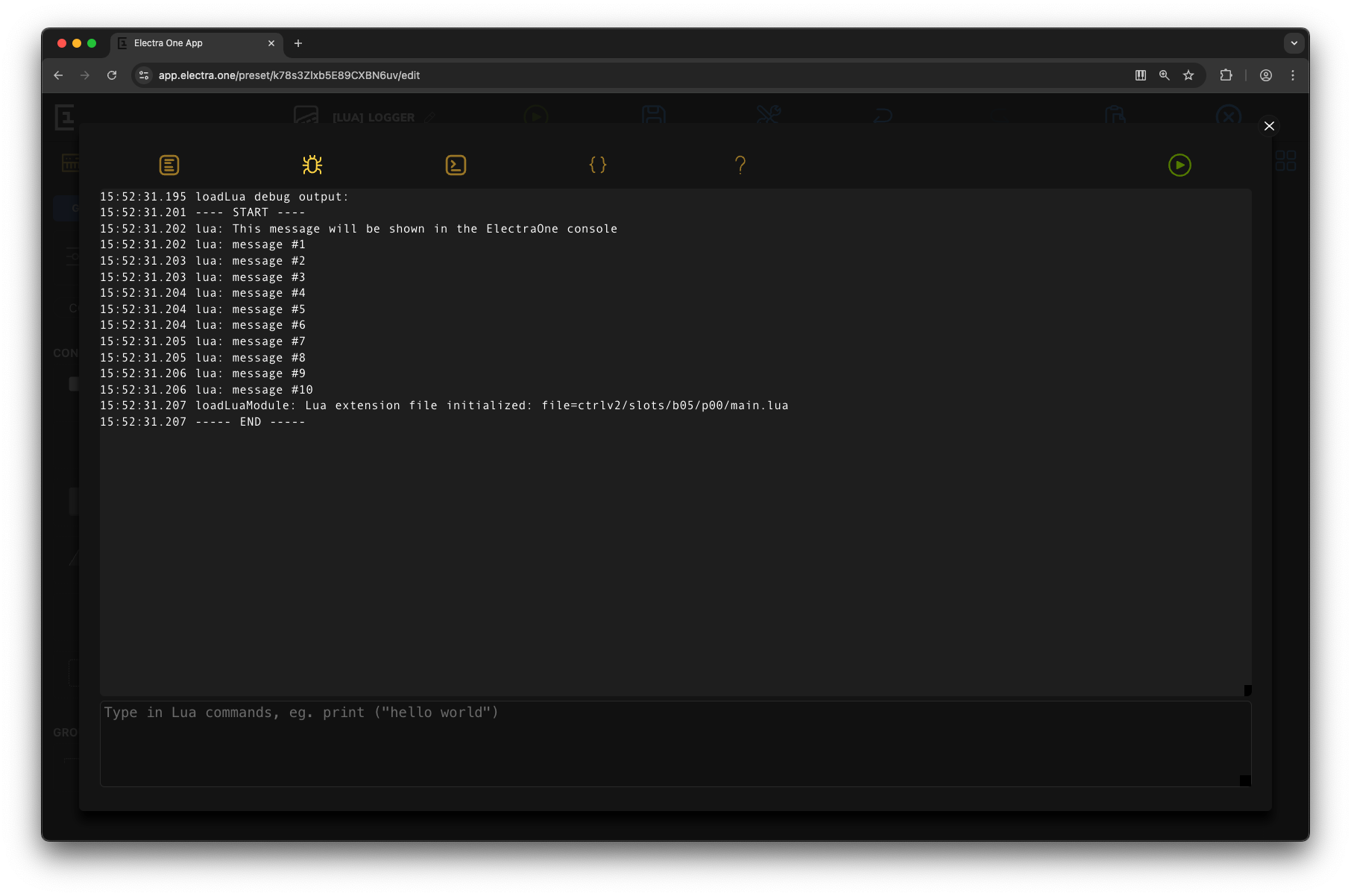
Try it yourself
Logger demo
System
A preset can keep a Lua table on the SD card and read it back the next time it is loaded - the place for a script's own settings, a remembered mode, a bank of user data the preset JSON has no field for.
The file is data.json in the preset's own slot directory (/ctrlv2/slots/bNN/pNN/data.json). One file per slot, written by the preset that calls these functions, so a preset pinned in the background keeps its own data whatever is on the screen. persistJson() and recallJson() above are the same file as text.
The file is written when the script asks and not otherwise: nothing is saved automatically when a preset is left or the controller is switched off.
Functions
persist(table)
Saves a Lua table to the preset's data file, so the data survives the controller being switched off or restarted. The whole file is replaced.
It returns nothing. A missing argument, or one that is not a table, is written to the log and nothing else happens - there is no error to catch.
Parameters
table
table, the data to save. It is written by the JSON rules above, so its keys should be strings or 1 .. n.
recall(table)
Reads the preset's data file back into the table passed in.
Every key of the table is cleared first, so a table of defaults handed to recall() comes back holding only what was saved, not the defaults for the keys the file does not have. To keep defaults, recall into a table of your own and copy across what you find.
It returns nothing. A missing file, a file that will not parse, and a wrong argument are all written to the log and leave the table empty.
Parameters
table
table, the table to fill with the saved data.
yield()
Deprecated. Since firmware 5.0.0 `yield()` does nothing and returns straight away. Earlier firmware suspended the calling function for a moment to let other tasks run.
It is still there so that scripts calling it keep working, but it should be removed from them. The first time a script calls it after the preset is loaded, the controller writes a message to the log saying where it was called from, for example lua: ctrlv2/slots/b00/p05/main.lua:12: yield() is deprecated and does nothing. Later calls are silent until the preset is loaded again.
yield() is deprecated
Do not use yield() in new scripts. A long loop no longer hands time to other tasks when it calls it; split the work up with timer, schedule or midi.at instead.
Example
lua
-- Remembering a script's own settings across a power cycle

local defaults = { mode = "live", transpose = 0, lastPatch = 1 }
local settings = {}

function preset.onReady()
    local saved = {}
    recall(saved)                        -- clears `saved`, then fills it

    for key, value in pairs(defaults) do -- defaults for what was not saved
        settings[key] = value
    end
    for key, value in pairs(saved) do
        settings[key] = value
    end

    info.setText(settings.mode .. ", patch " .. settings.lastPatch)
end

-- Called from a control, whenever the script has something new to remember
function rememberPatch(valueObject, patchNumber)
    settings.lastPatch = patchNumber
    persist(settings)
end
Satellite
An Electra One can drive a second screen - another Electra One, or an application on a computer - over the Electra Satellite Link. The controller running the preset is the primary and owns everything: the preset, the parameter map, the Lua state, the MIDI connections. The satellite owns nothing; it draws the view the primary sends it and reports what the user did to it.
The satellite library is the primary's side of that: it says what the satellite should show, and answers whether one is attached. A satellite never runs Lua, so these functions are only ever called on the primary.
The library exists on every model, whether or not a satellite is attached. satellite.page(), satellite.preset() and satellite.frameRate() answer false when there is no session to act on, so a preset can call them without checking first.
Functions
satellite.page(pageId)
Shows a page of the preset the satellite is already showing. This is how one preset puts two of its pages on two screens: the primary stays on the page being performed, and the satellite is sent to another.
Parameters
pageId
integer, the page to show, 1 .. the model's page count. It is not range checked - a page the preset does not have leaves the satellite with nothing to draw.
Returns
boolean, true when a satellite was attached and has been told.
satellite.preset(presetId)
Points the satellite at a preset. The slot has to be **live** - loaded and running, which for a preset that is not on the screen means pinned - because the view is produced from the running preset, not from its file. A slot that holds nothing, or a preset that has been left unpinned, answers `false` and the satellite keeps what it was showing.
The satellite starts on that preset's active page.
This is what gives a background preset a surface of its own: a bank of macros or a set of LFOs running pinned can be played from the satellite while the primary's screen stays on the preset being performed.
Parameters
presetId
integer, the preset slot, counted from zero: bank * slots-per-bank + slot. 0 .. 71 on an Electra One mk2, 0 .. 39 on a Mini.
Returns
boolean, true when a satellite was attached and the slot holds a running preset.
satellite.frameRate(framesPerSecond)
How often a custom control's drawing is captured and sent to the satellite. A satellite has no Lua and cannot run a paint callback, so the primary runs it into a list of drawing operations and sends that list; this is how often it does so.
It costs link bandwidth, so ask for what the picture needs - a meter that follows a value wants more than a label that changes with a patch. Controls that are not custom do not use this at all: they are sent as values, when the value changes.
With no satellite attached it answers false and the rate is unchanged.
Parameters
framesPerSecond
integer, 1 .. 50. Anything outside that answers false and changes nothing.
Returns
boolean, true when the rate was accepted.
satellite.isConnected()
Whether a satellite is attached and talking. A preset that has something extra to offer on a second screen asks this before offering it.
Returns
boolean, true while a satellite session is open.
satellite.status()
What the satellite is showing:
| field | |
|---|---|
connected | boolean, whether a session is open |
presetId | integer, the preset slot on the satellite, counted from zero; 0 when nothing is connected |
pageId | integer, the page it is showing; 0 when nothing is connected |
frameRate | integer, the custom-control capture rate in frames per second |
frameRate is answered whether or not a satellite is attached - it is the rate the next session will run at.
Returns
table, { connected, presetId, pageId, frameRate }.
Example
lua
-- Put a pinned background preset on the satellite, and keep the primary's
-- own screen on the preset being played.

function preset.onReady()
    if not satellite.isConnected() then
        return
    end

    satellite.frameRate(20)              -- enough for a moving meter

    local lfoSlot = 4                    -- bank 0, slot 4

    if presets.isPinned(lfoSlot) then
        if satellite.preset(lfoSlot) then
            info.setText("LFOs on the satellite")
        end
    else
        satellite.page(2)                -- this preset's second page instead
    end

    local status = satellite.status()
    logger.write("satellite: preset %d, page %d, %d fps",
                 status.presetId, status.pageId, status.frameRate)
end
Global constructors
Nine global functions build an object for something the preset already has. Each one is another spelling of a library function, and each raises when the preset has nothing with that id.
Control(controlId)
The same as [controls.get()](#controls).
Parameters
controlId
integer, the id of a control of this preset.
Returns
a Control object.
Group(groupId)
The same as [groups.get()](#groups).
Parameters
groupId
integer, the id of a group of this preset.
Returns
a Group object.
Page(pageId)
The same as [pages.get()](#pages).
Parameters
pageId
integer, a page number of this preset.
Returns
a Page object.
Overlay(overlayId)
The same as [overlays.get()](#overlays).
Parameters
overlayId
integer, the id of an overlay of this preset.
Returns
an Overlay object.
Device(deviceId)
The same as [devices.get()](#devices).
Parameters
deviceId
integer, 1 to 32, the id of a device of this preset.
Returns
a Device object.
Preset(presetId)
The same as [presets.get()](#presets).
Parameters
presetId
integer, a preset slot counted from zero.
Returns
a Preset object.
SysexBlock()
A new [SysexBlock](#sysexblock) to build a message in.
Returns
an empty SysexBlock.
Message(index)
Registered, but there is no way to make a Message on its own. Read one from a value with `value:getMessage()` instead.
Returns
nothing; it always raises.
ControlValue(index)
Registered, but there is no way to make a ControlValue on its own. Read one from a control with `control:getValue()` instead.
Returns
nothing; it always raises.
Globals
The global variables are used to identify common constants that can be used instead of numbers.
Every one of them is a Lua integer. They can be compared with == against the numbers a callback is handed, used as table keys, and printed without a trailing .0.
Hardware ports
Identifiers of the MIDI ports.
PORT_1PORT_2PORT_CTRL
Interfaces
Types of MIDI interfaces.
MIDI_IOUSB_DEVUSB_HOSTALL_INTERFACESCAPTURE
CAPTURE is not a socket: it is the capture a script has open for writing, and a midi.send* addressed to it is written into that capture's track instead of going out. It is deliberately not part of ALL_INTERFACES, so sending to every interface never writes to a file.
Change origins
Identifiers of the sources of the MIDI value change. Origin is passed as a parameter of the ParameterMap onChange callback.
INTERNALMIDILUA
Three more origins reach parameterMap.onChange and have no constant of their own: 4 a file being loaded, 5 a remote knob, 6 a satellite. 3, a modulation, never reaches Lua. A script that only wants INTERNAL, MIDI or LUA should test for them rather than test for "not one of the others".
Parameter types
Types of Electra MIDI parameters. These types are higher abstraction of the standard MIDI message types.
PT_VIRTUALPT_CC7PT_CC14PT_NRPNPT_RPNPT_NOTEPT_PROGRAMPT_SYSEXPT_STARTPT_STOPPT_TUNEPT_ATPOLYPT_ATCHANNELPT_PITCHBENDPT_SPPPT_RELCCPT_NONE
Type 17, the macro, is accepted everywhere these are and has no constant.
Control sets
Identifiers of the control sets. The control sets are groups of controls assigned to the pots.
CONTROL_SET_1CONTROL_SET_2CONTROL_SET_3
Pots
Identifiers of the hardware pots. The pots are the rotary knobs to change the control values.
POT_1POT_2POT_3POT_4POT_5POT_6POT_7POT_8POT_9POT_10POT_11POT_12
All twelve exist on every model, because the constants are the same everywhere. An Electra One mk2 has twelve knobs; a Mini has eight, and POT_9 to POT_12 address its four pads.
Hardware buttons
Identifiers of the hardware buttons, 1 to 6.
BUTTON_1BUTTON_2BUTTON_3BUTTON_4BUTTON_5BUTTON_6
No Lua callback is handed a button identifier, so these are of use only to a script that keeps its own numbering and wants a name for it.
Touch points
Identifiers of the touch points the LCD tracks, 1 to 5.
TOUCH_POINT_1TOUCH_POINT_2TOUCH_POINT_3TOUCH_POINT_4TOUCH_POINT_5
The id field of a touch callback's event is one of these.
Colors
Identifiers of standard Electra colors.
WHITEREDORANGEBLUEGREENPURPLE
They are 24-bit RGB numbers - WHITE is 0xFFFFFF, RED is 0xF45C51 - so they can be handed to graphics.setColor() and to graphics.dim() and graphics.blend().
Variants
VT_DEFAULTVT_HIGHLIGHTEDVT_THINVT_VALUEONLYVT_DIALVT_CHECKBOXVT_BUTTONLIKE
Bounding box
Identifiers of individual attributes of the bounding box (bounds).
XYWIDTHHEIGHT
Unset MIDI value
MIDI_VALUE_DO_NOT_SEND
The value a message holds when it has nothing to send - a pad that sends something when it is pressed and nothing when it is let go writes this in its off value. It is 16537, which is not a MIDI value of any width, so it can never be mistaken for one.
It is accepted by the setters that build a message and refused by everything that sends: parameterMap.set() and the midi.send* functions take 0 to 16383. <message>:isValueSet() and <value>:isSet() ask the same question without the number.
MIDI message types
Identifiers of standard MIDI messages.
CONTROL_CHANGENOTE_ONNOTE_OFFPROGRAM_CHANGEPOLY_PRESSURECHANNEL_PRESSUREPITCH_BENDCLOCKSTARTSTOPCONTINUEACTIVE_SENSINGRESETSONG_SELECTSONG_POSITIONTUNE_REQUESTTIME_CODE_QUARTER_FRAMESYSEX
Each is the status byte of that message with the channel cleared: NOTE_ON is 144, CONTROL_CHANGE is 176, SYSEX is 240.
Controller events
Flags indentifying individual types of events.
NONEPAGESCONTROL_SETSUSB_HOST_PORTPOTSTOUCHBUTTONSWINDOWS
They are bit flags, meant to be added together and passed to events.subscribe(). TOUCH, BUTTONS and WINDOWS are accepted but run no Lua callback in this firmware.
Touch events
Identifiers of touch events used in the Touch callbacks.
DOWNMOVEUPCLICKDOUBLECLICK
Control event sources
Identifiers of the gesture a control event callback came from, passed as its source argument.
EVENT_SOURCE_SWITCHEVENT_SOURCE_TOUCH
Control event types
Identifiers of the edge that ran a control event callback, passed as its event argument. A switch reports press and release, a touch reports begin and end.
EVENT_TYPE_PRESSEVENT_TYPE_RELEASEEVENT_TYPE_BEGINEVENT_TYPE_END
Curve segments
Identifiers of the curve segments used in the graphics module.
TOP_LEFTTOP_RIGHTBOTTOM_LEFTBOTTOM_RIGHT
Controller models
Identifiers of the Electra One hardware models.
MODEL_ANY- any modelMODEL_MK2- Electra One mk2MODEL_MINI- Electra One mini
MODEL_MINI_MK1 is an accepted alias for MODEL_MINI, and MODEL_MK1 is historical: it matches no model this firmware runs on, so controller.require(MODEL_MK1, ...) always fails.
Horizontal alignment
Text alignment modes
LEFTCENTERRIGHT
Text faces
Weights graphics.print can draw in
REGULARBOLD
Text sizes
Sizes graphics.print can draw in, given as the height of one line
SMALL- 12 pxMEDIUM- 17 pxLARGE- 23 pxHUGE- 47 px
Text spacing
How far each character advances
PROPORTIONAL- each character takes its own widthMONOSPACED- every character takes the width of the widest one
The JSON null
json.null- a field of thejsonlibrary rather than a global. See JSON above.