

Version5.0.0 beta
Control Details
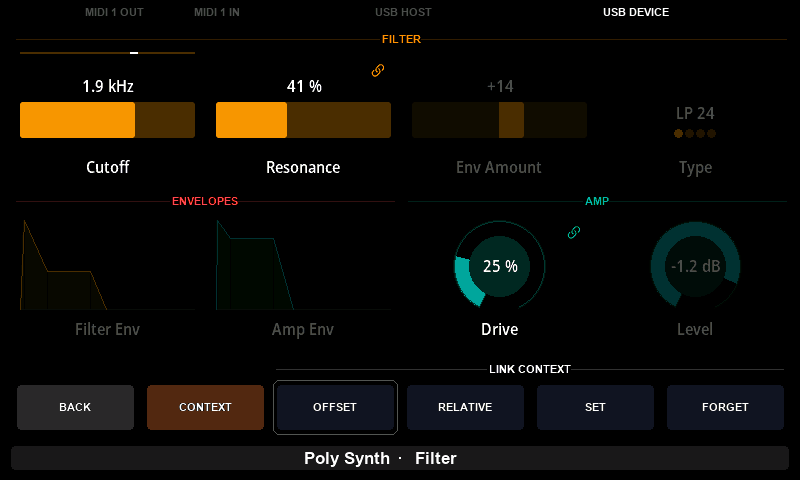
A page shows a control small, and gives it one knob. A detail window shows that control on its own, large, with a knob for each of its values and buttons that say what those knobs do. Every control that holds more than one value has one, and so do lists, faders and text boxes.
This chapter explains what a detail window is for. How you open one and work it differs between the two controllers, and is described in Control detail for the Mk2 and Control detail for the Mini.
Every value on its own knob
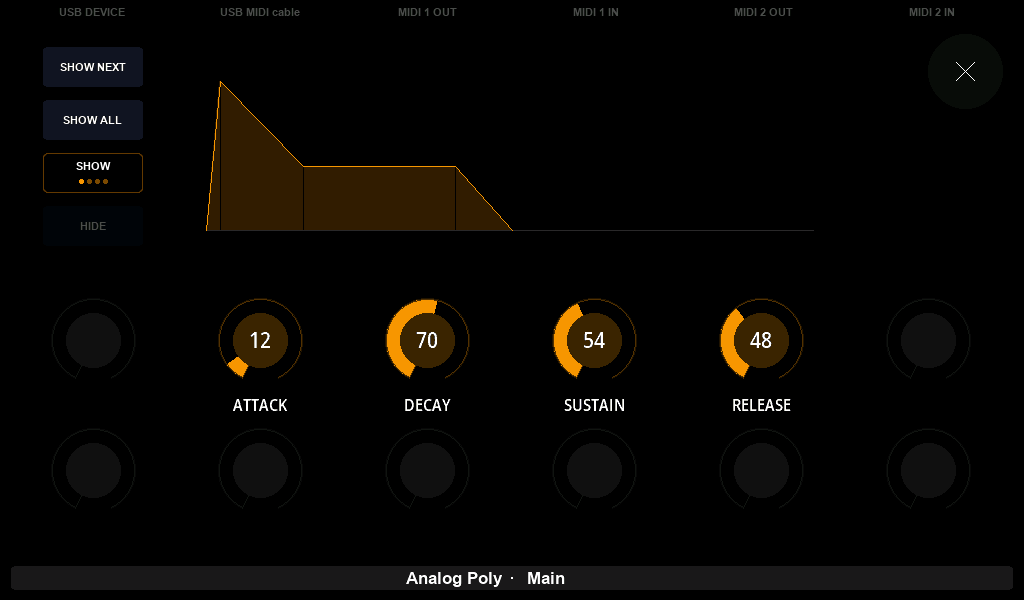
A control on a page is moved by one knob, so an envelope's knob changes one stage at a time and an XY Pad's knob one axis at a time. In a detail window each value has a knob of its own, with its name and its number under it: the whole envelope can be shaped without choosing stages, and both axes of a pad are in reach at once.
Several controls at once
A detail window is also where controls can be worked together, which a page has no room to offer. What that means depends on the control:
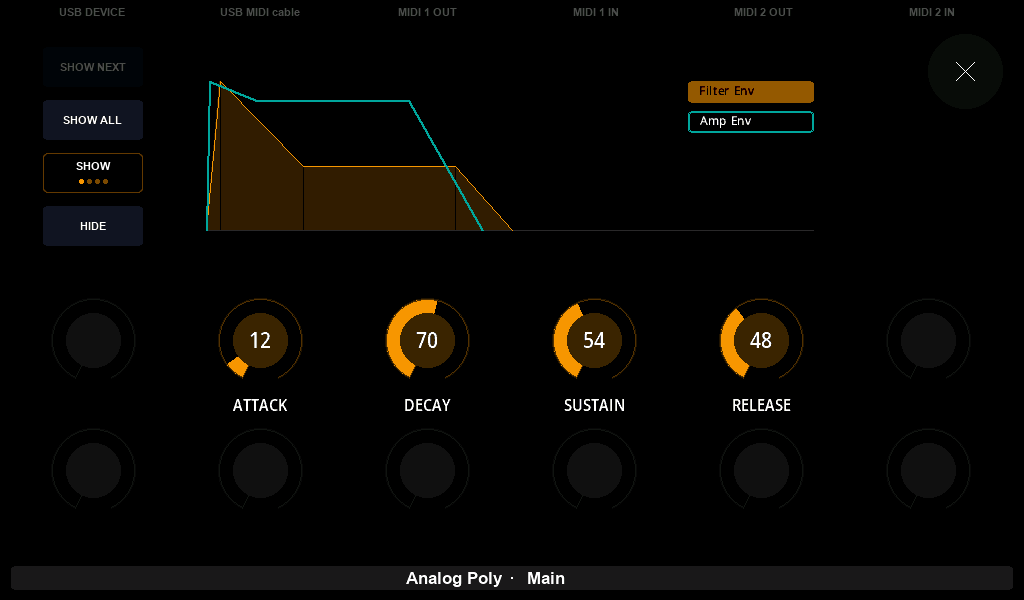
- Envelopes can draw the preset's other envelopes of the same shape over this one, so two filter and amplitude envelopes can be compared, and the knobs can move them together.
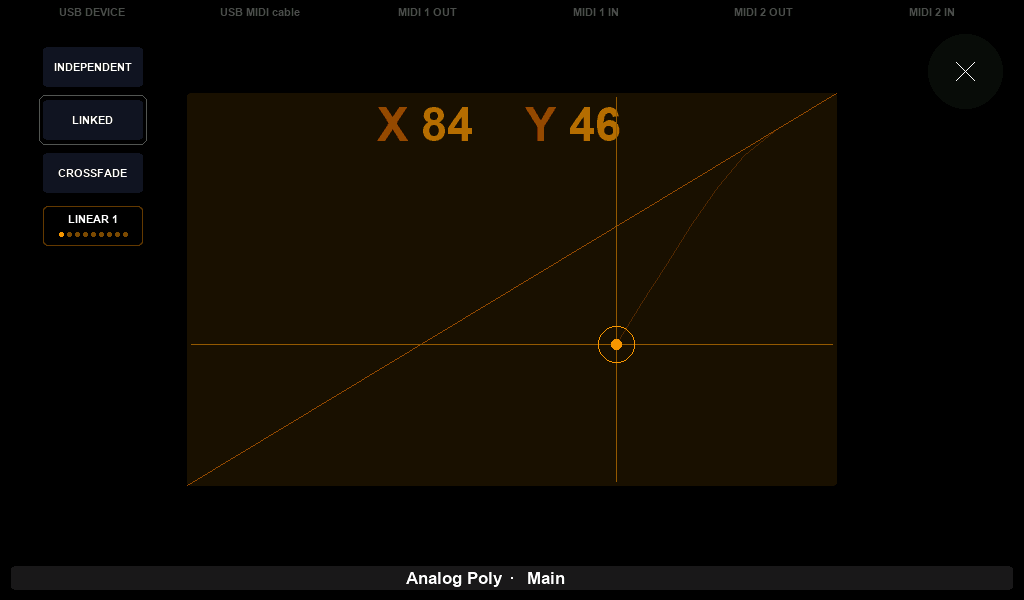
- An XY Pad can hold its two values to a line across the pad, so one parameter follows the other as a filter's key tracking or a crossfade between two layers does.
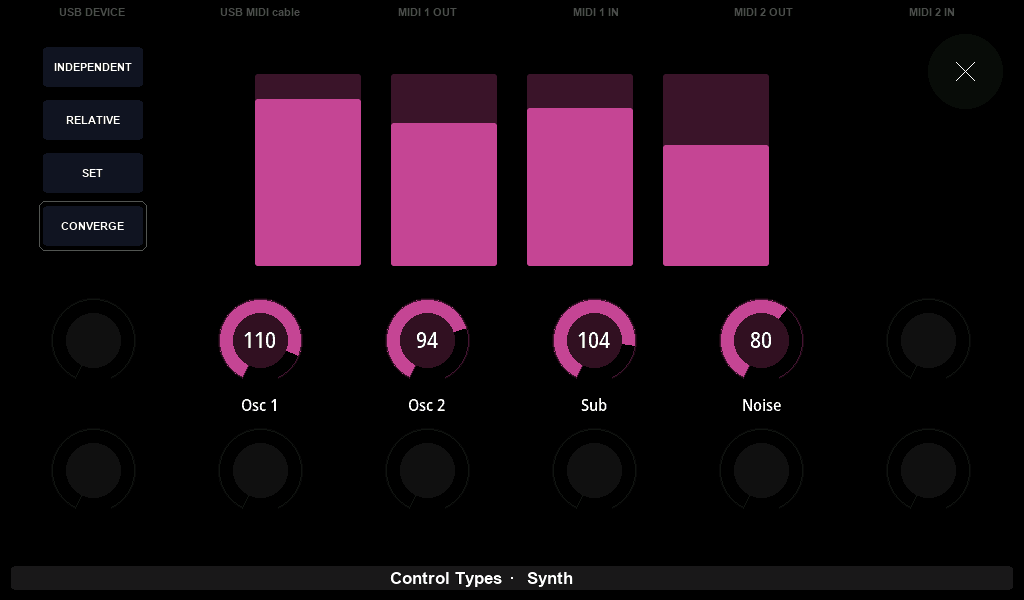
- A V Fader 4 can move its four faders together: by the same amount, onto the same value, or drawing the other three towards the one you are turning.
- A fader can lead a group of other controls on the page, of any type, and they move when it does.
A better way to choose and to type
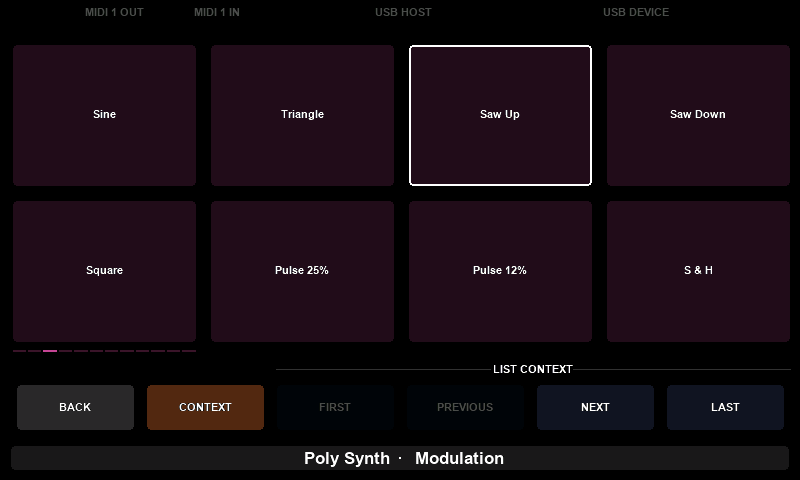
Some controls open a detail window for room rather than for company:
- A list shows its items as a grid you can read and choose from, instead of stepping through them one at a time.
- A fader gives your finger the whole width of the screen, so a sweep is precise.
- A text box opens a keyboard, which is how a patch name is typed.
What a detail window remembers
A detail window keeps what it was showing. Open an envelope, put a second one over it, close the window, and the next time that envelope is opened the same second envelope is drawn and the knobs still move both.
Every control keeps its own settings this way, for as long as the preset is loaded. Loading the preset again, or switching the controller off, starts each control fresh.
Snapshots store these settings with the values, so a sound comes back with the windows set up the way you left them. Recalling a snapshot also reaches a detail window that is open at the time. A fader's group of controls is not part of a snapshot; only the way the group follows the fader is.