

Version5.0.0
Building with Claude Code
A preset is a handful of text files and a script, and the desktop app can watch a folder holding them. That makes an agent working in that folder a practical way to build a preset: it writes the files, puts them on the controller, photographs the screen, runs the tests, reads what came back, and fixes what it got wrong — without a person carrying anything between the two.
This is a record of one such build, start to finish. Eight steps, one per knob, each drawn by the preset's own Lua; four modes on the knobs; a transport that draws its own play and stop symbols; and a suite of tests that runs on the instrument after every push.
It is not a highlight reel. What went wrong on the way is in here too, because what it teaches is worth more than a clean narrative.
This needs the desktop app
The watched folder, the request channel an agent drives, and the reading of screenshots and logs from disk all live in the Electra One app. See Vibe coding presets for how the loop closes.
Before you start
Make a folder and put it under version control. It will hold the preset, and the preset is worth keeping.
bash
mkdir -p ~/Repos/presets/8-step-seq && cd $_
git init && git commit --allow-empty -m "Empty folder, before the sequencer"
In the app, open Settings → Slot folder, choose that folder, and tick Write CLAUDE.md into the folder. Then switch the controller to an empty slot — this build used bank 1, slot 4.
The moment the app starts watching, it writes three things into the folder, and the third is the one that matters most:
CLAUDE.md                 how the folder works, for whatever agent opens it
.electra/.gitignore       the exchange is not the preset
.electra/reference/       the complete preset, Lua, test and format references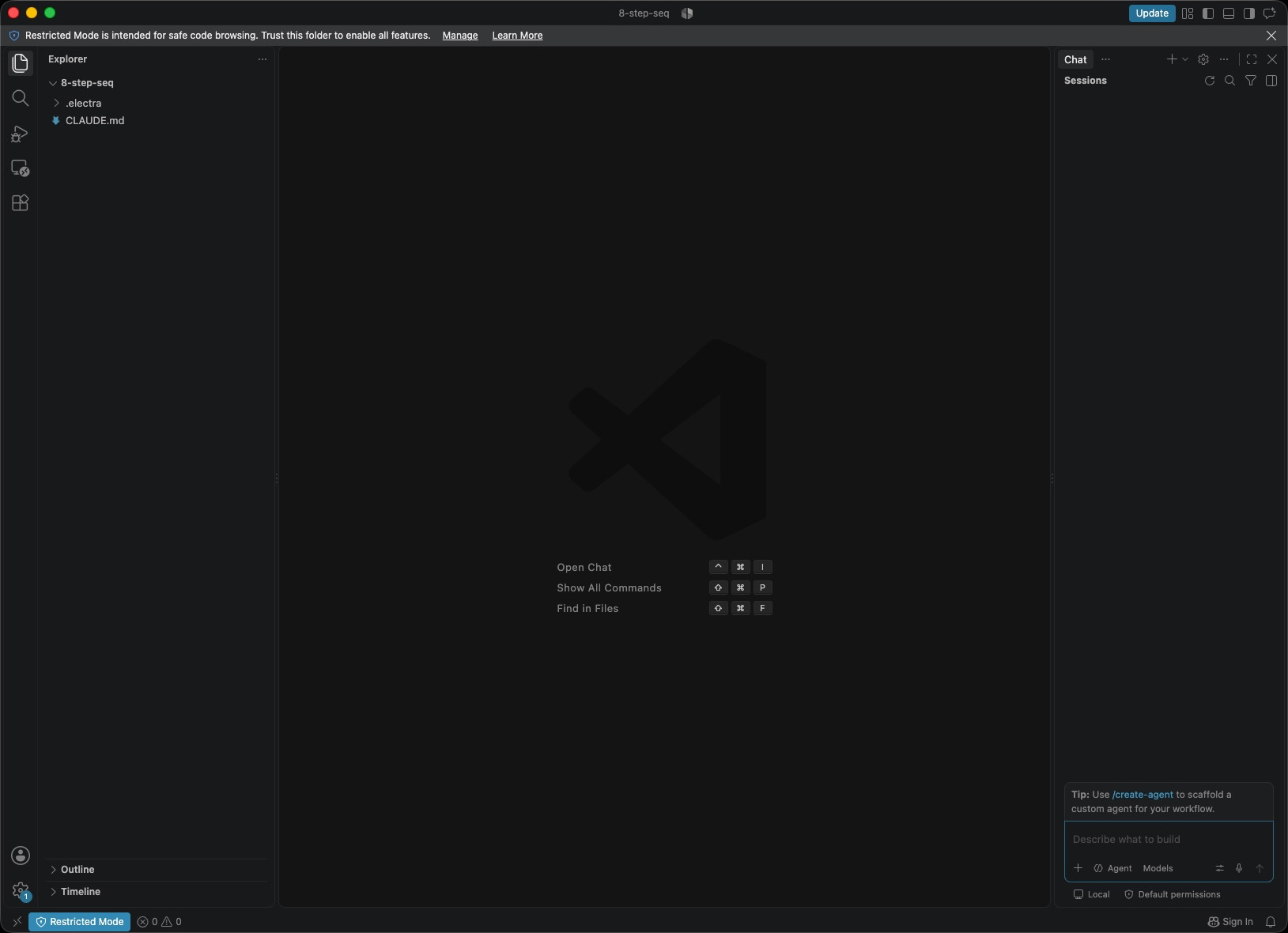
That reference corpus is generated from the firmware. It is the difference between a preset that works and one that uploads cleanly and does nothing, and the guide's first instruction is to read it.
CLAUDE.md is the other half: it tells whatever agent opens the folder how the exchange works - that nothing it writes reaches the controller on its own, how to ask for a push, what comes back, and to read the journal before editing a file that may have changed underneath it.
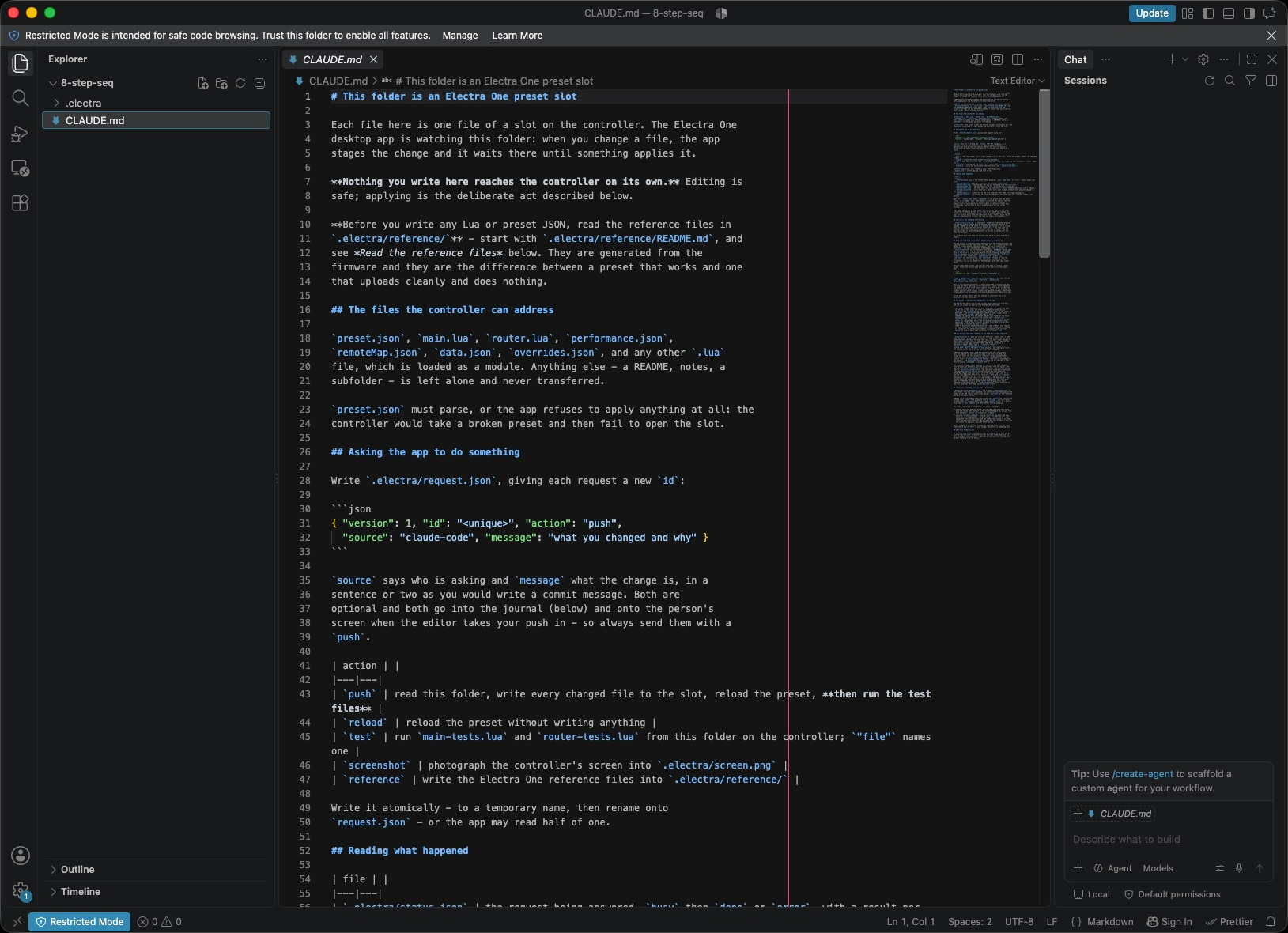
Now open a terminal in the folder and start your agent.
bash
claude1. The opening brief
Everything in this tutorial is one prompt, typed into that session.
Build an 8-step step sequencer with 8 rotary encoders with LED-like ring. Eight steps, one per knob, each drawn as a pot with an LED crown around it. The switch in each knob enables or disables that step. A transport pad runs and stops it. Notes go out on USB device port 1 channel 1, clock fixed at 120 BPM.
The agent writes preset.json and main.lua, then asks the app to push them by writing .electra/request.json. The app puts the files on the controller, reloads the slot, and writes back what happened.
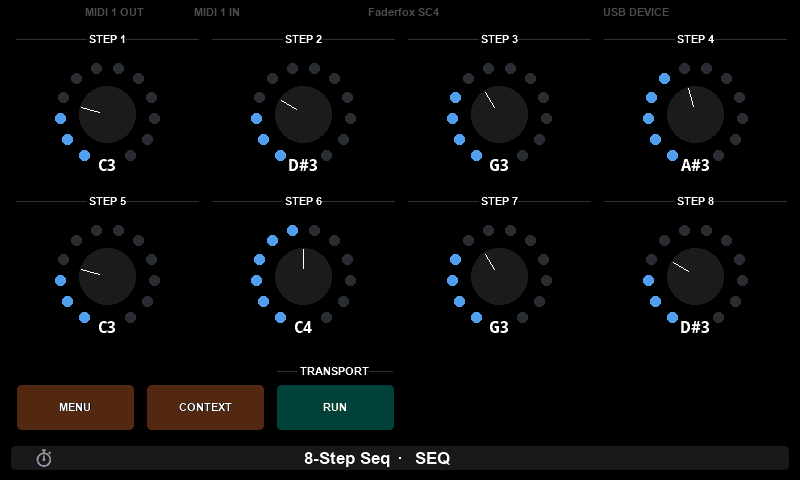
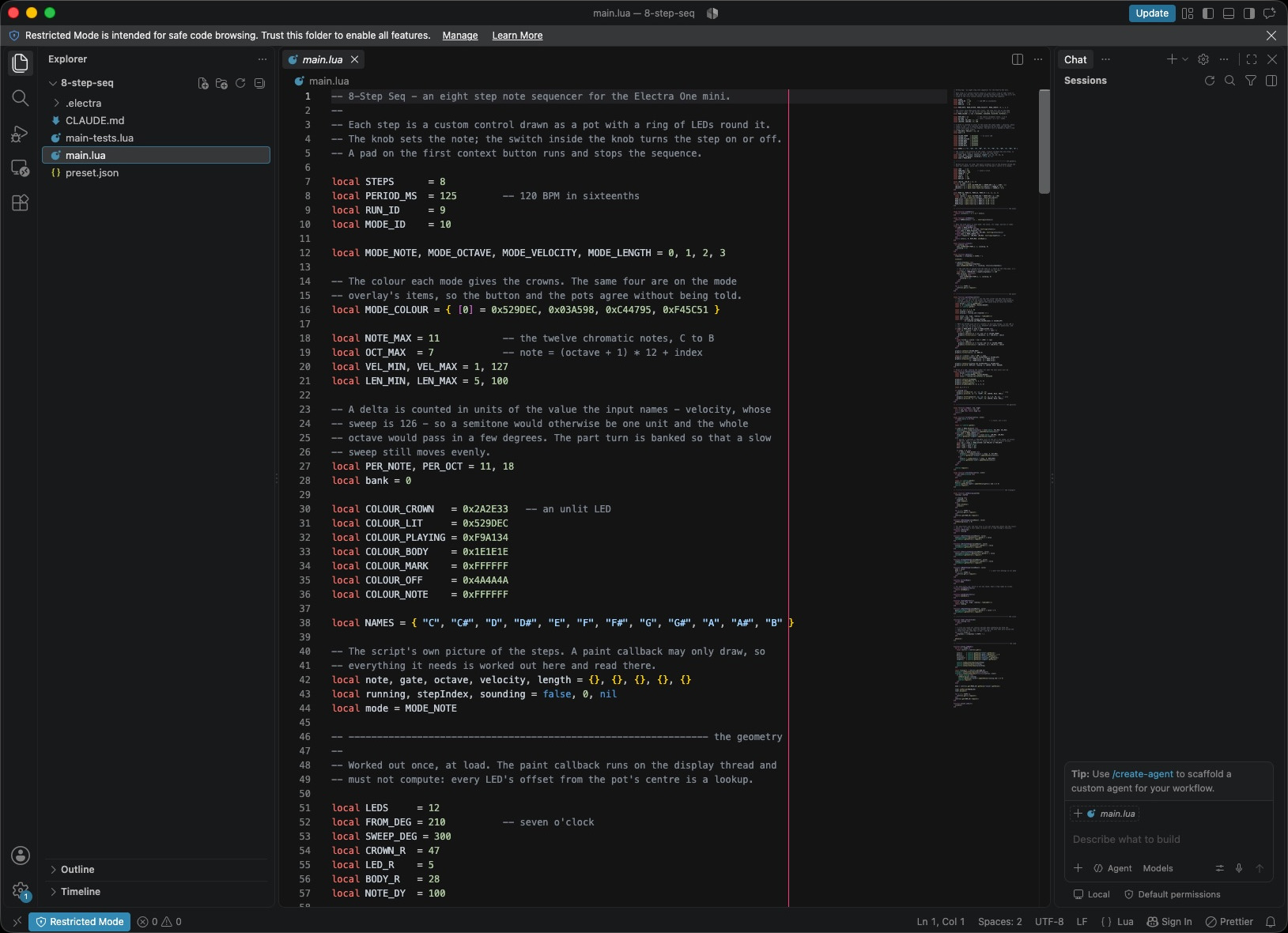
Every one of those pots is a custom control. The firmware draws nothing for them — there is no fader, no dial, no built-in artwork. The ring of LEDs, the body, the index mark and the note name are all calls of Lua graphics module in the custom control paint callback.
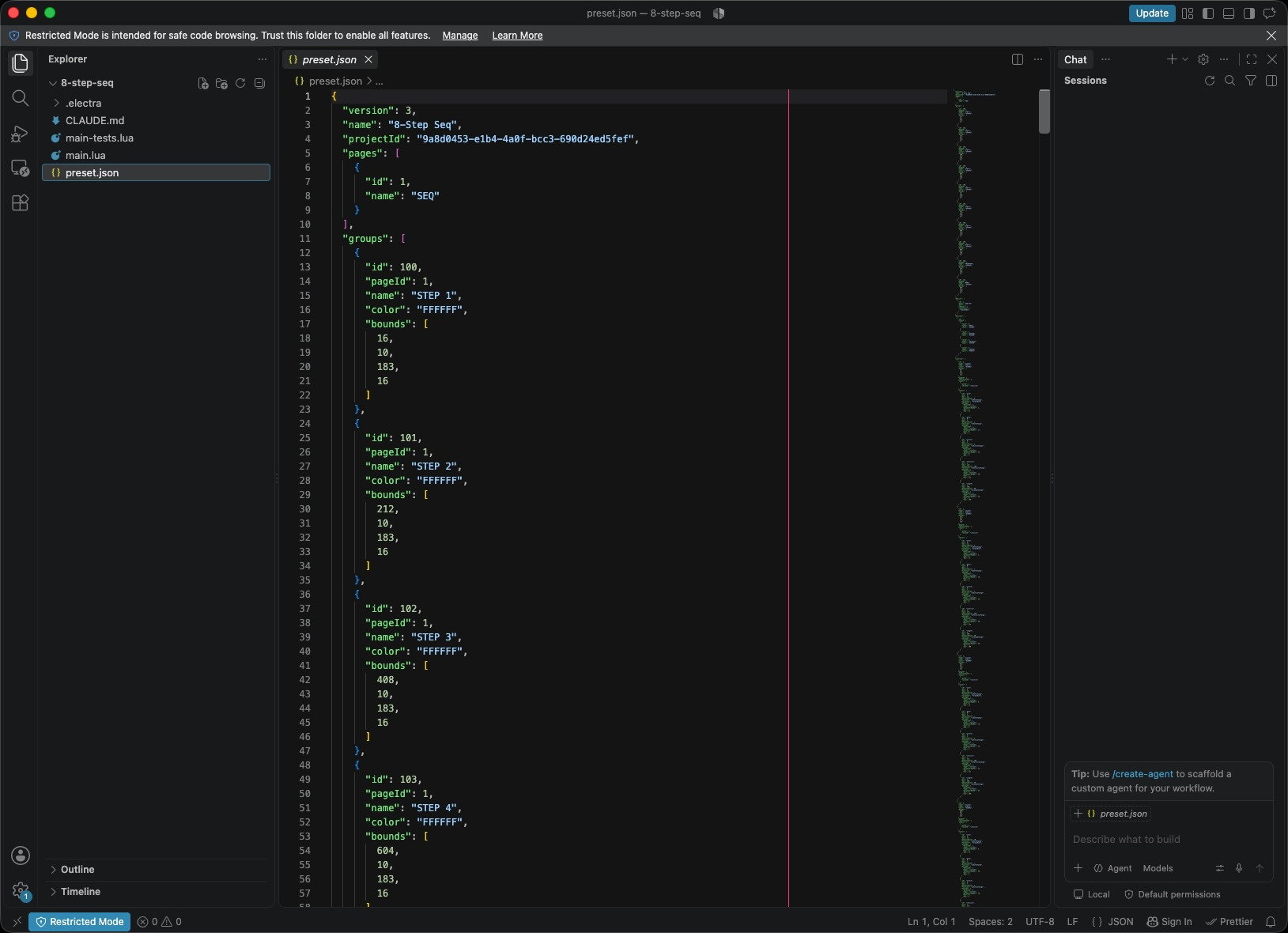
The two files behind that picture: the preset declares the controls, their values and where each one sits, and the script draws them and plays them.
2. Tests, which are the point
The controller can run a Lua test file against the loaded preset and report which cases passed. The agent writes main-tests.lua beside the script, and from then on every push runs it.
lua
test.case("the steps play in order", function()
  reset()
  test.press(9)

  for i = 1, 4 do
    test.clear()
    test.tick(1)
    local on = firstNoteOn(test.sent())
    test.ok(on ~= nil, "step " .. i .. " sounded")
    test.eq(on.note, midiNoteForTest(i))
  end

  stop()
end)
Three things about that are easy to get wrong, and the reference says all three:
- The preset's Lua state persists across cases. Nothing resets between them, so every case puts the sequencer back where it found it.
test.tick(n)only fires while the timer is enabled, and returns how many actually fired. A case that asserts a stopped sequencer sends nothing should assert the tick count was zero too.- The test file is its own chunk. It cannot see
localvariables inmain.lua, so anything a case needs to assert on is read through a function.
3. Modes, and a transport that draws itself
Each step should also carry an octave, a velocity and a note length. Add a MODE list: in NOTE the knobs pick the note, in OCTAVE the octave, in VELOCITY the velocity, in LENGTH the length as a percentage of the step. The transport should be a custom control drawn as a pad, showing a play or stop symbol for what the next press will do.
This is the step where the preset stops being a demo. Each step grows from two values to five, the crown changes colour with the mode, and what the crown means changes with it:
lua
-- NOTE and OCTAVE pick one of a handful of discrete things, so one LED is
-- lit - the one the value is at. VELOCITY and LENGTH are quantities, and
-- fill the crown up to the value.
The note off is queued with the note on, a share of the step away, so a length is kept whatever happens in between:
lua
local hold = (PERIOD_MS * length[stepIndex]) // 100
midi.at(hold, function() ... end)
The tests caught the change
Five cases went red on that push, and all five were right to:
FAIL the steps play in order -- eq: expected 0, got 48A step's note used to be an absolute MIDI note. It is now an index 0–11 with the octave carried separately, so what sounds is the two together — step 1 is C at octave 3, which is 48. The cases were describing the preset as it had been. The suite did not find a bug; it found that the meaning of a value had moved, which is the more useful thing to be told.
4. The bug the screen found and the tests did not
With the modes in, the preset passed 12 of 12 — and step 8 read D#0 when the file plainly said octave 3.
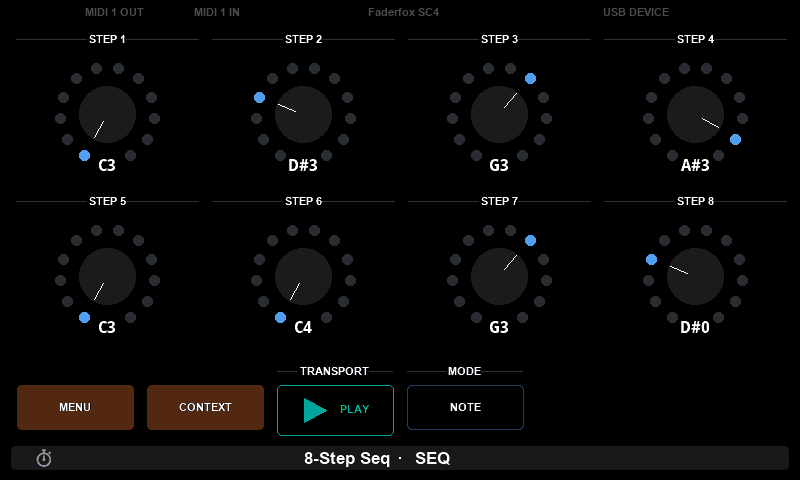
The cause is not in the Lua at all. It is in the parameter numbers:
| value | parameter |
|---|---|
| note | n → 1–8 |
| gate | 16 + n → 17–24 |
| octave | 32 + n → 33–40 |
| transport | 40 |
A device's parameter numbers are one namespace. Step 8's octave and the transport were both parameter 40 on device 1, so they shared one slot in the parameter map, and the transport's default of 0 landed on the octave. Nothing errors. Nothing is logged. A step simply reads an octave nobody set.
Moving the transport to 100 fixes it, and a case now makes sure it cannot come back:
lua
test.case("every value has a parameter of its own", function()
  local seen = {}
  for id = 1, 10 do
    for _, value in ipairs(controls.get(id):getValues()) do
      local message = value:getMessage()
      local key = message:getDeviceId() * 1000 + message:getParameterNumber()
      test.ok(seen[key] == nil, "parameter used twice")
      seen[key] = true
    end
  end
end)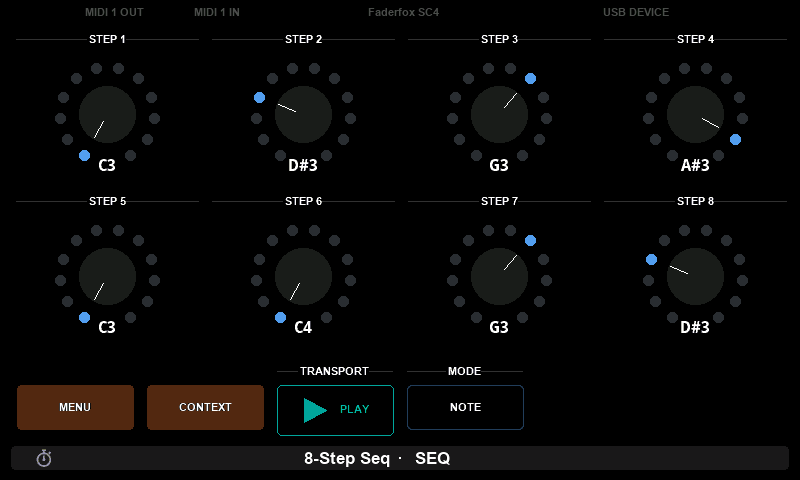
This is the clearest argument for the loop in this whole tutorial. A full test suite passed. The preset was wrong. The screen is evidence the tests are not, and the agent can read it.
5. A red LED for the gate
Put a red LED in the middle of each pot: lit while the step is on, unlit when the switch has turned it off.
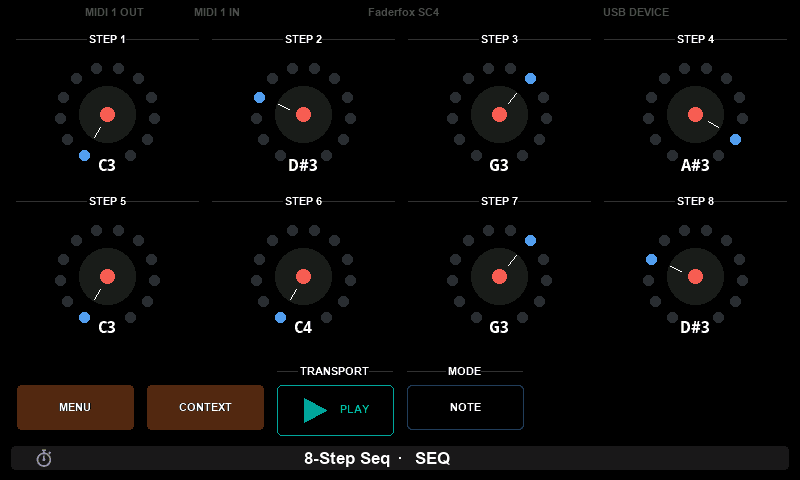
The geometry for both — every LED's offset, every index-mark endpoint — is worked out once at load and stored in a table. A paint callback may only draw. It runs on the display thread, inside the frame, and everything the preset does while it runs is waiting.
6. Measuring the clock
A sequencer is only as good as its timer, and test.fail is the only way to get a number off the instrument. So the suite is temporarily replaced by two cases that fail on purpose and carry their readings in the failure message.
lua
test.case("T1 the gaps between ticks", function()
  test.fail(timingGaps())
end)
A probe run is a red run, which is why the suite is replaced rather than added to: a failing case among passing ones reads as a regression to everything downstream — the app's status, the VS Code Problems panel, the journal entry. Push the probes alone, read the numbers, push the real suite back.
Over 240 ticks of free running at a 125 ms period, with all eight crowns repainting on every step:
| mean gap | 124999 µs against a nominal 125000 |
| spread | 124845 to 125156 µs |
| drift | −4 µs over the whole run |
| skipped / failed ticks | 0 / 0 |
| longest callback | 1076 µs |
The mean is within a microsecond of nominal and the total drift over thirty seconds is four microseconds, so the sequence does not run away. The per-tick spread of about ±150 µs is the repainting — eight custom controls redrawn every step — and at 0.12% of the period it is nowhere near audible. The longest callback is 1076 µs, which is under one percent of the time available.
A late tick is not a free pass to re-fire
timer.onTick(ticks) is told how many periods it stands for, and that can be far more than one: taking a screenshot holds the application thread for about four seconds, which at this period is roughly thirty-one missed ticks.
Adding ticks to a counter is right. Running the whole step routine ticks times is not — that fires thirty-one note ons in a single pass. Walk the counter over what was missed and sound only the step that is due:
lua
function timer.onTick(ticks)
  for _ = 2, ticks do                 -- the periods that were missed
    stepIndex = (stepIndex % STEPS) + 1
  end
  advance()                           -- and only the one that is due
end
No test can reach that branch — test.tick(n) calls onTick(1) n times, so the catch-up path only ever runs on the instrument.
Both ends of the same preset
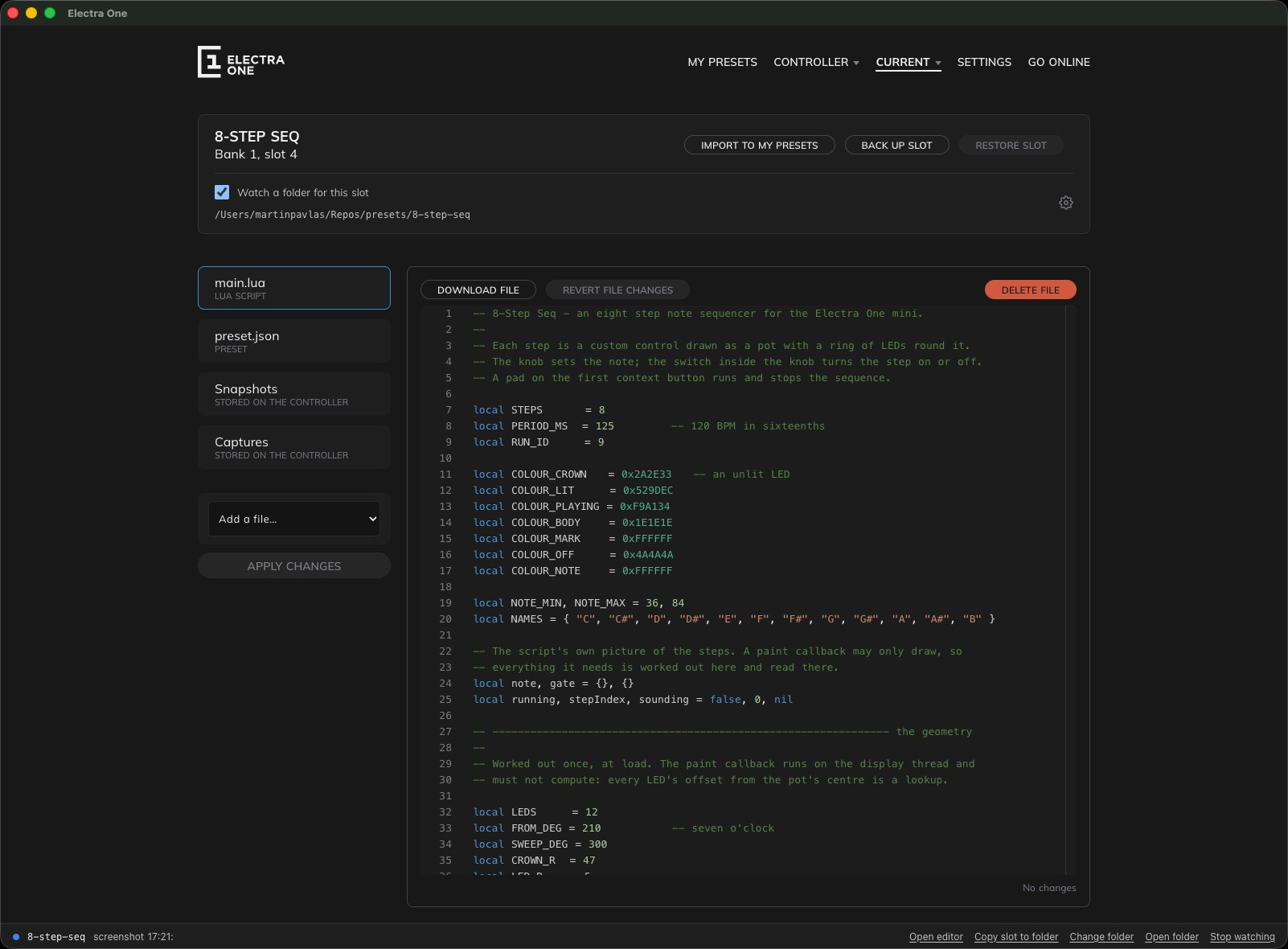
Nothing above required leaving the folder, but the app is looking at the same slot the whole time. Current slot shows what is actually on the controller, with the watched folder named above it:
And the preset can be open in the editor while the agent works. A push is taken straight into it — the toast says who pushed, quotes their message, and reminds you that one Undo puts your version back:
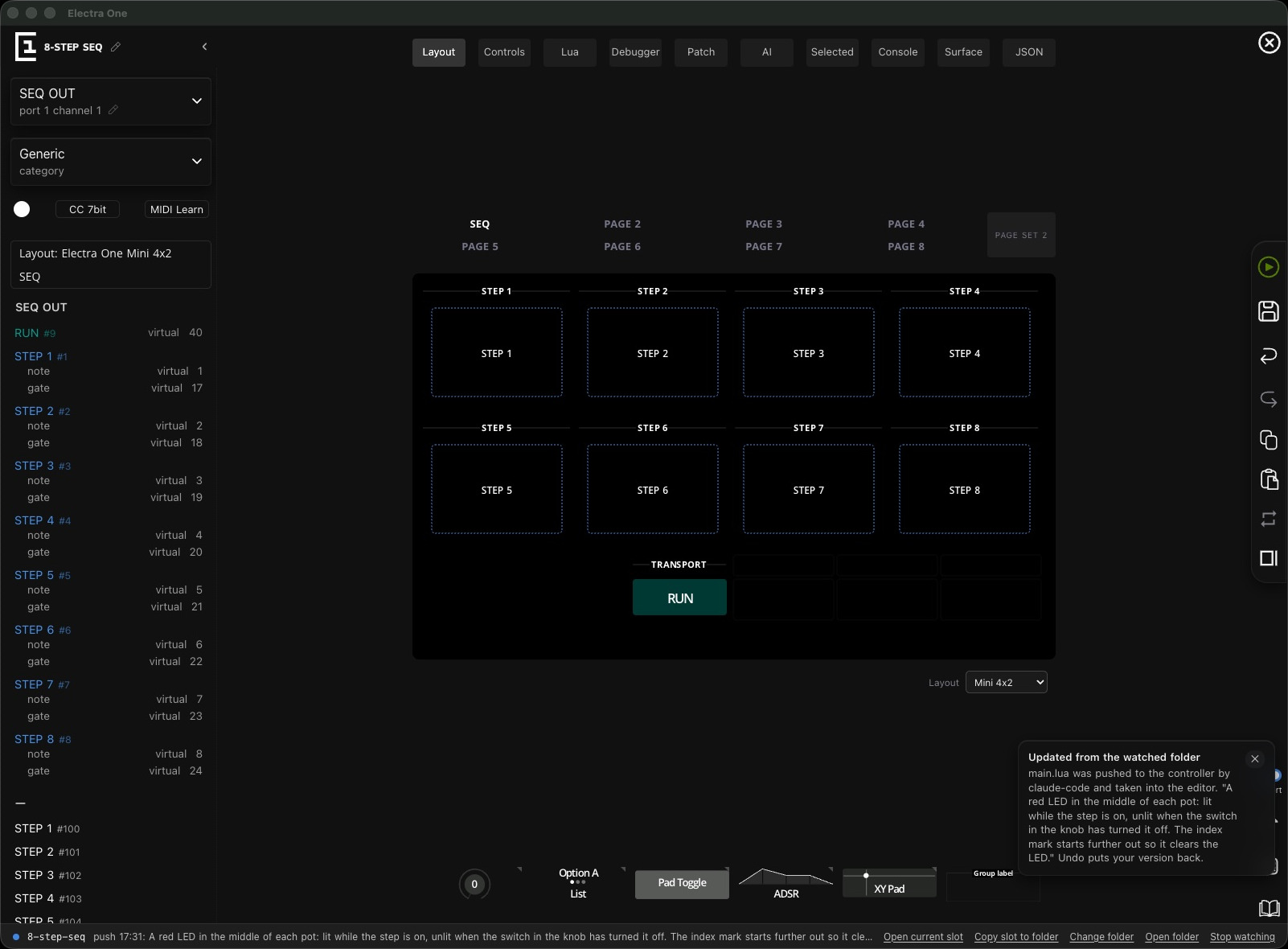
Two things in that picture are worth a second look.
The step controls are drawn as empty dashed boxes. That is correct: they are custom controls, and the editor cannot draw what only the preset's Lua knows how to paint. The instrument is the only place they have a picture — which is why photographing the screen is not optional on a preset like this.
And in the inspector down the left, RUN #9 is assigned virtual 40 — the very collision from section 4, sitting in plain sight. The editor knew; nothing asked it.
What the folder leaves behind
Every hand-over is recorded in .electra/journal.md — who pushed, why, and what changed in each file, as a real diff. That is what lets a session that has been away catch up by reading one file instead of re-reading the preset.
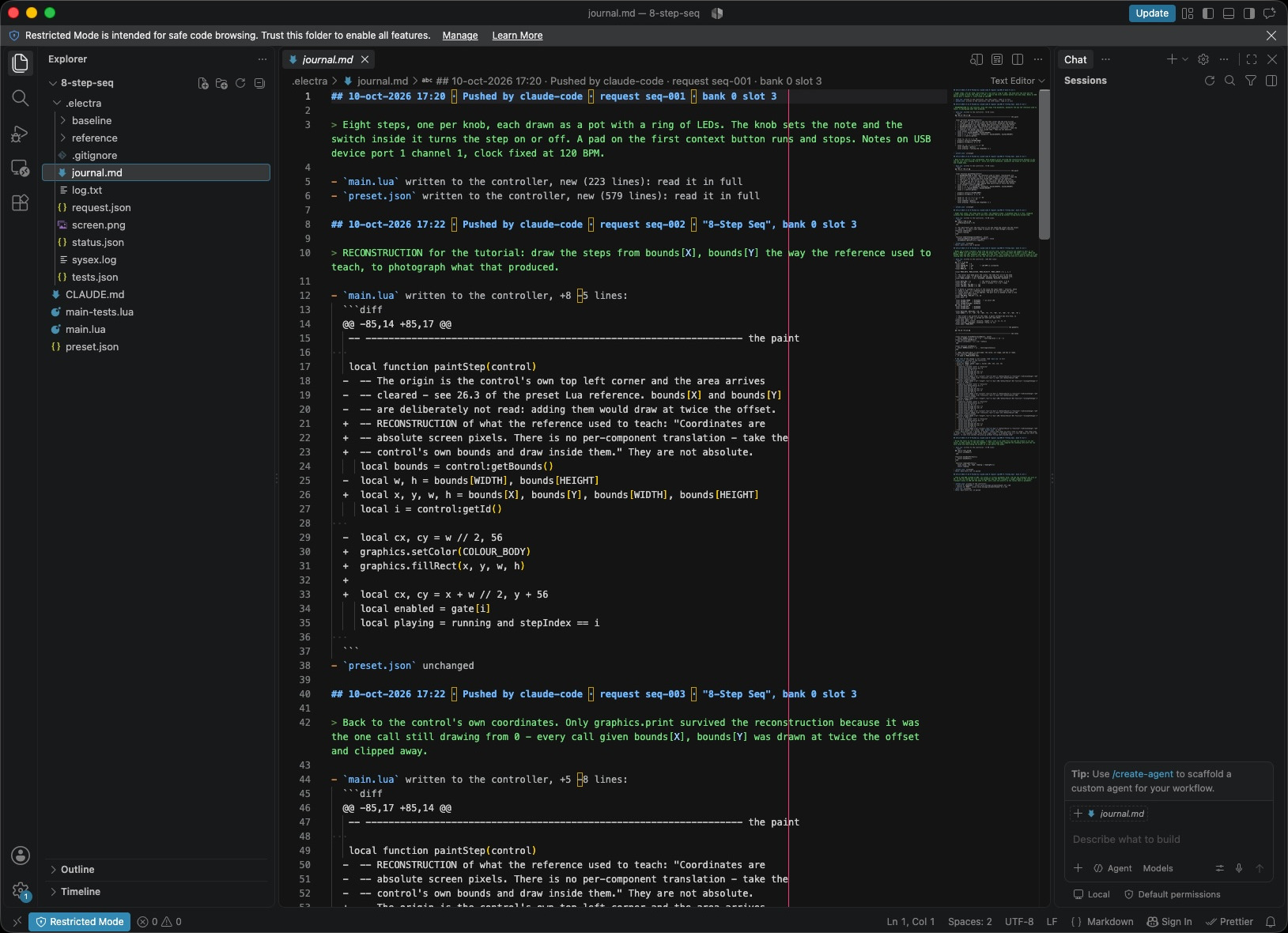
The rest of .electra/ is the exchange itself — status.json with the result of the last request, log.txt from the controller, sysex.log of what crossed the wire, tests.json, screen.png, and baseline/ holding the files as the last hand-over left them so a conflict can be recognised. None of it is the preset, which is why .gitignore keeps the whole directory out of commits.
The preset itself is a git repository, and it should be committed like any other code. Two commits into this build, the log already carries the finding worth remembering.
What to take from this
- Read the reference before writing Lua. It is in the folder, generated from the firmware, and it is why the first push drew correctly.
- Write tests early. They run on the controller after every push, and they tell you when the meaning of something has moved.
- A passing suite is not a working preset. Photograph the screen.
- Commit the folder.