

Version5.0.0
Panel MIDI
The knobs and the buttons of an Electra One are the one part of it a computer cannot lend it. The mouse and the keyboard drive them one at a time, which is enough to work with but nothing like playing the instrument. Panel MIDI puts a MIDI controller on your desk in their place: a knob of your controller becomes a knob of the virtual Electra One, a pad or a key becomes one of its buttons, and the panel is a panel again.
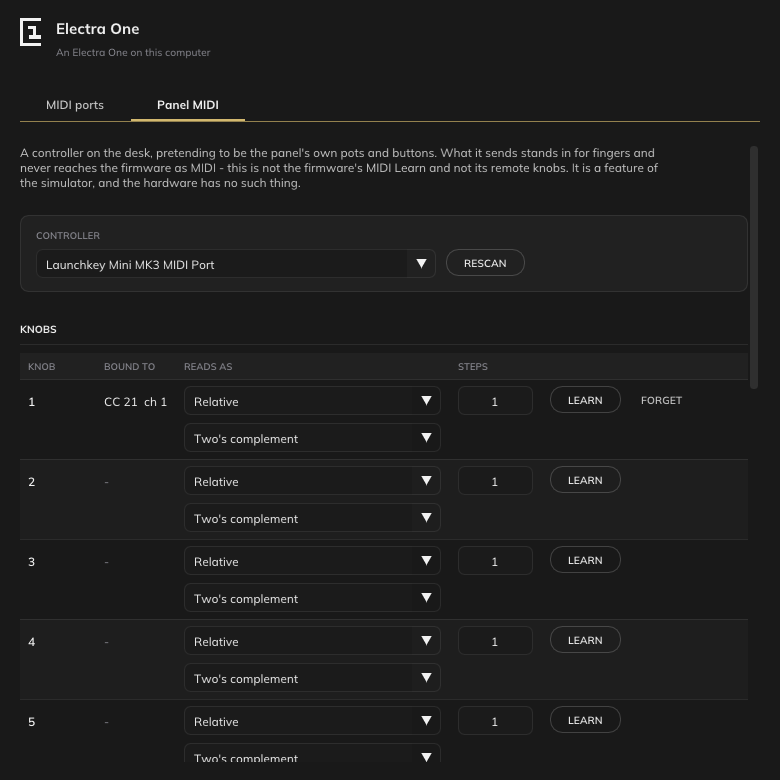
This is not the firmware's MIDI Learn
What the controller sends stands in for your fingers. It becomes knob touches, knob turns and button presses, through the same path the hardware's own panel uses, and it never reaches the firmware as MIDI. It is not the firmware's MIDI Learn, not its remote knobs and not MIDI control; those still exist on the virtual controller and work through its MIDI ports, as they do on the hardware. The hardware has no Panel MIDI, because it has knobs.
The controller
The Controller field at the top is the MIDI port your controller is on. It is chosen here, separately from the MIDI IO and USB host ports of the MIDI ports section, and it is attached to none of them: a controller playing the panel is not a controller plugged into the back of an Electra One, so the firmware does not also see its messages arrive as MIDI. Rescan reads the computer's ports again.
Learning
Every knob and every button of the panel has a row. Learn on a row, then move the knob or press the pad on your controller that you want to play it, and the row shows what it is now bound to, CC 21 ch 1 or Note 36 ch 10. While the row is waiting, Cancel stops it. Forget on a bound row unbinds it.
A button takes a note or a control change. A knob takes a control change, read in one of three ways, chosen in Reads as:
| Reads as | What the controller sends |
|---|---|
| CC 7 bit | an absolute position from 0 to 127. Movement is the difference from where the knob was, so an absolute knob turns a relative one. |
| CC 14 bit | an absolute position from 0 to 16383 over a pair of controllers, n and n + 32, which is what a controller with a high-resolution knob sends. |
| Relative | the movement itself, from an endless encoder. A second field chooses the encoding: Two's complement, Sign bit, Sign bit 2, Binary offset or No sign; the same encodings the firmware's own relative controls know. |
Changing Reads as forgets the binding, since the row has to learn what the new reading looks like.
Steps is how far one unit from the controller turns the knob, from 1 to 16. A knob that feels too slow gets a larger number.
Every reading becomes movement and nothing else. The virtual controller knows its knobs and buttons, never the controls under them: where a value sits, and what an absolute knob that disagrees with it should do, is the firmware's business, and the firmware's remote knobs have the takeover modes for that.
The rows
The knobs are numbered as on the panel, 1 to 12 on the mk2 and 1 to 8 on the Mini. The buttons are named as the panel names them:
| mk2 | Mini |
|---|---|
| Left Top, Left Middle, Left Bottom, Right Top, Right Middle, Right Bottom | Button 1 (left) to Button 6 (right), and Knob 1 switch to Knob 8 switch |
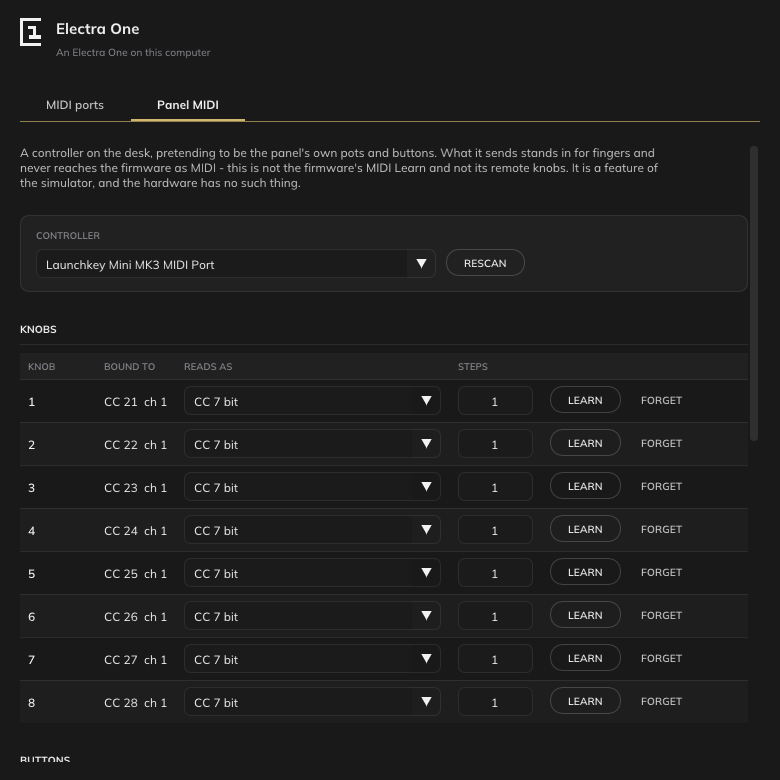
On the Mini a knob's switch is a button like the six under the display, so a pad can press a knob.
From the panel
A knob or a button can also be bound without opening the configuration window: right-click it on the panel. The inspector opens on that knob or button with the same Learn, Forget, Reads as and Steps as its row, and a binding made there is the one the row shows.
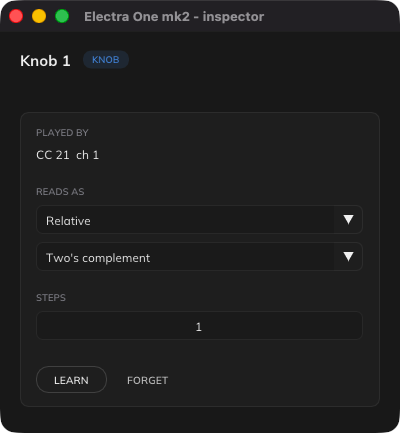
If no controller has been chosen yet, the inspector asks for one first.
Kept between runs
The bindings are written with the port choices to the model's settings file, mk2-host-settings.txt or mini-host-settings.txt, when the controller is closed, as described under Configuration. Moving eight knobs one at a time to bind them is work, and it is done once.